
1. Introduction
This user manual provides essential information for the safe and efficient operation, maintenance, and troubleshooting of your new Haier 3D 60 Series 5 HTW5618CNMG refrigerator. Please read this manual thoroughly before using the appliance and keep it for future reference.
Your Haier refrigerator is designed with advanced technologies to ensure optimal food preservation and user convenience, including Wi-Fi connectivity, Direct Access drawers, My Zone, Humidity Zone, Air Surround Fresher Tech, and Total No Frost.
2. Safety Information
Always follow basic safety precautions when using electrical appliances to reduce the risk of fire, electric shock, and injury.
- Ensure the appliance is properly grounded.
- Do not damage the refrigerant circuit.
- Do not use mechanical devices or other means to accelerate the defrosting process, other than those recommended by the manufacturer.
- Do not use electrical appliances inside the food storage compartments of the appliance, unless they are of the type recommended by the manufacturer.
- Unplug the refrigerator before cleaning or performing any maintenance.
- Keep ventilation openings clear of obstruction.
- This appliance is intended for household use only.
3. Setup and Installation
3.1 Unpacking
Carefully remove all packaging materials. Inspect the refrigerator for any damage. Keep packaging materials away from children.
3.2 Placement
Place the refrigerator on a firm, level surface away from direct sunlight, heat sources (such as stoves, heaters), and extreme cold. Ensure adequate ventilation around the appliance. Allow at least 10 cm of space behind and on the sides for proper air circulation.

Image: Dimensions of the Haier HTW5618CNMG refrigerator, showing height of 185 cm, width of 59.5 cm, and depth of 66.7 cm.
3.3 Initial Power-On
After placing the refrigerator, wait at least 4 hours before plugging it into a power outlet. This allows the refrigerant to settle. Once plugged in, the refrigerator will begin to cool. Allow several hours for the temperature to stabilize before storing food.
4. Operating Instructions
4.1 Temperature Control
The refrigerator's temperature can be adjusted using the control panel located on the door. Refer to the display for current temperature settings. Adjust the temperature according to your needs and the type of food stored.
4.2 My Zone
The My Zone compartment offers flexible temperature control, allowing you to set it from -3°C to +5°C. This is ideal for specific food items requiring precise conditions, such as meat, fish, or delicate produce.
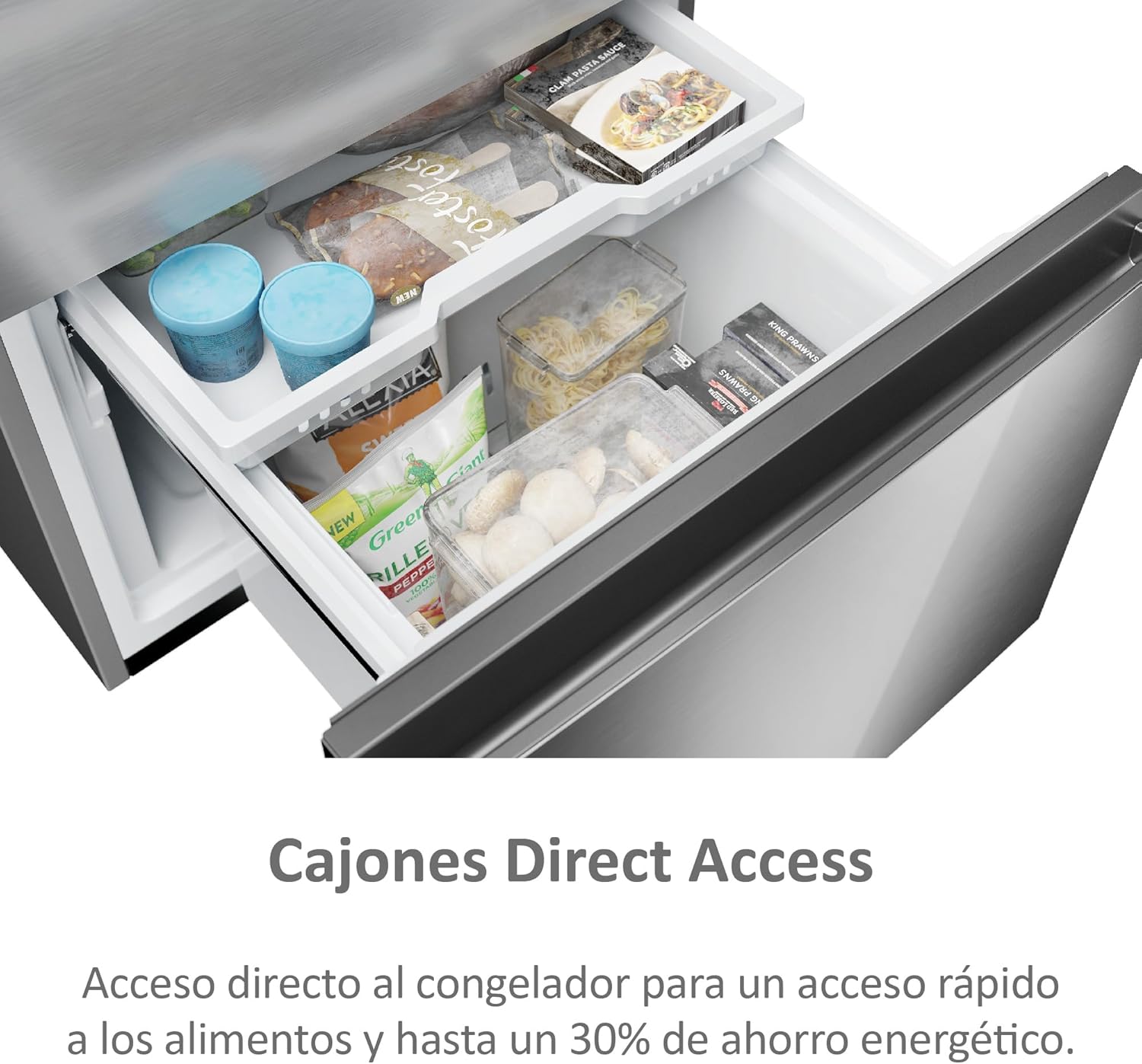
Image: Close-up view of the My Zone drawer inside the refrigerator, showing various food items stored.
4.3 Humidity Zone
The Humidity Zone is designed to maintain optimal humidity levels for fruits and vegetables, keeping them fresh for longer periods.
4.4 Wi-Fi Connectivity (hOn App)
Your Haier refrigerator can be connected to your home Wi-Fi network and controlled via the hOn app on your smartphone. This allows for remote temperature adjustments, proactive temperature management based on your habits and weather data, and receiving alerts.
- Download the hOn app from your device's app store.
- Follow the in-app instructions to pair your refrigerator.
- Once connected, you can monitor and control various functions remotely.

Image: A Haier refrigerator in a modern kitchen setting, with a smartphone displaying the hOn app interface, demonstrating Wi-Fi connectivity.
5. Key Features Explained
5.1 Direct Access Drawers
The freezer section features Direct Access drawers, providing easy and quick access to frozen items. This design also contributes to energy savings by minimizing cold air loss compared to traditional freezer doors.
Image: Open Direct Access freezer drawers, showing various frozen food items stored within.
5.2 Air Surround Fresher Tech
This technology ensures that air flows gently and evenly around the refrigerator's interior. Thanks to special side air outlets, food retains its taste, consistency, and juiciness for up to 7 days, as if it were fresh.
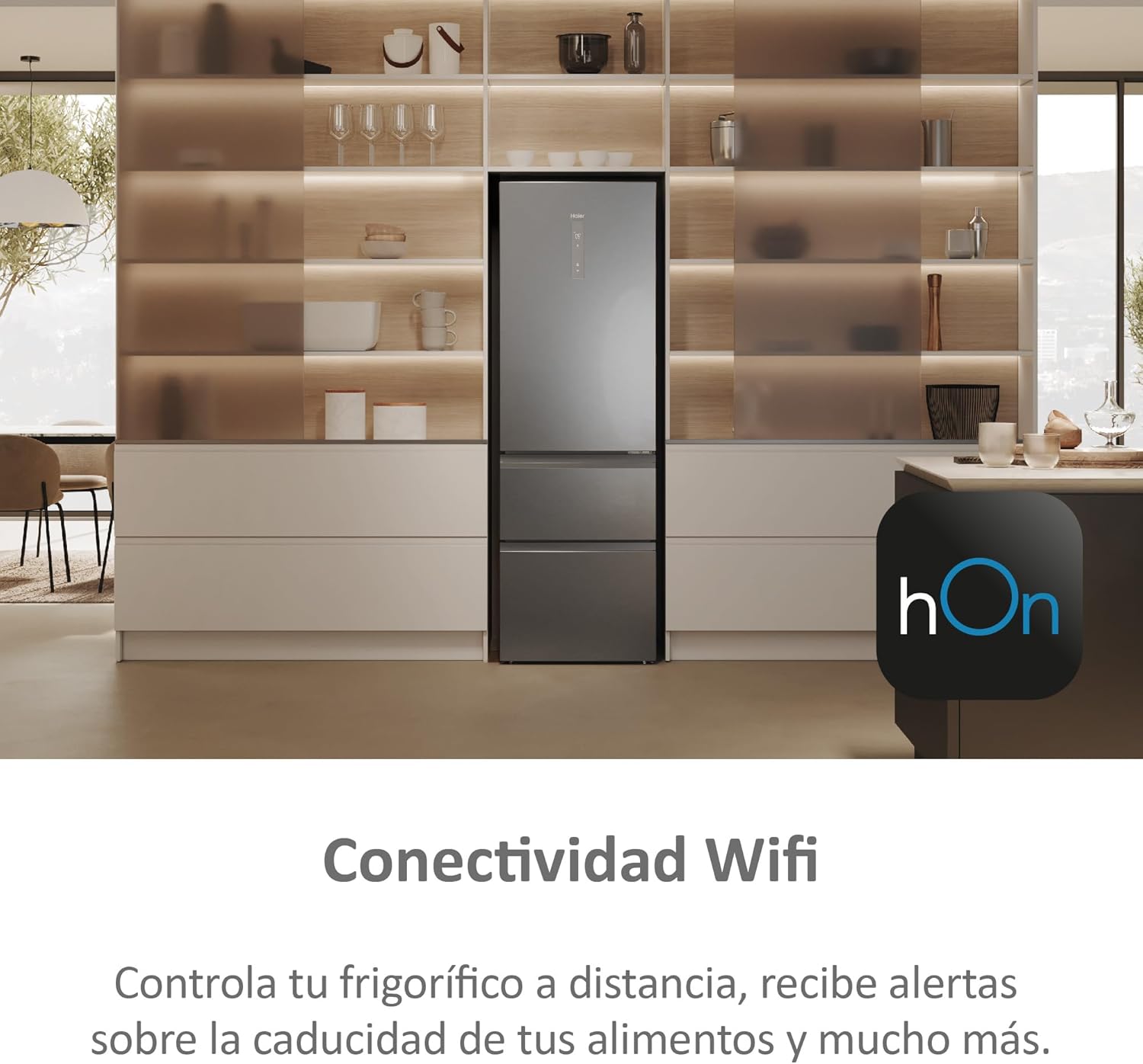
Image: Internal view of the refrigerator showing air circulation patterns, illustrating the Air Surround Fresher Tech.
5.3 Total No Frost
Haier's innovative Total No Frost technology intelligently prevents frost buildup in both the refrigerator and freezer compartments, eliminating the need for manual defrosting and ensuring consistent cooling performance.

Image: Internal view of the refrigerator showing the Total No Frost system, with air vents and shelves containing various food items.
5.4 Inverter Motor
The refrigerator is equipped with an Inverter Motor, which provides efficient and quiet operation. This technology allows for precise temperature control and reduces energy consumption.

Image: Diagram illustrating the components of an inverter motor, highlighting its compact and efficient design.
5.5 LED Lighting
Bright LED lighting on the top of the refrigerator illuminates the interior, making it easier to view and access your food items.
6. Maintenance
6.1 Cleaning
Regular cleaning helps maintain the hygiene and efficiency of your refrigerator. Always unplug the appliance before cleaning.
- Clean the interior with a soft cloth and a mild detergent solution.
- Wipe down exterior surfaces with a damp cloth.
- Clean the door seals regularly to ensure a tight seal.
- Vacuum the condenser coils at the back of the refrigerator periodically to improve efficiency.
6.2 Defrosting
Thanks to the Total No Frost technology, manual defrosting of the freezer compartment is not required. Any ice buildup will be automatically managed by the system.
7. Troubleshooting
If you encounter issues with your refrigerator, refer to the following common problems and solutions before contacting service.
| Problem | Possible Cause | Solution |
|---|---|---|
| Refrigerator not cooling | Power outage; Plug not inserted correctly; Temperature setting too high; Door left open. | Check power supply; Ensure plug is secure; Adjust temperature setting; Close door completely. |
| Unusual noise | Appliance not level; Items inside rattling; Compressor noise (normal). | Adjust leveling feet; Rearrange items; Normal operation sounds are expected. |
| Water on floor | Drain hole blocked; Door not closed properly. | Clear drain hole; Ensure door is sealed. |
If the problem persists after attempting these solutions, please contact customer support.
8. Specifications
Below are the technical specifications for the Haier 3D 60 Series 5 HTW5618CNMG refrigerator:
| Feature | Value |
|---|---|
| Model Identifier | 34005128 |
| Product Dimensions (D x W x H) | 66.7 x 59.5 x 185 cm |
| Weight | 97 Kilograms |
| Capacity | 360 Liters |
| Annual Energy Consumption | 173 kWh per year |
| Refrigerator Net Capacity | 235 Liters |
| Freezer Net Capacity | 125 Liters |
| Installation Type | Freestanding |
| Defrost System | Frost-free (Total No Frost) |
| Special Features | Super Freezing, Total No Frost, My Zone Drawer, Super Cooling, Inverter Motor |
| Color | Stainless Steel |
| Noise Level | 40 dB(A) |
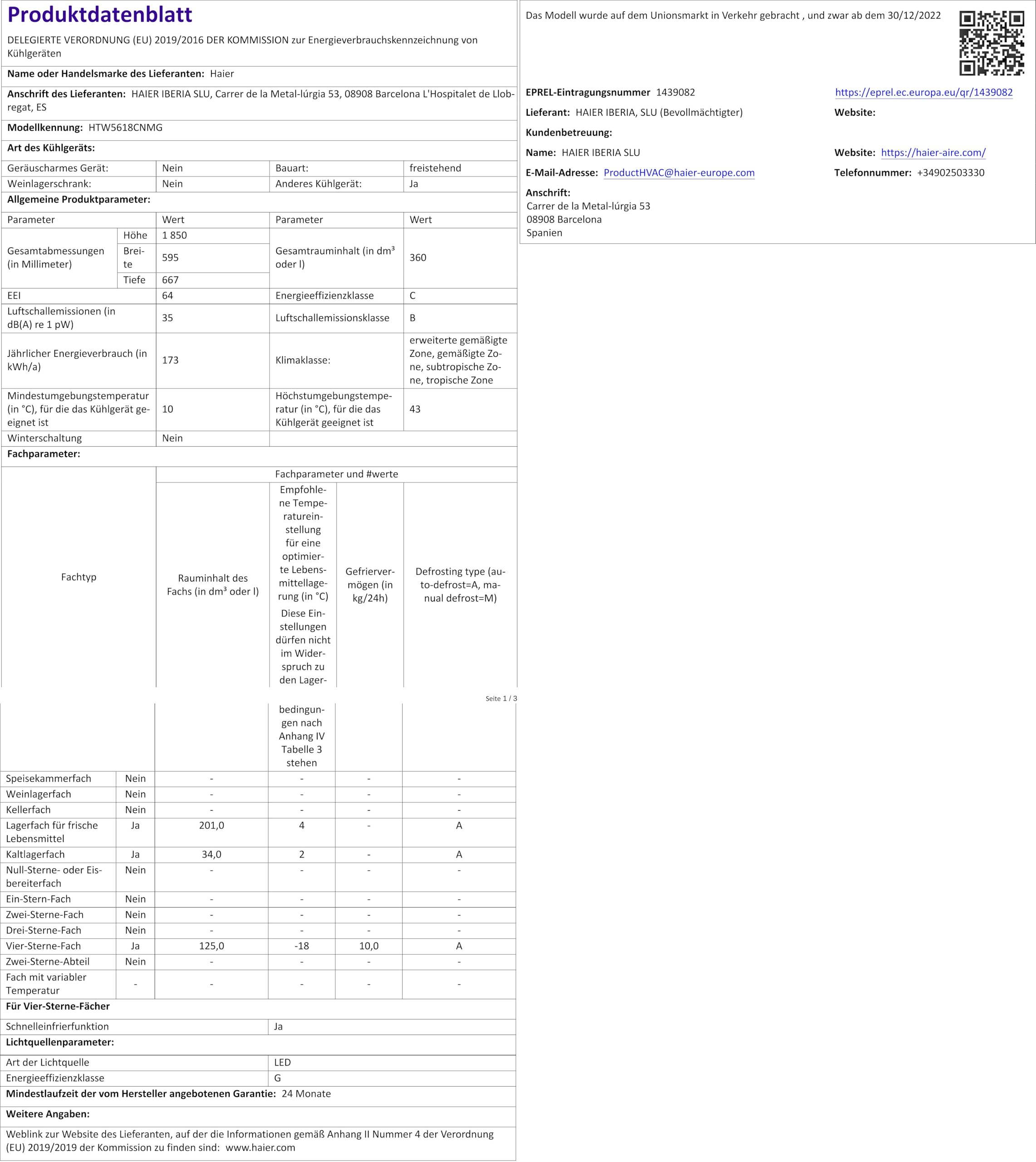
Image: Energy efficiency label for the Haier refrigerator, showing a C rating.
9. What's in the Box
Upon unpacking, you should find the following items:
- Haier 3D Combi Refrigerator
- 3 Glass Shelves
- 2 Refrigerator Drawers
- Foldable Wine Rack
- Ice Cube Tray
10. Warranty and Support
Your Haier refrigerator comes with a manufacturer's warranty. Please refer to the warranty card included with your purchase for specific terms and conditions, including the warranty period and coverage details.
For technical support, service requests, or inquiries regarding your warranty, please contact Haier customer service. Contact information can typically be found on the Haier official website or in your purchase documentation.


