
NDNCZDHC HT609
NDNCZDHC HT609 Gas Leak Detector User Manual
Model: HT609
1. Introduction
The NDNCZDHC HT609 Gas Leak Detector is a portable device designed for the detection of various combustible gases. It features a gas sensing semiconductor sensor, a clear digital display, and dual alarm indicators (visual and audible) to ensure a safe working environment. Its compact size and lightweight design make it suitable for both indoor and outdoor gas detection applications.
2. Safety Information
Please read all safety instructions carefully before operating the device. Failure to follow these instructions may result in inaccurate readings, device damage, or personal injury.
- This device is intended for detecting combustible gases. It is not designed to detect carbon monoxide or other toxic gases.
- Do not expose the device to extreme temperatures, humidity, or corrosive environments.
- Ensure proper ventilation when testing for gas leaks.
- Replace batteries promptly when the low battery indicator appears to maintain accurate readings.
- Do not attempt to repair or modify the device. Contact qualified personnel for service.
3. Package Contents
Verify that all items are present in the package:
- 1 x HT609 Gas Leak Detector
- 1 x User Manual (this document)
- 1 x Storage Bag
4. Product Overview
4.1 Device Components

Figure 1: Front view of the HT609 Gas Leak Detector. This image displays the device's main screen, power button, sensitivity button, and sound button, along with the Auto Power Off (APO) button.

Figure 2: Close-up of the gas sensor tip. This shows the protective cap and the openings for gas detection.

Figure 3: Front and back view of the HT609 Gas Leak Detector. The back view indicates the battery compartment and compliance markings.
4.2 Display and Controls
The HT609 features a digital display and several control buttons:
- Digital Display: Shows gas concentration (PPM), temperature (°C/°F), and relative humidity (RH%). Also indicates sensitivity level (L, M, H) and alarm status.
- Power Button (): Turns the device on or off.
- SENS Button: Adjusts the sensitivity level (Low, Medium, High).
- °C/°F Button: Toggles between Celsius and Fahrenheit temperature units.
- Sound Button (): Toggles the audible alarm on or off.
- APO Button: Activates or deactivates the Auto Power Off function.
5. Setup
5.1 Battery Installation
The HT609 Gas Leak Detector requires 3 x 1.5V AAA batteries (not included).
- Locate the battery compartment cover on the back of the device (refer to Figure 3).
- Slide or unclip the cover to open the compartment.
- Insert three 1.5V AAA batteries, ensuring correct polarity (+/-).
- Close the battery compartment cover securely.
6. Operating Instructions
6.1 Power On/Off
- To Power On: Press and hold the Power button () for approximately 2 seconds. The device will display "WAIT..." during a 30-second warm-up period (refer to Figure 4). After warm-up, it will enter detection mode.
- To Power Off: Press and hold the Power button () for approximately 2 seconds.
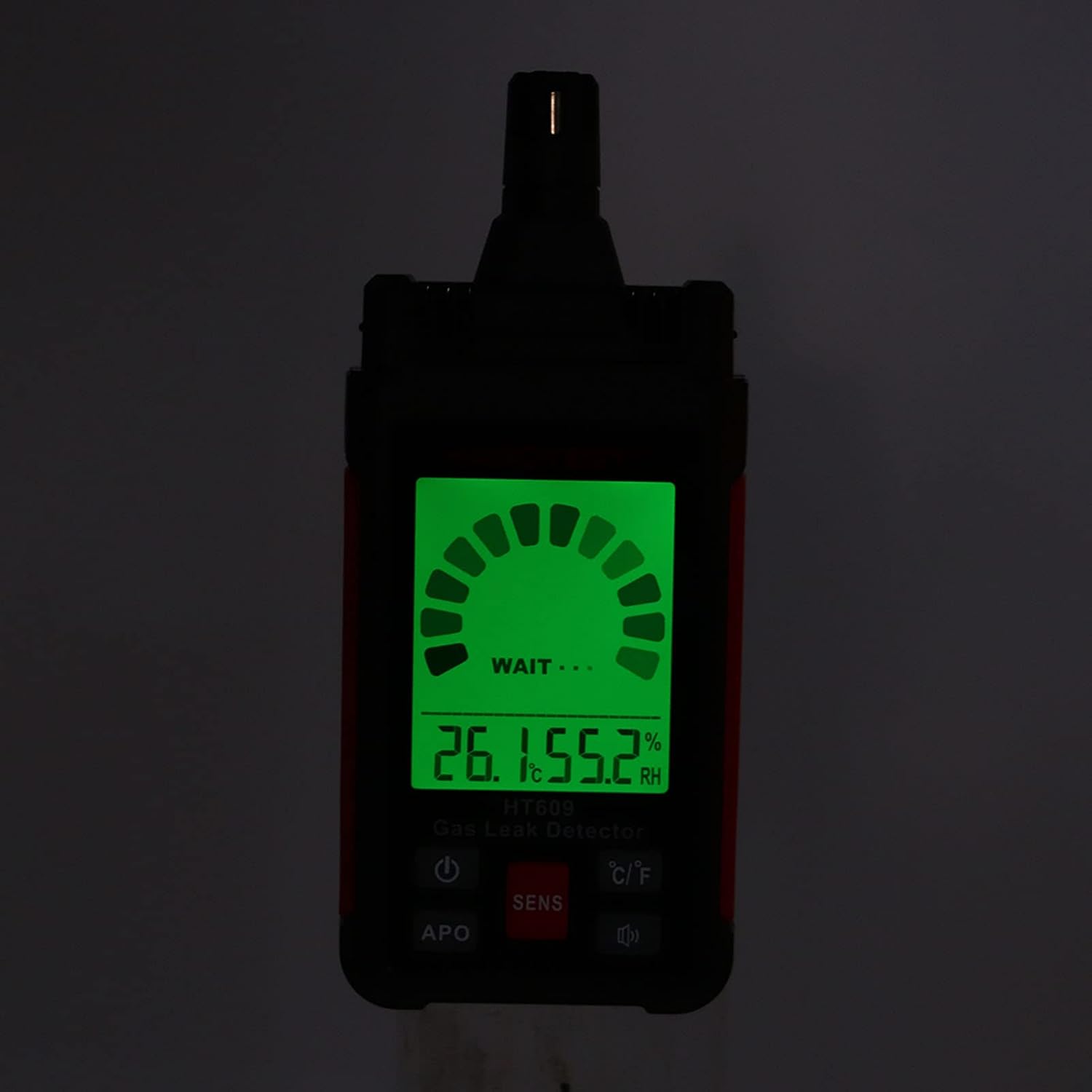
Figure 4: Device display during the warm-up phase.
6.2 Gas Detection
Once the device has completed its warm-up, it is ready to detect gas leaks.
- Move the sensor tip slowly towards the suspected leak area.
- The digital display will show the detected gas concentration in PPM.
- The device will emit an audible alarm and the display will change color (if applicable) when gas is detected above the sensitivity threshold. The alarm intensity increases with higher gas concentrations.
6.3 Adjusting Sensitivity
Press the SENS button to cycle through sensitivity levels: Low (L), Medium (M), and High (H). Higher sensitivity allows for detection of smaller gas leaks.
6.4 Temperature Unit Selection
Press the °C/°F button to switch the temperature display between Celsius and Fahrenheit.
6.5 Audible Alarm On/Off
Press the Sound button () to enable or disable the audible alarm.
6.6 Auto Power Off (APO)
The device has an Auto Power Off function to conserve battery life. Press the APO button to toggle this feature. When APO is active, the device will automatically power off after a period of inactivity.
7. Maintenance
- Cleaning: Wipe the device with a soft, damp cloth. Do not use abrasive cleaners or solvents.
- Storage: Store the device in a cool, dry place, away from direct sunlight and extreme temperatures. If storing for extended periods, remove the batteries to prevent leakage.
- Battery Replacement: Replace all three AAA batteries when the low battery indicator appears on the display.
- Sensor Care: Keep the sensor tip clean and free from obstructions. Avoid touching the sensor directly.
8. Troubleshooting
| Problem | Possible Cause | Solution |
|---|---|---|
| Device does not power on. | Batteries are dead or incorrectly installed. | Check battery polarity and replace with new AAA batteries. |
| Inaccurate or inconsistent readings. | Sensor is dirty or obstructed; device not warmed up; low battery. | Clean sensor tip; allow 30-second warm-up; replace batteries. |
| No audible alarm when gas is detected. | Audible alarm is disabled. | Press the Sound button to enable the audible alarm. |
| Device powers off unexpectedly. | Auto Power Off (APO) is active; low battery. | Deactivate APO if not desired; replace batteries. |
9. Specifications
| Model | HT609 |
| Material | ABS |
| Sensor Type | Gas sensing semiconductor |
| Response Range | 50PPM ~ 1000PPM |
| Sensitivity | >50ppm |
| Warm-up Time | Approximately 30 seconds |
| Response Time | ≤500PPM: Approximately 5 seconds >500PPM: Approximately 2 seconds |
| Power Source | 3 x 1.5V AAA batteries (not included) |
| Alarm Type | Audible and Visual (color display) |
| Item Weight | 6.7 ounces (0.19 Kilograms) |
10. Warranty and Support
Information regarding warranty coverage and customer support for the NDNCZDHC HT609 Gas Leak Detector was not provided in the product details. Please refer to the seller or manufacturer's website for specific warranty terms and contact information for support inquiries.