Product Overview
This manual provides instructions for the Chofit Flexible Silicone Wristband, designed as a replacement strap for Veryfit ID208 and ID208BT smartwatches. It covers installation, usage, and maintenance to ensure optimal performance and longevity of your watch band.
Compatibility
This watch band is specifically designed for the following smartwatch models:
- Veryfit ID208
- Veryfit ID208BT
- Aeac ID208BT
- Konitee ID208BT
- FACOI ID208BT
- VRPEFIT ID208BT
- ENOMIR ID208BT
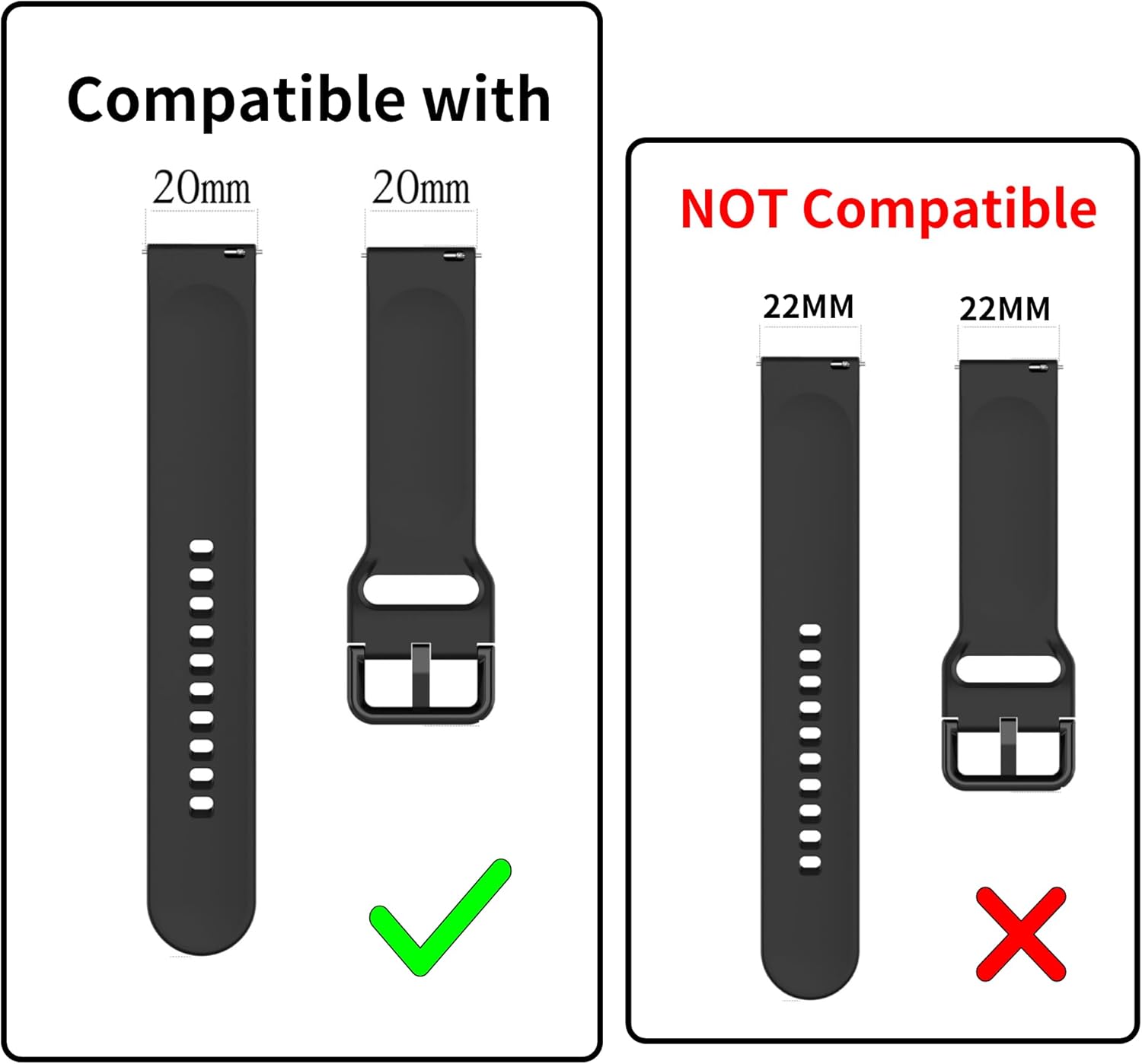
Important Note: This band is NOT compatible with Veryfit IDW13, IDW16, IDW19, IDW20, IDW23, IDW26, or any smartwatch requiring a 22mm band width.
Product Features
- Material: Made from premium soft silicone, offering sweat-resistant, waterproof, lightweight, and durable properties.
- Comfort: Slim and proper thickness for a comfortable wearing experience.
- Secure Design: Features a double-lock buckle. The tail of the band tucks inside for a secure fit, preventing detachment during activity.
- Easy Installation: Equipped with quick-release pins for simple attachment and removal without extra tools.
Setup and Installation
Follow these steps to correctly install your Chofit watch band:
- Prepare the Watch: Ensure your smartwatch is clean and free of debris where the band attaches.
- Locate Quick-Release Pin: Each band segment has a small quick-release pin.
- Attach First Side: Insert one end of the quick-release pin into the lug hole on one side of the smartwatch.
- Compress Pin: Slide the quick-release lever to compress the pin, then align the other end with the opposite lug hole.
- Secure Band: Release the lever, ensuring both ends of the pin are securely seated in the lug holes. Gently pull the band to confirm it is locked in place.
- Repeat for Second Side: Follow the same steps to attach the second band segment.

Operating and Adjustment
The Chofit watch band is designed for easy adjustment to fit various wrist sizes.
- Wrist Size Compatibility:
- Small size fits wrists from 5.1 inches to 7.5 inches.
- Large size fits wrists from 6.1 inches to 9.0 inches.
- Adjusting the Fit: Use the aluminum buckle to select the appropriate hole on the strap for a comfortable and secure fit.
- Securing the Excess Strap: The innovative design allows the excess strap to be tucked into the interior of the band, preventing it from flapping and ensuring a neat appearance.

Maintenance
To ensure the longevity and appearance of your Chofit watch band, follow these maintenance guidelines:
- Cleaning: Wipe the band regularly with a soft, damp cloth. For stubborn dirt, a mild soap solution can be used, followed by rinsing with clean water and thorough drying.
- Avoid Harsh Chemicals: Do not use strong detergents, solvents, or abrasive cleaners, as these can damage the silicone material.
- Drying: Allow the band to air dry completely before reattaching it to your smartwatch or wearing it.
- Storage: Store the band in a cool, dry place away from direct sunlight when not in use to prevent material degradation.
Troubleshooting
- Band does not fit my smartwatch.
Solution: Verify your smartwatch model against the Compatibility section. This band is designed for 20mm lug width smartwatches (Veryfit ID208/ID208BT series). If your watch requires a 22mm band, this product is not compatible.
- Band feels too loose or too tight.
Solution: Adjust the buckle to a different hole on the strap. Ensure you have selected the correct band size (Small or Large) for your wrist circumference as specified in the Operating and Adjustment section.
- Quick-release pin is difficult to install or remove.
Solution: Ensure the pin is fully compressed using the lever and aligned correctly with the lug holes. Do not force the pin. If it still presents difficulty, check for any obstructions in the lug holes.
Specifications
- Material: Environment Protection Silicone
- Clasp Type: Tang Buckle (Aluminum)
- Compatible Watch Lug Width: 20mm
- Wrist Size (Small): 5.1 inches - 7.5 inches
- Wrist Size (Large): 6.1 inches - 9.0 inches
- Water Resistance: Yes (Sweat-resistant, waterproof)
Support
For further assistance or inquiries regarding your Chofit Veryfit ID208 Watch Band, please contact Chofit customer support through the retailer's platform where the product was purchased.


