
Introduction
The Polaroid Go Instant Camera Generation 2 is designed for capturing real-life moments with ease. This compact instant camera has been upgraded with a large aperture range, precise light sensor, and optimized exposure settings to enhance your photographs. Despite its small size, it includes features like a built-in selfie mirror, self-timer, and double-exposure modes. It is rechargeable via USB-C and exclusively compatible with Polaroid Go film.
Key Features:
- Portable Design: As Polaroid’s smallest instant camera, the Polaroid Go is easy to carry and fits in most bags, pockets, and packs.
- Improved Image Quality: Features a large aperture range, precise light sensor, and on-point exposure settings for clearer, brighter pictures.
- Built-in Selfie Mirror: The reflective viewfinder doubles as a selfie mirror for easy self-portraits.
- Creative Modes: Includes double-exposure mode for artistic shots and a self-timer for perfect group photos or self-portraits.
- Long-lasting Battery: Shoots up to 15 film packs on a single USB-C charge.
What's in the Box
- Polaroid Go Generation 2 Camera Body
- USB-C Charging Cable
- Wrist Strap
- Quick Start Guide
- Safety & Compliance Leaflet
- Sticker Sheet (for customization)
Setup
- Charge the Camera: Connect the included USB-C cable to the camera's charging port and a power source. The battery indicator will show charging status. A full charge allows for approximately 15 film packs.
- Insert Film:
- Open the film door by pressing the button on the side of the camera.
- Insert a fresh pack of Polaroid Go film, ensuring the darkslide is facing up.
- Close the film door. The darkslide will automatically eject.
- Attach Wrist Strap: Securely attach the wrist strap to the designated loop on the camera for added security during use.
Operating Instructions
Taking a Photo:
- Power On: Press and hold the power button on the back of the camera until the film counter lights up.
- Frame Your Shot: Look through the viewfinder to compose your image. For selfies, use the reflective surface next to the lens as a selfie mirror.
- Flash Control: Press the flash button (small button next to the shutter) to toggle the flash on or off. The flash is recommended for indoor shots or low-light conditions.
- Capture: Press the large red shutter button to take the picture. The photo will eject from the front of the camera.
- Develop: Place the ejected photo face down on a flat surface to protect it from light while it develops. Development typically takes 10-15 minutes.
Special Features:
- Self-Timer: Press and hold the flash button for 2 seconds to activate the self-timer. The LED will blink to indicate it's active. You have 9 seconds to get into position before the photo is taken.
- Double Exposure: To take a double exposure, press the flash button twice quickly. The LED will blink. Take your first photo, then take your second photo. Both images will be combined onto a single film.

Image: The Polaroid Go Generation 2 camera ejecting a newly taken instant photo.

Image: A developed instant photo showing a couple kissing, demonstrating the camera's output.

Image: A close-up view of the Polaroid Go Generation 2 camera's lens, flash, and light sensor, highlighting its improved optics.

Image: A box of Polaroid Go Color Go Film, indicating the specific film type required for the camera.

Image: Three Polaroid Go cameras in white, black, and blue, hanging by their wrist straps, emphasizing their portable and wearable design.
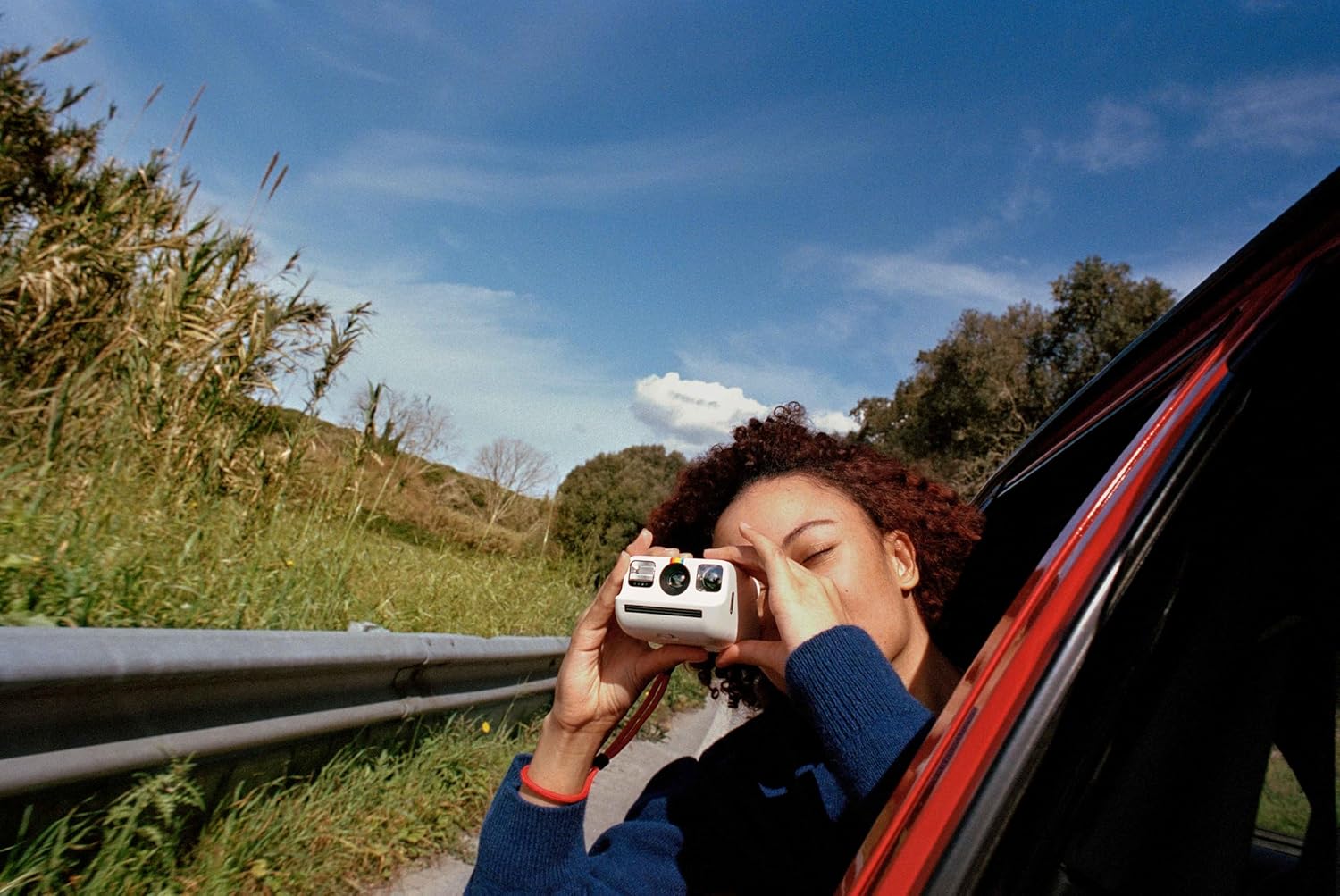
Image: A person holding the Polaroid Go camera and taking a photo from a car window, illustrating its ease of use for capturing moments on the go.
Video: An official product video showcasing the Polaroid Go Generation 2 Instant Film Camera, highlighting its compact size, improved features, and the instant photo development process.
Maintenance
- Cleaning: Use a soft, dry cloth to clean the camera body and lens. Avoid abrasive materials or harsh chemicals.
- Storage: Store the camera in a cool, dry place away from direct sunlight and extreme temperatures.
- Film Handling: Always store film in its original packaging in a cool, dry place. Avoid exposing film to light before use.
Troubleshooting
- Photos are blurry: Ensure you are holding the camera steady when taking a picture. Check lighting conditions and use the flash if necessary.
- Film not ejecting: Verify that the film pack is correctly inserted and that there is still film remaining (check the film counter). Ensure the battery is charged.
- Camera not turning on: Charge the camera using the provided USB-C cable. If the issue persists, contact customer support.
Specifications
| Feature | Detail |
|---|---|
| Brand | Polaroid |
| Model Name | Polaroid Go Gen2 |
| Color | White |
| Item Weight | 240 Grams |
| Item Dimensions (L x W x H) | 4.13 x 3.3 x 2.42 inches |
| Film Format Type | Instant (Polaroid Go Film) |
| Special Feature | Built-In Flash, Self-Timer, Double Exposure |
| Max Shutter Speed | 1/300 - 1 Seconds |
| Exposure Control | Automatic |
| Viewfinder | LCD screen |
| Water Resistance Level | Not Water Resistant |
Warranty & Support
The Polaroid Go Generation 2 Mini Instant Film Camera comes with a 1-year warranty from the manufacturer. For technical support, troubleshooting assistance, or warranty claims, please visit the official Polaroid support website or contact their customer service directly. Keep your proof of purchase for warranty validation.


