Introduction
This user manual provides comprehensive instructions for the safe and effective operation of your Bofypoo DC406 Digital Camera. Designed for ease of use, this compact camera is perfect for capturing high-quality photos and videos. Please read this manual thoroughly before using the camera to ensure optimal performance and longevity.
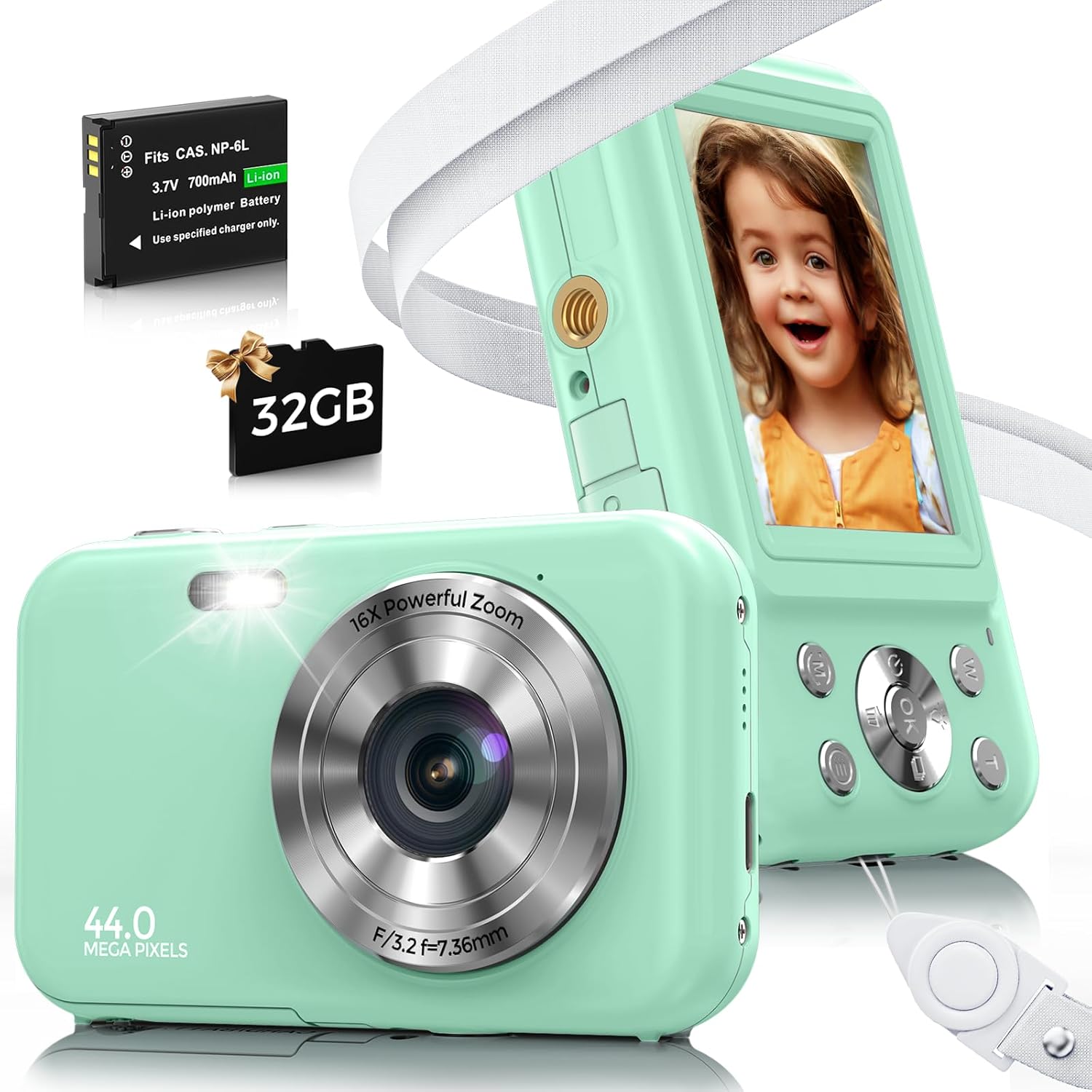
Image: The Bofypoo DC406 Digital Camera, showcasing its compact design, along with the included rechargeable battery and 32GB memory card.
What's in the Box
Upon opening your Bofypoo DC406 Digital Camera package, you should find the following items:
- Bofypoo DC406 Digital Camera
- 2 x Lithium Ion Batteries
- USB Charging Cable
- Power Adapter
- 32GB Micro SD Card
- Neck Strap
- Wrist Strap
- Camera Pouch
- Lens Cleaning Cloth
- User Manual (this document)

Image: All components included with the Bofypoo DC406 Digital Camera, neatly arranged for inspection.
Setup
Before using your Bofypoo DC406 Digital Camera for the first time, please follow these setup steps:
1. Insert Memory Card and Battery
- Locate the battery and memory card compartment on the side or bottom of the camera.
- Open the compartment cover.
- Insert the 32GB Micro SD Card into the designated slot until it clicks into place. Ensure the correct orientation.
- Insert one of the provided Lithium Ion batteries into the battery slot, matching the polarity indicators.
- Close the compartment cover securely.
2. Initial Charging
- Connect the USB charging cable to the camera's charging port.
- Connect the other end of the USB cable to the power adapter, then plug the adapter into a wall outlet.
- Allow the camera to charge for approximately 2 hours before first use to ensure the battery is fully charged. The charging indicator light will typically change or turn off when charging is complete.

Image: Visual guide for battery and memory card insertion, and connecting the camera for charging.
3. Attach Straps
For added security and convenience, attach either the neck strap or wrist strap to the camera's strap loop. This helps prevent accidental drops.
Operating Instructions
Power On/Off
- To power on the camera, press and hold the Power button (usually marked with a power symbol) until the screen illuminates.
- To power off, press and hold the Power button again until the screen turns off.
Taking Photos
- Ensure the camera is in Photo mode (check the mode dial or menu).
- Frame your shot using the LCD screen.
- Press the Shutter button (usually on top of the camera) halfway down to focus, then press fully to capture the image.

Image: The camera's anti-shake feature helps produce clearer 44MP photos, even with slight movement.
Recording Videos
- Switch the camera to Video mode.
- Press the Shutter button to start recording. A timer or indicator will show recording is in progress.
- Press the Shutter button again to stop recording.

Image: The camera supports 1080P video recording and includes a fill light for improved visibility in darker environments.
Zoom Function
- While in Photo or Video mode, use the W/T (Wide/Telephoto) buttons, often located near the shutter, to zoom in (T) or zoom out (W). The camera features 16x digital zoom.

Image: Demonstrates the camera's 16x digital zoom capability, allowing users to magnify subjects.
Playback and Deletion
- To view captured photos or videos, press the Playback button (often marked with a play icon).
- Use the navigation buttons to scroll through your media.
- To delete an item, select it during playback and press the Delete button (often marked with a trash can icon), then confirm your choice.
Special Features
- Fill Light: Activates an auxiliary light for brighter photos and videos in low-light conditions.
- Anti-Shake: Helps stabilize images to reduce blur caused by camera movement.
- Continuous Shooting: Captures a rapid sequence of photos with a single press of the shutter.
- Time-Lapse: Records a series of images over time and compiles them into a short video.
- Face & Smile Detection: Automatically detects faces and smiles in the frame to optimize focus and capture.
- Multiple Filter Effects: Apply various creative filters to your photos directly from the camera.

Image: Overview of advanced shooting modes and creative effects available on the Bofypoo DC406 camera.
Official Product Video
Video: An official product video from Bofypoo-US demonstrating the unboxing, setup, and basic operation of the Bofypoo Kids Camera with 32GB Card.
Maintenance
- Cleaning: Use the provided lens cleaning cloth to gently wipe the camera lens and screen. Do not use liquid cleaners or abrasive materials.
- Storage: When not in use, store the camera in its protective pouch in a cool, dry place away from direct sunlight and extreme temperatures.
- Battery Care: If the camera will not be used for an extended period, remove the battery to prevent leakage. Recharge batteries periodically if stored for long durations.
- Memory Card: Regularly back up your photos and videos from the memory card to a computer or cloud storage to prevent data loss.
Troubleshooting
| Problem | Possible Cause | Solution |
|---|---|---|
| Camera does not turn on. | Battery is low or not inserted correctly. | Ensure battery is fully charged and correctly inserted. Try the second battery. |
| Cannot take photos/videos. | Memory card is full or not inserted. | Insert memory card. Delete unnecessary files or replace with an empty card. |
| Images are blurry. | Lens is dirty; camera shake; insufficient light. | Clean the lens. Hold the camera steady. Use fill light in low-light conditions. |
| Camera freezes. | Software glitch. | Remove and reinsert the battery to reset the camera. |
Specifications
| Feature | Detail |
|---|---|
| Model Name | DC406 |
| Maximum Webcam Image Resolution | 44 MP |
| Video Resolution | 1080P FHD |
| Optical Zoom | 16x Digital Zoom |
| Image Stabilization | Optical |
| Photo Sensor Technology | CMOS |
| Supported File Format | JPEG, RAW |
| Batteries | 2 Lithium Ion batteries (included) |
| Item Weight | 9.9 ounces |
| Special Features | Fill Light, Anti-Shake, Continuous Shooting, Time-Lapse, Face & Smile Detection, Multiple Filter Effects |
Warranty and Support
Bofypoo offers a 1-year hassle-free warranty for your DC406 Digital Camera. If you encounter any issues or have questions regarding your product, please do not hesitate to contact our customer support team. We provide 24-hour online support to assist you.
For further assistance, please refer to the contact information provided on the product packaging or the official Bofypoo website.


