
Jecod SOW-8
Jebao Jecod SOW-8 Wave Maker Flow Pump User Manual
Model: SOW-8
1. Introduction
The Jebao Jecod SOW-8 Wave Maker Flow Pump is designed to create natural wave patterns and water circulation within marine reef aquariums. This device helps to simulate ocean currents, promoting a healthier environment for corals and fish by preventing dead spots and distributing nutrients. The SOW-8 model features an improved motor and a unique control system for versatile wave styles.
2. Safety Instructions
- Always disconnect power before performing any maintenance or installation.
- Ensure your hands are dry before handling the power adapter or controller.
- This product is designed for indoor aquarium use only. Do not use in any other environment.
- Do not operate the pump if the power cord or plug is damaged.
- Keep the controller and power adapter away from water.
- Ensure the pump is fully submerged in water during operation to prevent damage.
- Children should be supervised to ensure they do not play with the appliance.
3. Package Contents

Figure 3.1: Complete package contents of the SOW-8 Wave Maker.
Please check the package contents upon opening to ensure all components are present and undamaged. The standard package for the Jebao Jecod SOW-8 Wave Maker includes:
- 1 x SOW-8 Wave Maker Pump Unit
- 1 x External Controller
- 1 x Power Adapter (AC/DC)
- 1 x Power Cable for Pump
- 1 x User Manual (this document)
4. Product Features
The Jebao Jecod SOW-8 Wave Maker is equipped with advanced features to provide optimal water movement in your aquarium:
- Powerful Flow: 2245 GPH (Gallons Per Hour) suitable for tanks around 40 inches.
- Advanced Control System: Offers multiple wave styles and functions to customize water patterns.
- Night Sensor: Automatically detects low light conditions and slows the pump to simulate natural nighttime currents.
- Adjustable Flow Direction: The pump unit can be rotated 180 degrees to direct water flow as needed.
- Wireless Control: Allows synchronization of multiple wave makers using a single controller for complex flow setups.
- Energy Efficient: Operates at 23W with a 100V 60Hz US plug.
5. Setup
Follow these steps to properly set up your SOW-8 Wave Maker:
- Mount the Pump:
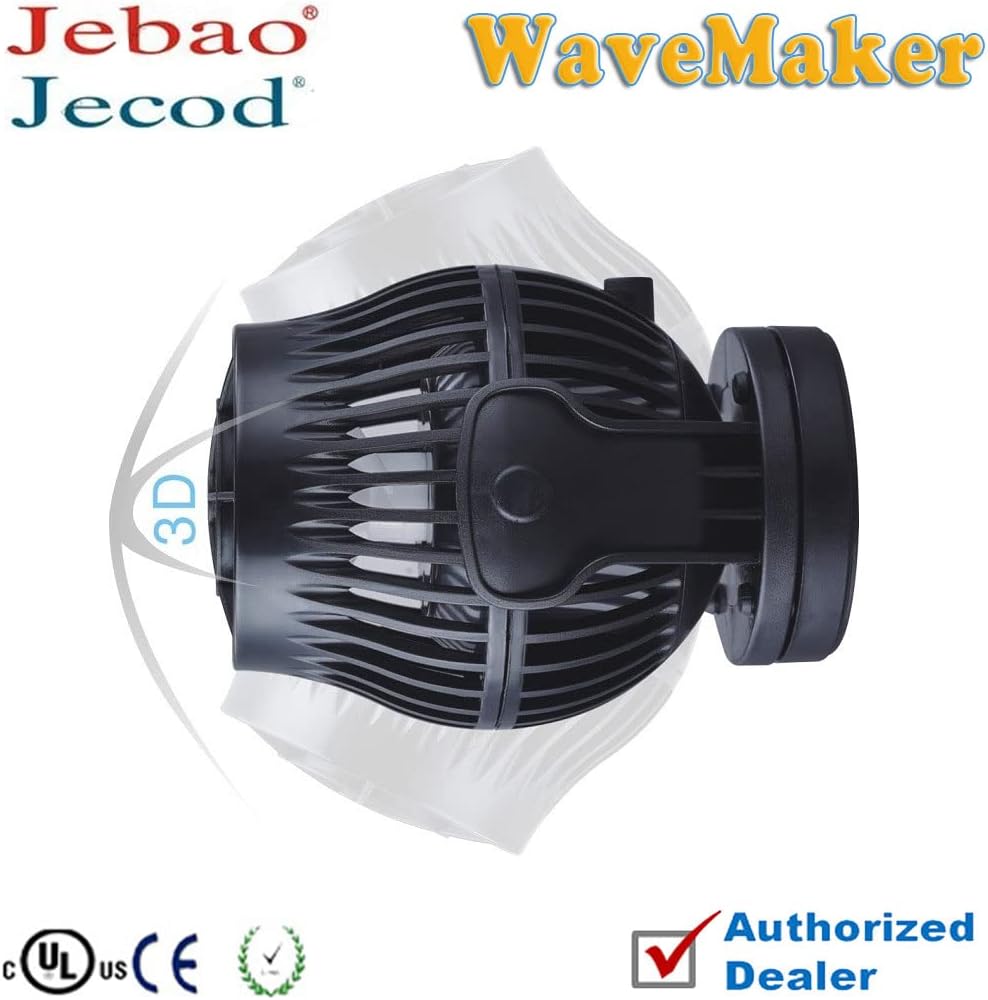
Figure 5.1: SOW-8 Wave Maker pump unit.
Position the wave maker pump unit inside your aquarium. The pump typically attaches to the aquarium glass using strong magnets. Ensure the pump is fully submerged and positioned to create the desired water flow without disturbing substrate or corals excessively. The pump's outlet can be rotated 180 degrees to adjust flow direction.
- Connect to Controller: Connect the cable from the wave maker pump unit to the designated port on the external controller. Ensure the connection is secure.
- Connect Power Adapter: Plug the power adapter into the controller. Then, plug the power adapter into a standard 100V 60Hz electrical outlet.
- Initial Power On: Once connected, the controller will power on. Observe the pump for initial operation.
6. Operating Instructions
The SOW-8 controller allows for various modes and adjustments:
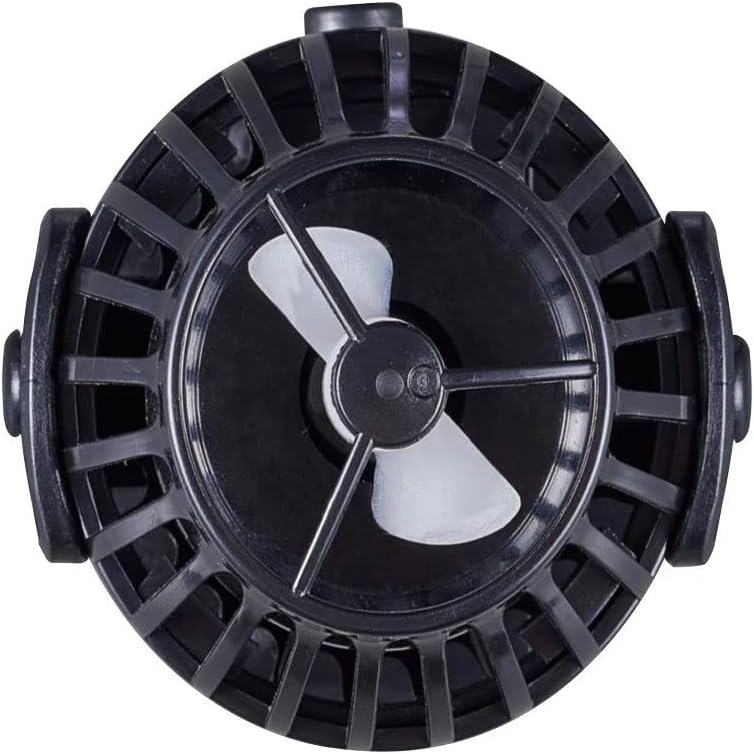
Figure 6.1: Close-up view of the SOW-8 impeller.
- Mode Button: Press to cycle through different wave patterns (e.g., constant flow, pulse mode, random flow). Refer to the controller's indicators for the active mode.
- Speed/Feed Button: Adjusts the flow intensity. A short press may change speed, while a long press typically activates a "feed mode" which temporarily pauses the pump for feeding.
- Lock Button: Locks the current settings to prevent accidental changes.
- Night Sensor: The built-in light sensor on the controller automatically detects when aquarium lights are off and reduces pump activity to a gentler flow, mimicking natural nighttime conditions.
- Master/Slave Function: For multiple SOW wave makers, one controller can be set as "Master" to control other "Slave" units wirelessly, ensuring synchronized wave patterns across the tank.
Experiment with different modes and speeds to find the ideal water movement for your specific aquarium inhabitants and setup.
7. Maintenance
Regular maintenance ensures the longevity and optimal performance of your SOW-8 Wave Maker:
- Monthly Cleaning: Disconnect the pump from power. Remove the pump unit from the aquarium. Disassemble the impeller cover and impeller. Clean all components, especially the impeller and its housing, using a soft brush and warm water to remove algae, detritus, and calcium buildup. Do not use harsh chemicals.
- Inspect Cables: Periodically check the power cables and connections for any signs of wear, fraying, or damage.
- Controller Care: Keep the controller dry and clean. Wipe with a dry cloth if necessary.
- Reassembly: Ensure all parts are correctly reassembled before returning the pump to the aquarium and reconnecting power.
8. Troubleshooting
If you encounter issues with your SOW-8 Wave Maker, refer to the following common problems and solutions:
| Problem | Possible Cause | Solution |
|---|---|---|
| Pump not operating | No power; loose connection; damaged power adapter/controller. | Check power outlet. Ensure all cables are securely connected. Inspect power adapter and controller for damage. |
| Weak or inconsistent flow | Impeller clogged with debris/algae; calcium buildup; pump not fully submerged. | Disconnect power and clean the impeller and pump housing thoroughly. Ensure pump is fully submerged. Adjust speed settings on controller. |
| Unusual noise from pump | Debris in impeller; worn impeller; improper installation. | Disconnect power and clean the impeller. Check for any foreign objects. Ensure pump is securely mounted and not vibrating against the glass. |
| Controller not responding | Power issue; internal fault. | Check power connection to controller. Disconnect and reconnect power to reset. If issue persists, contact customer support. |
9. Specifications

Figure 9.1: Size comparison of SOW series wave makers, including SOW-8.
| Attribute | Detail |
|---|---|
| Model | SOW-8 |
| Brand | Jecod |
| Manufacturer | JEBAO INC |
| Power Source | AC/DC |
| Voltage | 100V (AC) |
| Frequency | 60Hz |
| Power Consumption | 23W |
| Maximum Flow Rate | 2245 GPH |
| Recommended Tank Size | Approx. 40 inches |
| Product Dimensions | 2.6 x 3.46 x 2.6 inches |
| Material | Plastic |
| Color | Black |
| Item Model Number | PET-SOW8-999-4 |
10. Warranty and Support
For warranty information and customer support, please refer to the retailer or manufacturer's official website. Typically, products come with a limited warranty covering manufacturing defects from the date of purchase. Keep your proof of purchase for warranty claims.
For technical assistance or troubleshooting beyond this manual, please contact Jecod customer service or your authorized dealer.
- Return Policy: The standard return policy for this product is 30 days from the date of purchase for refund or replacement, as per the retailer's terms.
- Protection Plans: Extended protection plans may be available for purchase separately, offering coverage beyond the standard manufacturer's warranty.
Ask a question about this manual
Ask about setup, troubleshooting, compatibility, parts, safety, or missing instructions. Manuals+ will review the question and use this page’s manual context to help answer it.