
1. Product Overview
The Hikity 6288W is a versatile single DIN car radio stereo designed to enhance your in-car entertainment and connectivity. It features a 6.9-inch HD touch screen, wireless Apple CarPlay and Android Auto compatibility, Bluetooth 5.0, Mirror Link functionality, and includes a backup camera for improved safety.
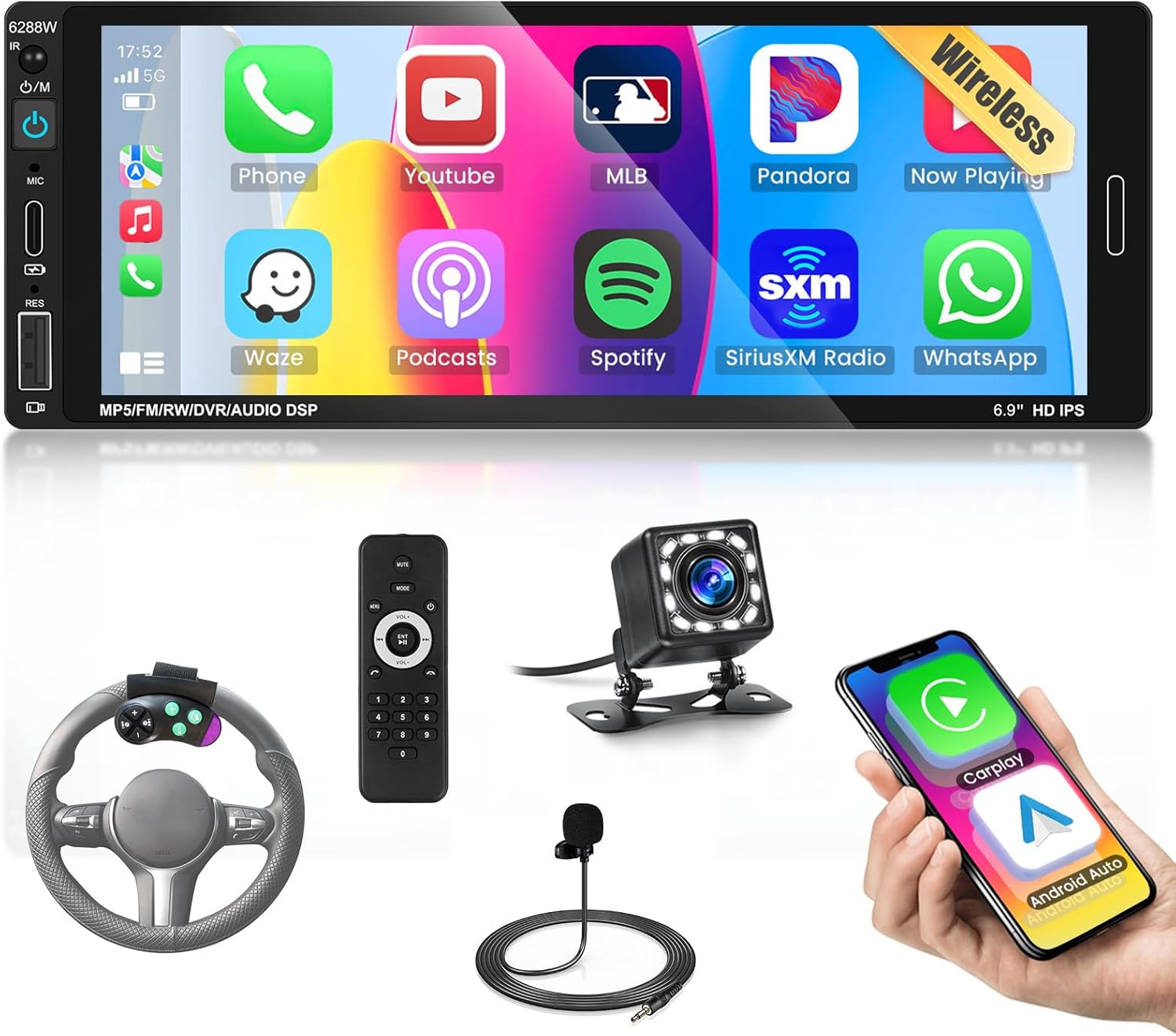
Image 1.1: Hikity 6288W Car Stereo and Included Accessories. This image displays the main head unit, a remote control, a steering wheel control remote, an external microphone, a backup camera, and a smartphone screen showing CarPlay/Android Auto interfaces.
Key Features:
- 6.9-inch HD Touch Screen (1280*480 resolution)
- Wireless Apple CarPlay and Android Auto (via Bluetooth or USB)
- Bluetooth 5.0 for hands-free calls and audio streaming
- Mirror Link for Android and iOS devices
- Integrated FM Radio with 18 preset stations
- Customizable EQ Sound Settings
- Rearview Backup Camera input (camera included)
- Steering Wheel Control (SWC) compatibility (remote included)
- USB and Type-C ports for media playback and phone charging (5V 1.5A)
- Seven-color adjustable backlight
2. Setup and Installation
This section provides guidance for installing your Hikity 6288W car stereo. Professional installation is recommended for optimal performance and safety.
2.1 Package Contents:
- 1 x Car MP5 Player (Main Unit)
- 1 x Power Cable
- 1 x Horn Cable
- 1 x External Microphone
- 1 x Remote Control
- 1 x Steering Wheel Control Remote
- 1 x Rear Camera
- 2 x Mounting Brackets
- 1 x User Manual

Image 2.1: Package Contents and Dimensions. This image illustrates the items included in the box and provides dimensional measurements for the main unit: 187mm (width) x 70mm (height) x 87mm (depth).
2.2 Dimensions:
The main unit has standard single DIN dimensions: 187mm (width) x 70mm (height) x 87mm (depth). The 6.9-inch screen extends beyond the single DIN chassis, which should be considered for vehicle compatibility. The screen extends approximately 1.5cm above the standard single-DIN slot.
2.3 Wiring Diagram:
Refer to the detailed wiring diagrams provided in the included user manual and the images below for proper connection. It is recommended to use a vehicle-specific wiring harness adapter (not included) for a seamless installation.

Image 2.2: Wire Harness Port Details. This diagram shows the rear panel connections (USB, ANT, L-OUT, AVI, CAMIN, R-OUT, SW, CVBSIN, MIC, Power Cable) and color-coded wiring for power, speakers, and controls.
2.4 Backup Camera Wiring:
Connect the backup camera as per the diagram. The camera's red wire connects to the reversing light positive, the black wire to the reversing light negative or ground, and the video input connects to the car radio's reversing video input.

Image 2.3: Reversing Camera Wiring Diagram. This diagram illustrates the connections for the included backup camera, showing how to connect it to the vehicle's reverse lights and the head unit's video input.
2.5 Installation Effect:

Image 2.4: Installation Effect. This image shows a comparison of a car dashboard before and after the installation of the Hikity 6288W stereo, demonstrating the visual integration of the new unit.
3. Operating Instructions
This section details the various functions and operations of your Hikity 6288W car stereo.
3.1 Touch Screen Interface:
The 6.9-inch HD touch screen (1280*480) provides a responsive and intuitive interface. It features accurate color reproduction and wide viewing angles for clear visibility.

Image 3.1: 6.9-inch HD Touch Screen. This image highlights the screen's 1280x480 resolution, accurate color reproduction, full viewing angle, and 2.5D tempered curved screen design.
3.2 Wireless Apple CarPlay & Android Auto:
Connect your smartphone wirelessly via Bluetooth or wired via USB to access Apple CarPlay or Android Auto. This allows for voice control (Siri or Google Assistant), navigation, music, calls, and messages directly from the stereo screen.

Image 3.2: GPS Navigation and Bluetooth. This image shows the integration of GPS navigation through CarPlay/Android Auto and the Bluetooth 5.0 interface for clear calling, wireless music, and fast pairing.

Image 3.3: Wireless CarPlay and Android Auto Overview. This image provides a general overview of the wireless connectivity for CarPlay and Android Auto, highlighting the convenience of smartphone integration.
3.3 Mirror Link Function:
Utilize the USB data cable to mirror your Android or iOS smartphone screen directly onto the car stereo display. This allows you to view content from your phone on the larger screen.
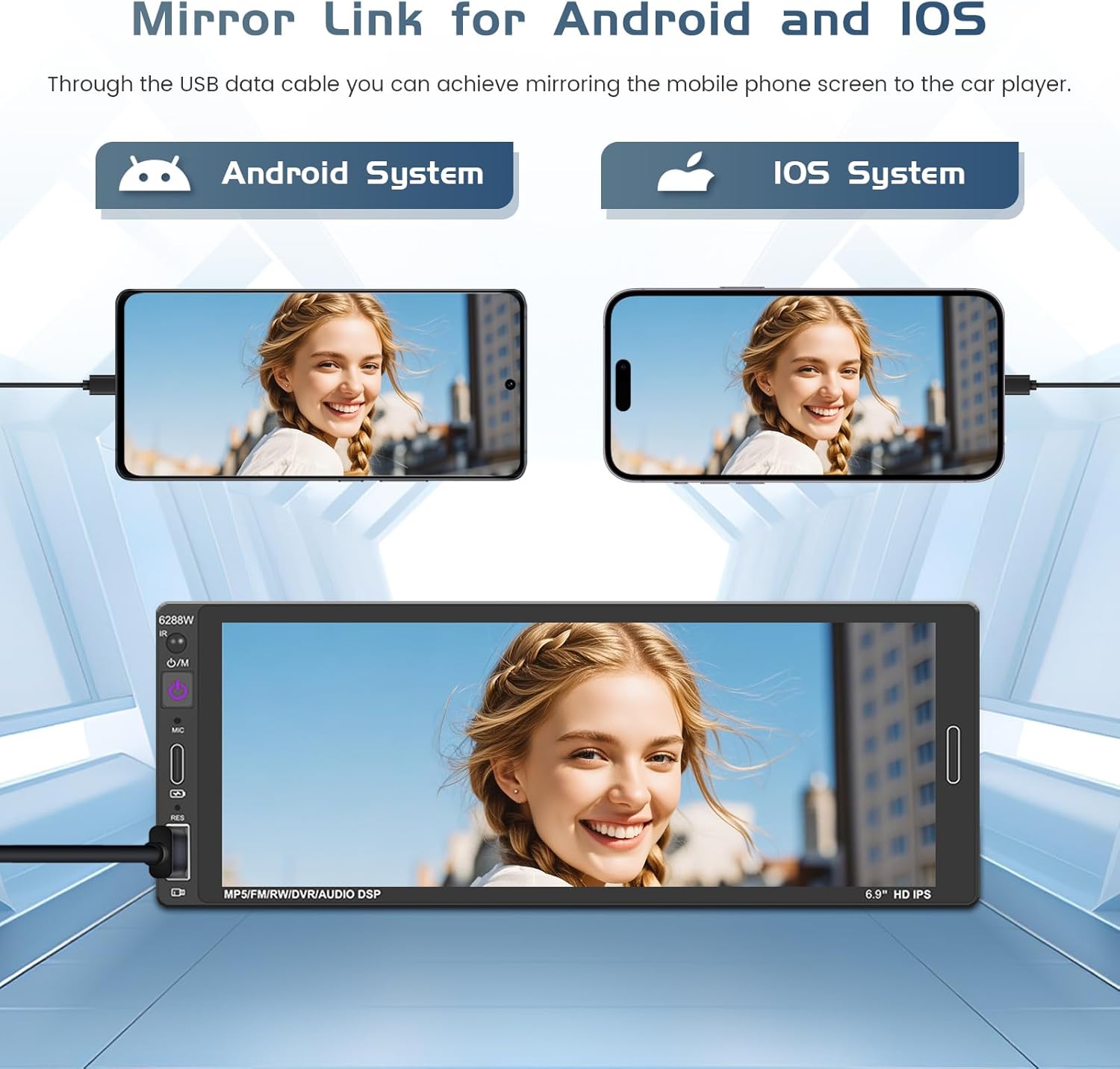
Image 3.4: Mirror Link for Android and iOS. This image demonstrates how to connect an Android or iOS phone via USB to mirror its screen content onto the car stereo display.
3.4 Bluetooth 5.0:
The stereo is equipped with Bluetooth 5.0 for stable and efficient wireless connectivity. Enjoy hands-free calling and high-quality audio streaming from your Bluetooth-enabled devices.
3.5 FM Radio:
Tune into your favorite FM radio stations. The built-in receiver allows you to listen to news, traffic updates, and music. You can save up to 18 preset stations.
3.6 EQ Sound Settings:
Customize your audio experience with the integrated EQ settings. Adjust frequency response for bass, treble, and other audio parameters to achieve your preferred sound quality.

Image 3.5: Bluetooth, FM Radio, EQ Sound, USB & Type-C. This image displays the interfaces for Bluetooth connectivity, FM radio tuning, EQ sound adjustments, and the USB/Type-C ports for charging and media.
3.7 Backup Camera:
The included backup camera provides a clear view of the area behind your vehicle, assisting with accurate parking and reducing the risk of collisions. The display automatically switches to the camera feed when reversing.

Image 3.6: HD Reversing Video Display. This image shows the car stereo displaying the rearview camera feed with parking guidelines, highlighting features like night vision, waterproofing, and HD image quality.
3.8 Steering Wheel Control (SWC):
Use the included steering wheel control remote to manage basic functions such as volume, track skipping, and mode selection without taking your hands off the steering wheel.
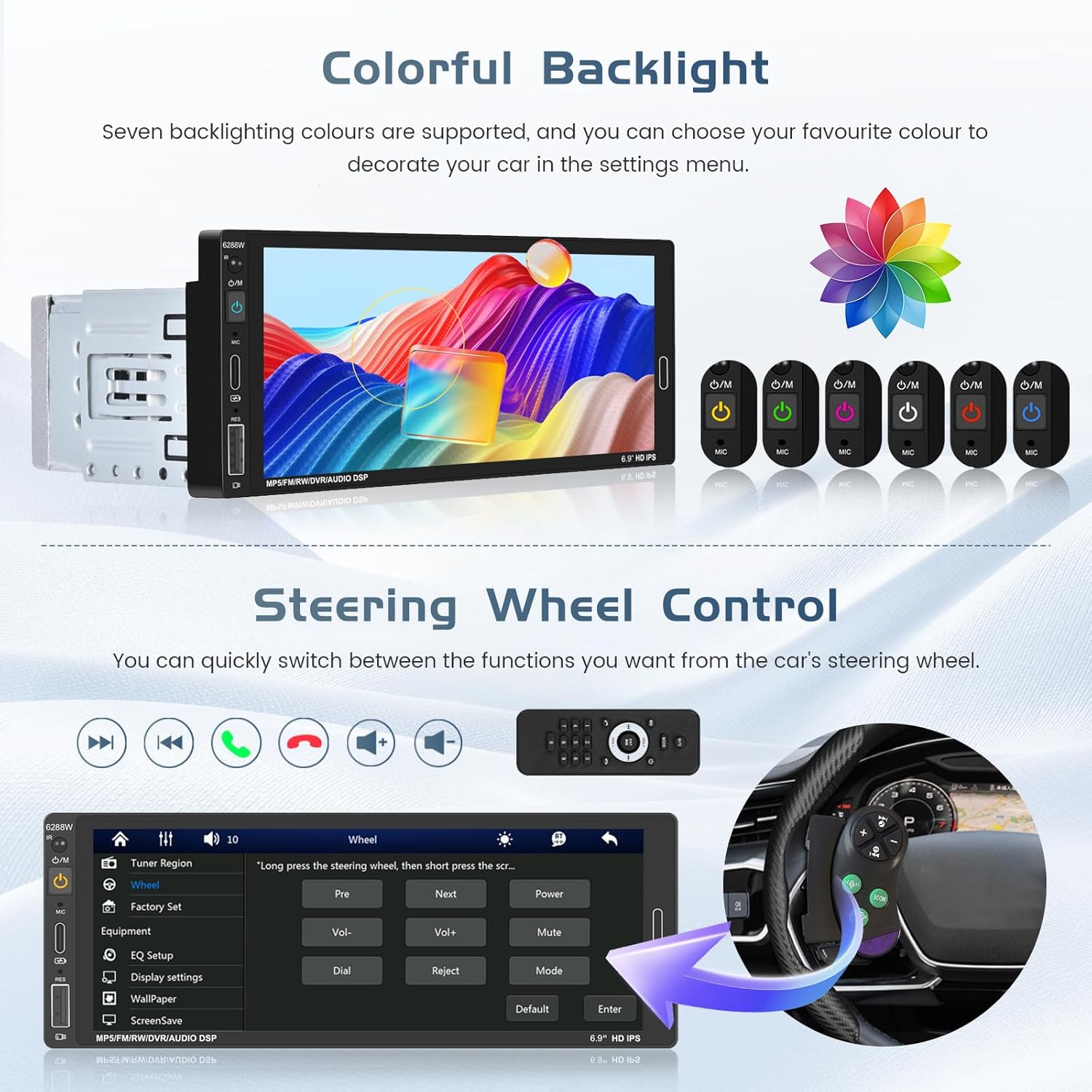
Image 3.7: Colorful Backlight and Steering Wheel Control. This image illustrates the seven-color adjustable backlight feature and the interface for setting up steering wheel controls.
3.9 USB & Type-C Ports:
The front panel features USB and Type-C ports. These ports support media playback from U disks and mobile hard drives, and also provide 5V 1.5A charging for your smartphone.
3.10 Colorful Backlight:
Personalize your car's interior ambiance with seven selectable backlight colors for the unit's buttons.
4. Maintenance
To ensure the longevity and optimal performance of your Hikity 6288W car stereo, follow these maintenance guidelines:
- Screen Cleaning: Use a soft, lint-free cloth to gently wipe the touch screen. For stubborn smudges, slightly dampen the cloth with water or a screen-safe cleaner. Avoid harsh chemicals or abrasive materials.
- General Cleaning: Keep the unit free from dust and debris. Use a soft brush or compressed air to clean around buttons and ports.
- Temperature: Avoid exposing the unit to extreme temperatures, both hot and cold, for extended periods.
- Connections: Periodically check all wiring connections to ensure they are secure. Loose connections can lead to intermittent issues.
5. Troubleshooting
If you encounter any issues with your Hikity 6288W car stereo, refer to the following common troubleshooting steps:
- Unit Does Not Turn On:
- Check all power connections, including the main power cable and ignition wire, to ensure they are securely connected and receiving power.
- Verify the vehicle's fuse for the stereo is intact.
- No Sound:
- Ensure speaker wires are correctly connected and not short-circuited.
- Check volume levels and mute settings on the stereo and any connected devices.
- Verify the audio source is correctly selected.
- Bluetooth Connectivity Issues:
- Ensure Bluetooth is enabled on both the stereo and your smartphone.
- Delete previous pairings and attempt to re-pair the devices.
- Move the phone closer to the stereo to rule out interference.
- Poor Radio Reception:
- Check the antenna connection to ensure it is properly secured.
- Ensure the antenna is not damaged or obstructed.
- Screen Hard to Read in Sunlight:
- Adjust screen brightness and contrast settings.
- Consider installing an anti-glare screen protector if persistent.
- Backup Camera Not Displaying:
- Verify the camera's power and video input connections are correct and secure.
- Ensure the reverse trigger wire is properly connected to the vehicle's reverse light circuit.
For further assistance, please refer to the Support section.
6. Specifications
| Feature | Specification |
|---|---|
| Model Number | 6288W |
| Screen Size | 6.9 inches |
| Screen Resolution | 1280 x 480 |
| Unit Dimensions (W x H x D) | 187mm x 70mm x 87mm |
| Item Weight | 1.54 pounds (700 Grams) |
| Connectivity Technology | Auxiliary, Bluetooth, USB, Wireless Carplay Android Auto |
| Bluetooth Version | 5.0 |
| Controller Type | Hand Control, Google Assistant, Siri, Remote, Android, iOS, Steering Wheel Control, Touchscreen |
| Special Features | Android Auto, Apple CarPlay, Equalizer, Mirror Link, Backup Camera |
| Compatible Devices | Smartphone, Vehicle, External Antenna, Bluetooth Device, USB Device, Backup Camera |
| USB/Type-C Output | 5V 1.5A (for charging) |
| Audio Output Mode | Mono |
| Surround Sound Channel Configuration | 2 |
| Video Encoding Support | RM/RMVB/AVI/MP4/MKV/3GP |
7. Warranty and Support
Hikity is committed to providing quality products and customer satisfaction.
7.1 Warranty Information:
- 1-Year Quality Support: Your product is covered by a 1-year quality support period.
- 30-Day Money-Back Guarantee: Enjoy a 30-day money-back guarantee for any reason.
7.2 Customer Support:
If you have any questions, concerns, or require technical assistance regarding installation or use, please contact Hikity Tech directly. Our support team aims to reply within 24 hours.
- Contact via Amazon:
- Go to the product page on Amazon.
- Click on "Hikity Tech" (the seller name).
- Click "Ask a question" to send a message.
- Direct Email: You can also reach us at hikityservices@163.com.
When contacting support, please provide pictures or videos of any technical or installation issues you are experiencing, along with your Amazon order number.

Image 7.1: Customer Support Information. This image details how to contact Hikity Tech for support via Amazon's 'Ask a question' feature or direct email, emphasizing a 24-hour response time.