
1. Introduction
The VICTOR VC320B is a professional handheld infrared thermal imaging camera designed for various industrial and circuit testing applications. It provides high-resolution thermal images, enabling users to detect temperature anomalies, identify potential issues in electrical systems, floor heating tubes, and other thermal inspection tasks. This manual provides essential information for the safe and effective operation of your device.
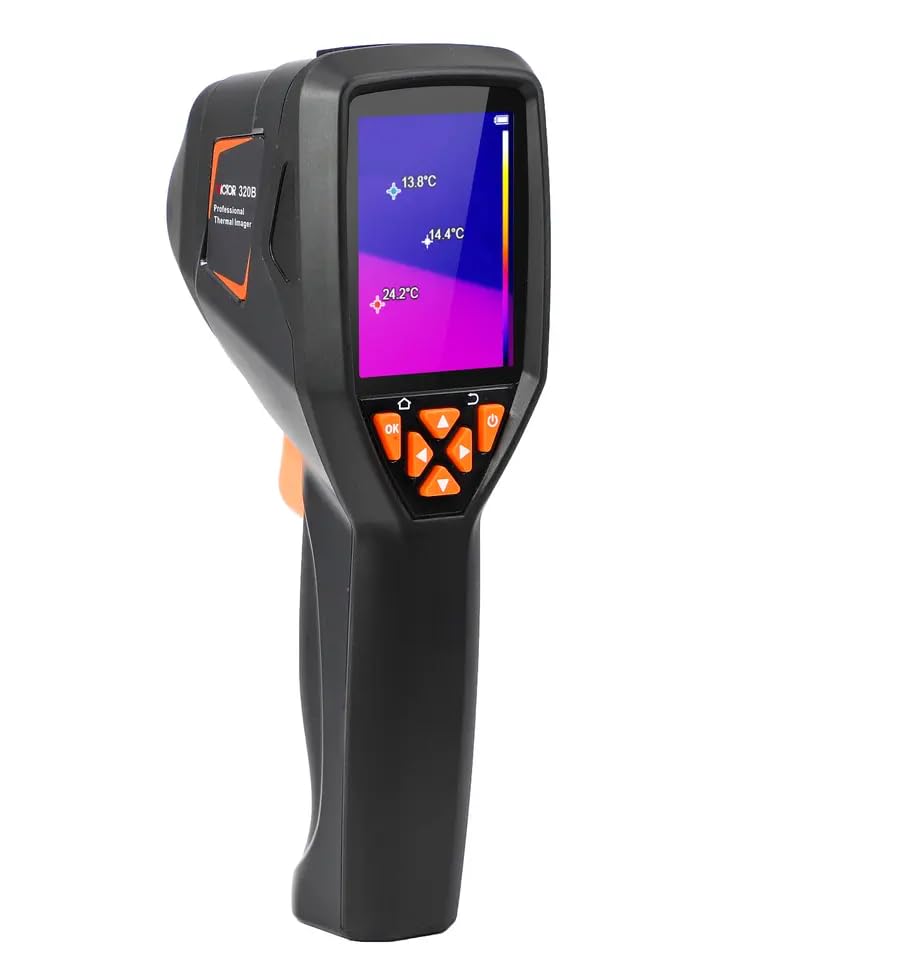
Figure 1: VICTOR VC320B Infrared Thermal Imager, front view showing the display and control buttons.
Key Features:
- High Resolution: 256x192 infrared resolution for detailed thermal imaging.
- Wide Field of View: 55.6° (HFOV) for comprehensive area coverage.
- Temperature Measurement: Range from -20°C to 400°C (-4°F to 752°F) with ±3°C or ±3% accuracy.
- Adjustable Emissivity: From 0.01 to 1.00 for accurate readings on various surfaces.
- Multiple Color Palettes: 8 common color swatches optimized for different scenes.
- Built-in Storage: 8GB memory, capable of storing over 20,000 pictures.
- USB Type-C: For charging and image data transfer.
- 2.8-inch Display: Clear LCD for real-time thermal imaging.
2. Product Overview
Familiarize yourself with the components and function buttons of your thermal imager.
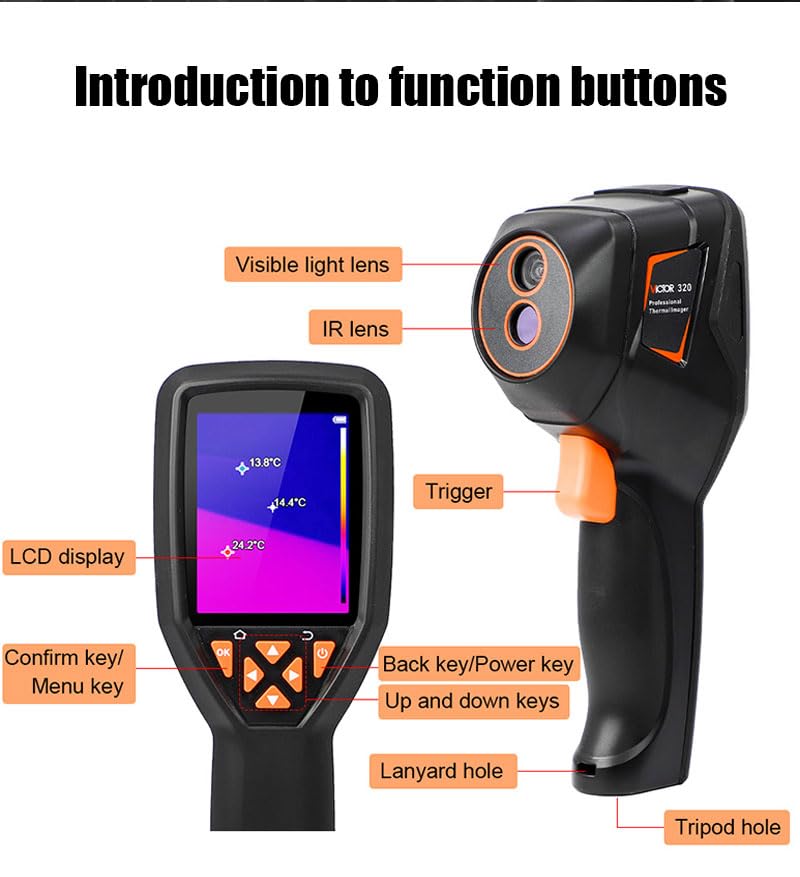
Figure 2: Labeled diagram of the VICTOR VC320B showing visible light lens, IR lens, trigger, LCD display, confirm/menu key, back/power key, up/down keys, lanyard hole, and tripod hole.
Component Identification:
- Visible Light Lens: Captures visual images for overlay or picture-in-picture modes.
- IR Lens: Infrared lens for thermal imaging.
- Trigger: Activates image capture or video recording.
- LCD Display: 2.8-inch screen for viewing thermal and visible light images, and menu navigation.
- Confirm Key / Menu Key (OK): Confirms selections or accesses the main menu.
- Back Key / Power Key: Returns to the previous screen or powers the device on/off.
- Up and Down Keys: Navigates through menu options and adjusts settings.
- Lanyard Hole: Attachment point for a wrist strap or lanyard.
- Tripod Hole: Standard thread for mounting the device on a tripod.
3. Setup
3.1 Charging the Device
The VICTOR VC320B features a built-in 2600mAh rechargeable battery. Before initial use, ensure the device is fully charged.
- Locate the USB Type-C port on the device.
- Connect the provided USB Type-C cable to the device and the other end to a compatible USB charger (e.g., wall adapter, computer USB port).
- The charging indicator on the device will show the charging status. A full charge typically takes several hours.
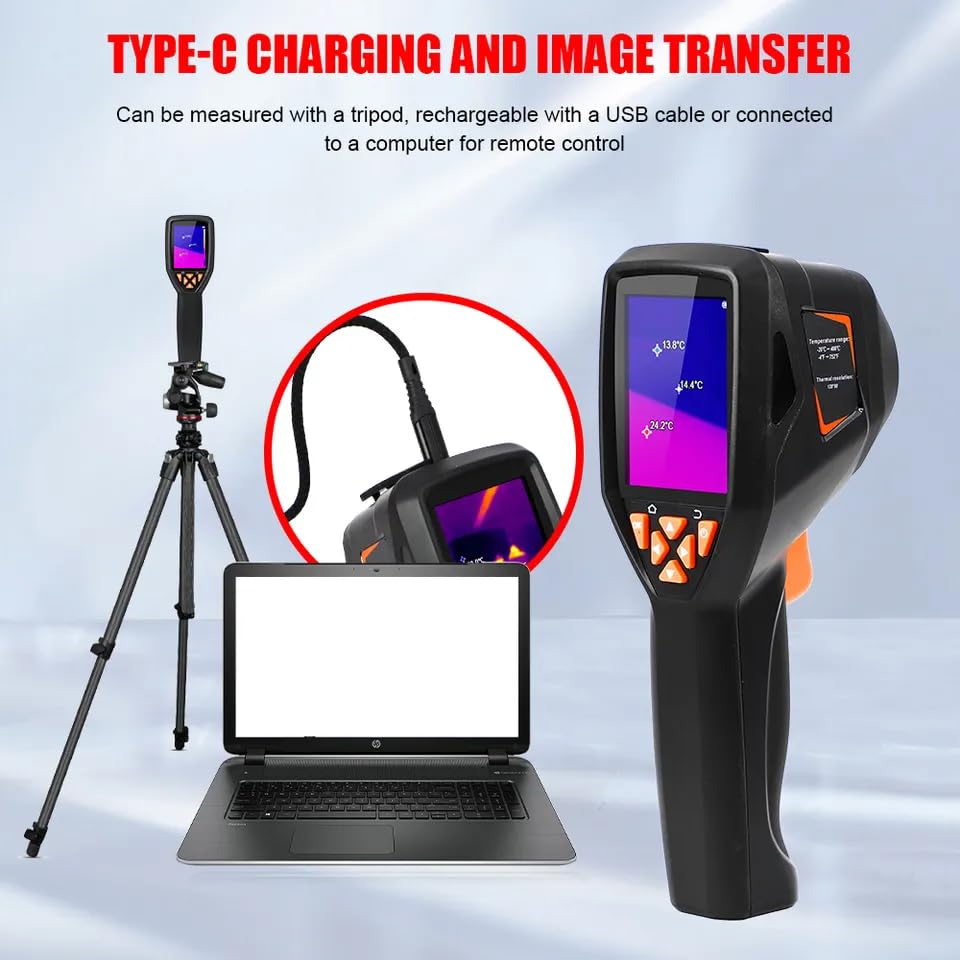
Figure 3: The thermal imager connected via USB Type-C for charging and data transfer, shown alongside a laptop and tripod.
3.2 Powering On/Off
- To Power On: Press and hold the Back Key / Power Key until the screen illuminates.
- To Power Off: Press and hold the Back Key / Power Key until the device shuts down.
4. Operating Instructions
4.1 Basic Navigation
- Use the Up and Down Keys to scroll through menu options.
- Press the Confirm Key / Menu Key (OK) to select an option or enter a submenu.
- Press the Back Key to return to the previous menu or exit a function.
4.2 Taking Pictures and Videos
To capture an image or record a video:
- Point the thermal imager at the target object.
- Press the Trigger button to capture a still image.
- To record a video, navigate to the video recording mode via the menu and then press the Trigger to start/stop recording.
- Captured images and videos are automatically saved to the internal 8GB memory.
4.3 Adjusting Emissivity
Emissivity is a measure of an object's ability to emit infrared energy. Adjusting this setting ensures accurate temperature readings for different materials.
- Access the main menu using the Confirm Key / Menu Key (OK).
- Navigate to the 'Emissivity' setting.
- Use the Up and Down Keys to adjust the value between 0.01 and 1.00. Refer to a standard emissivity table for common materials.
- Press OK to confirm the setting.
4.4 Color Palettes (Swatches)
The device offers 8 different color palettes to visualize temperature differences, enhancing contrast and readability for various applications.
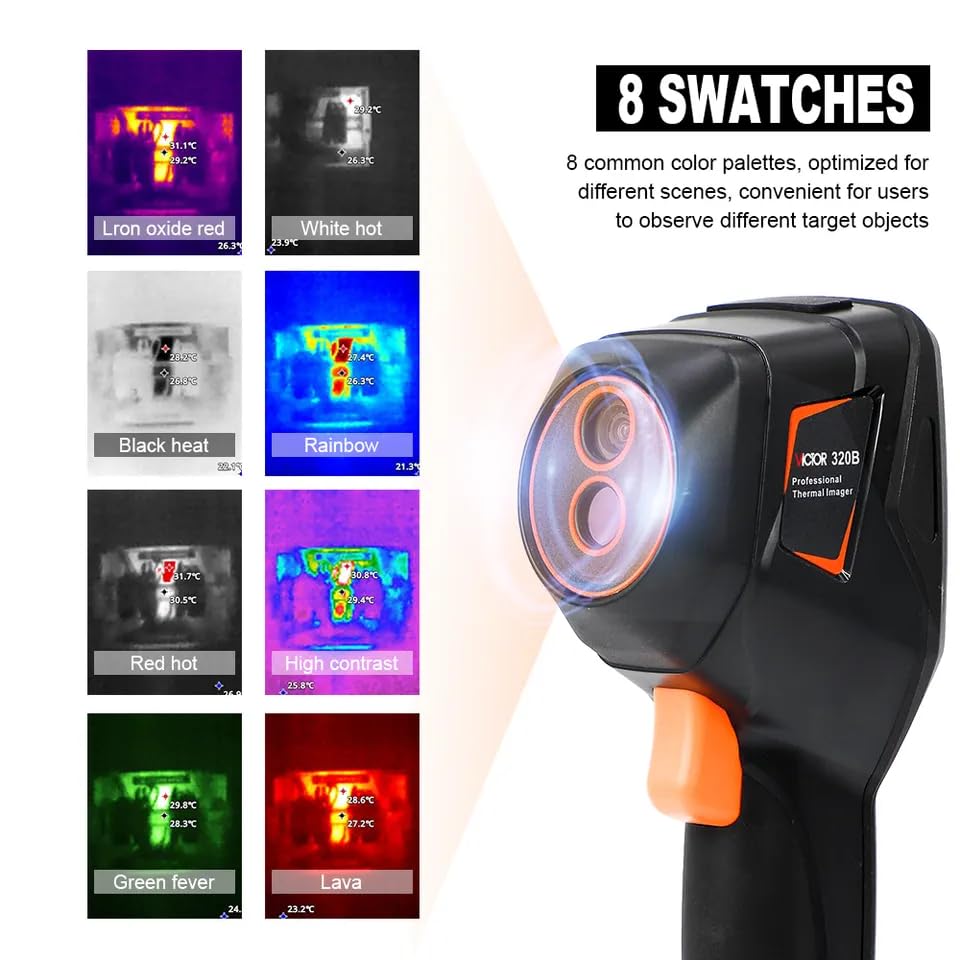
Figure 4: Display of the 8 available color palettes: Iron oxide red, White hot, Black heat, Rainbow, Red hot, High contrast, Green fever, and Lava.
To change the color palette:
- Access the main menu.
- Navigate to the 'Color Palette' or 'Swatches' option.
- Use the Up and Down Keys to cycle through the available palettes (e.g., Iron oxide red, White hot, Black heat, Rainbow, Red hot, High contrast, Green fever, Lava).
- Select the palette that best highlights the temperature variations for your specific inspection task.
4.5 Image Display Modes
The VC320B supports various image display modes to combine thermal and visible light information:
- Edge Blending: Combines thermal and visible light images to show thermal contours over a visual background.
- Overlay Blending: Overlays thermal image onto the visible light image with adjustable transparency.
- Picture-in-Picture: Displays a smaller thermal image within a larger visible light image.
- Single IR: Displays only the infrared thermal image.
- Single Visible Light: Displays only the visible light image.
These modes can be selected from the device's menu under 'Image Mode' settings.
5. Maintenance
5.1 Cleaning the Device
- Use a soft, dry cloth to clean the exterior of the thermal imager.
- For the lenses (IR and visible light), use a lens cleaning cloth and specialized lens cleaning solution. Avoid abrasive materials or harsh chemicals.
- Ensure no moisture enters the device openings.
5.2 Battery Care
- Recharge the battery regularly, even if the device is not in frequent use, to maintain battery health.
- Avoid fully discharging the battery for extended periods.
- Store the device in a cool, dry place when not in use.
5.3 Storage
- Store the thermal imager in its original packaging or a protective case to prevent damage.
- Keep away from extreme temperatures, high humidity, and direct sunlight.
6. Troubleshooting
This section addresses common issues you might encounter with your thermal imager.
| Problem | Possible Cause | Solution |
|---|---|---|
| Device does not power on. | Low battery or completely discharged. | Connect the device to a charger using the USB Type-C cable and allow it to charge for at least 30 minutes before attempting to power on again. |
| Image is blurry or unclear. | Lenses are dirty or fogged. | Clean the IR and visible light lenses with a soft, lint-free cloth and lens cleaning solution. |
| Inaccurate temperature readings. | Incorrect emissivity setting for the target material. | Adjust the emissivity setting in the menu to match the material being measured. Consult an emissivity table if unsure. |
| Cannot transfer images to computer. | Incorrect cable connection or driver issue. | Ensure the USB Type-C cable is securely connected to both the device and the computer. Try a different USB port or cable. Check if the computer recognizes the device as a mass storage device. |
7. Specifications
Detailed technical specifications for the VICTOR VC320B thermal imager.

Figure 5: Technical indicators table comparing VICTOR 320 and 320B models, and basic parameters.
| Feature | Specification (VC320B) |
|---|---|
| IR Thermal Imaging Resolution | 256 x 192 pixels |
| Working Band | 8-14um |
| Frame Rate | 25Hz |
| NETD | 70mK@25°C |
| Field of View (HFOV) | 55.6° |
| Lens | 2.3mm F1.1 |
| Temperature Measurement Range | -20°C to 400°C (-4°F to 752°F) |
| Precision | ±3°C or ±3% of reading |
| Emissivity | 0.01 to 1.00 adjustable |
| Visible Light Resolution | 720P |
| Image Display Modes | Edge blending, overlay blending, picture-in-picture, single IR, single visible light |
| Storage Capacity | 8GB built-in memory (stores >20,000 pictures) |
| Image Storage Format | JPG |
| Video Format | MP4 |
| Power Supply | Built-in 2600mAh large capacity rechargeable battery |
| Display Size | 2.8 inches |
| Body Color | Black |
| Body Weight | About 310g (1.1 Pounds) |
| Dimensions | 7.87 x 5.91 x 7.09 inches (200 x 150 x 180 mm) |
| Standard Accessories | USB Type-C data cable, GB charging head, lanyard, manual |
8. Packaging Accessories
The following items are included in the product package:

Figure 6: Contents of the VICTOR VC320B package, including the thermal imager, color box, product manual, USB data cable, charger, and lanyard.
- VICTOR VC320B Thermal Imager
- Color Box
- Product Manual (this document)
- USB Data Cable (Type-C)
- Charger (GB charging head)
- Lanyard
9. Warranty and Support
For warranty information, technical support, or service inquiries, please refer to the warranty card included in your product packaging or contact your authorized VICTOR dealer. Keep your purchase receipt as proof of purchase for warranty claims.


