
CKYSCHN 76112
CKYSCHN RC Plane 4 Channel, Spitfire V2 RC Airplanes Instruction Manual
Model: 76112 | Brand: CKYSCHN
Introduction
This manual provides essential information for the safe and effective operation, maintenance, and troubleshooting of your CKYSCHN RC Plane 4 Channel, Spitfire V2 RC Airplane. Please read this manual thoroughly before operating the aircraft to ensure proper handling and to maximize your flying experience.

Image: The CKYSCHN RC Plane Spitfire V2, a detailed replica of the iconic fighter aircraft, ready for flight.
What's in the Box
Verify that all components are present before proceeding with setup:
- RC Plane (Spitfire V2)
- 2 x Lithium Polymer Batteries
- Battery Charger
- 2.4G Remote Transmitter
- Product Manual (this document)
- Spare Propellers (3-blade and 2-blade options)

Image: A visual representation of the contents included in the product package, featuring the RC plane, remote, batteries, charger, and propellers.
Setup
1. Battery Installation and Charging
The aircraft requires 2 Lithium Polymer batteries. Ensure batteries are fully charged before first use.
- Connect the LiPo battery to the provided charger.
- Plug the charger into a suitable power source.
- Allow the battery to charge until the indicator light on the charger signals completion.
- Once charged, carefully insert the battery into the designated compartment on the underside of the aircraft.
- Install the required batteries (not included) into the remote transmitter.
2. Aircraft Assembly (Ready-To-Fly)
This RC plane is designed as a Ready-To-Fly (RTF) model, meaning it comes largely pre-assembled from the box. Minimal assembly is required, primarily involving propeller attachment if not already installed.
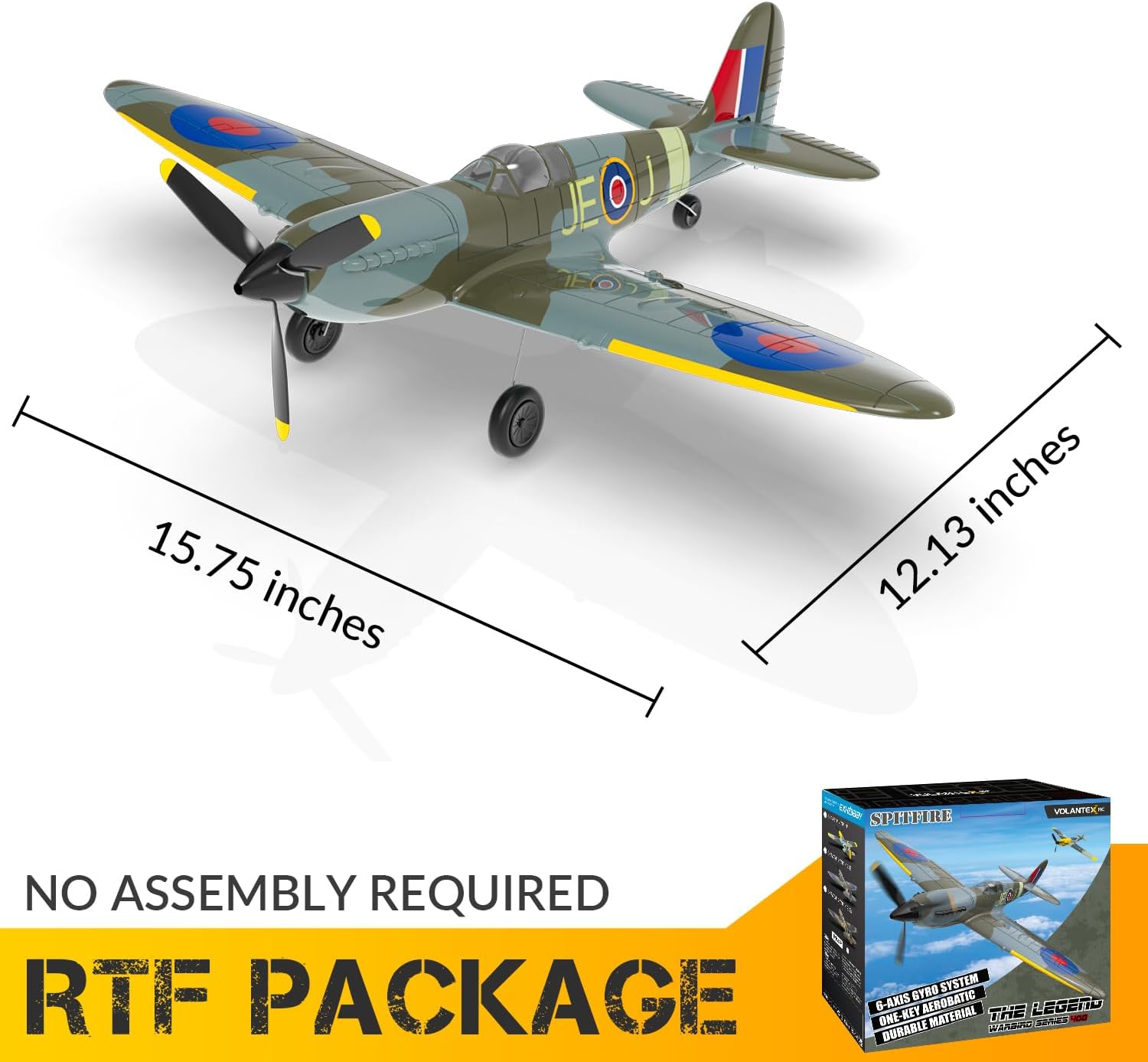
Image: The RC plane shown with its dimensions (15.75 inches wingspan, 12.13 inches length), highlighting its Ready-To-Fly nature with no assembly required.
The aircraft features a transparent cockpit and a gearbox power system for enhanced performance and realistic detail.

Image: Close-up views of the aircraft's gearbox power system and transparent cockpit, showcasing internal components and detailed design.
Operating Instructions
1. Flight Modes (Xpilot Stabilization System)
The Xpilot stabilization system offers three flight modes to accommodate different skill levels:
- Beginner Mode: Full assist with restricted angle for easy control.
- Intermediate Mode: Partial assist with increased angle for more maneuverability.
- Expert Mode: Manual control with no assist for experienced pilots.

Image: Diagram illustrating the three flight modes (Full Assist, Soft Assist, No Assist) provided by the Xpilot stabilization system, showing the corresponding control angles.
2. Takeoff Procedures
The aircraft supports both hand throw and one-key takeoff methods.
Hand Throw Takeoff:
- Hold the middle of the plane.
- Choose Beginner or Intermediate mode on the transmitter.
- Push the throttle up to 100%.
- Throw the plane forward horizontally into the wind.

Image: Step-by-step guide for hand throw takeoff, showing how to hold the plane, select flight mode, apply throttle, and launch into the wind.
One-Key Takeoff:
Simply activate this feature, and the plane will automatically take off and hover in the sky, waiting for your next command.

Image: Diagram illustrating the one-key takeoff function, showing the plane automatically ascending and hovering after activation.
3. Basic Controls and 2.4GHz Remote System
The 4-channel system offers precise control. The 2.4GHz remote system allows multiple planes to fly together without signal interference, enabling shared flying experiences.

Image: Illustration of the 2.4GHz remote control system, demonstrating its capability for multiple RC airplanes to fly simultaneously without interference.
4. One-Key Aerobatics
Perform impressive aerobatic maneuvers with ease. Simply press a button to activate one-key aerobatics, such as rolls and flips.

Image: Diagram showing the simple two-step process for activating one-key aerobatics using the remote control.
5. Official Product Video
Watch this video for a demonstration of the CKYSCHN RC Plane Spitfire V2 in action, showcasing its flight capabilities and features.
Video: Official product video demonstrating the flight performance and key features of the CKYSCHN VOLANTEXRC 4 Channel Spitfire V2 RTF RC Plane.
Maintenance
1. Propeller Care
The aircraft features a propeller saver mechanism. In case of impact, the propeller is designed to flick out to protect itself and the electronic components. Reinstall the propeller if it detaches.

Image: Diagram illustrating the propeller saver feature, showing how the propeller detaches upon impact and can be easily reinstalled.
2. Battery Charging and Storage
Always use the provided charger for the Lithium Polymer batteries. Store batteries in a cool, dry place away from direct sunlight and extreme temperatures. Do not overcharge or over-discharge batteries.
3. Cleaning
Gently wipe the aircraft with a soft, dry cloth after each use to remove dirt and debris. Avoid using harsh chemicals or excessive moisture.
Troubleshooting
This section addresses common issues you might encounter:
- Aircraft not responding to transmitter:
Ensure both the aircraft and transmitter batteries are fully charged and correctly installed. Verify that the aircraft and transmitter are properly bound (refer to initial setup instructions if needed). Check for any physical obstructions or damage to control surfaces.
- Short flight time:
Ensure batteries are fully charged before each flight. Battery performance can degrade over time; consider replacing older batteries. Avoid continuous high-throttle operation.
- Aircraft not flying straight/unstable flight:
Check for any damage to the wings, tail, or propellers. Ensure all control surfaces (ailerons, rudder, elevator) move freely and are properly aligned. Recalibrate the gyroscope if the issue persists. Ensure you are flying in the appropriate flight mode for your skill level.
- Low Battery / Out of Range Alarm:
The transmitter will beep when the aircraft's battery is low or if it goes out of range (656 feet). Land the aircraft immediately when a low battery alert is received. If out of range, try to move closer to the aircraft while maintaining line of sight.

Image: Visual indicator of the low battery and out-of-range alarm, showing the aircraft and remote with a 656-foot range limit.
Specifications
| Feature | Detail |
|---|---|
| Brand | CKYSCHN |
| Model Number | 76112 |
| Product Dimensions | 12.1 x 15.7 x 3.9 inches |
| Item Weight | 1.39 pounds |
| Channels | 4 Channel |
| Stabilization System | Xpilot Stabilization (3 Level Modes) |
| Remote Frequency | 2.4GHz |
| Control Range | Up to 656 feet |
| Batteries Required | 2 Lithium Polymer batteries (for aircraft) |
| Manufacturer Recommended Age | 14 years and up |
| Manufacturer | Shantou VolantexRC Co.,Ltd. |
Warranty and Support
For warranty information, technical support, or any questions regarding your CKYSCHN RC Plane, please refer to the contact information provided on the product packaging or visit the official CKYSCHN website. Keep your purchase receipt as proof of purchase for warranty claims.
Ask a question about this manual
Ask about setup, troubleshooting, compatibility, parts, safety, or missing instructions. Manuals+ will review the question and use this page’s manual context to help answer it.