
1. Introduction and Overview
Thank you for choosing the ZKCAMSPY RM 3-Channel Dash Camera. This device is designed to provide comprehensive video surveillance for your vehicle, featuring front, rear, and interior recording capabilities in 1080P Full HD. Equipped with advanced features such as IR night vision, G-Sensor, loop recording, and 24-hour parking monitoring, it ensures reliable evidence capture and enhanced security on the road and while parked. Please read this manual carefully to ensure proper installation and operation of your dash camera.

Image 1.1: ZKCAMSPY RM 3-Channel Dash Camera, showing the main unit, external rear camera, and included 32GB SD card.
2. Package Contents
Please verify that all items are present in your package:
- ZKCAMSPY RM 3-Channel Dash Camera Unit
- External Rear Camera (19.7 feet cable)
- Car Charger (11.5 feet cable)
- 32GB SD Memory Card
- User Manual

Image 2.1: All components included in the ZKCAMSPY RM Dash Camera package.
3. Product Features
The ZKCAMSPY RM Dash Camera offers a range of features designed for optimal vehicle surveillance:
- 3-Channel Recording: Simultaneously records front (1080P), interior (720P), and rear (1080P) views.
- Full HD 1080P Resolution: High-definition video capture for clear footage.
- Super Night Vision & WDR: Enhanced low-light performance and Wide Dynamic Range for balanced exposure in varying light conditions.
- G-Sensor: Automatically locks and saves video footage upon detecting sudden impacts or collisions.
- Loop Recording: Overwrites the oldest unlocked footage when the memory card is full, ensuring continuous recording.
- 24H Parking Monitoring: Provides continuous surveillance when the vehicle is parked (requires optional hardwire kit, ASIN B0C2C2MFPJ).
- Wide Angle Lenses: Front 170°, Interior 150°, Rear 120° for comprehensive coverage.
- 2.0-inch IPS Screen: For live view and playback.

Image 3.1: Overview of the ZKCAMSPY RM Dash Camera's performance features.
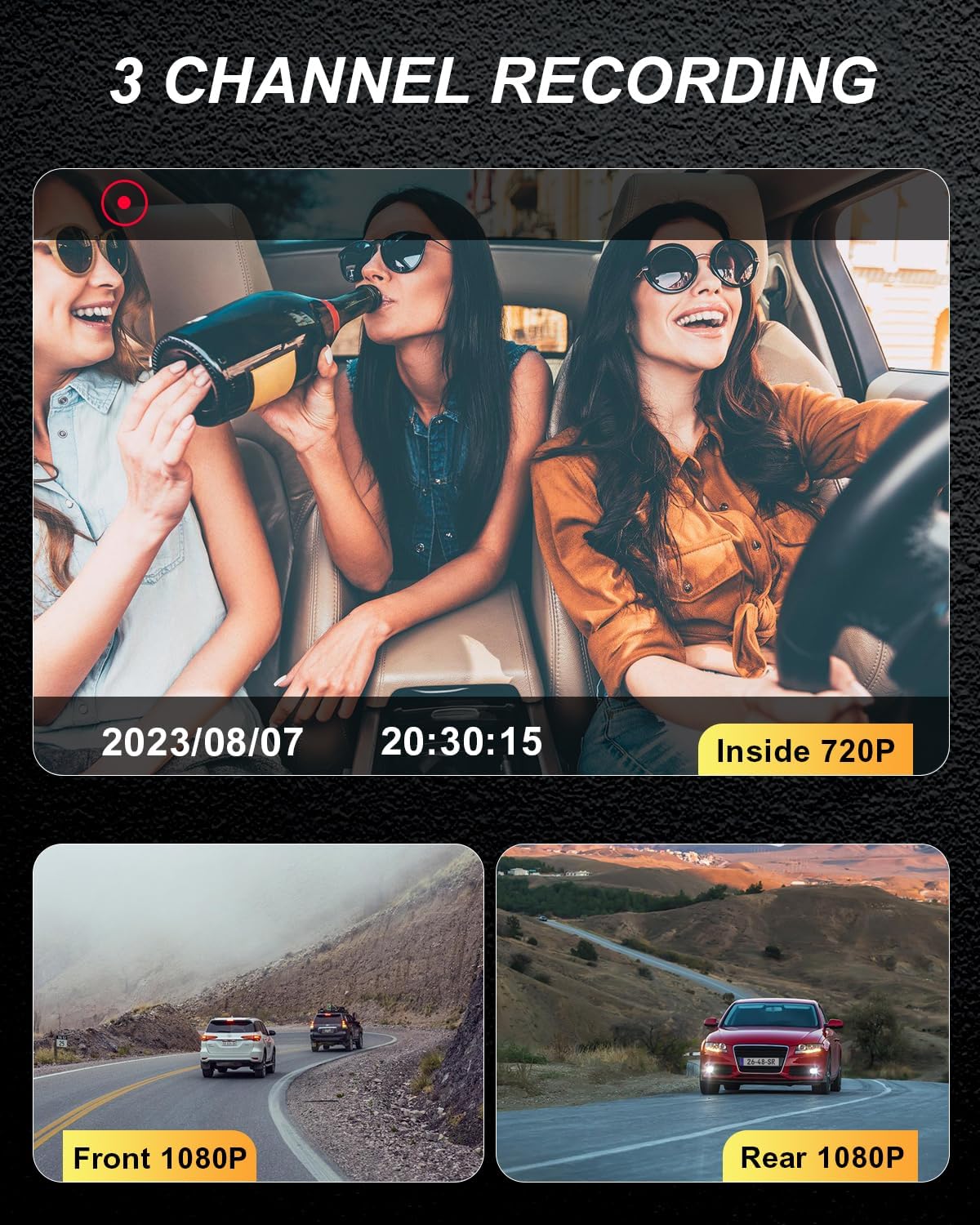
Image 3.2: Visual representation of the three simultaneous recording channels.

Image 3.3: Explanation of Super Night Vision 2.0 and WDR technology for optimal image quality in various lighting.

Image 3.4: Details on Parking Monitor, G-Sensor, and Loop Recording functionalities.

Image 3.5: Demonstration of the astern image safe parking feature, aiding in reverse maneuvers.
4. Setup and Installation
Follow these steps to install your ZKCAMSPY RM Dash Camera:
- Prepare the Mounting Surface: Clean the area on your windshield where you intend to mount the dash cam. Ensure it is free of dust and grease.
- Attach the Mount: Secure the adhesive mount to the windshield. Ensure the mount is firmly pressed against the glass for good adhesion.
- Attach the Dash Cam: Slide the dash cam unit onto the mount until it clicks securely into place.
- Insert SD Card: Insert the provided 32GB SD card into the designated slot on the dash cam.
- Connect Power: Plug the car charger into your vehicle's cigarette lighter socket and connect the USB-C end to the dash cam. Route the cable neatly along the windshield trim to avoid obstructing your view.
- Install Rear Camera: Mount the external rear camera on the rear windshield or license plate area. Connect its cable to the main dash cam unit. Ensure the cable is routed safely and securely.
- Adjust Camera Angle: Power on the dash cam and adjust the lens angles for the front and interior cameras to ensure optimal recording coverage.
Video 4.1: Official ZKCAMSPY installation guide for the 3-channel dash camera, demonstrating the mounting and connection process.
5. Operating Instructions
Your ZKCAMSPY RM Dash Camera is designed for user-friendly operation:
- Power On/Off: The dash cam will automatically power on and begin recording when connected to power and your vehicle starts. It will power off automatically when the vehicle is turned off.
- Recording: Once powered on, the dash cam automatically starts continuous loop recording.
- G-Sensor Activation: In the event of a sudden impact or collision, the built-in G-Sensor will automatically detect the event and lock the current video segment to prevent it from being overwritten by loop recording.
- Parking Monitoring: If you have installed the optional hardwire kit (ASIN B0C2C2MFPJ), the dash cam will automatically switch to parking monitoring mode when the vehicle is turned off. It will record if motion is detected or if an impact occurs.
- Playback: Use the buttons on the dash cam to navigate the menu and review recorded footage directly on the 2.0-inch IPS screen.
- Menu Settings: Access the menu to adjust settings such as video resolution, loop recording duration, G-Sensor sensitivity, date/time, and more.
6. Maintenance
To ensure the longevity and optimal performance of your dash cam:
- Clean the Lenses: Regularly wipe the camera lenses with a soft, lint-free cloth to ensure clear video quality.
- Format SD Card: It is recommended to format the SD card once a month to prevent data corruption and ensure smooth recording. This can usually be done through the dash cam's menu settings.
- Avoid Extreme Temperatures: Do not expose the dash cam to extreme heat or cold for prolonged periods, as this can affect its performance and lifespan.
- Secure Mounting: Periodically check that the dash cam is securely mounted to prevent it from falling during driving.
7. Troubleshooting
If you encounter any issues with your ZKCAMSPY RM Dash Camera, please refer to the following common solutions:
| Problem | Possible Cause | Solution |
|---|---|---|
| Dash cam does not power on. | No power supply; faulty car charger; loose connection. | Check car charger connection; try another power source; ensure vehicle's cigarette lighter socket is working. |
| Recording stops or footage is missing. | SD card full; SD card error; incompatible SD card. | Format the SD card; replace with a high-speed (Class 10 or U1/U3) SD card; ensure loop recording is enabled. |
| Poor video quality. | Dirty lens; protective film still on lens; low resolution setting. | Clean the camera lens; remove any protective film; check video resolution settings in the menu. |
| Dash cam frequently restarts. | Unstable power supply; faulty SD card. | Ensure stable power connection; try a different SD card. |
8. Specifications
| Feature | Detail |
|---|---|
| Model Name | RM |
| Brand | ZKCAMSPY |
| Video Capture Resolution | 1080p (Front/Rear), 720p (Interior) |
| Connectivity Technology | USB |
| Mounting Type | Adhesive Mount |
| Control Method | Voice |
| Item Weight | 11.3 ounces |
| Package Dimensions | 6.46 x 4.49 x 2.72 inches |
| Color | Black |
9. Warranty and Support
For warranty information and customer support, please refer to the documentation included with your product or contact ZKCAMSPY directly through their official website or the retailer where the product was purchased. Keep your purchase receipt as proof of purchase for warranty claims.