
1. Introduction
Thank you for choosing the Max Racer Presidente Supreme Office Chair. This manual provides essential information for the safe assembly, operation, and maintenance of your new office chair. Please read these instructions carefully before assembly and retain them for future reference.

Image 1.1: The Max Racer Presidente Supreme Office Chair in a typical office environment, showcasing its design and presence.
2. Safety Information
- Maximum Weight Capacity: This chair is designed to support a maximum weight of 120 kg (264 lbs). Do not exceed this limit to prevent damage or injury.
- Assembly: Ensure all components are securely fastened before use. Periodically check all screws and bolts for tightness.
- Stability: Avoid standing on the chair or using it as a step stool. Do not lean excessively to one side while seated.
- Children: Keep children away from the chair during assembly. This chair is intended for adult use.
- Movement: Use caution when reclining or adjusting the chair to avoid pinching fingers or other body parts.
- Placement: Use the chair on flat, stable indoor surfaces.
3. Package Contents
Before beginning assembly, verify that all parts are present and undamaged. If any parts are missing or damaged, contact customer support.
- Backrest with Mesh
- Seat with Dual Foam Cushion
- Fixed Armrests (2)
- Star Base (Nylon)
- Gas Lift (Class 3)
- Gas Lift Cover
- Casters (5)
- Mechanism Plate
- Footrest
- Hardware Pack (screws, washers, Allen key)
4. Assembly Instructions
Assembly is required for this chair. It is recommended to have assistance for certain steps. Lay out all components on a soft, clean surface to prevent scratches.
- Attach Casters to Base: Insert each of the five casters into the holes at the end of each leg of the star base. Push firmly until they click into place.
- Install Gas Lift: Place the gas lift into the center hole of the assembled star base. Cover the gas lift with the gas lift cover.
- Attach Mechanism Plate to Seat: Align the mechanism plate with the screw holes on the underside of the seat cushion. Ensure the front of the mechanism (usually indicated by an arrow or lever) faces the front of the seat. Secure with screws provided in the hardware pack.
- Attach Armrests to Seat: Align the armrests with the designated holes on the sides of the seat cushion. Secure them using the provided screws. Ensure they are oriented correctly.
- Attach Backrest to Seat/Armrests: Align the backrest with the mounting points on the seat and/or armrests. This step may require some force and alignment. Secure with the remaining screws.
- Attach Footrest: Slide the footrest into its designated slot under the seat. Ensure it can extend and retract smoothly.
- Connect Seat Assembly to Gas Lift: Carefully place the assembled seat and backrest onto the gas lift, ensuring the center hole of the mechanism plate aligns with the top of the gas lift. Press down firmly to secure.

Image 4.1: Key components and features of the chair, including the headrest, fixed armrests with recline button, retractable footrest, and dual-swivel nylon wheels.
5. Operating Instructions
Your Max Racer Presidente Supreme Office Chair offers several adjustments for personalized comfort.
5.1. Height Adjustment
To adjust the chair height:
- To raise: While standing, pull the lever located under the right side of the seat upwards. The seat will rise automatically. Release the lever at the desired height.
- To lower: While seated, pull the lever located under the right side of the seat upwards. The seat will lower. Release the lever at the desired height.
5.2. Backrest Recline
The chair features a relax mechanism with up to 12 degrees of recline and two reclining positions.

Image 5.1: Illustration of the recline mechanism lever. Pushing the lever inwards locks the recline, while pulling it outwards activates the relax mode, allowing up to 12 degrees of recline.
- To recline: Locate the lever on the side of the chair (often integrated with the armrest or under the seat). Pull the lever outwards to engage the 'relax mode' and lean back to your desired angle.
- To lock recline: Push the lever inwards to lock the backrest in an upright or slightly reclined position.
5.3. Lumbar Support Adjustment
The ergonomic lumbar support is designed to conform to your back. While specific adjustment methods may vary, typically you can:
- Adjust the height of the lumbar support by sliding it up or down on the backrest.
- Some models may offer depth adjustment via a knob or lever on the side or back of the lumbar area.
5.4. Footrest Operation
To use the retractable footrest:
- Pull the footrest out from under the seat until it fully extends.
- To retract, push the footrest back under the seat until it is fully stored.
6. Maintenance
Proper care ensures the longevity and appearance of your chair.
- Cleaning: Wipe the chair surfaces with a damp cloth. For stubborn stains, use a mild soap solution and then wipe with a clean, damp cloth. Avoid harsh chemicals or abrasive cleaners.
- Mesh Backrest: Gently vacuum the mesh backrest to remove dust and debris. Spot clean with a damp cloth if necessary.
- Inspection: Periodically check all bolts and screws to ensure they are tight. Re-tighten if necessary.
- Casters: Clean casters regularly to remove hair and debris that may hinder smooth movement.
7. Troubleshooting
If you encounter issues with your chair, refer to the following common problems and solutions:
| Problem | Possible Cause | Solution |
|---|---|---|
| Chair does not adjust height. | Gas lift malfunction or lever not engaged. | Ensure the height adjustment lever is fully engaged. If the issue persists, the gas lift may need replacement. Contact support. |
| Chair makes squeaking noises. | Loose bolts or friction between components. | Tighten all assembly bolts. Apply a small amount of silicone lubricant to moving parts or contact points if necessary. |
| Chair feels unstable or wobbly. | Loose connections or uneven floor. | Check and tighten all screws, especially those connecting the base and mechanism. Ensure the chair is on a flat surface. |
| Casters do not roll smoothly. | Debris caught in casters. | Remove any hair or debris from the caster wheels. |
If these solutions do not resolve the issue, please contact Max Racer customer support.
8. Specifications
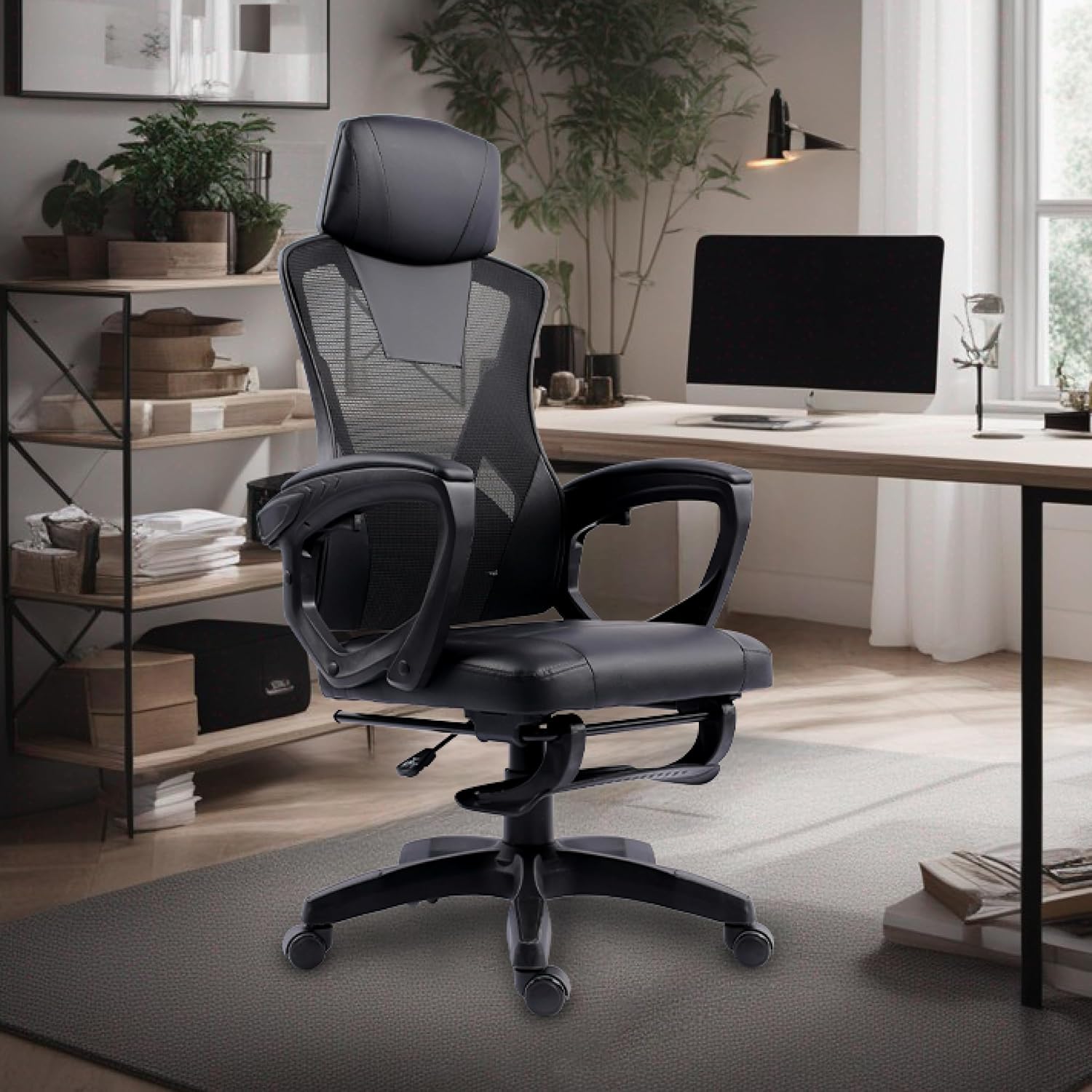
Image 8.1: Detailed dimensions of the Max Racer Presidente Supreme Office Chair, including recommended user height and weight capacity.
| Feature | Detail |
|---|---|
| Brand | Max Racer |
| Model Name | Presidente Supreme |
| Model Number | BC-5714-06 |
| Color | Black |
| Product Dimensions (D x W x H) | 62.5 cm x 31 cm x 58.5 cm |
| Item Weight | 10 Kilograms |
| Maximum Weight Recommendation | 120 Kilograms |
| Special Features | Adjustable height, Fixed Armrests, Ergonomic, Reclining, Headrest support, Lumbar support |
| Recline Mechanism | Up to 12 degrees, 2 reclining positions |
| Seat Material | Dual Foam (PVC upholstery) |
| Backrest Material | Mesh Screen |
| Frame Material Type | Nylon |
| Base Movement | Swivel |
| Assembly Required | Yes |
| Recommended Surface | Interior surfaces (hardwood, carpet, tile) |
9. Warranty and Support
Max Racer provides a standard warranty against manufacturing defects for its products. Specific warranty terms and duration may vary. Please refer to your purchase documentation for detailed warranty information.
For technical support, warranty claims, or inquiries about replacement parts, please contact Max Racer customer service through the retailer where the product was purchased or visit the official Max Racer website.
Contact Information: Please refer to your purchase receipt or the Max Racer brand store for the most up-to-date contact details.