1. Introduction
Welcome to the user manual for your new DMOAO D11 Android 13 Tablet. This 11-inch tablet features a 2K FHD display, powerful Octa-Core processor, and ample storage with 16GB RAM and 256GB ROM, expandable up to 1TB. Designed for both productivity and entertainment, it offers a seamless user experience with its Android 13 operating system, 5G Wi-Fi connectivity, and quad speakers. This manual provides essential information on setting up, operating, maintaining, and troubleshooting your device to ensure optimal performance.
2. What's in the Box
Upon opening your DMOAO D11 Tablet package, please verify that all the following items are included:
- A 11 inch Tablet
- A D11 Case
- A Protective Film (pre-applied or extra)
- A US Power Adapter and Type-C Data Cable
- A User's Manual (this document)

Figure 2.1: Included Accessories and Tablet
3. Product Overview
The DMOAO D11 tablet is engineered for high performance and user convenience. Below are its primary features and components:
3.1 Key Features
- 11-inch 2K FHD Display: Experience stunning visuals with a resolution of 2000x1200 pixels and a 16:10 screen ratio for an immersive viewing experience.
- Powerful Performance: Equipped with 16GB (8GB + 8GB expansion) RAM and 256GB ROM, powered by a 2.0GHz Octa-Core MediaTek MT8183 processor for smooth multitasking and gaming.
- Expandable Storage: Storage can be expanded up to 1TB using a MicroSD card (not included).
- Latest Android 13: Enjoy a personalized, secure, and easy-to-operate system experience.
- Dual-Band Wi-Fi: Supports 2.4G and 5G Wi-Fi networks (802.11ac) for fast and stable connectivity.
- Long-Lasting Battery: Features an 8600mAh battery for extended use, with convenient Type-C charging.
- High-Quality Cameras: Includes a 5MP front camera, a 13MP main camera, and a 2MP macro camera for versatile photography.
- Immersive Audio: Four BOX speakers deliver rich and clear sound.
- Sleek Design: Thin 6.8mm metal body, weighing only 460g, making it highly portable.
3.2 Visual Overview

Figure 3.1: DMOAO D11 Tablet Front and Back View

Figure 3.2: 2K FHD Display Features
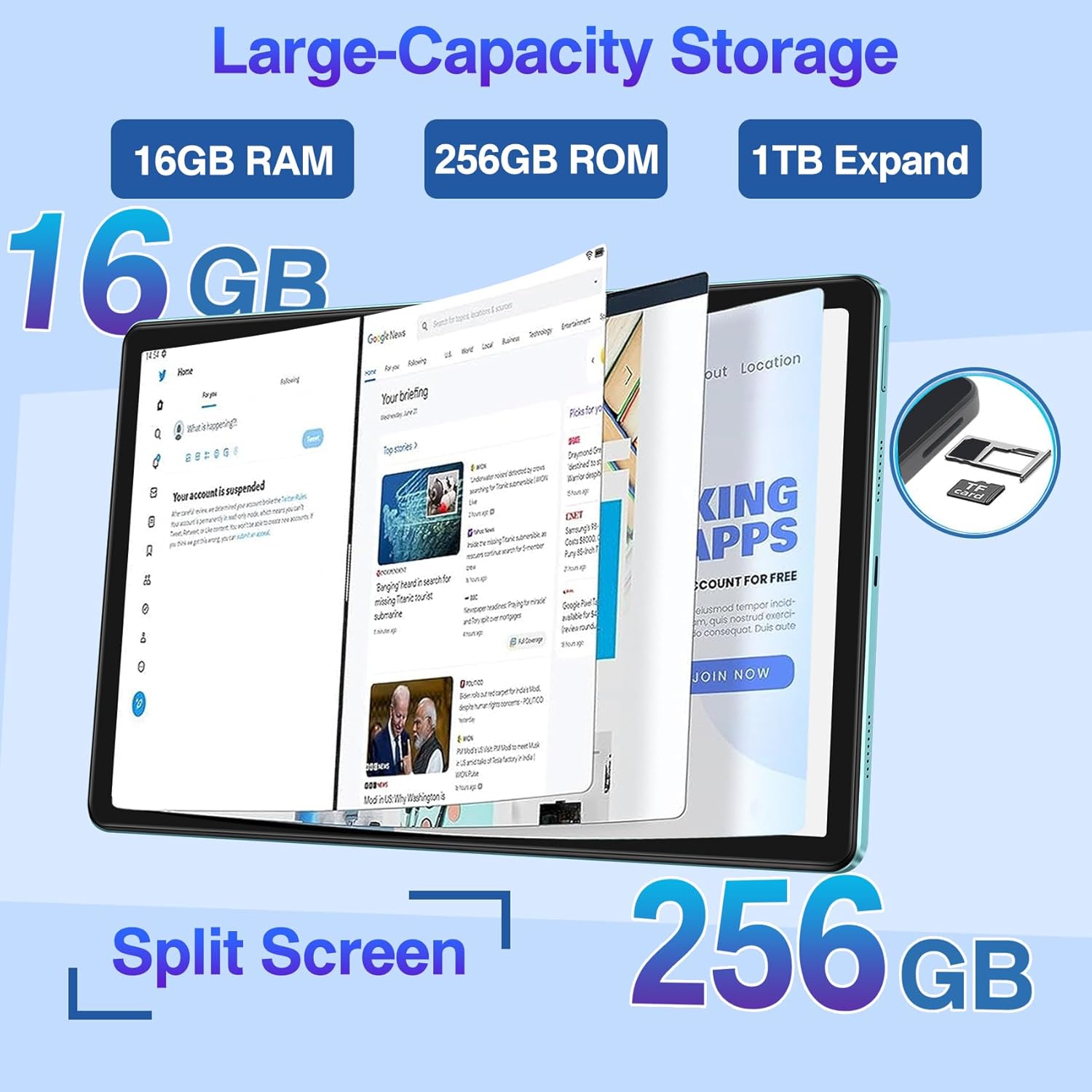
Figure 3.3: Storage and Split Screen Capability

Figure 3.4: Battery Life and Charging

Figure 3.5: Comprehensive Feature Overview
4. Setup Guide
4.1 Initial Charging
Before first use, fully charge your DMOAO D11 tablet. Connect the provided Type-C data cable to the tablet's charging port and the US power adapter to a wall outlet. The charging indicator will show the charging status. A full charge ensures optimal battery calibration.
4.2 Powering On/Off
- To Power On: Press and hold the Power button (located on the side) for a few seconds until the DMOAO logo appears on the screen.
- To Power Off: Press and hold the Power button until the power options menu appears. Select "Power off" and confirm.
- To Restart: From the power options menu, select "Restart".
4.3 Initial Setup Wizard
Upon first power-on, the tablet will guide you through an initial setup wizard. Follow the on-screen prompts to:
- Select your preferred language.
- Connect to a Wi-Fi network.
- Sign in with your Google account or create a new one.
- Set up screen lock (PIN, pattern, password).
- Review and accept terms and conditions.
4.4 Inserting a MicroSD Card
To expand your tablet's storage up to 1TB, you can insert a MicroSD card (sold separately). Locate the MicroSD card slot on the side of the tablet. Use the provided SIM ejector tool (or a paperclip) to gently press into the small hole next to the tray to eject it. Place the MicroSD card into the tray with the gold contacts facing down, then carefully reinsert the tray into the slot until it clicks into place.
5. Operating Your Tablet
5.1 Basic Navigation (Android 13)
Your DMOAO D11 tablet runs on Android 13, offering an intuitive interface. Use touch gestures for navigation:
- Tap: Select an item or open an app.
- Swipe: Scroll through screens, menus, or web pages.
- Pinch-to-Zoom: Enlarge or shrink content like photos or web pages.
- Long Press: Access contextual menus or move app icons.
5.2 Network Connectivity
- Wi-Fi: Go to Settings > Network & internet > Wi-Fi. Turn Wi-Fi on and select your desired network. Enter the password if prompted. The tablet supports both 2.4GHz and 5GHz bands for faster speeds.
- Bluetooth: Go to Settings > Connected devices > Connection preferences > Bluetooth. Turn Bluetooth on and pair with compatible devices like headphones or keyboards.
5.3 Camera Usage
The D11 tablet is equipped with multiple cameras:
- Front Camera (5MP): Ideal for video calls and selfies.
- Main Camera (13MP): For general photography and video recording.
- Macro Camera (2MP): For detailed close-up shots.
Open the "Camera" app from your home screen or app drawer. Select your desired camera mode (Photo, Video, Macro) and tap the shutter button to capture images or start/stop recording.

Figure 5.1: Camera Features and Usage
5.4 Audio and Entertainment
The D11 tablet features four BOX speakers for an enhanced audio experience. Enjoy movies, music, and games with clear and immersive sound. You can also connect Bluetooth headphones for private listening.

Figure 5.2: Immersive Display and Audio Experience
5.5 Split Screen Functionality
Android 13 allows for split-screen multitasking. To use this feature:
- Open the first app you want to use.
- Swipe up from the bottom of the screen and hold to open the recent apps view.
- Tap the app icon at the top of the first app's card.
- Select "Split top" or "Split screen".
- Choose the second app from your recent apps or app drawer to fill the other half of the screen.

Figure 5.3: Android 13 Split Screen
5.6 GPS Functionality
The DMOAO D11 tablet supports the world's three major satellite positioning systems. You can use GPS for navigation by downloading offline maps or using online mapping services when connected to Wi-Fi.
6. Maintenance
6.1 Cleaning Your Tablet
To keep your tablet clean and in good condition:
- Use a soft, lint-free cloth (e.g., microfiber) to wipe the screen and body.
- For stubborn smudges, slightly dampen the cloth with water or a screen cleaner specifically designed for electronics.
- Avoid using harsh chemicals, abrasive materials, or excessive moisture.
6.2 Battery Care
To prolong the life of your 8600mAh battery:
- Avoid extreme temperatures (hot or cold).
- Do not let the battery completely drain frequently. Charge it before it reaches very low levels.
- Use only the provided charger or a certified compatible charger.
- If the tablet will not be used for an extended period, charge it to about 50% before storing.
6.3 Software Updates
Regularly check for and install software updates to ensure your tablet has the latest features, security patches, and performance improvements. Go to Settings > System > System update to check for available updates.
6.4 Storage Management
To maintain optimal performance, manage your tablet's 256GB internal storage:
- Regularly delete unnecessary files, photos, and videos.
- Uninstall unused applications.
- Move large files to a MicroSD card if you have one installed.
- Clear app cache data periodically (Settings > Apps > [App Name] > Storage & cache > Clear cache).
7. Troubleshooting
This section addresses common issues you might encounter with your DMOAO D11 tablet. If the problem persists, please contact customer support.
| Problem | Possible Cause | Solution |
|---|---|---|
| Tablet does not power on. | Battery is completely drained; software crash. | Charge the tablet for at least 30 minutes. If still unresponsive, perform a forced restart by holding the Power button for 10-15 seconds. |
| Wi-Fi connection issues. | Incorrect password; router issues; out of range. | Verify Wi-Fi password. Restart your router. Ensure you are within range of the Wi-Fi signal. Forget the network in tablet settings and reconnect. |
| Slow performance or apps crashing. | Too many apps running; low storage; outdated software. | Close background apps. Clear app caches. Free up storage space. Check for and install system updates. Restart the tablet. |
| Screen is unresponsive. | Temporary software glitch. | Perform a forced restart by holding the Power button for 10-15 seconds. |
| Battery drains quickly. | High screen brightness; background apps; old battery. | Reduce screen brightness. Close unused apps. Check battery usage in settings to identify power-hungry apps. Ensure proper charging habits. |
8. Specifications
Detailed technical specifications for the DMOAO D11 Tablet:
| Feature | Detail |
|---|---|
| Brand | DMOAO |
| Model Name | D11 |
| Operating System | Android 13 |
| Screen Size | 11 Inches |
| Screen Resolution | 2000 x 1200 pixels (2K FHD) |
| Processor | 2 GHz Octa-Core (MediaTek MT8183) |
| RAM | 16GB (8GB + 8GB expansion) |
| Internal Storage | 256 GB ROM |
| Expandable Storage | Up to 1TB via MicroSD card |
| Wireless Type | 802.11ac (2.4G + 5G Wi-Fi) |
| Bluetooth | Bluetooth 5.0 |
| Rear Camera | 13 MP (Main) + 2 MP (Macro) |
| Front Camera | 5 MP |
| Battery | 8600 mAh Lithium Polymer |
| Charging Port | Type-C |
| Audio | Quad BOX Speakers |
| Item Weight | 1.01 pounds (approx. 460g) |
| Product Dimensions | 10.23 x 6.38 x 0.27 inches (approx. 6.8mm thin) |
| Color | Black |
9. Warranty and Support
9.1 Limited Warranty
The DMOAO D11 Tablet comes with a 2-year limited warranty. This warranty covers manufacturing defects and issues arising from normal use. Please retain your proof of purchase for warranty claims.
9.2 Customer Support
For any questions, technical assistance, or warranty claims, please contact DMOAO customer support. Refer to the contact information provided on the product packaging or the official DMOAO website. Our support team is dedicated to ensuring your satisfaction.