
Introduction
This manual provides comprehensive instructions for the FQMYLTYN LED Traffic Signal Light, specifically the Red/Green, 12V Wiring Control model. This device is designed for industrial and outdoor applications, serving as a critical communication tool for signaling in environments such as loading docks, weigh stations, warehouses, and general traffic control. Its LED technology ensures high visibility day and night.
The traffic signal light features two modules, one red and one green, each with a diameter of 200mm. It is constructed with a durable plastic shell and glass shade, offering IP53 waterproof and moisture-proof performance. A sun visor is included to enhance visibility and extend the product's lifespan by reducing direct sunlight exposure.
Product Features
- Dual LED Modules: Equipped with 200mm diameter green and red LED modules for clear signaling.
- Durable Construction: Features a plastic shell with PE anti-ultraviolet treatment and a glass shade, ensuring longevity.
- Weather Resistance: IP53 waterproof and moisture-proof rating for reliable outdoor performance.
- Enhanced Visibility: Includes a sun visor to block direct sunlight, improving display clarity and product life.
- Versatile Applications: Ideal for industrial plant floors, weigh stations, warehouses, and various traffic control scenarios.
- Easy Installation: Designed for straightforward setup with included iron brackets, supporting both horizontal and vertical mounting.
Safety Information
Please read all safety warnings and instructions carefully before installation and operation to prevent injury or damage. Keep this manual for future reference.
- Ensure power is disconnected before any installation, maintenance, or wiring work.
- Installation should be performed by qualified personnel in accordance with local electrical codes.
- Verify the correct voltage (12V) is supplied to the unit to avoid damage.
- Do not open the sealed housing of the light modules.
- Mount the unit securely to prevent it from falling.
Package Contents
- FQMYLTYN LED Traffic Signal Light (Red/Green)
- Mounting Brackets (Iron)
- Sun Visor
- Instruction Manual
Setup and Installation
The FQMYLTYN LED Traffic Signal Light is designed for easy installation. Ensure you have the necessary tools (e.g., drill, screwdriver, wire strippers) and follow local electrical safety guidelines.
Mounting the Unit
The included iron brackets allow for both horizontal and vertical installation. Choose the orientation that best suits your application.
- Identify the desired mounting location. Ensure the surface is stable and can support the weight of the traffic light.
- Attach the mounting brackets to the back of the traffic light using the provided screws. The brackets can be positioned for either vertical or horizontal alignment.
- Securely fasten the traffic light assembly to the chosen mounting surface using appropriate hardware (not included, as specific hardware depends on the mounting surface).
- Ensure the sun visor is correctly positioned above the light modules to provide optimal shading.
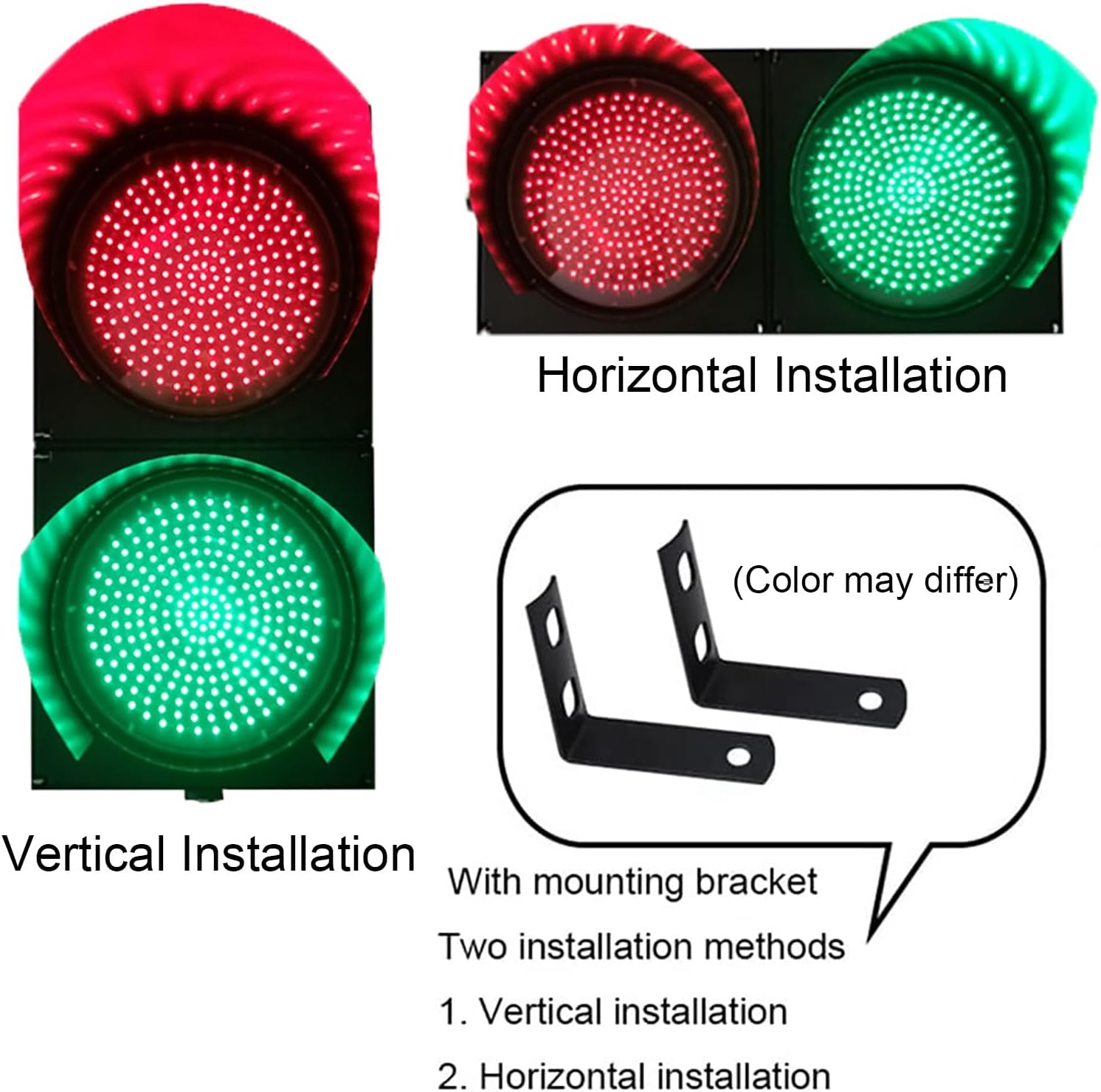
Figure 1: Illustration of vertical and horizontal installation options using the provided mounting brackets.

Figure 2: Back and side views of the traffic light, highlighting the robust casing and sun visor.
Electrical Wiring (12V Wiring Control Model)
This model operates on a 12V power supply and uses direct wiring for control. Ensure the power source is 12V DC and capable of supplying sufficient current for the LED modules.
- Disconnect Power: Before beginning any wiring, ensure the main power supply is turned off at the circuit breaker or fuse box.
- Identify Wires: The traffic light will have wires for power input and individual control of the red and green lights. Typically, there will be a common negative wire and separate positive wires for the red and green LEDs. Refer to the wiring diagram provided with your specific unit if available.
- Connect Power: Connect the common negative wire from the traffic light to the negative terminal of your 12V DC power supply.
- Connect Control Wires: Connect the positive wire for the red light to your control switch or system's output for red. Connect the positive wire for the green light to your control switch or system's output for green.
- Secure Connections: Use appropriate wire connectors (e.g., wire nuts, terminal blocks) to ensure all connections are secure and insulated.
- Test: Once all connections are made and secured, restore power and test the functionality of the red and green lights.
Note: For detailed wiring diagrams or complex control system integration, consult a qualified electrician.
Operating Instructions
This FQMYLTYN LED Traffic Signal Light (Wiring Control 12V) operates by direct electrical input to illuminate the red or green light. There are no built-in automatic sequencing or remote control features for this specific model; control is managed externally via your wiring setup.
- Power On: Ensure the 12V DC power supply is connected and active.
- Activate Red Light: To illuminate the red light, apply 12V DC power to the designated positive wire for the red LED module.
- Activate Green Light: To illuminate the green light, apply 12V DC power to the designated positive wire for the green LED module.
- Deactivate Lights: To turn off a light, remove the 12V DC power from its respective positive wire.
- Switching Lights: To switch from red to green (or vice-versa), deactivate the currently active light and then activate the desired light. This sequencing is managed by your external control system.
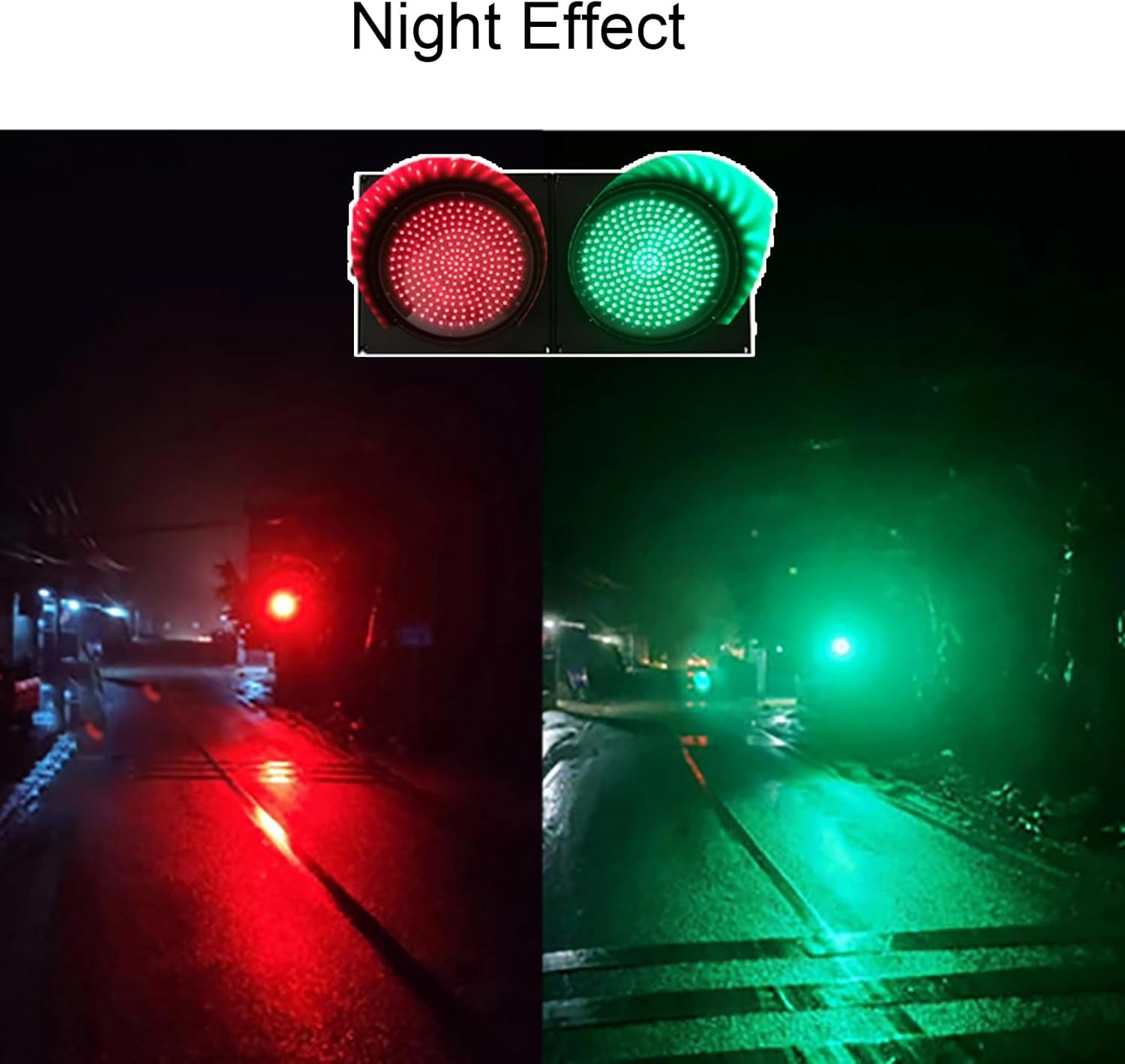
Figure 3: Nighttime visibility of the red and green LED modules.
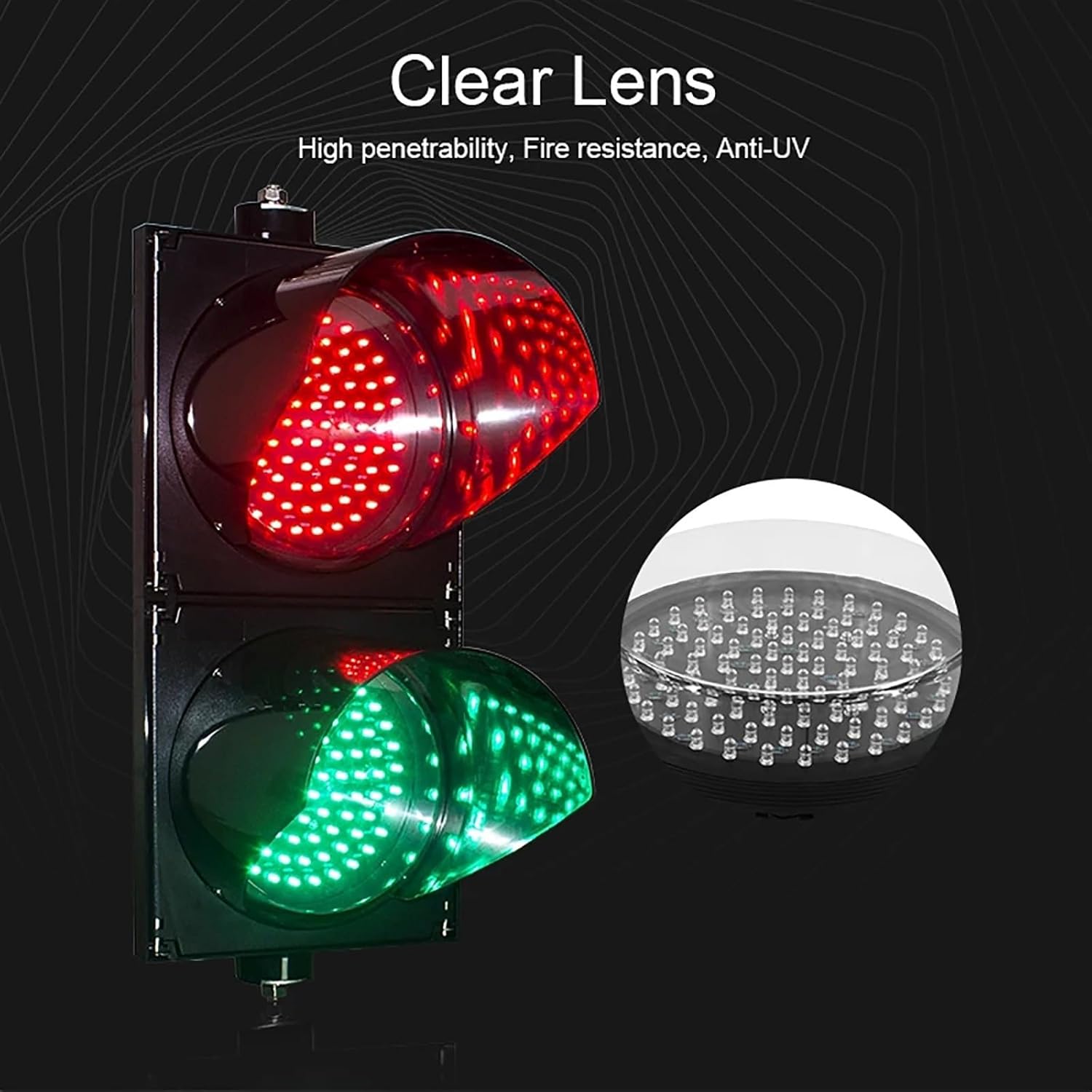
Figure 4: Detail of the clear, high-penetration, fire-resistant, and anti-UV lens.
Maintenance
Regular maintenance ensures optimal performance and extends the lifespan of your traffic signal light.
- Cleaning: Periodically clean the outer casing and lenses with a soft, damp cloth. Avoid abrasive cleaners or solvents that could damage the plastic or glass. Ensure the unit is powered off before cleaning.
- Inspection: Regularly inspect the mounting hardware, wiring connections, and the unit's housing for any signs of wear, corrosion, or damage. Tighten any loose screws.
- Sun Visor: Ensure the sun visor remains securely attached and free of obstructions to maintain optimal visibility.
- Environmental Factors: While designed for outdoor use, extreme weather conditions (e.g., heavy snow, ice, strong winds) may require more frequent inspection.
Troubleshooting
If you encounter issues with your FQMYLTYN LED Traffic Signal Light, refer to the following common problems and solutions:
| Problem | Possible Cause | Solution |
|---|---|---|
| Light does not illuminate. | No power supply, incorrect wiring, faulty power supply, damaged LED module. |
|
| Light flickers or is dim. | Insufficient power, loose connection, voltage drop. |
|
| Water inside the housing. | Improper sealing, damage to housing. |
|
If the problem persists after attempting these solutions, contact customer support.
Specifications
| Feature | Detail |
|---|---|
| Brand | FQMYLTYN |
| Model | Wiring Control 12V |
| Light Type | LED Traffic Signal Light (Red/Green) |
| Voltage | 12 Volts DC |
| Bulb Diameter | 200mm (approximately 8 inches) |
| Number of Light Sources | 2 (Red, Green) |
| Number of Lamp Beads | 80 Red, 80 Green |
| Shell Material | PC Plastic (Anti-UV) |
| Shade Material | Glass |
| Shell Color | Black |
| IP Rating | IP53 (Waterproof and Moisture-proof) |
| Installation | Horizontal or Vertical (with included brackets) |
| Indoor/Outdoor Usage | Outdoor |
| Item Weight | 2000 Grams (approx. 4.41 pounds) |

Figure 5: Dimensional drawing of the traffic signal light.

Figure 6: Examples of the traffic signal light in different industrial and outdoor settings.

Figure 7: Additional application examples demonstrating the light's functionality.
Warranty Information
Specific warranty details for this product are not provided in the available information. Please refer to your purchase documentation or contact the retailer for warranty terms and conditions.
Customer Support
For technical assistance, troubleshooting beyond this manual, or inquiries regarding your product, please contact the seller or manufacturer directly through the platform where the product was purchased.