
TESSAN B0CFXYCGZ7
TESSAN Power Strip Tower User Manual
Model: B0CFXYCGZ7
Introduction
Thank you for choosing the TESSAN Power Strip Tower. This versatile power solution is designed to provide ample power outlets and USB charging ports for your home or office, while ensuring the safety of your devices with built-in surge protection. This manual will guide you through the setup, operation, and maintenance of your new power strip tower.

This image displays the TESSAN power strip tower, highlighting its vertical design, multiple AC outlets, USB ports on top, and the attached power cable with a European plug.
Key Features
- 12-in-1 Multi-Socket Power Strip: Features 8 AC outlets, 1 USB-C port (15W), and 3 USB-A ports (12W).
- Integrated 1700J Surge Protection: Safeguards connected devices from sudden power surges.
- Master Power Switch: Allows you to power all outlets on or off with a single press for convenience and energy saving.
- 2-Meter Extension Cord: Provides flexibility for placement in various home or office settings.
- Space-Saving Tower Design: Outlets are distributed across 5 sides, preventing tangled cables and keeping your space tidy.
- High Power Capacity: Supports a maximum power output of 3600W, suitable for simultaneously powering multiple devices.

An illustration of the TESSAN power strip tower in a typical use scenario, demonstrating its ability to connect and charge multiple devices simultaneously, including a laptop, tablet, and smartphone, keeping the workspace organized.
Setup
- Unpack the Device: Carefully remove the TESSAN Power Strip Tower from its packaging. Ensure all components are present and undamaged.
- Choose a Location: Place the power strip tower on a stable, flat surface, away from water sources, heat, and direct sunlight. The 2-meter extension cable provides ample reach.
- Connect to Power: Plug the power strip tower's main plug into a grounded wall outlet.
- Power On: Press the master power switch located on the top of the tower to turn on the power strip. The 'Power' indicator light should illuminate.
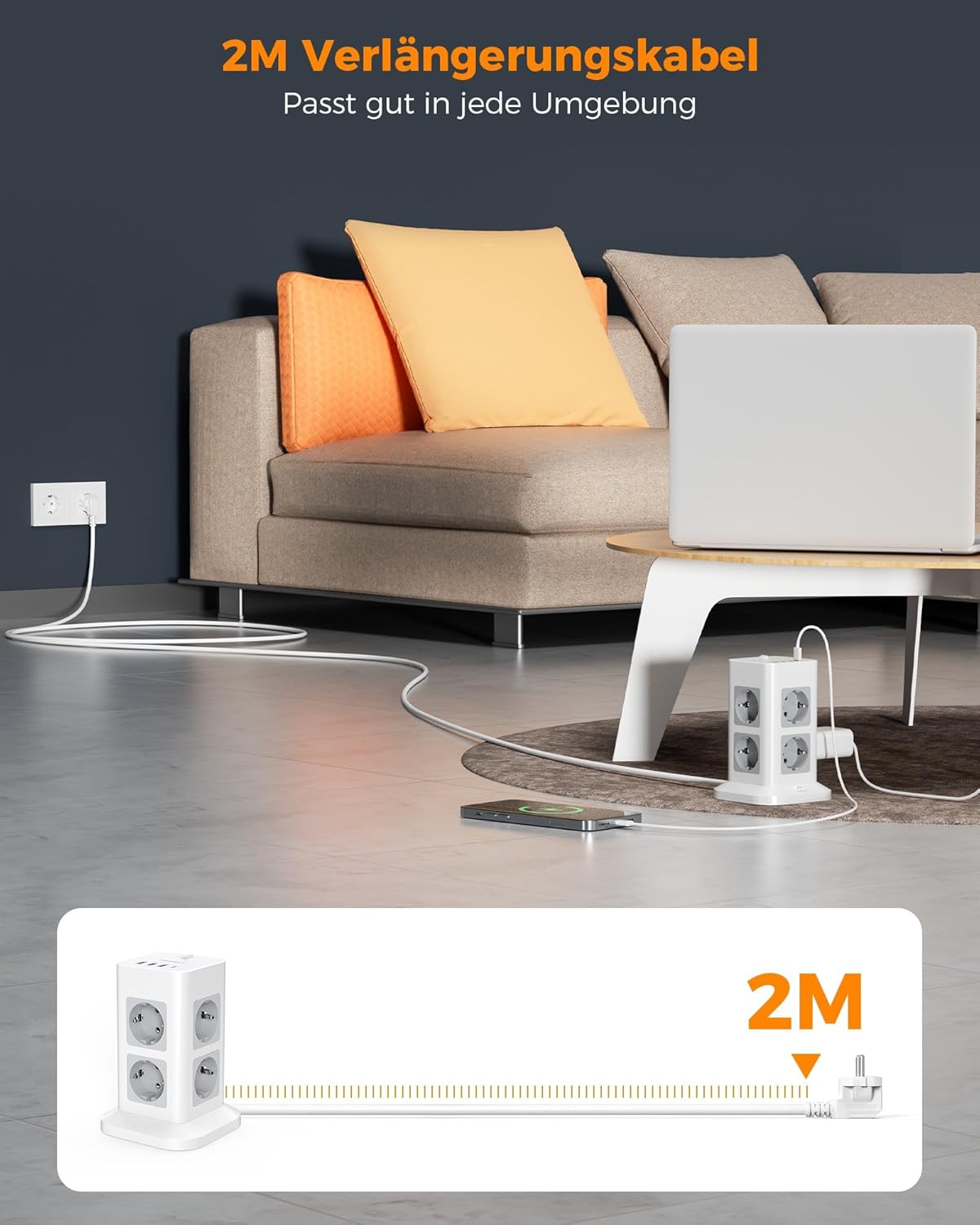
The image illustrates the flexibility provided by the 2-meter extension cable, allowing the power strip tower to be conveniently placed in various home or office settings, such as next to a sofa or desk.
Operating Instructions
The TESSAN Power Strip Tower is designed for ease of use. Follow these guidelines for optimal performance:
- Using AC Outlets: Plug your devices directly into any of the 8 AC outlets. The vertical design and spacing allow for larger adapters without blocking adjacent outlets.
- Using USB Charging Ports: Connect your USB-A or USB-C compatible devices to the respective ports on the top of the tower. The USB-C port provides up to 15W, and the USB-A ports provide up to 12W (total for all three).
- Master Power Switch: Use the master switch to conveniently turn off power to all connected devices when not in use, saving energy. Press it again to restore power.
- Surge Protection Indicator: The 'Protected' indicator light will be illuminated when the surge protection is active and functioning correctly. If this light goes out, the surge protection may have been compromised by a significant power surge and the unit should be replaced.
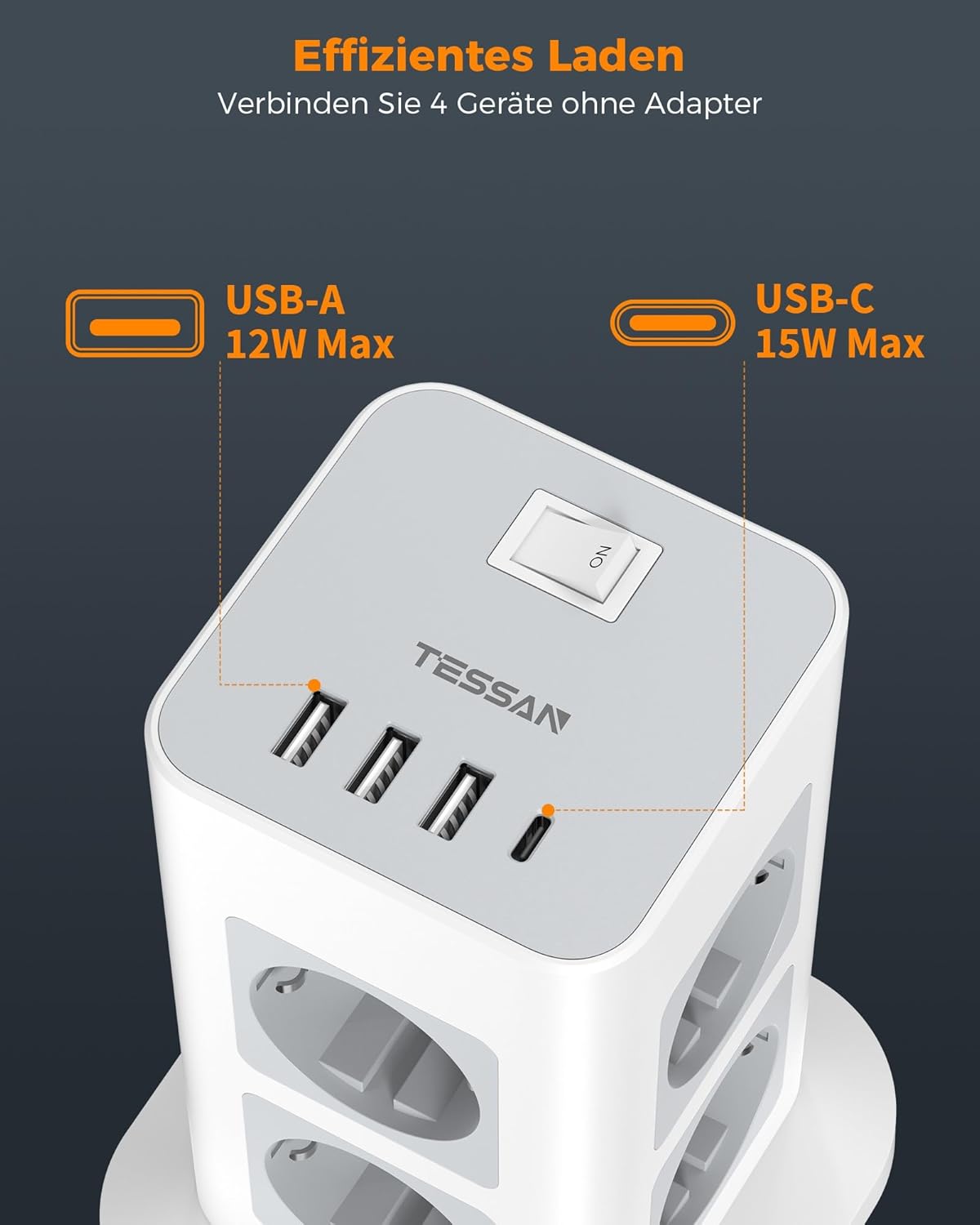
This image provides a detailed view of the top of the power strip tower, emphasizing the USB-A and USB-C charging ports and the convenient master on/off switch for controlling power to all connected devices.

This image demonstrates the high power capacity of the TESSAN power strip (3600W), suitable for simultaneously powering multiple kitchen appliances or other high-wattage devices.
Maintenance
To ensure the longevity and safe operation of your TESSAN Power Strip Tower, follow these maintenance tips:
- Cleaning: Disconnect the power strip from the wall outlet before cleaning. Use a soft, dry cloth to wipe the exterior. Do not use liquid cleaners or abrasive materials.
- Ventilation: Ensure the ventilation openings are not blocked to prevent overheating.
- Cable Management: Keep the power cord and connected device cables tidy to avoid tripping hazards and cable damage.
- Storage: If storing the power strip for an extended period, unplug it from the wall and store it in a cool, dry place.
Troubleshooting
If you encounter any issues with your TESSAN Power Strip Tower, refer to the following common problems and solutions:
| Problem | Possible Cause | Solution |
|---|---|---|
| No power to outlets/USB ports. | Master switch is off; Power strip is unplugged; Wall outlet has no power; Overload protection tripped. | Ensure master switch is ON. Check if the power strip is securely plugged into a working wall outlet. Reduce the total load on the power strip. |
| Devices not charging via USB. | Device not compatible; Cable issue; Device requires more power than available. | Ensure your device is compatible with USB-A/USB-C charging. Try a different USB cable. Check device's power requirements against the power strip's output (USB-C 15W, USB-A 12W total). |
| 'Protected' indicator light is off. | Surge protection has been compromised. | The surge protection component may have absorbed a significant power surge. The power strip may still function as a multi-outlet, but its surge protection capability is no longer active. It is recommended to replace the unit for continued surge protection. |
| Overheating. | Overloaded; Poor ventilation. | Unplug some devices to reduce the load. Ensure the power strip is in a well-ventilated area and its vents are not blocked. |

This visual highlights the 1700J surge protection feature of the TESSAN power strip, designed to protect your electronic devices from power fluctuations and surges.
Specifications
| Feature | Specification |
|---|---|
| Brand | TESSAN |
| Model | B0CFXYCGZ7 |
| Product Dimensions | 16.1 x 11.4 x 0.1 cm (780 grams) |
| Total Number of AC Outlets | 8 |
| USB-C Ports | 1 (15W Max) |
| USB-A Ports | 3 (12W Total Max) |
| Voltage | 1700 Volts (Surge Protection Rating) |
| Max Power Output | 3600W |
| Cable Length | 2 Meters |
| Special Feature | 8 AC outlets, 4 USB ports (including USB-C), 1700J overload protection, vertical design with enclosed cables, and master on/off switch for energy saving. |
| Manufacturer | Zhuhai Tessan Power Technology Co., Ltd. |
| Country of Origin | China |

This image provides key dimensional information (16.1cm height, 11.4cm width/depth) and shows the stable base and anti-slip pads on the bottom of the power strip tower.
Warranty and Support
TESSAN products are designed for reliability and performance. For any questions, technical support, or warranty inquiries, please refer to the contact information provided with your purchase or visit the official TESSAN website. Please retain your proof of purchase for warranty claims.
Related Documents - B0CFXYCGZ7
 |
TESSAN TPS03-DE Power Strip with Surge Protection User Manual User manual for the TESSAN TPS03-DE power strip, detailing its features, safety warnings, specifications, and warranty information. Includes information on AC outlets, USB charging ports, surge protection, and fire-retardant materials. |
 |
TESSAN TS-301 Power Strip User Manual User manual for the TESSAN TS-301 power strip by TESSAN. Features include a 1.5M pure copper cable and USB ports with 5.0V-3.0A output. This guide provides important information for the safe and optimal use of the product. |
 |
TESSAN TS-106S WiFi Power Strip with USB Charger User Manual User manual for the TESSAN TS-106S WiFi Power Strip with USB Charger, detailing setup, app connection, features, and troubleshooting. |
 |
Tessan TS-WR109 Power Strip with Wireless Charger User Manual User manual for the Tessan TS-WR109 Power Strip, featuring 2 AC outlets, 2 USB ports, and a wireless charger. Includes specifications, compatibility, warnings, and charging instructions. |
 |
TESSAN JP336 10000mAh Power Bank User Guide - Portable Charger & Wireless Charging Comprehensive user guide for the TESSAN JP336 10000mAh power bank. Learn about product components, charging, operation, troubleshooting, wireless charging, and FCC compliance. Features portable charging for mobile devices. |
 |
TESSAN MJ-SD02 WiFi Dimmer Switch User Manual User manual for the TESSAN MJ-SD02 WiFi Dimmer Switch, covering installation, setup with Wi-Fi, Alexa, and Google Assistant, and troubleshooting. |