
1. Introduction
This manual provides detailed instructions for the setup, operation, and maintenance of your KO-STAR USB Gaming Microphone M-630S. Please read this manual thoroughly before using the product to ensure optimal performance and longevity.
2. Package Contents
Verify that all items listed below are present in your package:
- KO-STAR USB Gaming Microphone M-630S
- Desktop Stand
- Pop Filter
- Shock Mount
- USB-A to USB-C Cable
- USB-C to USB-A Adapter (for Type-C devices)

Image: KO-STAR USB Gaming Microphone M-630S with its desktop stand, pop filter, shock mount, and USB cables (USB-A and USB-C connectors shown).
3. Product Overview
The KO-STAR M-630S is a condenser microphone designed for gaming, streaming, podcasting, and recording. It features a cardioid pickup pattern, RGB lighting, and a quick mute function.
Key Components:
- Microphone Capsule: High-quality 14mm condenser for clear audio capture.
- RGB Lighting: Integrated LED lights for visual feedback and aesthetic.
- Quick Mute Button: Touch-sensitive button on top for instant muting.
- USB Port: For connecting to your device.
- Shock Mount: Reduces vibrations and handling noise.
- Pop Filter: Minimizes plosive sounds (P, B, T).
- Desktop Stand: Provides stable placement on a flat surface.
4. Setup Instructions
- Assemble the Microphone:
- Attach the shock mount to the microphone body.
- Secure the microphone assembly to the desktop stand.
- Position the pop filter in front of the microphone capsule.
- Connect to Device:
- Connect the provided USB cable to the microphone's USB port.
- Plug the other end of the USB cable into an available USB port on your computer (PC/Mac), PS4, PS5, or compatible Type-C phone/tablet. If using a Type-C device, use the included USB-C to USB-A adapter.
- The microphone is plug-and-play and does not require additional drivers for most operating systems.
- System Recognition:
- Your operating system should automatically detect the microphone.
- Navigate to your system's sound settings (e.g., Windows Sound Settings, macOS Sound Preferences) and select the KO-STAR M-630S as your default input device.
- Adjust the input volume level as needed.
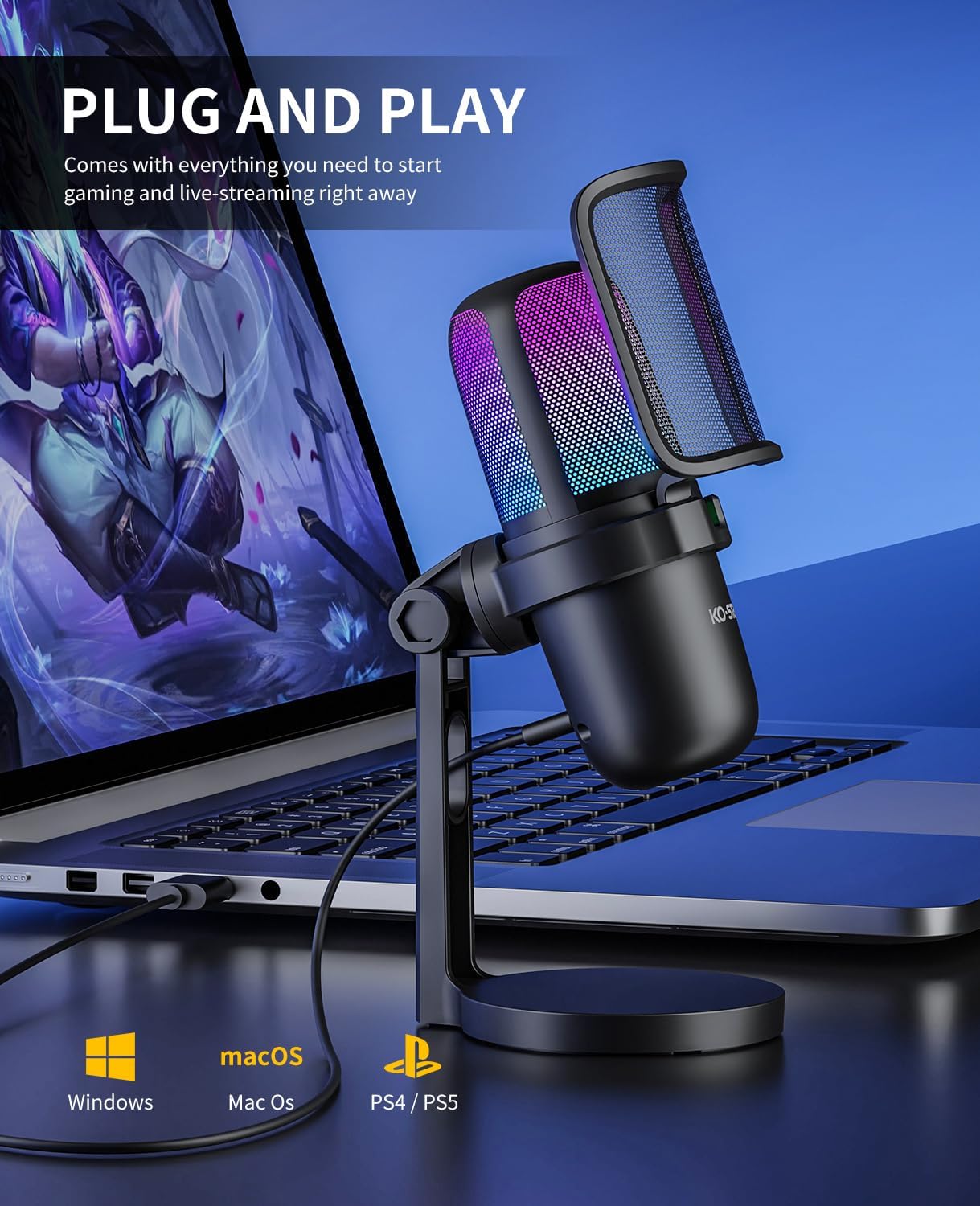
Image: The KO-STAR USB Gaming Microphone M-630S connected to a laptop, illustrating its plug-and-play functionality and compatibility with various operating systems and consoles.
5. Operating Instructions
5.1. RGB Lighting
The microphone features dynamic RGB breathing LED lights that automatically cycle through multiple colors. This lighting serves as a visual indicator of the microphone's status:
- Light On: Microphone is active and capturing audio.
- Light Off: Microphone is muted.
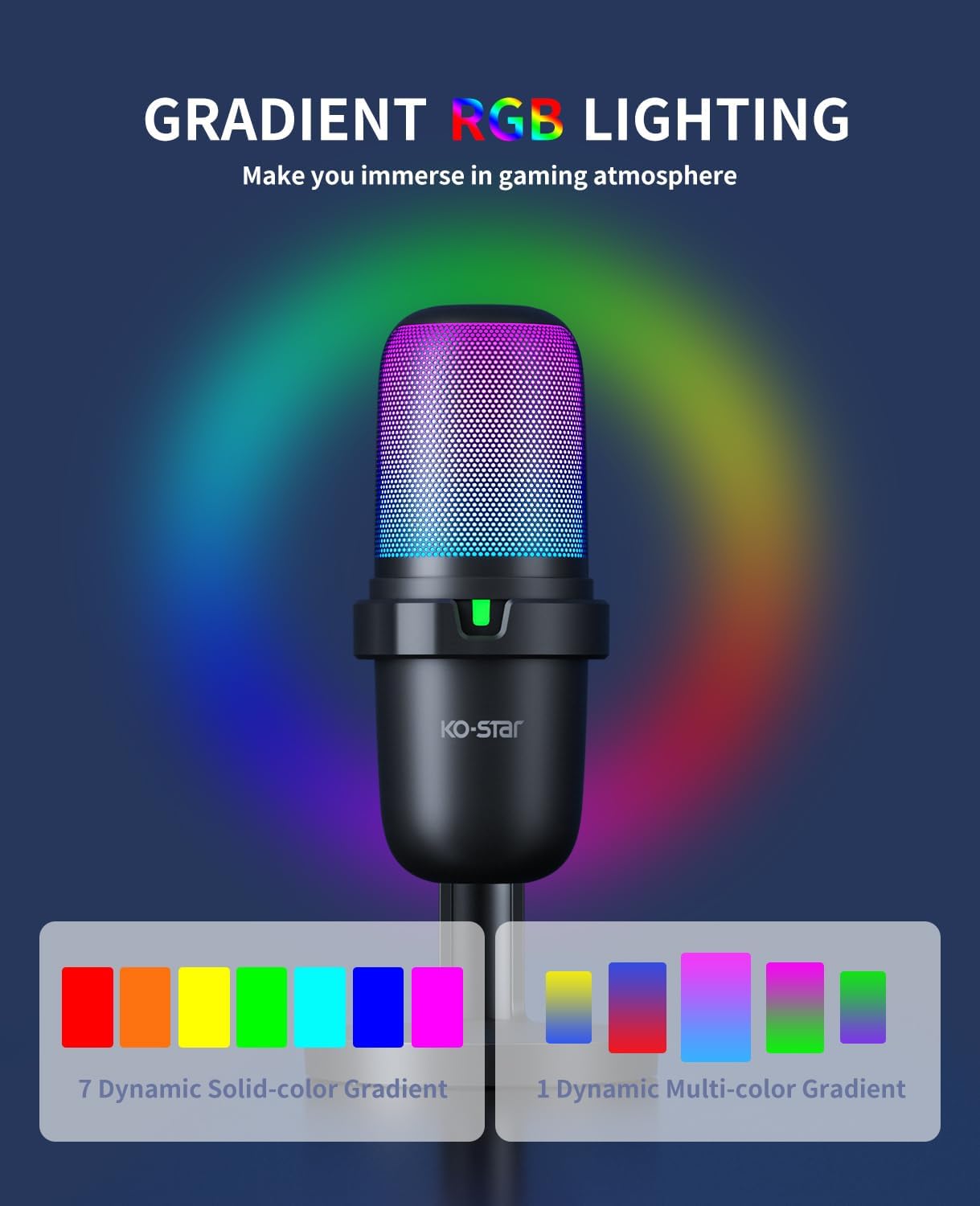
Image: The KO-STAR USB Gaming Microphone M-630S showcasing its gradient RGB lighting, which enhances the visual experience during use.
5.2. Quick Mute Function
A touch-sensitive mute button is located on the top of the microphone for convenient control:
- Tap the button once to mute the microphone. The RGB lighting will turn off, and a red LED indicator may appear (depending on model variation) to confirm mute status.
- Tap the button again to unmute the microphone. The RGB lighting will resume, and the red LED indicator will turn off.
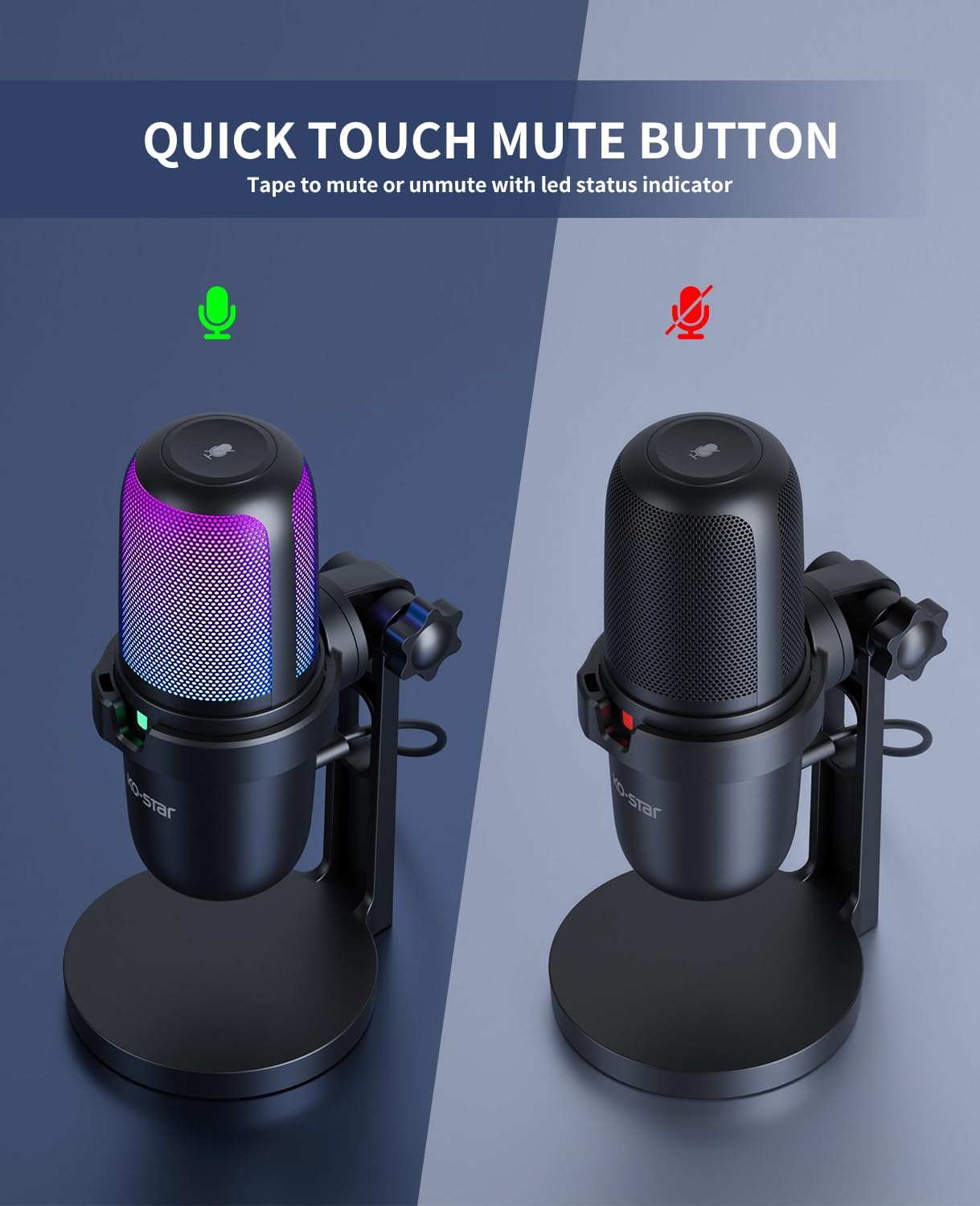
Image: Two views of the KO-STAR USB Gaming Microphone M-630S, one with RGB lighting on and a green indicator (active), and another with lighting off and a red indicator (muted), demonstrating the quick mute function.
5.3. Optimal Audio Capture and Use Cases
The microphone utilizes a cardioid pickup pattern, which primarily captures sound from the front, reducing unwanted background noise from the sides and rear. For best results:
- Position the microphone directly in front of the sound source (e.g., your mouth).
- Utilize the included pop filter to minimize plosive sounds (harsh 'p' and 'b' sounds).
- The shock mount helps isolate the microphone from vibrations transmitted through the desk or stand.
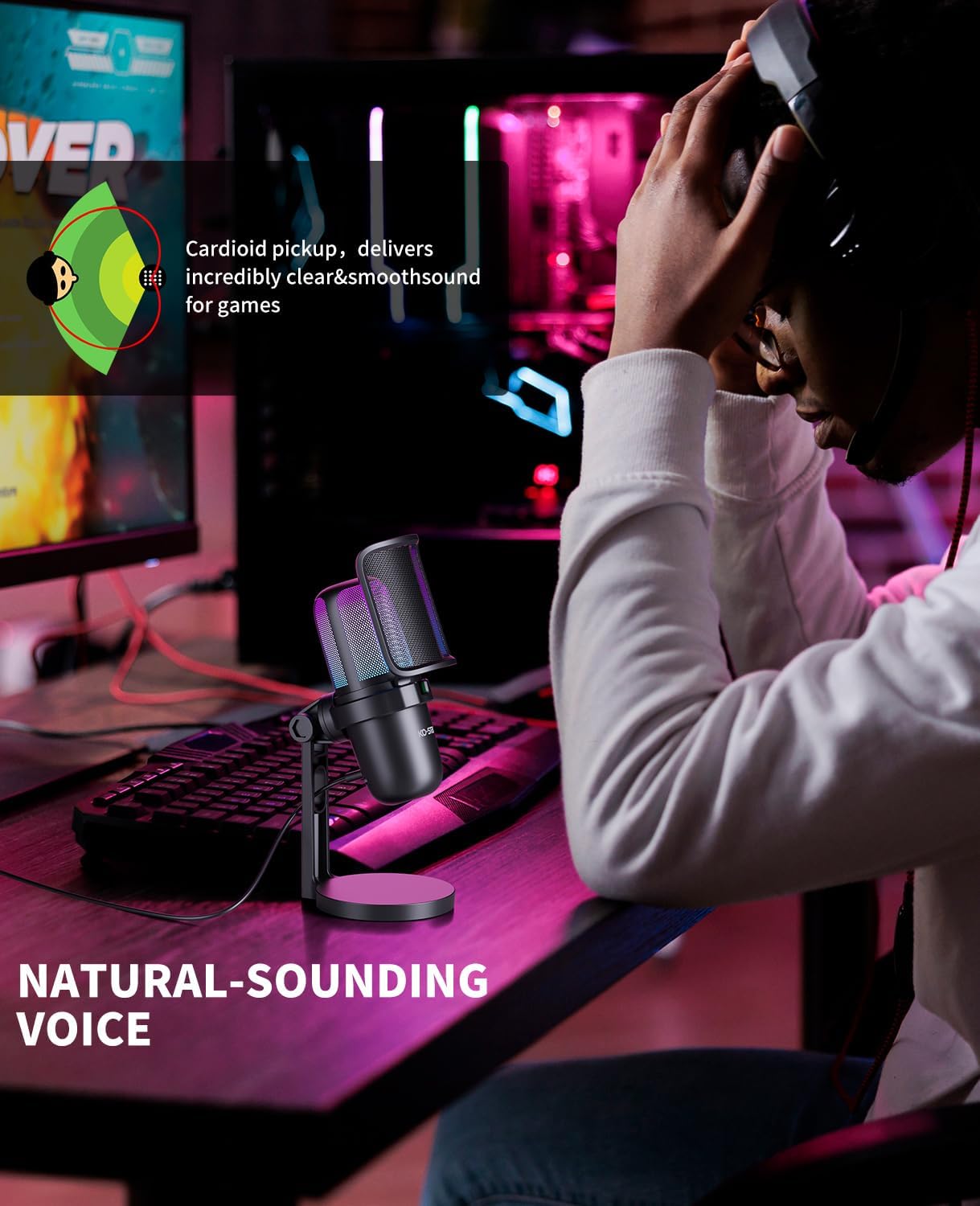
Image: A diagram showing the cardioid pickup pattern, indicating sound capture primarily from the front, alongside a user speaking into the microphone for natural-sounding voice recording.

Image: A user operating the KO-STAR USB Gaming Microphone M-630S, highlighting its noise cancellation capabilities for clearer audio.

Image: A user engaged in a video conference, utilizing the KO-STAR USB Gaming Microphone M-630S for clear communication.

Image: A user immersed in a gaming session, using the KO-STAR USB Gaming Microphone M-630S for in-game communication.

Image: A user recording vocals with the KO-STAR USB Gaming Microphone M-630S, demonstrating its suitability for various audio recording tasks.
6. Compatibility
The KO-STAR M-630S microphone is compatible with a wide range of devices:
- Operating Systems: Windows, macOS
- Gaming Consoles: PlayStation 4 (PS4), PlayStation 5 (PS5)
- Mobile Devices: All Type-C phones and tablets (requires USB C to USB adapter - included in the package)
Note: This microphone is not compatible with Xbox consoles.
For mounting on a standard boom arm, a 5/8" male to 3/8" female adapter (not included) may be required.
7. Maintenance
- Cleaning: Use a soft, dry cloth to clean the microphone body and stand. Do not use liquid cleaners or solvents.
- Storage: When not in use, store the microphone in a clean, dry place away from extreme temperatures and humidity.
- Handling: Avoid dropping the microphone or subjecting it to strong impacts, as this can damage internal components.
8. Troubleshooting
| Problem | Possible Cause | Solution |
|---|---|---|
| No sound output from microphone. |
|
|
| Sound is distorted or unclear. |
|
|
| RGB lighting is off. |
|
|
9. Specifications
| Model Name | M-630S |
| Brand | Ko-Star |
| Connectivity Technology | USB |
| Connector Type | USB |
| Polar Pattern | Super Cardioid |
| Microphone Form Factor | Plug On (with desktop stand) |
| Audio Sensitivity | 30 Decibels |
| Signal-to-Noise Ratio | 80 dB |
| Hardware Platform | Laptop, PC |
| Compatible Devices | Laptop, PC, PS4, PS5, Type-C phones/tablets |
| Special Features | Mute Function, Noise Reduction, Stand, RGB Lighting |
| Material | Metal |
| Item Weight | 1.08 pounds (approx. 490g) |
| Package Dimensions | 8.74 x 5.12 x 3.31 inches |
10. Safety Information
- Do not expose the microphone to water or excessive moisture.
- Avoid placing the microphone near heat sources or in direct sunlight.
- Do not attempt to disassemble or modify the microphone. This will void the warranty.
- Keep out of reach of children.
11. Warranty and Support
KO-STAR products are designed for reliability and performance. For warranty information or technical support, please refer to the warranty card included with your product or contact KO-STAR customer service through the retailer where the product was purchased.
You can also visit the official KO-STAR store for more information: KO-STAR Store on Amazon