
1. Introduction
The VABIRA VBR-SOLAR Irradiance Meter is designed for precise measurement of solar irradiance. This device is essential for evaluating solar panel performance, optimizing panel placement, and assessing the effectiveness of solar protection films. It provides accurate data to assist in various solar energy applications.
2. Key Features
- Accurate Solar Irradiance Testing: Measures up to 3499 W/m² with a high-quality internal sensor from a renowned Japanese semiconductor company.
- Systematic Data Recording: Allows for methodical recording of solar irradiance intensity data across different locations and grid points.
- Solar Film Transmittance Measurement: Capable of measuring the transmittance of solar protection films to evaluate their effectiveness.
- Simple and Secure App Connectivity: Connects easily via Bluetooth to a smartphone app. The device and app can be used offline, even without an internet connection.
3. Setup Guide
Follow these steps to set up your VBR-SOLAR Irradiance Meter:
- Unpack the Device: Carefully remove the VBR-SOLAR meter from its packaging.
- Charge the Device: Ensure the device is fully charged before first use. Refer to the charging port on the device.
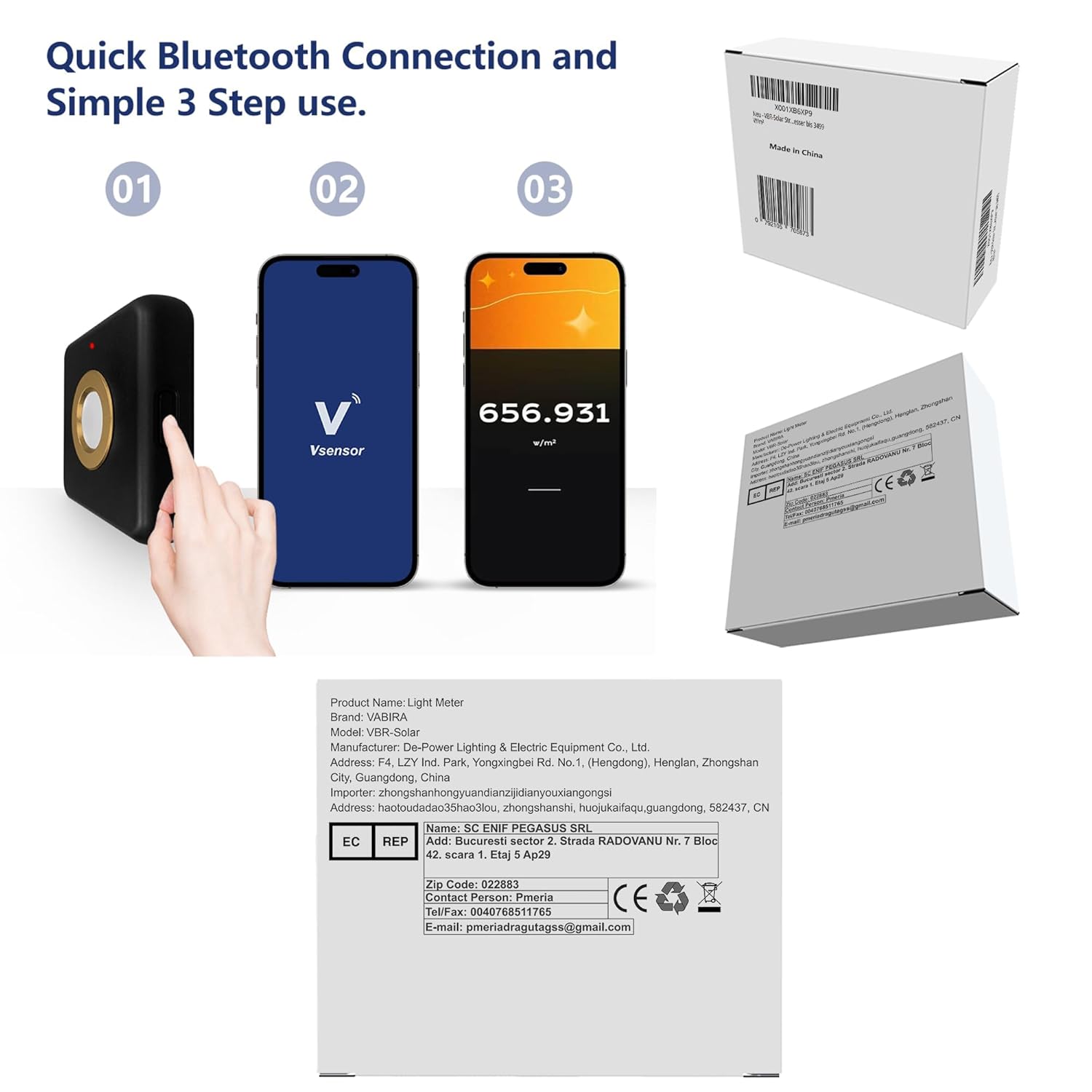
- Install the App: Download the VABIRA companion app from your smartphone's app store (iOS/Android). Search for "VABIRA" or "Vsensor".
- Connect via Bluetooth:
- Turn on the VBR-SOLAR meter.
- Enable Bluetooth on your smartphone.
- Open the VABIRA app and follow the on-screen instructions to pair with the VBR-SOLAR device.
4. Operating Instructions
4.1. Measuring Solar Irradiance on Panels
To measure the solar irradiance impacting solar panels:
- Ensure the VBR-SOLAR meter is connected to your smartphone via the app.
- Place the meter directly on the surface of the solar panel or in the area where you wish to measure irradiance. Ensure the sensor is facing the sun.
- Observe the real-time readings on the smartphone app. The app will display the solar radiation intensity in W/m².

4.2. Recording Solar Radiation Intensity at Different Points
For systematic data collection across multiple points:
- Use the app's recording feature to log data.
- Move the VBR-SOLAR meter to different locations or angles on your solar array or testing area.
- Take readings at each designated point. The app allows you to record and potentially average these values for comprehensive analysis.

4.3. Measuring Solar Protection Film Transmittance
To assess the effectiveness of solar protection films:
- Take an initial irradiance reading with the VBR-SOLAR meter in an open area (e.g., "Outside" reading).
- Place the solar protection film over the sensor of the VBR-SOLAR meter, or place the meter behind the film (e.g., "Inside" reading).
- Record the second irradiance reading.
- The app can calculate the percentage of solar energy blocked by the film based on the two readings.

5. Maintenance
- Cleaning: Use a soft, dry cloth to clean the device. Do not use abrasive cleaners or solvents.
- Storage: Store the device in a cool, dry place away from direct sunlight and extreme temperatures.
- Battery Care: Recharge the battery regularly, even if the device is not in frequent use, to maintain battery health.
- Sensor Protection: Avoid touching the sensor surface directly. Keep it free from dust and scratches for accurate readings.
6. Troubleshooting
- Device Not Turning On: Ensure the device is fully charged. If the issue persists, contact support.
- Bluetooth Connection Issues:
- Ensure Bluetooth is enabled on your smartphone and the device is within range.
- Restart both the VBR-SOLAR meter and your smartphone.
- Try unpairing and re-pairing the device through your phone's Bluetooth settings and the app.
- Inaccurate Readings:
- Ensure the sensor is clean and unobstructed.
- Verify that the device is placed correctly and facing the light source.
- Check for any environmental factors that might interfere with readings.
7. Specifications
| Model | VBR-SOLAR |
| Measurement Range | Up to 3499 W/m² |
| Manufacturer | De-Power |
| Dimensions (Packaging) | 10.01 x 8.99 x 3.61 cm |
| Weight (Packaging) | 100 g |
| ASIN | B0CFXLSMHB |
| Certification | FCC |
8. Warranty Information
VABIRA products are manufactured to high-quality standards. This product comes with a standard manufacturer's warranty against defects in materials and workmanship. Please refer to the warranty card included in your product packaging or visit the official VABIRA website for detailed warranty terms and conditions. Keep your purchase receipt as proof of purchase for any warranty claims.
9. Customer Support
For technical assistance, troubleshooting, or any inquiries regarding your VBR-SOLAR Irradiance Meter, please contact VABIRA customer support. You can find contact information on the VABIRA brand store on Amazon or through the official VABIRA website. When contacting support, please have your product model number (VBR-SOLAR) and ASIN (B0CFXLSMHB) ready.
VABIRA Brand Store: Visit the VABIRA Store