
1. Introduction
This manual provides essential instructions for the safe and effective use, charging, and maintenance of your AVID POWER AP30B-H 3.0Ah 20V Lithium-Ion Battery. Please read this manual thoroughly before using the battery to ensure proper operation and to prevent damage or injury. Keep this manual for future reference.
2. Important Compatibility Information
The AVID POWER AP30B-H battery is designed for specific AVID POWER 20V cordless tools. Incorrect battery usage can lead to malfunction or damage.
2.1 Compatible Tools and Chargers
- Impact Wrenches:
- ACIW340 (all serial numbers)
- ACIW326-G (all serial numbers)
- ACIW326 and ACIW326-B with Serial Number (SN#) A2243 or after. Please verify the serial number on your tool before purchase.
- Battery Charger: Only compatible with AVID POWER fast charger model AP30C-H (2023 Version).

Image 1: AVID POWER Battery Compatibility Chart. This image illustrates the specific impact wrench models and charger model that are compatible with the AP30B-H battery.
2.2 Incompatible Tools
- Impact Wrenches: DO NOT purchase this battery if the Serial Number (SN#) of your ACIW326 or ACIW326-B impact wrench is between A2045 and A2242. For these models, search for the AVID POWER MW20D battery.
- Older Impact Wrenches: For impact wrenches ordered before 2021, this battery is not compatible. Contact AVID POWER customer support for assistance.
- Tire Inflators: This battery is NOT compatible with AVID POWER Tire Inflators. For tire inflator batteries, please search for AVID POWER MW20B or AP20B.
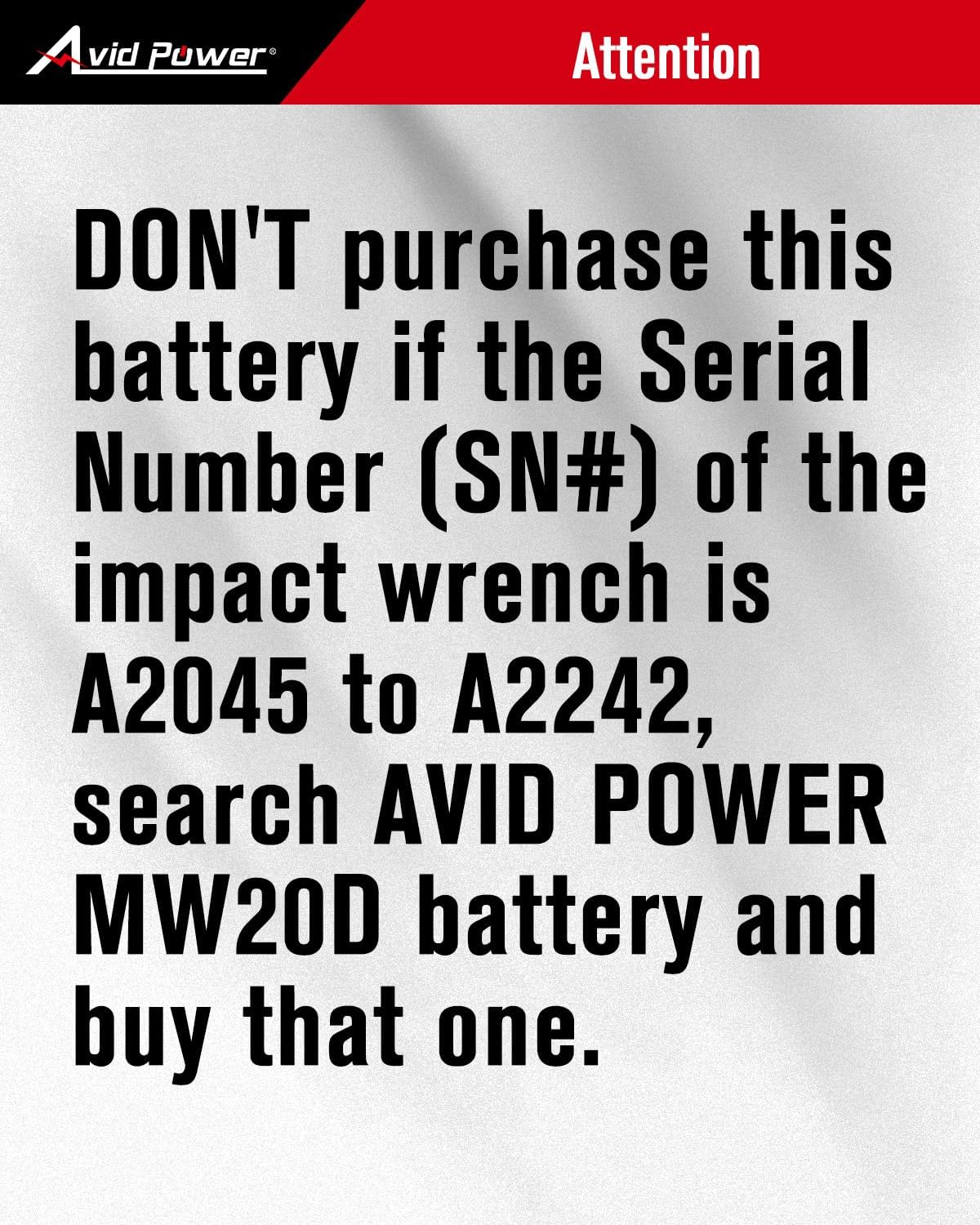
Image 2: AVID POWER Incompatibility Warning. This image highlights the specific serial number range for impact wrenches that are not compatible with this battery.
3. Setup and Initial Use
3.1 Unpacking
Carefully remove the battery from its packaging. Inspect for any signs of damage. If damaged, do not use and contact customer support.
3.2 Initial Charging
Before first use, fully charge the battery using the compatible AVID POWER AP30C-H fast charger. Refer to the charger's instruction manual for detailed charging procedures.

Image 3: AVID POWER Battery Charging. This image shows the AP30B-H battery connected to the AP30C-H charger, indicating the charging process and battery indicator lights.
3.3 Attaching to Tool
- Ensure the tool is switched off.
- Align the battery with the battery port on the tool.
- Slide the battery into the tool until it clicks securely into place. Do not force the battery.
- To remove, press the battery release button(s) and slide the battery out.
4. Operating the Battery
4.1 Battery Indicator
The battery features an indicator to display the remaining charge level. Press the button on the battery to illuminate the indicator lights. Refer to the tool's manual for specific usage instructions.

Image 4: AVID POWER AP30B-H Battery. This image displays the battery unit, highlighting its 20V MAX Li-ION branding and the charge indicator lights.
4.2 Safety Features
The AVID POWER AP30B-H battery incorporates multiple protection features to ensure safe operation and extend battery life:
- Over-charge Protection: Prevents the battery from being charged beyond its capacity.
- Over-heating Protection: Monitors battery temperature to prevent overheating during use or charging.
- Over-discharge Protection: Prevents the battery from being fully depleted, which can damage lithium-ion cells.
- Over-current Protection: Safeguards against excessive current draw.
- Over-voltage Protection: Protects against voltage spikes.
- Short Circuit Protection: Prevents damage from short circuits.
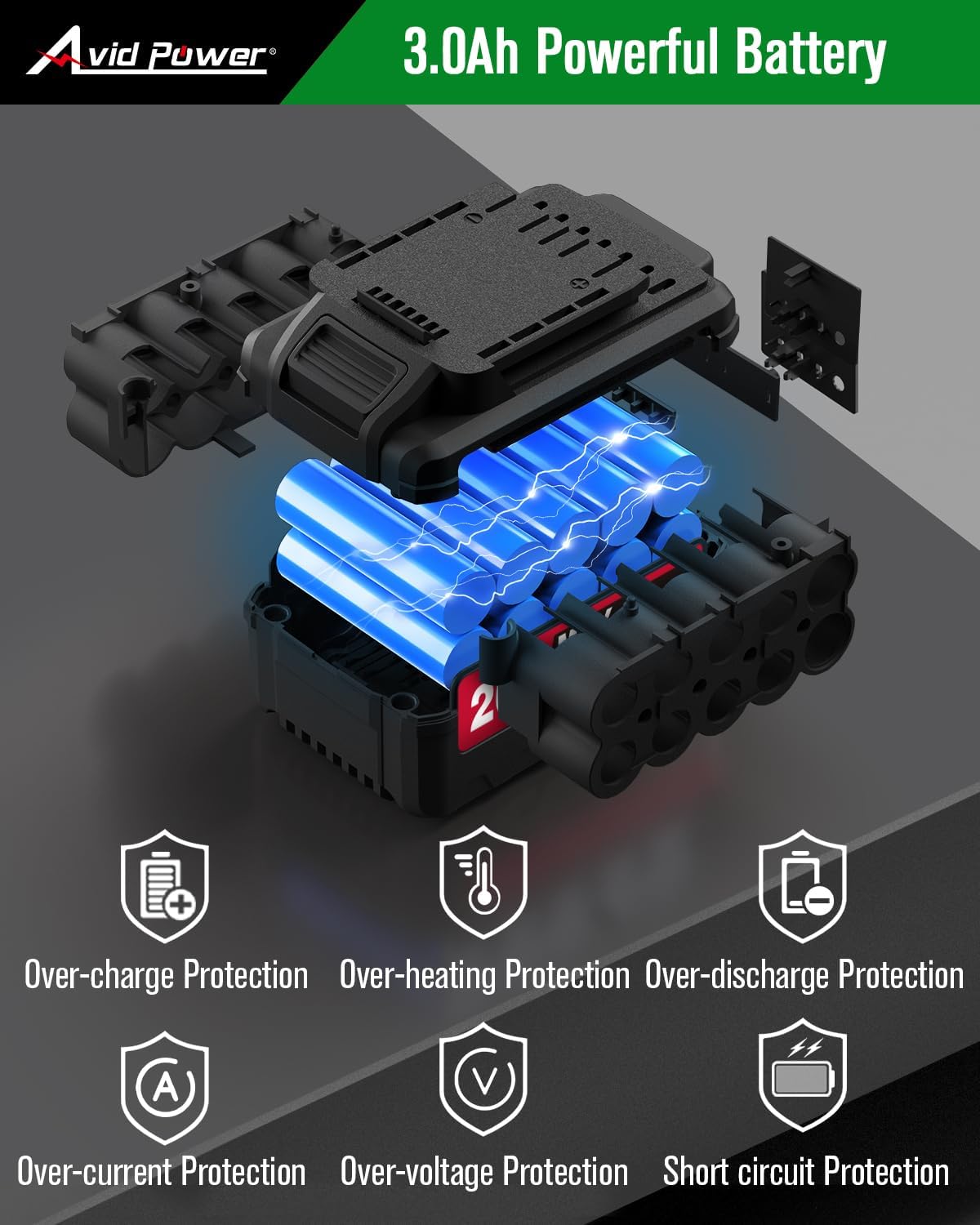
Image 5: AVID POWER Battery Protection Features. This diagram illustrates the internal structure of the battery and highlights its integrated safety mechanisms.
5. Maintenance and Storage
5.1 Charging
Always use the AVID POWER AP30C-H fast charger for charging this battery. Charging typically takes 1-2 hours. Do not use chargers not specified for this model.
5.2 Cleaning
Keep the battery terminals clean and free of debris. Use a dry cloth to wipe the battery exterior. Do not immerse the battery in liquids.
5.3 Storage
Store the battery in a cool, dry place, away from direct sunlight and extreme temperatures. For long-term storage, it is recommended to store the battery with a partial charge (around 50%). Avoid storing fully charged or fully discharged batteries for extended periods.
5.4 Disposal
Do not dispose of lithium-ion batteries in household waste. Follow local regulations for proper battery recycling and disposal.
6. Troubleshooting
6.1 Battery Not Charging
- Ensure the charger (AP30C-H) is properly plugged into a working power outlet.
- Verify the battery is correctly seated in the charger.
- Check for any visible damage to the battery or charger.
- Confirm the battery and charger are compatible models (AP30B-H battery with AP30C-H charger).
6.2 Battery Not Powering Tool
- Ensure the battery is fully charged.
- Verify the battery is securely attached to the tool.
- Check the tool's serial number for compatibility (refer to Section 2.1).
- If the tool's serial number is within the incompatible range (A2045 to A2242), this battery will not work.
- If the tool was purchased before 2021, this battery is likely incompatible.
6.3 Overheating
If the battery or charger becomes excessively hot during use or charging, immediately disconnect it and allow it to cool down. Do not use if overheating persists. Contact customer support.
7. Specifications
| Feature | Specification |
|---|---|
| Model Number | AP30B-H |
| Battery Type | Lithium-Ion |
| Voltage | 20V |
| Capacity | 3.0 Amp Hours (3.0Ah) |
| Product Dimensions | 5.03 x 3.7 x 2.84 inches |
| Item Weight | 1.33 pounds |
| Compatible Charger | AVID POWER AP30C-H |
| Recommended Use | AVID POWER Impact Wrenches (ACIW340, ACIW326-G, ACIW326/ACIW326-B SN# A2243 or after) |

Image 6: AVID POWER Battery Dimensions. This image provides a visual representation of the battery's physical dimensions.
8. Warranty and Support
8.1 Warranty Information
For specific warranty details regarding your AVID POWER AP30B-H battery, please refer to the warranty card included with your purchase or visit the official AVID POWER website. Keep your proof of purchase for warranty claims.
8.2 Customer Support
If you have any questions, concerns, or require technical assistance, please contact AVID POWER customer support. Contact information can typically be found on the product packaging, the official AVID POWER website, or through your retailer.