
1. Introduction
Thank you for choosing the BLACK+DECKER Automatic Above Ground Pool Cleaner. This manual provides essential information for the safe and efficient operation, maintenance, and troubleshooting of your new pool cleaner. Please read this manual thoroughly before first use and retain it for future reference.
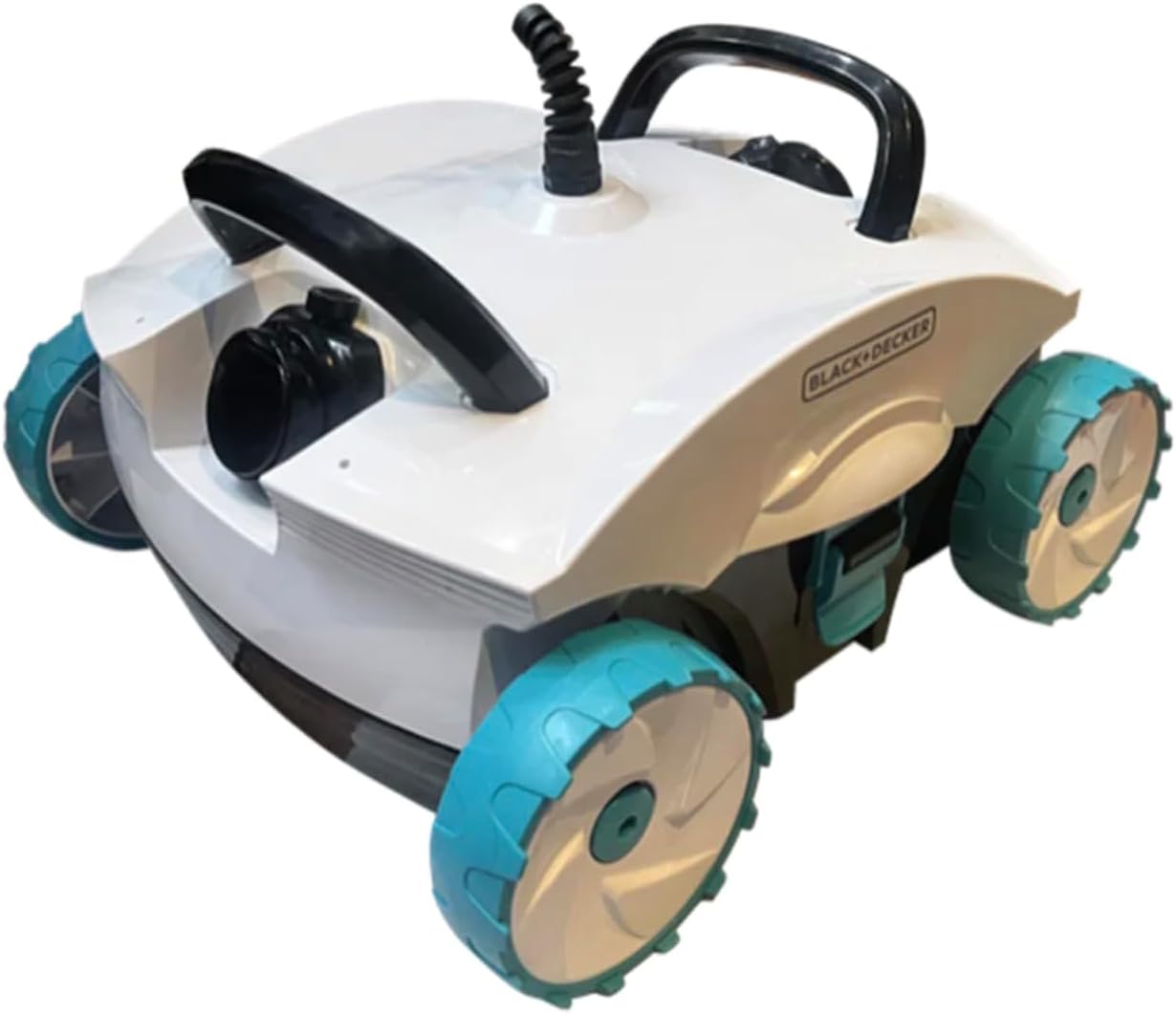
Image 1.1: The BLACK+DECKER Automatic Above Ground Pool Cleaner, a white and black unit with teal wheels, designed for efficient pool cleaning.
This cleaner features exclusive dual jet technology that operates independently of your pool filter, saving time and money. It incorporates dual canister on-board filtration, eliminating the need for messy bags and making cleaning simple and fast. Equipped with bottom scrubbers, it ensures maximum cleaning capabilities, effectively catching both large and small debris. This plug-and-play cleaner requires no complex setup; simply plug it in, drop it into your pool, and let it clean. A 40-foot cord provides tangle-free operation in any above-ground pool. With a powerful capacity of 85 gallons per minute, this BLACK+DECKER cleaner delivers superior cleaning performance within its class.
2. Safety Information
Always observe basic safety precautions when using electrical appliances to reduce the risk of fire, electric shock, and personal injury.
- Read All Instructions: Familiarize yourself with the cleaner's operation and safety guidelines before use.
- Electrical Safety: Ensure the power outlet is properly grounded. Do not operate the cleaner if the power cord is damaged. Always unplug the cleaner from the power source before performing any maintenance, cleaning, or when the cleaner is not in use.
- Water Immersion: The cleaner is designed for full immersion in water. However, ensure the power supply unit remains dry and away from water.
- Children and Pets: Keep children and pets away from the pool area when the cleaner is operating. This appliance is not intended for use by persons with reduced physical, sensory, or mental capabilities unless supervised.
- Intended Use: Use this cleaner only for its intended purpose as described in this manual. Do not use it for cleaning anything other than pool water and debris.
- Temperature Limits: Do not operate the cleaner in water temperatures below 50°F (10°C) or above 95°F (35°C).
3. Package Contents
Verify that all items are present and in good condition upon opening the package:
- BLACK+DECKER Automatic Above Ground Pool Cleaner Unit
- Integrated 40-foot Power Cord
- User Manual
If any items are missing or damaged, please contact customer support immediately.
4. Setup
4.1 Initial Preparation
- Unpack the pool cleaner and its components from the packaging.
- Inspect the cleaner and power cord for any visible damage. Do not use if damage is present.
- Ensure the pool is free of large objects that could obstruct the cleaner's movement or damage its components (e.g., toys, large leaves, sticks).
4.2 Placement in Pool
- Place the power supply unit in a dry, shaded area, at least 10 feet (3 meters) from the edge of the pool. Ensure it is protected from direct sunlight and rain.
- Carefully lower the cleaner into the pool. Hold the handle and allow it to sink to the bottom. Gently rock the cleaner to release any trapped air bubbles.
- Ensure the 40-foot power cord is uncoiled and laid out in a way that prevents tangling during operation. Avoid kinks or knots in the cord.
5. Operating Instructions
The BLACK+DECKER Automatic Above Ground Pool Cleaner is designed for simple plug-and-play operation.
5.1 Starting the Cleaner
- Once the cleaner is fully submerged and settled at the bottom of the pool, plug the power cord into a grounded electrical outlet.
- The cleaner will automatically begin its cleaning cycle. There are no additional buttons or settings required for basic operation.
5.2 Cleaning Cycle
The cleaner will navigate the pool bottom, utilizing its dual jet technology and bottom scrubbers to dislodge and filter debris. Its design ensures tangle-free operation with the 40-foot cord.
5.3 Stopping the Cleaner
- To stop the cleaner, simply unplug the power cord from the electrical outlet.
- Carefully pull the cleaner out of the pool using its handle. Allow excess water to drain before removing it completely.
6. Maintenance
Regular maintenance ensures optimal performance and extends the lifespan of your pool cleaner.
6.1 Cleaning the On-Board Filtration System
The cleaner features dual canister on-board filtration. It is crucial to clean this system regularly, ideally after each use or when you notice a decrease in cleaning efficiency.
- Unplug the Cleaner: Always ensure the cleaner is unplugged from the power source before performing any maintenance.
- Access Filters: Refer to the cleaner's design to locate and open the filter compartments. These are typically accessible from the top or bottom of the unit.
- Remove and Rinse: Remove the filter canisters. Rinse them thoroughly with a garden hose to remove all trapped debris. Ensure water flows through the filter material until it runs clear.
- Inspect: Check the filters for any damage or excessive wear. Replace if necessary.
- Reinstall: Place the clean filter canisters back into their compartments, ensuring they are securely seated.
6.2 Debris Bag Cleaning (if applicable)
While this model uses dual canister filtration, some models may have a debris bag. If your specific unit includes a debris bag, clean it as follows:
- Remove the debris bag from the cleaner.
- Empty all collected debris into a waste bin.
- Rinse the bag thoroughly with a hose to remove fine particles.
- Allow the bag to air dry completely before reinstalling to prevent mildew.
6.3 Storage
- After each use, clean the cleaner as described above.
- Store the cleaner in a cool, dry, and shaded area, away from direct sunlight and extreme temperatures.
- Coil the power cord loosely to prevent kinks and damage.
7. Troubleshooting
This section addresses common issues you might encounter with your pool cleaner.
| Problem | Possible Cause | Solution |
|---|---|---|
| Cleaner does not power on. | No power to outlet; Power cord damaged; Internal fault. | Check power outlet with another appliance. Inspect power cord for damage. If cord is damaged, do not use. Contact customer support. |
| Cleaner moves slowly or not at all. | Filters clogged; Debris obstructing wheels/jets; Air trapped inside. | Clean filter canisters thoroughly. Remove any visible debris from wheels or jet openings. Gently rock cleaner to release trapped air. |
| Cleaner is not picking up debris effectively. | Filters clogged; Jets obstructed; Worn bottom scrubbers. | Clean filter canisters. Check and clear any obstructions from the dual jets. Inspect bottom scrubbers for wear; replacement may be needed. |
| Cleaner floats or does not stay submerged. | Air trapped inside cleaner. | Submerge cleaner slowly and gently rock it side-to-side to release all trapped air bubbles. |
8. Specifications
| Feature | Specification |
|---|---|
| Brand | BLACK+DECKER |
| Model Name | Pool Cleaner |
| Item Model Number | BDXBT42927 |
| Product Dimensions | 35 x 20 x 28 inches |
| Item Weight | 35.2 pounds |
| Material | Plastic |
| Color | White |
| Power Source | AC |
| Hose Length | 40 Feet |
| Special Feature | Self Propelled |
| Engine Type | Electric |
| Assembly Required | No |
| Control Method | Touch |
| Load Capacity | 5 Pounds |
| Efficiency | High |
| Capacity | 85 Gallons per Minute |
| Installation Type | Plug-and-play |
| Manufacturer | Blue Torrent Pool Products |
9. Warranty and Support
9.1 Warranty Information
This BLACK+DECKER Automatic Above Ground Pool Cleaner comes with a Limited Warranty. Please refer to the warranty card included in your product packaging for specific terms, conditions, and duration of coverage. The warranty typically covers defects in materials and workmanship under normal use.
9.2 Customer Support
For technical assistance, troubleshooting beyond this manual, or warranty claims, please contact the manufacturer, Blue Torrent Pool Products, or the retailer from whom you purchased the product. Have your model number (BDXBT42927) and proof of purchase ready when contacting support.