1. Introduction and Overview
This manual provides essential information for the safe assembly, operation, and maintenance of your new COSTWAY 12V Electric Ride-On Car. Please read it thoroughly before first use and retain it for future reference.
The electric ride-on car is designed for children aged 3 to 8 years, offering a realistic driving experience with dual powerful motors and a soft start function to prevent sudden jolts. It features adjustable speeds, a 2.4G remote control for parental supervision, and various entertainment options including pre-set music, radio, USB port, and Bluetooth connectivity. The durable wheels are suitable for multiple terrains, ensuring a fun and safe adventure for your child.
2. Safety Information
- Adult Supervision Required: Always supervise children when operating the ride-on car.
- Age Range: Suitable for children aged 3 to 8 years.
- Weight Limit: Do not exceed the maximum load capacity of 35 kg (77 lbs).
- Seat Belt: Ensure the child is securely fastened with the provided seat belt before operation.
- Operating Environment: Use on flat, dry surfaces. Avoid slopes, uneven terrain, public roads, or areas near water.
- Remote Control: Parents can override manual control using the 2.4G remote control for added safety.
- Battery Safety: Keep batteries out of reach of children. Do not mix old and new batteries.
3. Package Contents
Please check that all components are present and undamaged upon opening the package. If any parts are missing or damaged, contact customer service.
- 1 x Electric Ride-On Car (Main Body)
- 1 x 2.4G Remote Control (requires 2*AAA batteries, not included)
- 1 x 12V, 7Ah Rechargeable Battery
- 1 x Charger
- 1 x User Guide
4. Assembly Instructions
While the main body of the ride-on car is largely pre-assembled, some minor assembly is required before first use. Refer to the detailed diagrams in the included user guide for specific steps.
- Wheel Installation: Attach all four wheels securely according to the instructions. Ensure all washers and pins are correctly placed.
- Steering Wheel: Connect the steering wheel's electrical connector and then secure the steering wheel to the steering column.
- Seat Installation: Secure the seat into position. Ensure the seat belt is accessible and functional.
- Battery Connection: Connect the battery terminals as indicated in the manual. Ensure a secure connection.
- Accessory Attachment: Attach any remaining accessories such as mirrors or decorative elements.

Figure 4.1: Front view of the assembled electric ride-on car.
5. Charging Instructions
Proper battery charging is crucial for performance and longevity.
- First Use: Charge the battery for 8-12 hours before the first use to ensure optimal battery life.
- Regular Charging: After each use, or when the battery indicator shows low power, charge the battery for 8-12 hours. Do not overcharge for more than 15 hours.
- Charging Port: Locate the charging port (usually near the battery compartment or dashboard) and connect the charger.
- Indicator: The charger typically has an indicator light that changes color when charging is complete.
- Storage: If storing the car for an extended period, charge the battery fully every 30 days to prevent deep discharge.
6. Operating Instructions
6.1 Manual Control
Children can operate the car using the steering wheel and foot pedal.
- Power Button: Press the power button to turn the car on.
- Foot Pedal: Press the foot pedal to accelerate. Release to brake.
- Steering Wheel: Turn the steering wheel left or right to change direction.
- Speed Switch: Use the high/low speed switch to select the desired driving speed (2.6-3 km/h for low, 5.5-6 km/h for high).
- Forward/Reverse Switch: Select forward or reverse gear.
- Horn & Engine Sounds: Press the buttons on the steering wheel for horn and engine sounds.
- Lights: Activate the front and rear lights for a realistic driving experience.
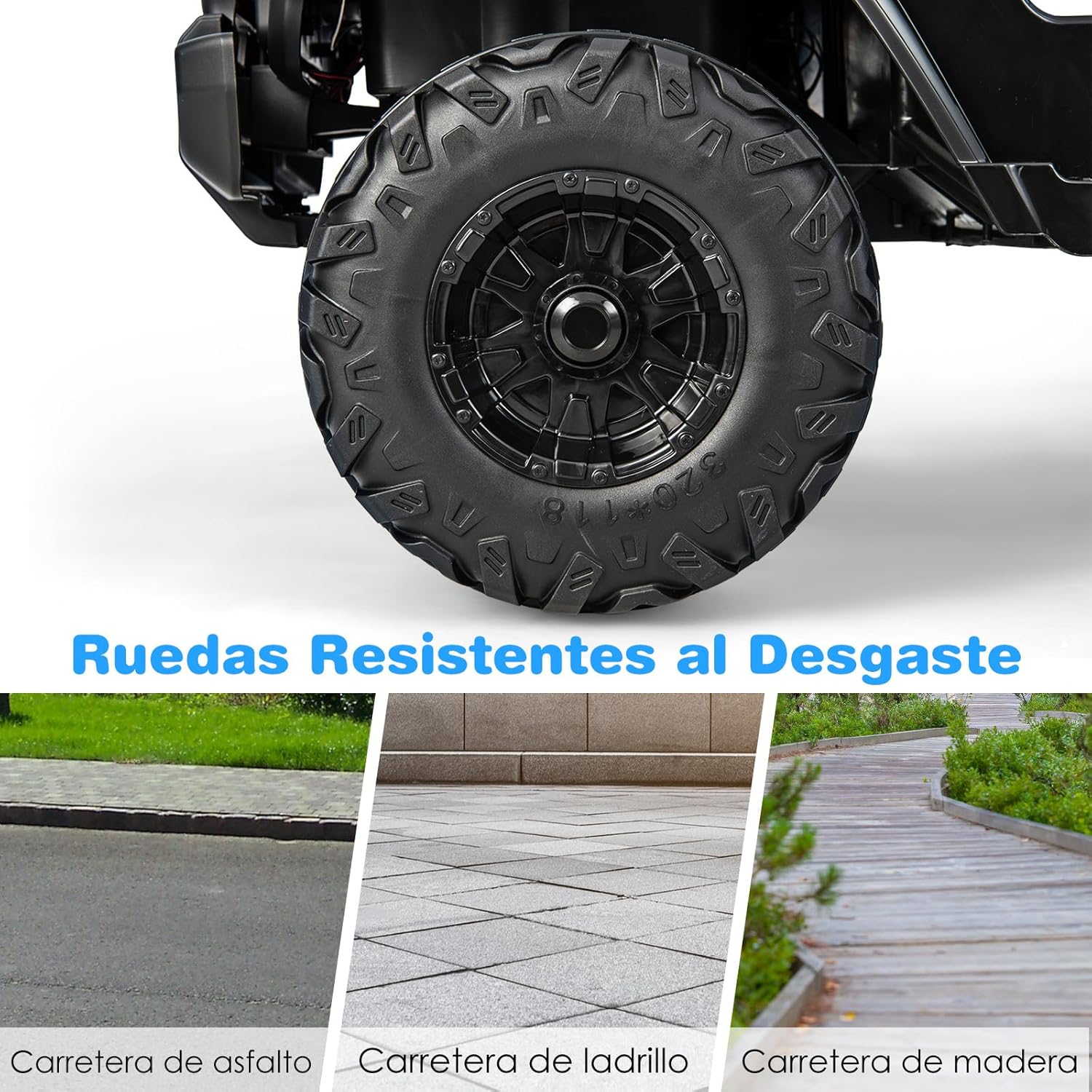
Figure 6.1: Detailed view of the dashboard controls.
6.2 Remote Control (2.4G)
Parents can use the 2.4G remote control to operate the car, ensuring child safety and guidance.
- Pairing: Turn on the car and then the remote control. Hold the pairing button on the remote until the indicator light stops flashing, indicating successful pairing.
- Directional Control: Use the directional buttons to move the car forward, backward, left, or right.
- Speed Selection: Adjust the speed settings (high/low) via the remote control.
- Emergency Stop: The remote control typically includes an emergency stop button for immediate halting of the vehicle.
- Battery: The remote control requires 2 AAA batteries (not included).

Figure 6.2: The 2.4G remote control for parental operation.
6.3 Audio Functions
The car is equipped with a music player for entertainment during rides.
- Pre-set Songs: Enjoy 3 pre-set songs.
- Radio Function: Tune into radio stations.
- USB Port: Connect a USB device to play your own music.
- Bluetooth: Pair your smartphone or other Bluetooth-enabled devices to stream audio.
- Battery Level Display: A digital display shows the remaining battery level.

Figure 6.3: Music player and connectivity options.
7. Maintenance
Regular maintenance ensures the longevity and safe operation of your ride-on car.
- Cleaning: Wipe the car with a soft, damp cloth. Do not use abrasive cleaners or solvents. Avoid spraying water directly onto electrical components.
- Battery Care: Always fully charge the battery after each use. If the car is not used for a long period, charge the battery at least once a month.
- Storage: Store the car in a dry, cool place away from direct sunlight and moisture.
- Inspection: Periodically check all screws, nuts, and connections to ensure they are tight. Inspect wheels and tires for wear and tear.
8. Troubleshooting
Here are some common issues and their potential solutions:
| Problem | Possible Cause | Solution |
|---|---|---|
| Car does not move | Low battery; Loose battery connection; Blown fuse; Motor issue. | Charge battery; Check connections; Replace fuse; Contact customer service. |
| Remote control not working | Remote batteries dead; Remote not paired; Interference. | Replace remote batteries; Re-pair remote; Move to an area with less interference. |
| Car moves slowly | Low battery; Overload; Operating on unsuitable surface. | Charge battery; Reduce load; Move to a flat, hard surface. |
| No sound from music player | Volume too low; Incorrect mode selected; Device not connected properly. | Increase volume; Switch audio mode (USB/Bluetooth/Radio); Reconnect device. |
If the problem persists after attempting these solutions, please contact COSTWAY customer service for further assistance.
9. Specifications
| Feature | Detail |
|---|---|
| Overall Dimensions | 114 x 78 x 67 cm (44.9 x 30.7 x 26.4 inches) |
| Suitable Age | 3-8 years |
| Battery | 12V, 7Ah |
| Charging Time | 8-12 hours |
| Play Time | 1-2 hours |
| High Speed | 5.5-6 km/h (3.4-3.7 mph) |
| Low Speed | 2.6-3 km/h (1.6-1.9 mph) |
| Maximum Load Capacity | 35 kg (77 lbs) |
| Material | PP, Iron |
| Net Weight | 20 kg (44 lbs) |
10. Warranty and Support
COSTWAY products are designed for quality and durability. For any questions regarding your product, including warranty information, spare parts, or technical support, please contact COSTWAY customer service. Keep your purchase receipt as proof of purchase.
You can typically find contact information on the official COSTWAY website or through the retailer where you purchased the product.


