
1. Introduction
This manual provides essential information for the safe and effective installation, operation, and maintenance of your ZipcOm W2R Automatic Transfer Switch (ATS). The ATS is designed to automatically switch between two power sources, typically a primary utility power and a secondary backup power source (e.g., a generator), ensuring continuous power supply to your electrical loads.
Please read this manual thoroughly before installation and operation. Retain this manual for future reference.
2. Safety Information
WARNING: Electrical shock hazard. Installation and servicing should only be performed by qualified personnel.
- Always disconnect all power sources before installing or servicing the ATS.
- Ensure all wiring complies with local and national electrical codes.
- Verify correct voltage and current ratings before connecting the ATS. This unit is rated for 220V AC.
- Do not operate the ATS if it appears damaged.
- The ATS enclosure must be properly grounded.
3. Product Overview
The ZipcOm W2R Automatic Transfer Switch is a reliable device for managing dual power sources. It features a flame-retardant plastic material construction, ensuring good insulation and high-temperature resistance.
Key Features:
- Automatic Switching: Seamlessly transfers load between normal and backup power sources.
- Protection Functions: Includes short circuit, overload, phase loss, and undervoltage protection.
- High Conductivity: Utilizes silver contacts for enhanced conductivity and extended service life.
- Signal Output Port: Built-in port for connecting signal indicators.
- Durable Construction: Made from flame-retardant plastic for safety and reliability.
Components:
The ATS unit typically includes:
- Normal Power Input Terminals (Source A)
- Backup Power Input Terminals (Source B)
- Load Output Terminals
- Manual/Auto Selector Switch
- Control Circuitry

Figure 3.1: Front view of the ZipcOm W2R-2P 100A Automatic Transfer Switch, showing input/output terminals and the manual/auto selector.
4. Specifications
| Specification | Value |
|---|---|
| Brand | ZipcOm |
| Model Number | ZIPCOM (W2R-2P) |
| Operation Mode | Automatic |
| Operating Voltage | 220 Volts (AC) |
| Rated Current (for 2P 100A variant) | 100 Amperes |
| Wattage (for 2P 100A variant) | 27500 watts |
| Contact Type | Normally Open |
| Connector Type | Screw |
| Terminal | Screw |
| Circuit Type | 2-way |
| Mounting Type | Surface Mount (DIN Rail compatible) |
| Contact Material | Silver |
| International Protection Rating | IP54 |
| Number of Positions | 2 |
| Control Method | Touch (Selector Switch) |
| Material | Flame-retardant Plastic |
| Item Weight | 2.2 pounds |
| Package Dimensions | 1.18 x 0.79 x 0.39 inches |
5. Setup and Installation
Proper installation is crucial for the safe and reliable operation of the ATS. Consult a qualified electrician for installation if you are not experienced with electrical wiring.
Mounting:
The ZipcOm W2R ATS is designed for surface mounting and is compatible with standard DIN rails. Ensure the mounting location is dry, well-ventilated, and protected from direct sunlight or extreme temperatures.
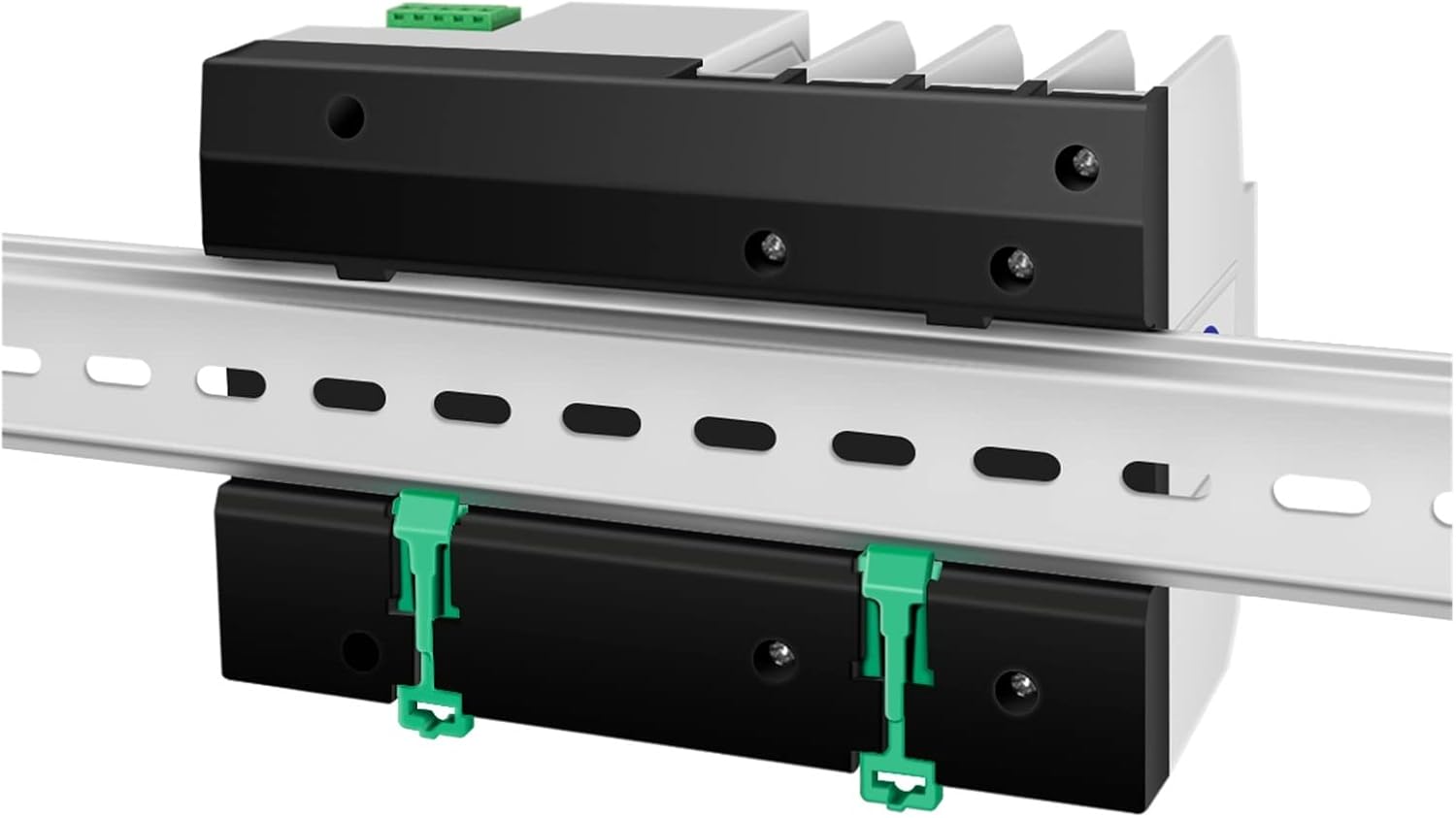
Figure 5.1: The ATS unit shown mounted on a DIN rail, illustrating its compatibility with standard electrical enclosures.
Wiring Instructions:
Refer to the wiring diagrams below for correct connection of the normal power source (Source A), backup power source (Source B), and the load output. Ensure all connections are secure and tightened to prevent loose contacts and overheating.
- Normal Power (Source A): Connect the primary utility power lines to the 'Normal Power A' input terminals.
- Backup Power (Source B): Connect the secondary power source (e.g., generator) lines to the 'Reserve Power B' input terminals.
- Load Output: Connect the electrical loads (circuits to be powered) to the 'Load Output' terminals.
- Control Lines: Connect common control lines and alternate control lines as indicated in the diagram for proper automatic operation.
- Grounding: Ensure the ATS is properly grounded according to electrical codes.

Figure 5.2: Detailed wiring diagrams for various configurations of the W2R ATS, including 2-pole (top left), 3-pole (top right), and 4-pole (bottom left) setups. This diagram illustrates connections for common power supply, backup power, load output, and control lines. For the 2P 100A model, refer to the 2-pole diagram.
6. Operating Instructions
The ZipcOm W2R ATS offers both automatic and manual operation modes.
Automatic Mode:
- Set the selector switch on the ATS to the 'Auto' position.
- When normal power (Source A) is present, the ATS will connect the load to Source A.
- If normal power fails or becomes abnormal, the ATS will automatically detect the condition and transfer the load to the backup power source (Source B), provided Source B is available and stable.
- Once normal power is restored and stable, the ATS will automatically switch the load back to Source A.
Manual Mode:
- To manually switch between power sources, set the selector switch to the 'Manual' position.
- Carefully rotate the red handle to select either 'Source A' or 'Source B' as desired.
- Caution: Manual operation should only be performed when necessary and with full awareness of the power sources' status. Ensure the load can handle the selected power source.
7. Maintenance
The ZipcOm W2R ATS is designed for minimal maintenance. Regular inspections can help ensure its longevity and reliable operation.
- Periodic Inspection: Annually inspect the ATS for any signs of physical damage, loose connections, or discoloration due to overheating.
- Cleaning: Keep the ATS free from dust and debris. Use a dry, soft cloth for cleaning. Do not use liquid cleaners.
- Terminal Tightness: Periodically check and re-tighten all terminal screws to ensure good electrical contact.
- Professional Check: Consider having a qualified electrician inspect the unit every few years, especially in critical applications.
8. Troubleshooting
If you encounter issues with your ATS, refer to the following common troubleshooting steps:
| Problem | Possible Cause | Solution |
|---|---|---|
| ATS does not switch automatically. | 1. Selector switch in 'Manual' position. 2. No power from either source. 3. Control wiring issue. | 1. Set switch to 'Auto'. 2. Verify power availability from both sources. 3. Check control wiring connections as per diagram. |
| No power to load. | 1. Both power sources are off. 2. Loose load connections. 3. Internal fault in ATS. | 1. Ensure at least one power source is active. 2. Check and tighten load output terminals. 3. If problem persists, consult a qualified electrician. |
| ATS switches frequently. | Unstable power supply from one or both sources. | Investigate the stability of your power sources. Ensure generator output is stable. |
| Overheating or burning smell. | Loose connections or overloaded circuit. | Immediately disconnect power. Check all connections for tightness. Ensure total load does not exceed ATS rating. Consult electrician. |
9. Warranty and Support
For warranty information or technical support, please contact your retailer or the manufacturer directly. Keep your purchase receipt as proof of purchase.
For general inquiries or further assistance, please refer to the contact information provided with your product packaging or visit the ZipcOm official website.