
1. Product Overview
The HB Design Co. 24-inch Silent Metal & Wood Wall Clock is designed for accurate timekeeping with a noiseless quartz movement. It features a sturdy black powder-coated iron frame, a fir veneer clock face with a herringbone pattern, and large 3D MDF Roman numerals for easy readability. This clock is intended for indoor use.
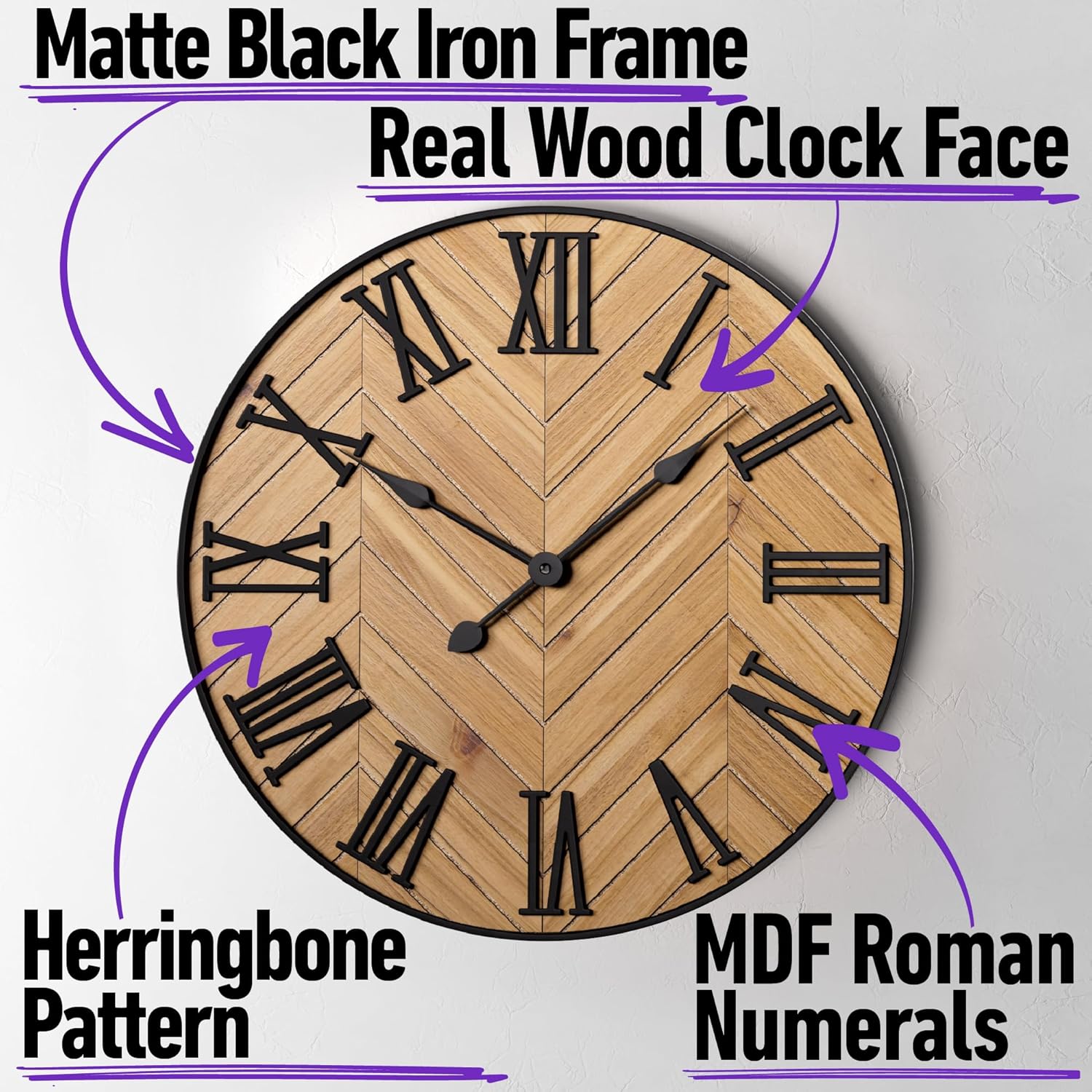
Image 1.1: Front view of the HB Design Co. 24-inch Silent Metal & Wood Wall Clock, highlighting its Roman numerals and herringbone wood pattern.

Image 1.2: Close-up of the silent quartz movement mechanism located on the back of the clock, ensuring quiet operation.
2. Package Contents
Verify that all items are present in the package:
- HB Design Co. 24-inch Silent Metal & Wood Wall Clock
- Mounting hook (pre-attached to clock)
- Screw-in drywall anchor
- Mounting screw
- Instruction card
Note: 1 AA battery is required for operation and is not included.

Image 2.1: The included screw-in drywall anchor, mounting screw, and instruction card for hanging the clock.
3. Specifications
| Brand | HB Design Co. |
| Model Number | LWC-Wood-24 |
| Product Dimensions | 24"W x 24"H x 1"D |
| Item Weight | 5.5 pounds |
| Material Type | Iron, MDF, Chinese fir veneer |
| Display Type | Analog |
| Watch Movement | Quartz |
| Power Source | Battery Powered (1 AA battery required) |
| Special Feature | Silent Clock |
| Mounting Type | Wall Mount |
| Indoor/Outdoor Usage | Indoor |

Image 3.1: Visual representation of the clock's dimensions, indicating a 24-inch diameter and 1-inch depth.
4. Safety Information
- Keep batteries out of reach of children and pets.
- Do not mix old and new batteries, or different types of batteries.
- Remove batteries if the clock will not be used for an extended period to prevent leakage.
- Ensure the clock is securely mounted to prevent falling.
- Avoid placing the clock in direct sunlight or extreme temperatures, which can affect accuracy and material integrity.
5. Setup
- Install Battery: Locate the battery compartment on the back of the clock mechanism. Insert one (1) AA battery, ensuring the polarity (+/-) matches the indicators inside the compartment.
- Set Time: Turn the red adjustment wheel on the clock mechanism to set the correct time. Do not adjust the hands directly.
- Choose Location: Select a suitable indoor wall location for hanging. Ensure the wall material can support the clock's weight (5.5 lbs).
- Mounting:
- For drywall, use the provided screw-in drywall anchor and screw. Drill a pilot hole if necessary, then twist the anchor into the wall until flush. Insert the screw into the anchor, leaving a small portion exposed for the clock's hanging hook.
- For other wall types, use appropriate hardware (not included) that can safely support the clock.
- Hang Clock: Carefully align the pre-attached mounting hook on the back of the clock with the screw on the wall. Ensure the clock is stable and level.

Image 5.1: The back of the clock, illustrating the integrated hanging hook for easy installation.
6. Operating Instructions
Once the battery is installed and the time is set, the clock will begin operating silently. The quartz movement ensures accurate timekeeping without any ticking sound.
- To adjust the time, use the red adjustment wheel on the back of the clock mechanism.
- The clock does not feature an alarm function or a second hand.
Video 6.1: An official product video from HB Design Co. demonstrating the 24-inch Silent Metal & Wood Wall Clock in an interior setting, showcasing its design and silent operation.
7. Maintenance
- Battery Replacement: When the clock stops or begins to lose time, replace the AA battery. Follow the battery installation steps in Section 5.
- Cleaning: To clean the clock, gently wipe the surface with a soft, dry cloth. Avoid using abrasive cleaners or solvents that could damage the finish or materials.
8. Troubleshooting
| Problem | Possible Cause | Solution |
|---|---|---|
| Clock not working | Dead or incorrectly installed battery | Replace the AA battery, ensuring correct polarity. |
| Clock losing time | Weak battery | Replace the AA battery with a fresh, high-quality one. |
| Hands are stuck | Obstruction or damage to the mechanism | Gently check for any visible obstructions. If the issue persists, contact customer support. |
| Clock falls from wall | Improper mounting or unsuitable hardware | Ensure the clock is mounted using appropriate hardware for your wall type and that it is securely fastened. |
9. Warranty and Support
For warranty information or technical support, please contact HB Design Co. customer service. Refer to your purchase documentation for specific warranty terms and contact details.
You can also visit the official HB Design Co. store for more information: HB Design Co. Store