Introduction
This manual provides comprehensive instructions for the safe and effective use of your BaBylissPRO FXONE Professional Cordless Clipper. The FXONE system is designed for professional stylists and barbers, featuring an interchangeable battery system, a powerful brushless motor, and a metal injection molded blade for precise cutting. Please read this manual thoroughly before initial use and retain it for future reference.
Package Contents
Verify that all items listed below are included in your package:
- BaBylissPRO FXONE Professional Cordless Clipper
- FXONE Interchangeable Lithium-Ion Battery
- Battery Charging Stand
- USB-C Charging Cord
- Wall Adapter
- 6 Comb Guards (various lengths)
- Blade Cover
- Cleaning Brush
- Lubricating Oil
- Mini Screwdriver

Image: All components included in the BaBylissPRO FXONE Professional Cordless Clipper package, including the clipper, battery, charging stand, various comb guards, and maintenance tools.
Product Features
- FXONE Interchangeable Battery System: Allows for quick battery swaps, ensuring continuous operation. The Lithium-Ion battery provides up to 2.5 hours of runtime per charge.
- N1 Brushless Motor: Engineered with dual ball bearings for enhanced efficiency and consistent cutting performance.
- Metal Injection Molded Fade Blade: Features built-in oil reservoirs to reduce friction and maintain a lower blade temperature during use, contributing to precise cutting.
- Ergonomic Design: Includes a knurled handle and an ergonomic finger rest for comfortable grip and control during extended use.
- Removable Hair Pocket Door: Designed for easy access to the motor area, simplifying cleaning and maintenance.
- Adjustable Taper Lever: Provides multiple click positions for precise length adjustments, facilitating smooth fades.

Image: A detailed view of the BaBylissPRO FXONE clipper's metal injection molded fade blade, highlighting its design for precise cutting.
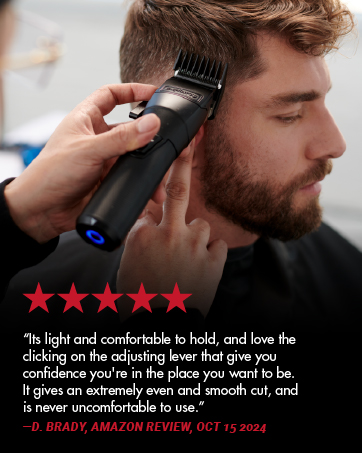
Image: A hand demonstrating the ergonomic design of the BaBylissPRO FXONE clipper, emphasizing the knurled handle and finger rest for comfortable use.
Setup
1. Initial Charging
- Insert the FXONE interchangeable battery into the charging stand.
- Connect the USB-C charging cord to the charging stand and the wall adapter.
- Plug the wall adapter into a suitable power outlet.
- Allow the battery to fully charge before first use. A full charge typically takes approximately 2.5 hours. The indicator light on the battery will change to indicate a full charge.
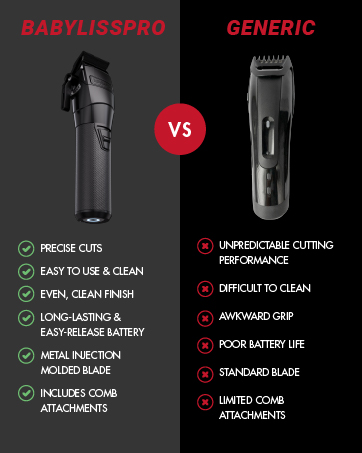
Image: The FXONE interchangeable battery being placed into its dedicated charging stand, ready for connection to the USB-C charging cord and wall adapter.
2. Inserting the Battery into the Clipper
- Ensure the clipper is turned off.
- Align the fully charged FXONE battery with the battery compartment at the bottom of the clipper.
- Gently push the battery into the compartment until it clicks securely into place.
Operating Instructions
1. Attaching Comb Guards
Select the desired comb guard for the hair length you wish to achieve. Align the comb guard with the clipper blade and snap it firmly into place. Ensure it is securely attached before use.
2. Turning On/Off
To turn the clipper on, slide the power switch to the "ON" position. To turn it off, slide the switch to the "OFF" position.
3. Adjusting the Taper Lever
The taper lever on the side of the clipper allows for precise adjustment of cutting length without changing comb guards. Move the lever up for a shorter cut and down for a longer cut. The lever features click positions for consistent settings.
4. Hair Cutting Techniques
For best results, ensure hair is clean and dry. Hold the clipper with the blade flat against the head or beard, moving against the direction of hair growth. Use smooth, even strokes. For fading, gradually adjust the taper lever and use different comb guards as needed.

Image: A BaBylissPRO FXONE clipper being used to cut hair on the back of a person's head, demonstrating its application for precise hair trimming.
Maintenance
1. Cleaning the Blades
- After each use, turn off the clipper and remove any attached comb guard.
- Use the provided cleaning brush to remove loose hairs from the blades and the clipper body.
- Open the removable hair pocket door (located near the blade) to clean accumulated hair from the motor area.
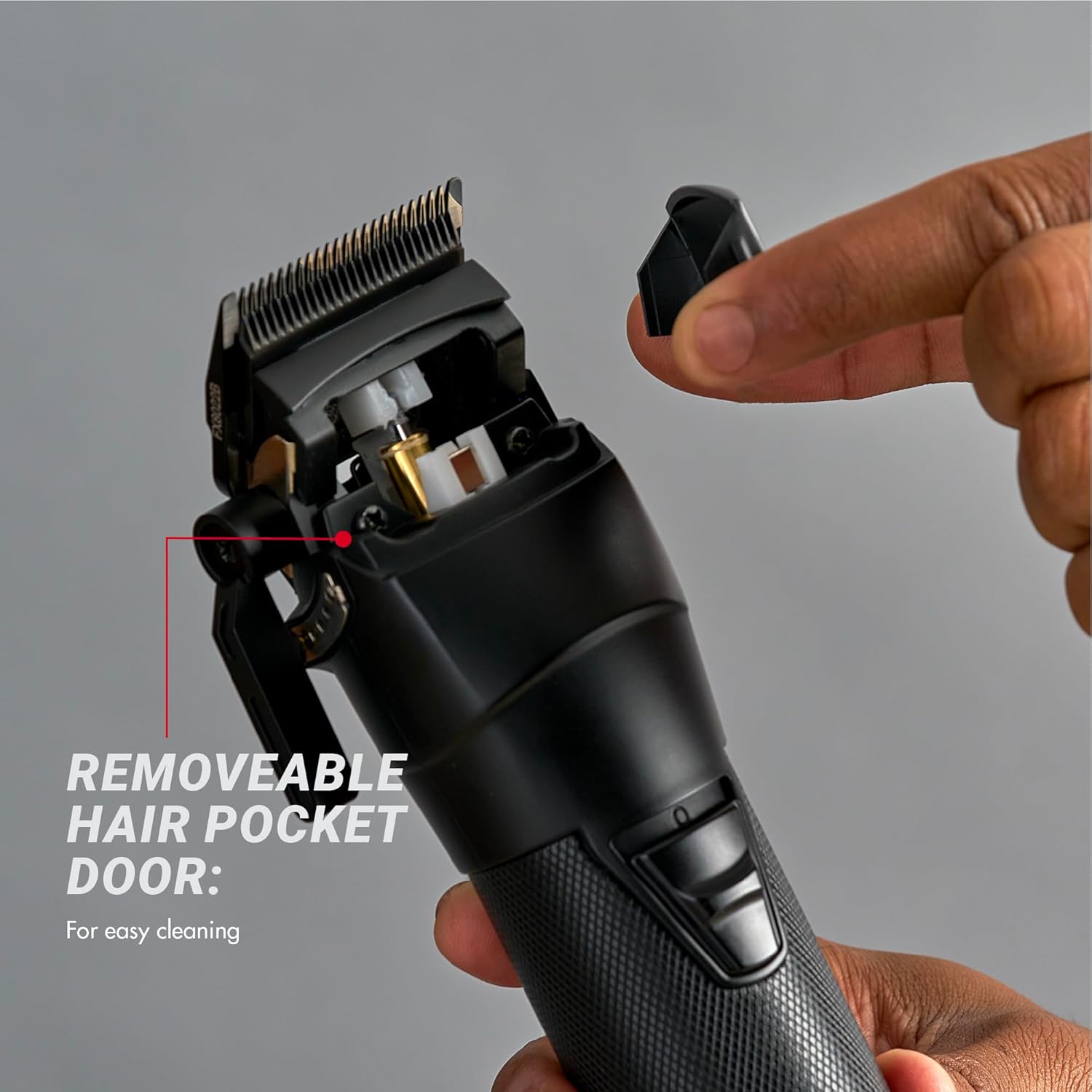
Image: The BaBylissPRO FXONE clipper with its removable hair pocket door opened, illustrating the ease of access for cleaning the internal components and removing trapped hair.
2. Oiling the Blades
Regular oiling is crucial for maintaining blade performance and longevity. After cleaning, apply a few drops of the lubricating oil (provided) to the teeth and heel of the blades. Turn the clipper on for a few seconds to distribute the oil evenly. Wipe off any excess oil.
3. Storage
Store the clipper in a dry, cool place, away from direct sunlight and moisture. Ensure the blade cover is in place to protect the blades when not in use.
Troubleshooting
| Problem | Possible Cause | Solution |
|---|---|---|
| Clipper does not turn on. | Battery is not charged or not inserted correctly. | Ensure battery is fully charged and securely inserted. |
| Clipper pulls hair or cuts poorly. | Blades are dull, dirty, or not oiled. | Clean and oil blades. If problem persists, blades may need replacement. |
| Clipper runs slowly. | Low battery charge or excessive hair buildup. | Recharge battery. Clean blades and motor area thoroughly. |
| Excessive heat from blades. | Lack of lubrication or prolonged use. | Apply lubricating oil. Allow clipper to cool down if used continuously for an extended period. |
Specifications
- Model Number: FX899MB
- Brand: BaBylissPRO
- Motor: N1 Brushless Motor
- Blade Type: Metal Injection Molded Fade Blade
- Battery Type: FXONE Interchangeable Lithium-Ion
- Runtime: Up to 2.5 hours per charge
- Charging: USB-C compatible
- Material: Metal
- Weight: Approximately 1.01 Kilograms (2.23 Pounds)
- Package Dimensions: 9.65 x 5.55 x 3.54 inches
- UPC: 074108477682
Warranty and Support
For warranty information, please refer to the warranty card included with your product or visit the official BaBylissPRO website. For technical support, replacement parts, or service inquiries, please contact BaBylissPRO customer service through their official channels. Keep your proof of purchase for warranty claims.
Manufacturer: BaBylissPRO