
1. Product Overview
The Xmenha F6606 are open-ear bone conduction headphones designed to provide audio while maintaining awareness of your surroundings. Sound is transmitted through your cheekbones, leaving your ears open.
1.1 Package Contents
- Bone Conduction Headphones (1)
- USB Charging Cable (1)
- User Manual (1)
1.2 Key Features
- Open-Ear Design: Allows situational awareness by leaving ears uncovered.
- Bone Conduction Technology: Delivers audio directly to the inner ear via cheekbones.
- Waterproof and Sweatproof: Suitable for various activities and weather conditions.
- Bluetooth 5.3: Ensures stable connection, faster transmission, and lower power consumption.
- Ergonomic and Flexible Design: Comfortable and stable fit, resilient to twisting.
- Clear Call Quality: Features environmental noise reduction technology for the microphone.
- Long Battery Life: Up to 8 hours of music playback.

Image: Illustration of bone conduction sound transmission and the headphones' waterproof design, shown with a user during exercise.

Image: Demonstrates comfortable wear even with glasses and the headset's flexible, durable design.
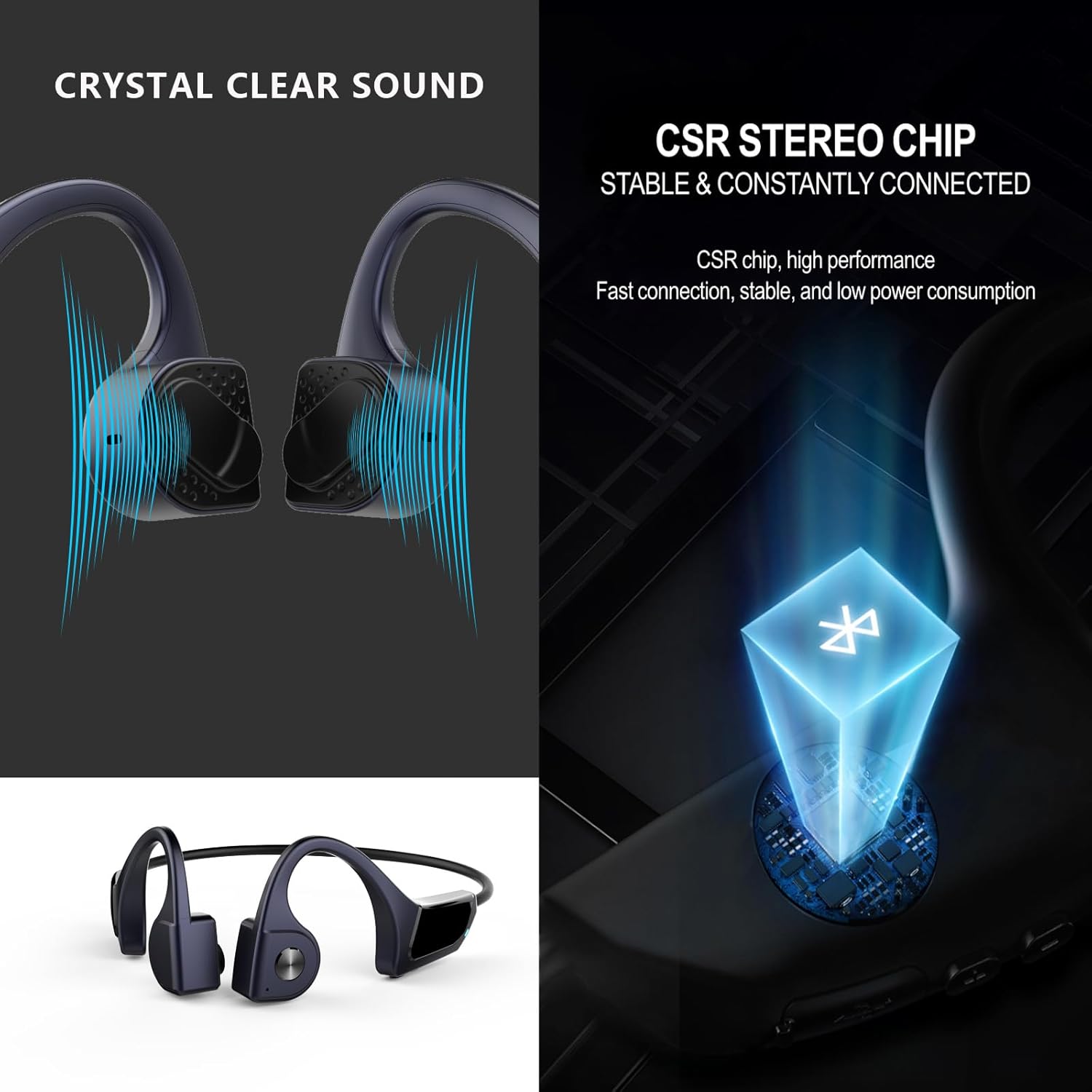
Image: Highlights crystal clear sound and the stable Bluetooth 5.3 connectivity provided by the CSR stereo chip.

Image: Illustrates the extended battery life (8 hours music, 9 hours call, 180 hours standby) and comfortable fit for prolonged use.

Image: Emphasizes safety and connectivity, showing compatibility with various Bluetooth devices and key features like bone conduction technology and durable construction.
2. Setup
2.1 Charging the Headphones
- Connect the provided USB charging cable to the charging port on the headphones.
- Plug the other end of the USB cable into a standard USB power adapter (not included) or a computer's USB port.
- The LED indicator on the headphones will show the charging status (e.g., red for charging, blue for fully charged).
- Allow approximately 1.5-2 hours for a full charge.
2.2 Bluetooth Pairing
- Ensure the headphones are fully charged and turned off.
- Press and hold the Power/Multi-function button for approximately 3-5 seconds until the LED indicator flashes red and blue alternately, indicating pairing mode.
- On your device (smartphone, tablet, computer), enable Bluetooth.
- Search for available Bluetooth devices. The headphones should appear as "F6606" or similar.
- Select the headphones from the list to connect. Once connected, the LED indicator will typically show a solid blue light or flash blue slowly.
- If prompted for a password, enter "0000".
3. Operating Instructions
3.1 Power On/Off
- Power On: Press and hold the Power/Multi-function button for 2-3 seconds until the LED indicator flashes blue and you hear a power-on prompt.
- Power Off: Press and hold the Power/Multi-function button for 3-4 seconds until the LED indicator flashes red and you hear a power-off prompt.
3.2 Music Playback
- Play/Pause: Press the Power/Multi-function button once.
- Next Track: Press and hold the Volume + button for 2 seconds.
- Previous Track: Press and hold the Volume - button for 2 seconds.
3.3 Call Management
- Answer/End Call: Press the Power/Multi-function button once during an incoming call.
- Reject Call: Press and hold the Power/Multi-function button for 2 seconds during an incoming call.
- Redial Last Number: Double-press the Power/Multi-function button.
3.4 Volume Control
- Increase Volume: Press the Volume + button.
- Decrease Volume: Press the Volume - button.
4. Maintenance
4.1 Cleaning
- Wipe the headphones with a soft, damp cloth.
- Do not use abrasive cleaners, alcohol, or chemical solvents.
- Ensure the charging port is dry before charging.
4.2 Storage
- Store the headphones in a cool, dry place away from direct sunlight and extreme temperatures.
- Avoid placing heavy objects on the headphones.
4.3 Water Resistance
The headphones are designed to be waterproof and sweatproof. However, they are not intended for prolonged submersion. After exposure to water or sweat, wipe them dry before charging or storing.
5. Troubleshooting
| Issue | Possible Solution |
|---|---|
| Headphones do not power on. | Ensure the headphones are fully charged. Connect to a power source and check the charging indicator. |
| Cannot pair with device. | Ensure headphones are in pairing mode (flashing red/blue). Turn off and on Bluetooth on your device. Move closer to the device. |
| No sound or low volume. | Check volume levels on both headphones and your connected device. Ensure headphones are properly connected. |
| Sound quality is poor or intermittent. | Move closer to your connected device to reduce interference. Ensure there are no obstacles between the headphones and the device. |
| Headphones disconnect frequently. | Ensure the headphones are fully charged. Reduce distance between headphones and device. Avoid strong electromagnetic interference. |
6. Specifications
| Feature | Detail |
|---|---|
| Brand | Xmenha |
| Model | F6606 |
| Connectivity | Bluetooth 5.3 |
| Ear Placement | Open Ear (Bone Conduction) |
| Water Resistance | Waterproof |
| Weight | Approximately 3.57 Ounces (101g) |
| Material | Premium Soft Silicone |
| Microphone | Environmental Noise Reduction |
| Battery Life | Up to 8 hours music, 9 hours call, 180 hours standby |
| Manufacturer | Shenzhen Kailige Technology Co., Ltd. |
7. Warranty and Support
Xmenha products are manufactured with high-quality standards. For warranty information, technical support, or customer service inquiries, please refer to the contact information provided with your purchase or visit the official Xmenha website.
Please retain your proof of purchase for warranty claims.