
1. Introduction and Overview
This manual provides detailed instructions for the Anssipo 4K Wireless Security Camera System, Model 8068B. This system is designed for both outdoor and indoor surveillance, offering 24/7 recording capabilities with 4x 3MP plug-in WiFi cameras and an 8-channel WiFi NVR. Key features include two-way audio, color night vision, person/face detection, and siren alerts to enhance your security.
The system supports 24/7 wired power for both cameras and the NVR, ensuring continuous recording without interruptions. It offers flexible recording modes: 24/7 continuous, motion-triggered, or customized schedules. Advanced AI human face/motion detection helps reduce unwanted notifications by accurately identifying people and other moving objects, triggering instant app push notifications and siren alerts.
Each 3MP WiFi camera features a built-in microphone and speaker for two-way audio communication via the companion app. Cameras are equipped with spotlights, white LED lights, and IR night vision for clear views day and night. The 4K 8-port NVR is expandable, supporting up to 8 WiFi cameras, and utilizes H.265 compression for efficient storage. Remote access is available via the free 'XMeye' app on smartphones, PCs, or tablets (NVR requires wired connection for remote access). The cameras feature IP67 weatherproof durable aluminum alloy housing.
2. What's in the Box
Please check the contents of your package against the list below:
- 8CH WiFi NVR kit
- 4 x 3MP cameras
- 5 x power supply
- Instruction Manual
- Ethernet Cable

Image: All components of the Anssipo 4K Wireless Security Camera System, including the NVR, four cameras, power adapters, cables, and user manual.

Image: A detailed view of the Anssipo security system's accessories, showing the NVR, cameras, power adapters, mouse, Ethernet cable, and mounting hardware.
3. Setup
3.1 Initial Connection and Power-Up
Before mounting, connect all cameras and the NVR to their respective power supplies. Ensure the NVR is connected to a monitor (VGA or HDMI) and a mouse for initial setup. For remote access, connect the NVR to your router via an Ethernet cable.

Image: A visual guide illustrating the power connections for the Anssipo WiFi camera and NVR, along with the NVR's connection to a display for live viewing.
3.2 Hard Drive Installation (if not pre-installed)
If your system did not come with a pre-installed hard drive, you will need to install one for local recording. The NVR supports up to 6TB hard drives.
Video: This video demonstrates the step-by-step process of installing a hard drive into the Anssipo NVR unit, including opening the casing, connecting power and data cables, and securing the drive.
Video: A vertical format video showing how to install a hard drive into the camera system's NVR, detailing the physical installation process.
3.3 Camera Pairing and Placement
The cameras are designed to auto-match with the NVR upon power-up. Strategically place your cameras indoors or outdoors, ensuring they are within WiFi range of the NVR. For optimal performance, ensure a strong WiFi signal.
Video: This video provides instructions on connecting the wireless security system, focusing on the initial setup and pairing of cameras with the NVR.
Video: A connection guide detailing how to set up the WiFi camera system, covering the steps to establish a connection between the cameras and the NVR.
Video: This video illustrates the process of setting up the camera system, guiding users through the necessary steps for initial configuration.
Video: Instructions on how to add an additional WiFi camera to the NVR system, covering the pairing process for new cameras.

Image: Two connection options are displayed: direct local viewing via HDMI and remote access through a router and mobile application.
4. Operating the System
4.1 Live View and Recording
Once set up, you can view live footage from all cameras on a connected monitor or remotely via the 'XMeye' app. The system supports 24/7 recording to the installed hard drive.

Image: The NVR's interface showing live feeds from multiple cameras and options for continuous or scheduled recording.

Image: A comprehensive view of the Anssipo system highlighting its 24/7 recording capability with continuous power supply for all components.
4.2 Remote Access and Two-Way Audio
Download the free 'XMeye' app from your device's app store to access live views and playback from anywhere. The built-in microphone and speaker on each camera allow for two-way communication.
Video: This video demonstrates how to view the security camera feed remotely on a mobile device, showcasing the online viewing capabilities.

Image: Illustration of the two-way audio function, enabling communication with visitors through the camera and a mobile app.
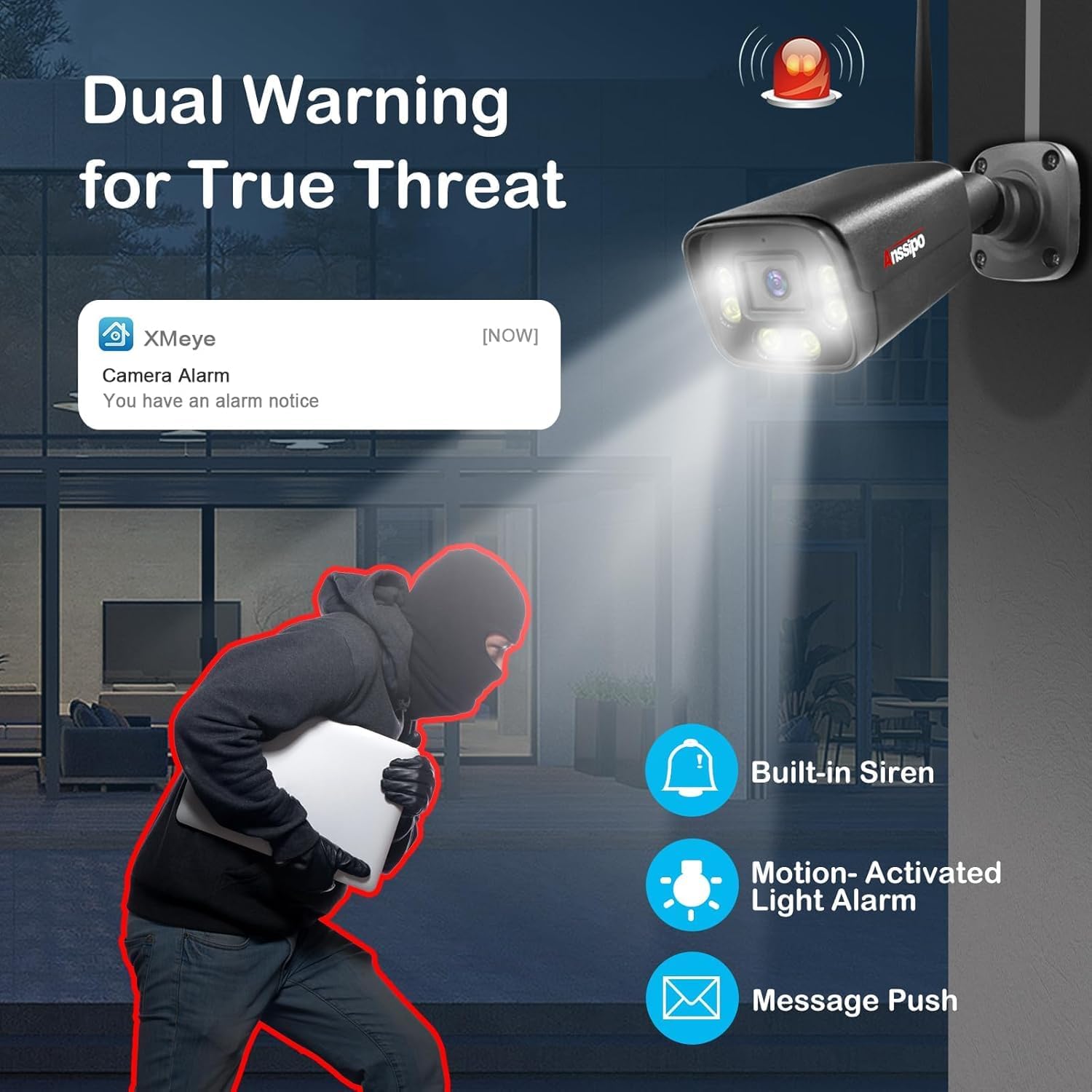
Image: A user interacting with the Anssipo security system through a mobile app, demonstrating remote access and two-way audio features.
4.3 Smart Detection and Alerts
The system features AI human face/motion detection. When motion events are detected, you will receive instant app push notifications and sound alarms (siren) from the cameras.

Image: The camera's AI detection capabilities are highlighted, showing how it identifies human faces and triggers alerts.

Image: A visual representation of the dual warning system, including motion-activated spotlights and siren alerts.
4.4 Night Vision and Playback
Cameras offer 3MP HD Color Night Vision and 3MP HD Infrared Night Vision for clear surveillance in low-light conditions. Playback recorded footage directly from the NVR or via the app.

Image: Comparison of color night vision and infrared night vision, showcasing the camera's ability to provide clear images in darkness.

Image: The smart playback feature is shown, allowing users to review footage based on detected faces.
Video: A step-by-step guide on how to use the playback function of the security camera system, demonstrating how to review recorded footage.
Video: This video showcases the video effects and quality of the Anssipo security camera system, providing a visual demonstration of its performance.
4.5 Password Management
It is recommended to change default passwords for security. If you forget your NVR password, follow the reset procedure.
Video: Instructions on how to modify your account password within the security camera system, guiding users through the password change process.
Video: This video provides a guide on how to reset your NVR password if it has been forgotten, detailing the recovery steps.
5. Maintenance
Regular maintenance ensures optimal performance and longevity of your security system.
- Camera Lens Cleaning: Periodically clean camera lenses with a soft, damp cloth to remove dust, dirt, or smudges that may affect image clarity. Avoid abrasive cleaners.
- Housing Inspection: Check camera housings for any signs of damage, loose mounts, or wear, especially for outdoor units. Ensure all cables are securely connected and protected from the elements.
- Firmware Updates: Check the manufacturer's website or app for available firmware updates. Keeping your system updated ensures you have the latest features and security patches.
- NVR Ventilation: Ensure the NVR unit has adequate ventilation to prevent overheating. Keep vents clear of obstructions.
6. Troubleshooting
If you encounter issues with your Anssipo security camera system, refer to the following common troubleshooting steps:
- No Image on Monitor:
- Check if the NVR is powered on and the power adapter is securely connected.
- Verify the HDMI/VGA cable connection between the NVR and the monitor.
- Ensure the monitor is set to the correct input source (HDMI/VGA).
- Cameras Not Connecting/Offline:
- Ensure cameras are powered on and within effective WiFi range of the NVR.
- Check for any physical obstructions or interference that might block the wireless signal.
- Restart both the NVR and the cameras.
- If a camera was previously paired, try re-pairing it through the NVR's settings.
- Remote Access Issues:
- Confirm the NVR is connected to your router via an Ethernet cable and has internet access.
- Check your router's internet connection.
- Ensure the 'XMeye' app is updated to the latest version.
- Verify correct login credentials for the app.
- Poor Image Quality:
- Clean the camera lens.
- Ensure adequate lighting for optimal image capture, especially for color night vision.
- Check the camera's position and angle to avoid glare or obstructions.
- No Recording:
- Verify that a hard drive is correctly installed and recognized by the NVR.
- Check recording schedules and settings in the NVR menu to ensure they are configured as desired.
- Ensure the hard drive is not full. If it is, configure it to overwrite old footage or replace it.
7. Specifications
| Feature | Specification |
|---|---|
| Brand | Anssipo |
| Connectivity Technology | WiFi |
| Video Capture Resolution | 2K |
| Special Features | Color Night Vision, Dual Warning, Face Detection, Motion Sensor, Two-Way Audio |
| Number of Channels | 8 |
| Memory Storage Capacity | 6 TB (Max. supported) |
| Color | NO Hard Drive Black |
| Power Source | AC/DC |
| Item Dimensions L x W x H | 11 x 11 x 6 inches |
| Operating System | Linux |
| Recommended Uses | Indoor, Outdoor, Plug-in all Security Cameras and NVR, cameras auto matched NVR |
| Compatible Devices | Desktop, Laptops, Smartphones |
| Other Camera Features | Video |
| Low Light Technology | Night Vision |
| Night Vision Range | 100 Feet |
| Frame Rate | 20-30 FPS |
| Recording Mode | Event, Schedule |
| Total USB Ports | 2 |
| Hardware Interface | 802.11 b/g/n |
| Lens Type | Fixed |
| Video Input | RJ45 |
| Manufacturer | Anssipo |
| Product Dimensions | 11 x 11 x 6 inches |
| Item Weight | 6.74 pounds |
| Item Model Number | 8068B |
| Date First Available | August 15, 2023 |
8. Warranty and Support
Anssipo products are designed for reliability and performance. For specific warranty details, please refer to the warranty card included in your product packaging or visit the official Anssipo website.
For technical support, troubleshooting assistance, or any inquiries regarding your security camera system, please contact Anssipo customer service. Contact information can typically be found in your user manual or on the official Anssipo website.
Anssipo is a subsidiary brand of Anspo(HK) Industry Group Corp. established in 2009, specializing in the research, development, production, and sale of security cameras. They are committed to providing high-quality security products and smart security solutions.