
EtliN 2269
EtliN Replacement Parts Instruction Manual
Compatible with Cecotec Conga 1090, 1790 Titanium, and 1790 Ultra Robot Vacuum Cleaners
Model: 2269
1. Introduction
This manual provides comprehensive instructions for the proper installation, maintenance, and care of your EtliN replacement parts for Cecotec Conga robot vacuum cleaners. Regular replacement and maintenance of these parts are essential to ensure optimal performance and longevity of your robot vacuum.
2. Compatibility
These replacement parts are designed to be compatible with the following Cecotec Conga robot vacuum cleaner models:
- Cecotec Conga 1090 Robotic Vacuum Cleaner
- Cecotec Conga 1790 Ultra Robotic Vacuum Cleaner
- Cecotec Conga 1790 Titanium Robotic Vacuum Cleaner
- Cecotec Conga 1790 Vital Robotic Vacuum Cleaner (Note: Filters in this set are for the dust box only and are not compatible with the water tank of the Conga 1790 Vital hybrid dust box.)
3. Package Contents (Set N)
Your EtliN replacement parts package (Set N) typically includes the following components:
- Side Brushes
- HEPA Filters
- Mop Rags
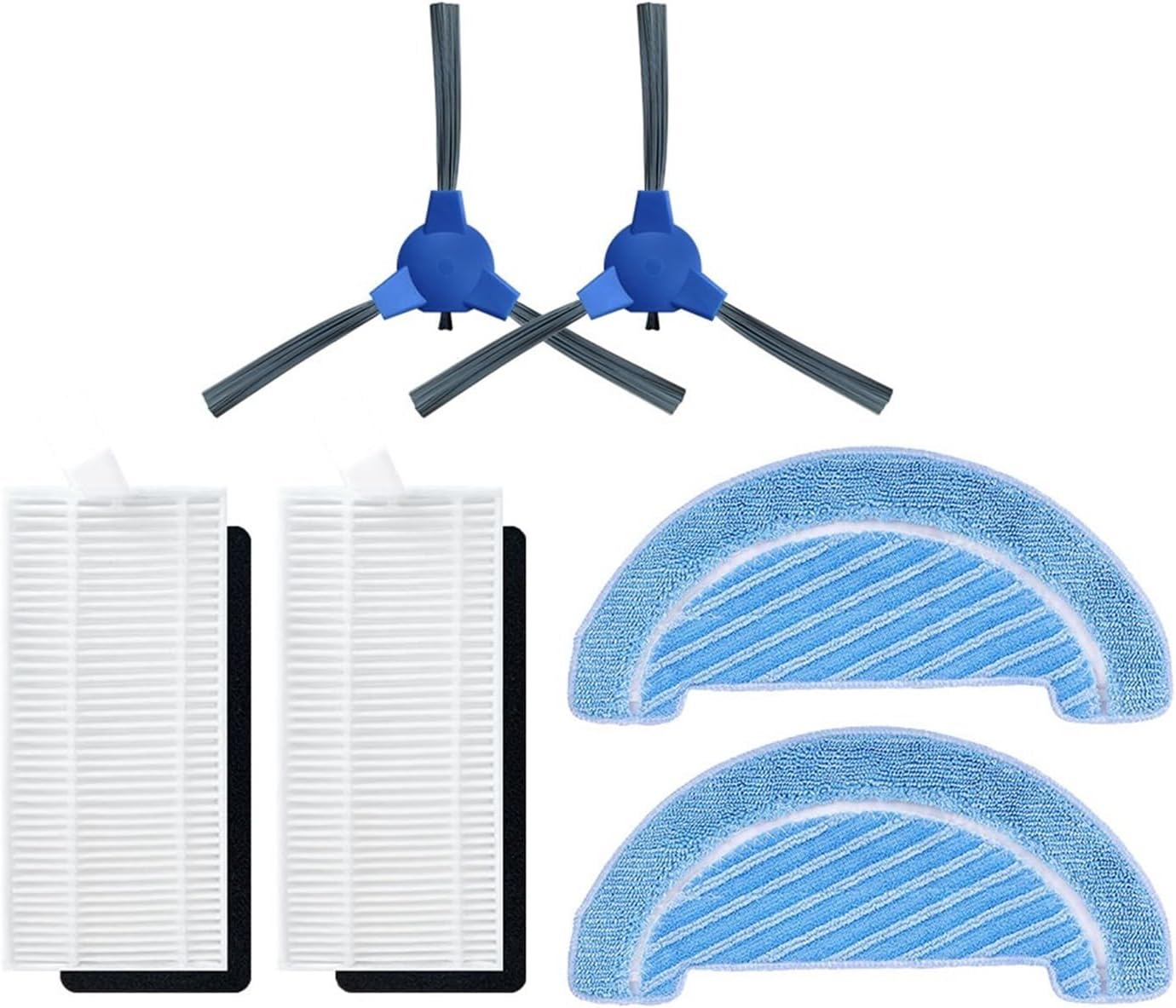
Image: Overview of the EtliN Replacement Parts Set N, showing two side brushes, two HEPA filters, and two mop rags.
4. Setup and Installation
Follow these steps to install the replacement parts into your robot vacuum cleaner.
4.1. Side Brush Installation
- Turn the robot vacuum cleaner upside down on a flat, stable surface.
- Locate the existing side brushes. Depending on your model, you may need a screwdriver to remove the retaining screw.
- Carefully remove the old side brushes.
- Align the new side brush with the corresponding slot on the robot. Ensure the shape matches (e.g., hexagonal or square post).
- Press firmly until it clicks into place, or secure it with the retaining screw if applicable.
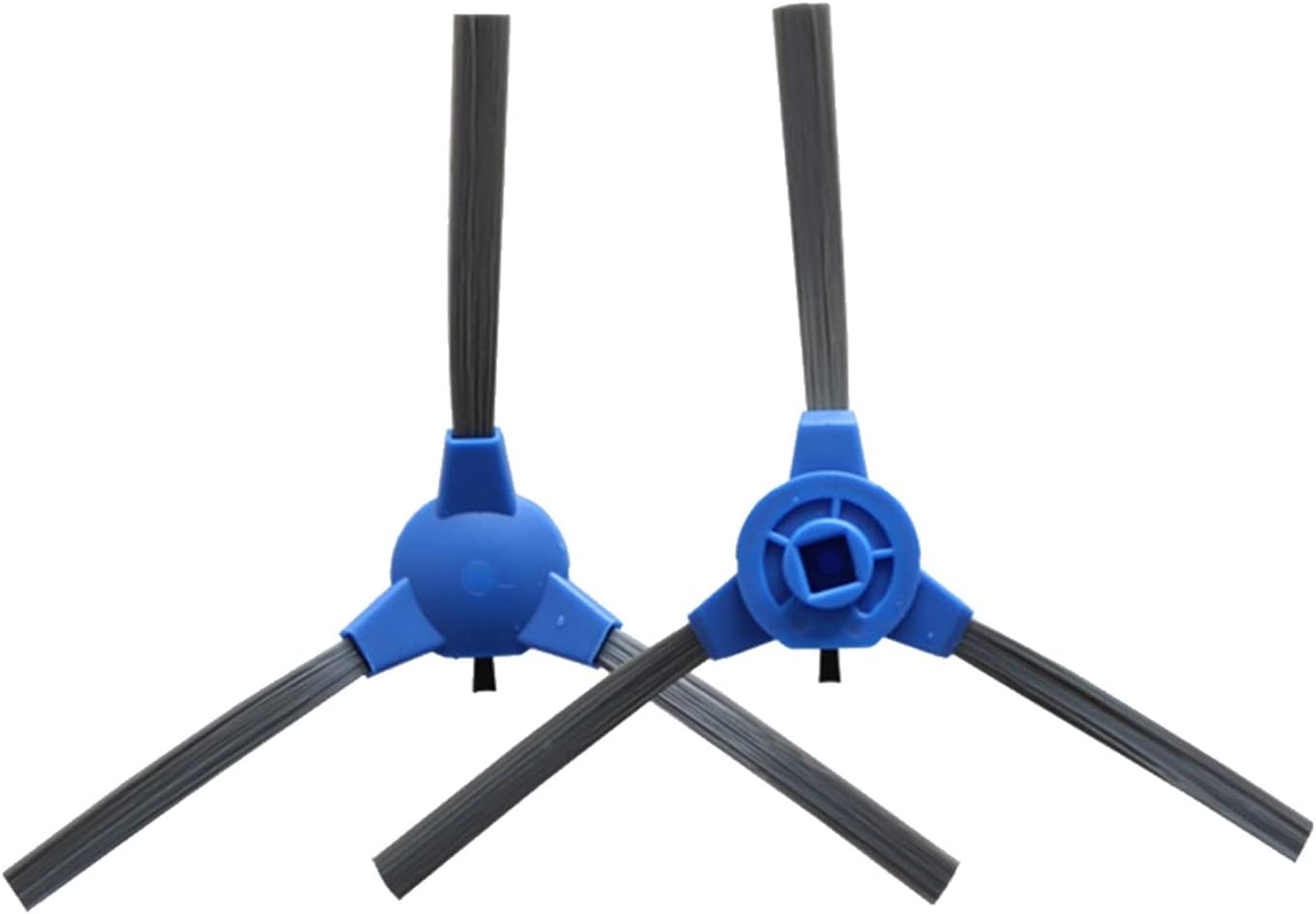
Image: Close-up of two replacement side brushes, showing their three-arm design and central attachment point.
4.2. HEPA Filter Installation
- Open the dust bin cover on your robot vacuum cleaner.
- Remove the dust bin from the robot.
- Open the dust bin to access the filter compartment.
- Remove the old HEPA filter and any pre-filters.
- Insert the new HEPA filter into the designated slot, ensuring it fits snugly. If your model uses a foam pre-filter, place it before the HEPA filter.
- Close the dust bin, and reinsert it into the robot vacuum cleaner.

Image: A white pleated HEPA filter and a black foam pre-filter, typically used together in the dust bin.
4.3. Mop Rag Installation
- Locate the mop pad attachment area on the underside of your robot vacuum cleaner, usually on the water tank or a dedicated mop module.
- Remove the old mop rag, typically by detaching it from Velcro strips or clips.
- Align the new mop rag with the attachment area.
- Secure the new mop rag firmly using the Velcro or clips, ensuring it is flat and evenly spread.

Image: Two blue, semi-circular mop rags with textured surfaces, designed for attachment to a robot vacuum's mopping module.
5. Operating Considerations
Once the replacement parts are installed, your robot vacuum should operate as normal. Ensure all parts are securely fitted before starting a cleaning cycle. If you notice any unusual noises or reduced cleaning performance after replacement, re-check the installation of each component.
6. Maintenance
Regular cleaning and timely replacement of these parts are crucial for maintaining your robot vacuum's efficiency and extending its lifespan.
6.1. Side Brush Maintenance
- Cleaning: Periodically check side brushes for tangled hair or debris. Use scissors or a small brush to remove any obstructions.
- Replacement Frequency: Replace side brushes every 3-6 months, or sooner if they become visibly worn, bent, or damaged, as this can affect edge cleaning performance.
6.2. HEPA Filter Maintenance
- Cleaning: Tap the filter gently over a trash can to dislodge dust and debris. Do not wash HEPA filters with water unless explicitly stated by the vacuum manufacturer, as this can damage the filter material.
- Replacement Frequency: Replace HEPA filters every 1-3 months, depending on usage and pet presence. A clogged filter reduces suction power and air quality.
6.3. Mop Rag Maintenance
- Cleaning: After each mopping cycle, remove the mop rag and wash it thoroughly with water and mild detergent. Allow it to air dry completely before reattaching.
- Replacement Frequency: Replace mop rags every 3-6 months, or if they show signs of significant wear, staining, or reduced cleaning effectiveness.
7. Troubleshooting
If you encounter issues after replacing parts, consider the following:
- Reduced Suction: Check if the HEPA filter is correctly installed and not clogged. Ensure the dust bin is empty and properly seated.
- Poor Edge Cleaning: Verify that side brushes are securely attached and not tangled with hair or debris. Replace if bristles are bent or worn.
- Ineffective Mopping: Ensure the mop rag is clean and properly attached. Check if the water tank (if applicable) is filled and dispensing water correctly.
- Unusual Noises: Re-check all installed parts to ensure they are seated correctly and not obstructed.
If problems persist, refer to your robot vacuum cleaner's original user manual or contact the vacuum cleaner manufacturer's support.
8. Specifications
| Brand | EtliN |
| Item Model Number | 2269 |
| Package Dimensions | 1.18 x 0.79 x 0.39 inches |
| Item Weight | 1.76 ounces |
| Number of Pieces (Set N) | Varies by component type (e.g., 2 side brushes, 2 HEPA filters, 2 mop rags) |
9. Warranty Information
EtliN replacement parts are manufactured to high standards. For specific warranty details regarding these replacement parts, please refer to the product packaging or contact your retailer. Keep your proof of purchase for any warranty claims.
10. Support
For questions regarding the installation or maintenance of your EtliN replacement parts, please contact the seller or refer to the product listing where you purchased these items. For issues related to the operation of your Cecotec Conga robot vacuum cleaner itself, please consult the vacuum cleaner's original manufacturer support.