
Niskite 0bf4d7cf-2bd4-4821-bb23-3fa0ef141e1f
Niskite Kids Karaoke Machine User Manual
Model: 0bf4d7cf-2bd4-4821-bb23-3fa0ef141e1f
Introduction
Thank you for choosing the Niskite Kids Karaoke Machine. This portable Bluetooth microphone speaker system is designed to bring endless fun and entertainment to children and families. With its compact design, superior sound quality, and exciting features like voice change effects and dynamic LED lights, it's perfect for parties, family gatherings, travel, and everyday play. Please read this manual carefully to ensure proper use and maintenance of your new karaoke machine.
What's in the Box
- Mini Karaoke Machine
- 2 x Karaoke Microphone Wireless
- Charging Cable
- User Manual (this document)
Setup
1. Charging the Device
Before first use, fully charge the karaoke machine and both wireless microphones. Use the provided charging cable to connect the devices to a compatible USB power source. The indicator light will show charging status and turn off when fully charged. A full charge provides approximately 5-6 hours of continuous use for the speaker and microphones.
2. Powering On/Off
To power on the karaoke machine, press and hold the power button located on the top panel until the LED lights illuminate. To power off, press and hold the power button again. Power on each wireless microphone by pressing its power button.
3. Microphone Connection
The wireless microphones are designed to automatically connect to the karaoke machine when both devices are powered on. Ensure they are within range for optimal performance.

Image: The Niskite Kids Karaoke Machine, a compact purple speaker with colorful LED lights, accompanied by two matching purple wireless microphones. This image illustrates the main components of the product.
Operating Instructions
1. Bluetooth Connection
To connect your karaoke machine to a smart device (smartphone, tablet, laptop), ensure the machine is powered on. Activate Bluetooth on your smart device and search for "Niskite Karaoke" or a similar device name. Select it to pair. Once paired, you can play music from your device through the karaoke machine's speaker.

Image: A mother and child sitting on a couch, looking at a tablet. The Niskite karaoke machine and microphones are visible on the floor, with a Bluetooth symbol indicating wireless connection to the tablet. This demonstrates the ease of connecting the device to play music.
2. Playing Music
Once connected via Bluetooth, open your favorite music application on your smart device (e.g., Amazon Music, YouTube, Spotify, Apple Music) and select a song to play. The audio will stream through the karaoke machine's speaker. Adjust volume using the controls on your smart device or the karaoke machine.
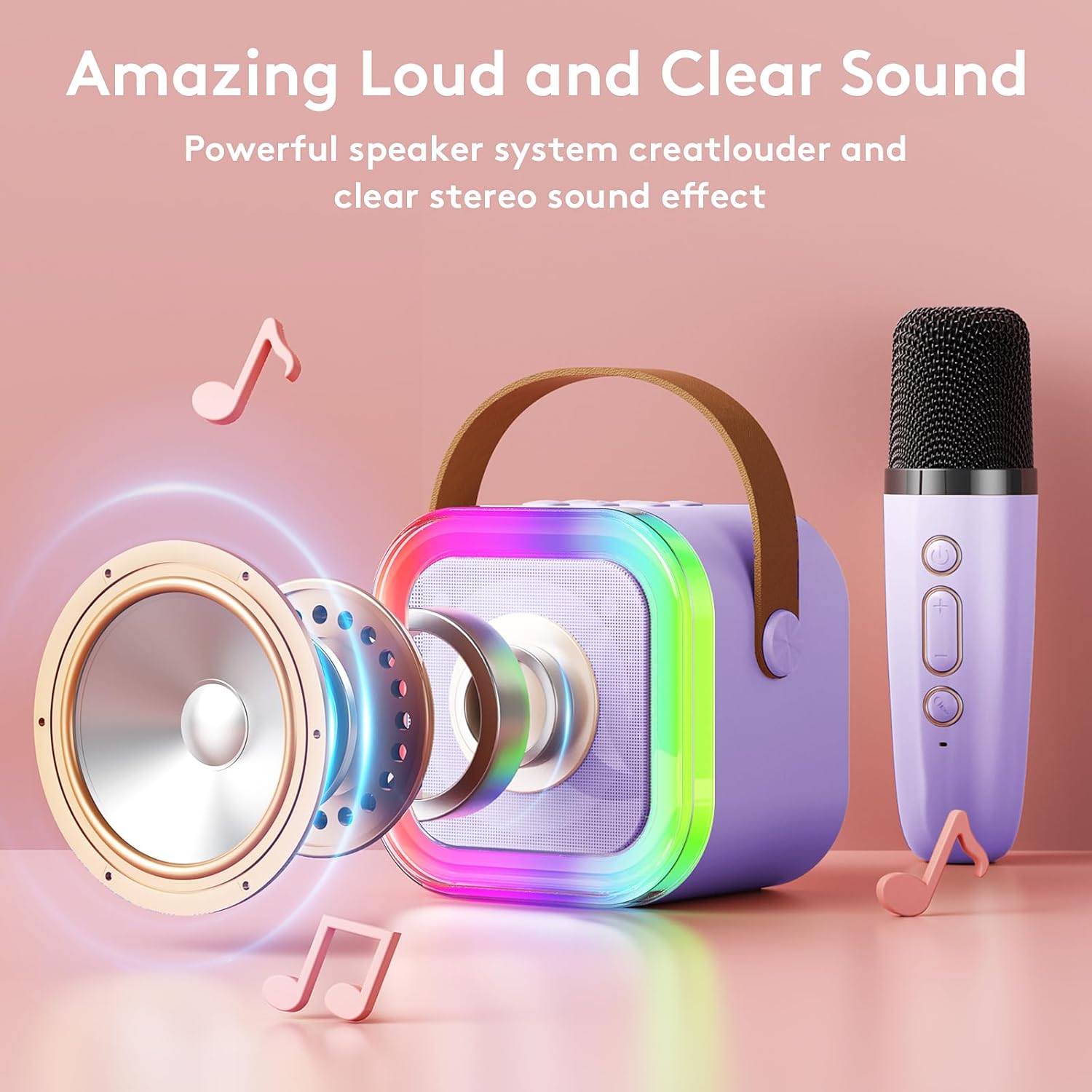
Image: An exploded view of the Niskite karaoke machine speaker, showing its internal components like the woofer and sound-producing elements, emphasizing its "Amazing Loud and Clear Sound" capability.
3. Using the Microphones
With the microphones powered on and connected, you can sing along to your music. Each microphone has its own volume controls. Ensure the microphone is held at an appropriate distance from your mouth for clear sound pickup.
4. Voice Change Effects
The karaoke machine features 5 different voice change effects for added fun. To cycle through these effects (Original voice, Female voice, Male voice, Baby voice, Monster voice), press the dedicated voice change button on the microphone. Experiment with different effects to find your favorite!
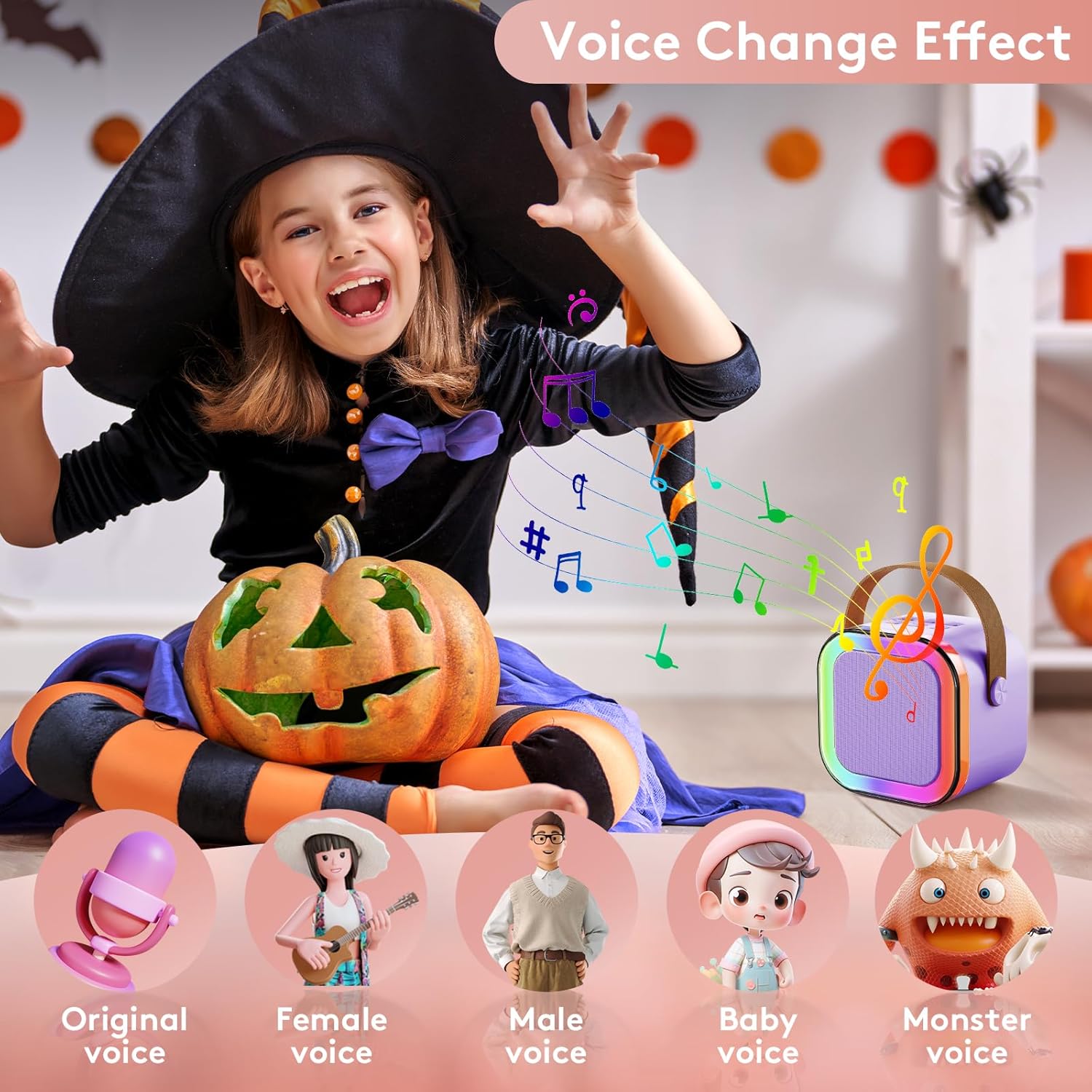
Image: A child dressed as a witch, singing into a Niskite microphone, with icons below illustrating the five different voice change effects: Original, Female, Male, Baby, and Monster voice.
5. Dynamic LED Light Effects
The karaoke machine features cool dynamic LED light effects that enhance the party atmosphere. These lights can sync with the music rhythm. Use the light button on the top panel of the speaker to control or change the light modes.
6. Adjusting Echo
To adjust the echo effect on the microphones, double-click the "+" or "-" button on the microphone. This allows you to customize the vocal effect to your preference.
Maintenance
- Cleaning: Wipe the surface of the karaoke machine and microphones with a soft, dry cloth. Do not use abrasive cleaners or immerse the devices in water.
- Storage: Store the device in a cool, dry place away from direct sunlight and extreme temperatures.
- Battery Care: To prolong battery life, avoid fully discharging the battery frequently. Charge the device regularly, even if not in use for extended periods.
Troubleshooting
| Problem | Solution |
|---|---|
| No sound from speaker. | Ensure the device is powered on and charged. Check Bluetooth connection. Increase volume on both the karaoke machine and your connected smart device. |
| Microphone not working. | Ensure the microphone is powered on and charged. Verify it has automatically paired with the speaker. Move closer to the speaker if out of range. |
| Bluetooth connection unstable. | Ensure no obstacles are between the device and your smart device. Move closer to the speaker. Disconnect and re-pair the Bluetooth connection. |
| Echo effect is too strong/weak. | Double-click the "+" or "-" button on the microphone to adjust the echo level. |
Specifications
- Brand: Niskite
- Model Number: 0bf4d7cf-2bd4-4821-bb23-3fa0ef141e1f
- Product Dimensions: 2.75 x 3.35 x 3.35 inches
- Item Weight: 1.17 pounds
- Material: Plastic
- Power Source: Battery Powered (1 Lithium Ion battery included)
- Connectivity Technology: Bluetooth
- Number of Channels: 2 (for two microphones)
- Audio Input: Wireless Microphone
- Color: Purple With 2 Mics
- Recommended Uses: Family, Christmas Party, Home, Birthday Party
- Country of Origin: China
Official Product Video
Video: An official product video titled "mini karaoke machine for kids" by Niskite, demonstrating the features and fun aspects of the karaoke machine in a party setting. This video highlights the product's portability, ease of use, and entertainment value for children.
Warranty and Support
For warranty information and customer support, please refer to the contact details provided on the product packaging or visit the official Niskite store on Amazon. Keep your purchase receipt for any warranty claims.
Niskite Store: https://www.amazon.com/stores/Niskite+/page/1DDD6A42-16D4-4779-9D51-996A4E78B5E0