
1. Product Overview
This Vurkcy keyless entry remote car key fob is designed as a replacement for original factory remotes. It provides convenient access to your vehicle's locking and unlocking functions, along with a panic alarm feature.

A black keyless entry remote with three buttons: lock, unlock, and a red 'PANIC' button.
The remote operates on specific radio frequencies and is pre-tested to ensure functionality upon arrival. It comes with a pre-installed CR2032 battery.
Key Features:
- Lock and Unlock Functions
- Panic Alarm
- Durable Construction
- Pre-installed CR2032 Battery
2. Vehicle Compatibility
This key fob is compatible with the following Honda vehicle models and years:
- Honda Civic EX LX DX: 2001, 2002, 2003, 2004, 2005 (Does not work with Civic Si trim models)
- Honda Pilot: 2003, 2004, 2005, 2006, 2007
It is designed to replace remotes with the following FCC IDs and Part Numbers:
- FCC ID: NHVWB1U523 or NHVWB1U521
- Part Numbers: 72147-S5A-A01, 08E61-S5D-1M0-01
Important Compatibility Notes:
- This key fob does not support 2001-2005 Honda Civic Si models.
- This key fob does not work on vehicles with a push-start button ignition. It only supports regular key vehicles.
- This key fob does not support vehicles with Passive Entry Passive Start (PEPS).

This image details the vehicle compatibility, including specific Honda Civic (2001-2005) and Pilot (2003-2007) models. It also explicitly states that the key fob does not support push-start button vehicles, Civic Si models, or vehicles with Passive Entry Passive Start (PEPS).
3. Setup and Programming Instructions
This key fob is designed for self-programming, provided you have at least one working original master key. Follow the steps below carefully. If you encounter difficulties, professional assistance from a locksmith or dealership may be required for some vehicle models.
This image provides key programming notes, stating that the fob is self-programmable with one working original master key, does not support 2001-2005 Civic Si models, does not work on push-start vehicles, and does not support vehicles with Passive Entry Passive Start (PEPS). It also lists websites for programming guidance: keyfobprogram.com and programyourremote.com.
General Programming Steps:
- Ensure all vehicle doors are closed and unlocked.
- Insert the original working key into the ignition.
- Turn the ignition to the 'ON' position (II) and then immediately to 'OFF' (0) four times within 10 seconds.
- On the fourth turn to 'ON', press the 'Lock' button on the original key fob within 5 seconds. The door locks should cycle (lock and unlock) to confirm the system has entered programming mode.
- Within 5 seconds of the door locks cycling, press the 'Lock' button on the new key fob. The door locks should cycle again to confirm successful programming of the new fob.
- To program additional new key fobs, repeat step 5 for each additional fob within 5 seconds of the previous fob's successful programming.
- Turn the ignition to 'OFF' and remove the key to exit programming mode. Test all programmed key fobs.
For detailed, vehicle-specific programming instructions, please refer to the following external resources:
Note: These websites may contain advertisements. Close any ads to view the instructions.
Programming Demonstration Video:
Official Vurkcy video demonstrating the features and compatibility of the keyless entry car key fob for Honda Pilot and Civic models.
4. Operating Your Key Fob
The Vurkcy key fob features three primary buttons for vehicle control:

This image illustrates the function of each button on the key fob: the top button for locking, the middle button for unlocking, and the red 'PANIC' button for activating the alarm.
- Lock Button (🔒): Press this button once to lock all vehicle doors. The vehicle's lights may flash and/or the horn may chirp to confirm locking.
- Unlock Button (🔓): Press this button once to unlock the driver's door. Press it a second time within 5 seconds to unlock all other vehicle doors. The vehicle's lights may flash to confirm unlocking.
- Panic Button (PANIC): Press and hold the red 'PANIC' button for approximately 2-3 seconds to activate the vehicle's alarm system. Press any button on the fob or insert the key into the ignition to deactivate the alarm.
5. Battery Replacement (Maintenance)
The key fob is powered by a CR2032 lithium coin cell battery. If the remote's range decreases or it stops responding, the battery may need replacement.

An exploded view of the key fob showing its internal components, including the circuit board with an upgrade durability chip, a CR2032 battery, and a larger ring loop for attachment.
Steps for Battery Replacement:
- Carefully separate the two halves of the key fob casing using a small flat-head screwdriver or a coin. There is usually a small notch on the side for this purpose.
- Locate the circular CR2032 battery inside the casing.
- Gently pry out the old battery. Note the orientation of the positive (+) side.
- Insert a new CR2032 battery with the positive (+) side facing the same direction as the old battery.
- Align the two halves of the key fob casing and press them firmly together until they snap securely into place.
- Test the key fob's functionality with your vehicle.
6. Troubleshooting
If your Vurkcy key fob is not functioning as expected, consider the following troubleshooting steps:
- Fob Not Responding:
- Check the battery. Replace it with a new CR2032 battery if necessary (refer to Section 5).
- Ensure the key fob was programmed correctly. Re-attempt the programming steps (refer to Section 3), paying close attention to timing.
- Reduced Range:
- This often indicates a low battery. Replace the CR2032 battery.
- Environmental factors or interference can also affect range. Try operating the fob in a different location.
- Vehicle Not Entering Programming Mode:
- Verify that your vehicle is listed as compatible (refer to Section 2).
- Ensure all doors are closed and unlocked before starting the programming sequence.
- Confirm you are using an original, working master key for the initial steps.
- The timing for turning the ignition and pressing buttons is crucial. Try again, ensuring precise timing.
- Fob Programmed but Not Working:
- Some vehicles may require a locksmith or dealership for programming, especially if self-programming attempts fail repeatedly.
- Double-check that the FCC ID and Part Numbers match your original remote (refer to Section 2).
7. Product Specifications
| Model Number | 0811-0018 |
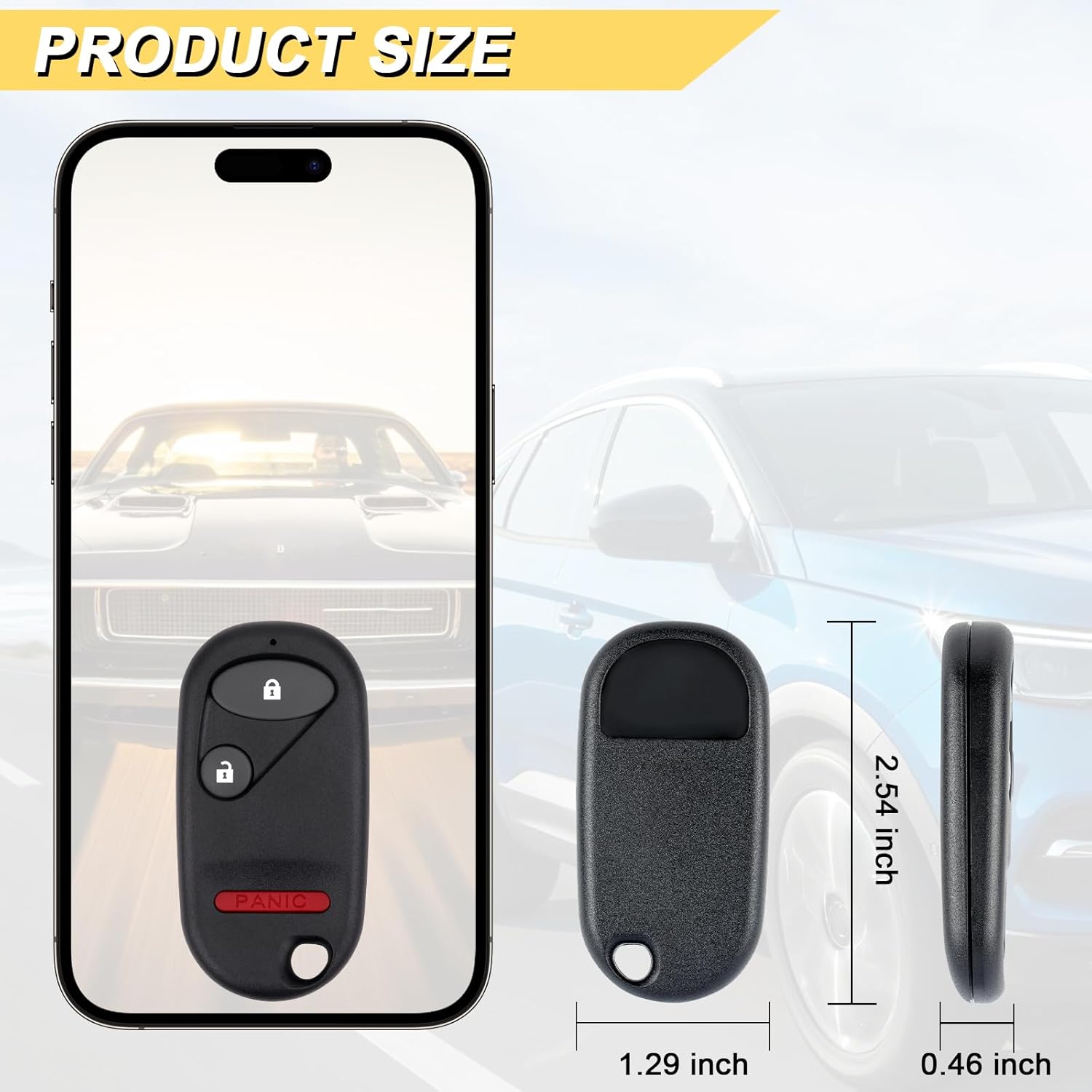
| Product Dimensions | 2.56"L x 1.27"W |
| Item Weight | 0.634 ounces (0.02 Kilograms) |
| Material | Plastic |
| Number of Buttons | 3 (Lock, Unlock, Panic) |
| Battery Type | 1 x CR2032 Lithium Metal (Included) |
| FCC ID Replacement | NHVWB1U523, NHVWB1U521 |
| Part Number Replacement | 72147-S5A-A01, 08E61-S5D-1M0-01 |
8. Warranty and Support
Vurkcy is committed to providing quality replacement automotive products. This key fob has been pre-tested to ensure quality and functionality. If you have any questions or require assistance with your key fob, please contact Vurkcy customer support through the retailer where the product was purchased.
Please retain your proof of purchase for any warranty claims or support inquiries.


