
1. Introduction
This manual provides instructions for the Vurkcy Key Fob Entry Remote Control Key. It covers compatibility, package contents, button functions, programming procedures, operation, maintenance, and troubleshooting.
2. Compatibility
This key fob is compatible with various Chrysler and Dodge vehicle models. Please verify your vehicle's make, model, and year, along with the FCC ID, before attempting to program the key fob.
- Chrysler: 300 (2008-2011), Town & Country (2008-2012)
- Dodge: Journey (2009-2013), Charger (2008-2012), Durango (2008-2013), Challenger (2008-2014), Grand Caravan (2008-2014), Magnum (2008)
Replacement for FCC ID: M3N5WY783X, IYZ-C01C
Replaces P/N: 267F-5WY783X, 2701A-C01C
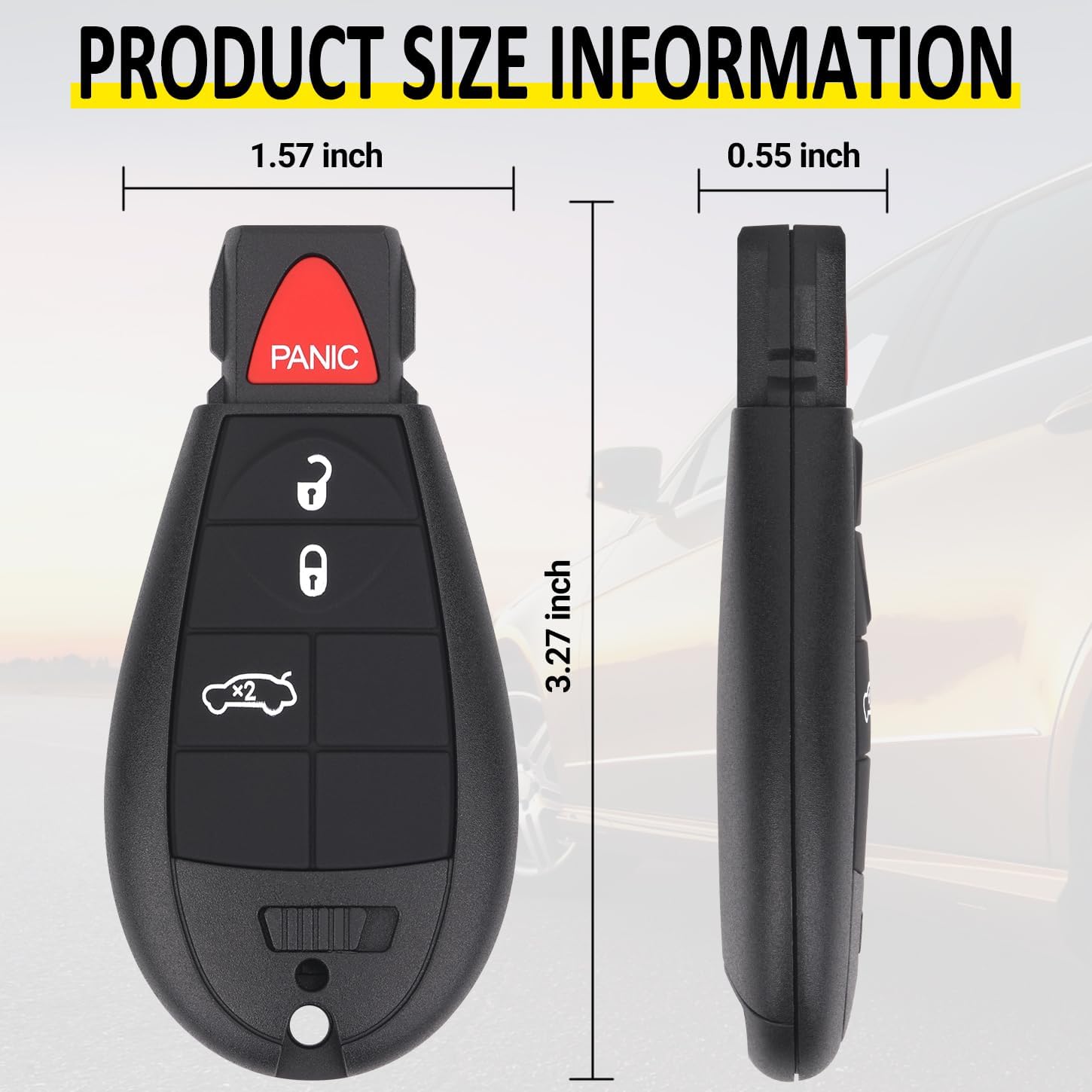
Figure 2.1: Compatible Vehicles and Identification Numbers
3. Package Contents
- 2x Keyless Entry Remote Start Control Key Fob
- Electronics and Battery Pre-Installed

Figure 3.1: Two Vurkcy Key Fobs Included
4. Button Functions
The key fob features several buttons for various vehicle functions:
- Lock Button: Locks all vehicle doors.
- Unlock Button: Unlocks all vehicle doors.
- Panic Button: Activates the vehicle's alarm system.
- Trunk Button: Opens the vehicle's trunk or liftgate.
- Alarm Bell Button: Activates the vehicle's alarm system (may be combined with Panic).
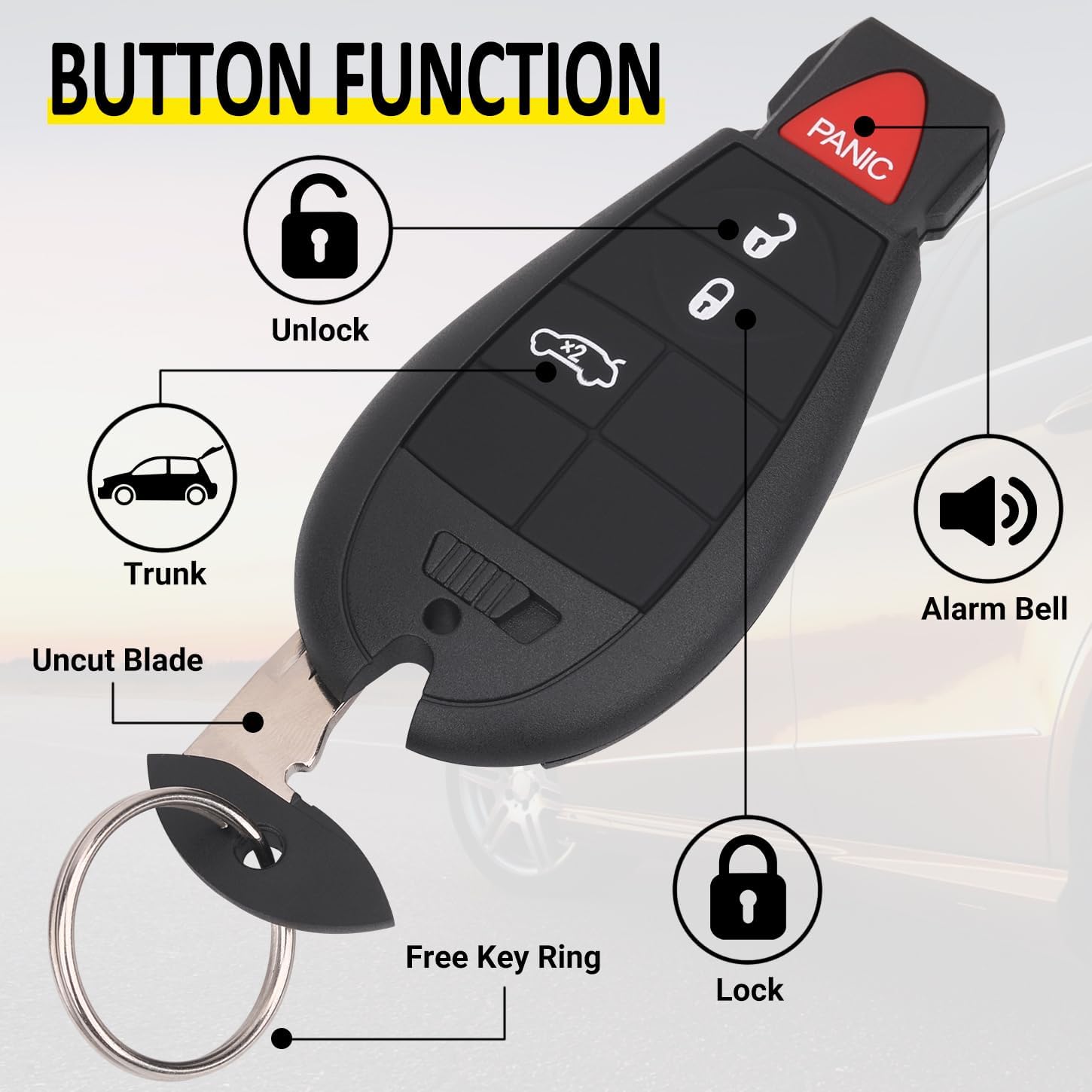
Figure 4.1: Key Fob Button Functions
5. Setup and Programming
Programming the key fob requires specific steps. Please ensure you have all necessary original keys before beginning.
5.1 DIY Programming (Self-Programming)
For vehicles manufactured before 2010, self-programming may be possible if you possess two existing, working, and programmed keys. Follow the instructions provided on the following websites:
On these websites, locate your vehicle's brand, model, and year, then select the "Remote Programming" option. Do not select "Key Programming" unless specifically instructed.
5.2 Professional Programming
For vehicles manufactured in 2010 or later, programming must be performed by a qualified automotive locksmith or dealership. DIY programming is generally not available for these models. Additionally, if an ignition recall has been performed on your vehicle, DIY programming will not be an option.
It is highly recommended to have the key blade cut by a professional locksmith or dealership.

Figure 5.1: Programming Instructions Overview
5.3 Programming Video Guide
For a visual guide on programming, please refer to the official video below. This video demonstrates the process for Dodge and Chrysler key fobs.
Video 5.1: Vurkcy Key Fob Entry Remote Control Key Programming Guide for Dodge and Chrysler
6. Operating Instructions
Once programmed, the key fob operates similarly to your original remote. Press the corresponding button for the desired function:
- Press the Lock button once to lock all doors.
- Press the Unlock button once to unlock the driver's door, or twice to unlock all doors (may vary by vehicle settings).
- Press and hold the Panic button to activate the vehicle's alarm. Press again to deactivate.
- Press the Trunk button to open the trunk or liftgate.
Ensure you are within range of the vehicle for the remote functions to work correctly.
7. Maintenance
To ensure the longevity and proper function of your Vurkcy key fob, follow these maintenance guidelines:
- Cleaning: Wipe the key fob with a soft, dry cloth. Avoid using harsh chemicals or abrasive cleaners.
- Battery Replacement: The key fob uses a Lithium Metal battery. When the remote range decreases or functions become intermittent, the battery may need replacement. Refer to a professional for battery replacement to avoid damaging the internal electronics.
- Protection: Avoid dropping the key fob or exposing it to extreme temperatures, moisture, or direct sunlight for extended periods.
8. Troubleshooting
If you encounter issues with your key fob, consider the following:
| Problem | Possible Cause | Solution |
|---|---|---|
| Key fob not working after programming | Incorrect programming procedure; incompatible vehicle/FCC ID; dead battery. | Verify compatibility. Re-attempt programming carefully following instructions. Check battery. Consult a professional locksmith or dealership. |
| Reduced operating range | Low battery; signal interference. | Replace battery. Ensure no strong electronic devices are causing interference. |
| Buttons unresponsive | Low battery; physical damage; internal circuit issue. | Replace battery. Inspect for physical damage. If issues persist, contact support. |
9. Specifications
- Model: M3N5WY783X or IYZ-C01C
- Item Weight: 2.39 ounces
- Package Dimensions: 3.19 x 2.8 x 0.59 inches
- Batteries: 1 Lithium Metal battery (included)
- Special Features: Ergonomic design
- Color: Black

Figure 9.1: Product Features
10. Warranty and Support
For warranty information or technical support, please refer to the product packaging or contact Vurkcy customer service through the retailer where the product was purchased. Keep your purchase receipt for warranty claims.