
BEOK CONTROLS TGP55W-WIFI-EP
Beok TGP55W-WIFI-EP Smart WiFi Thermostat User Manual
Brand: BEOK CONTROLS | Model: TGP55W-WIFI-EP
1. Introduction
This manual provides detailed instructions for the installation, setup, and operation of your Beok TGP55W-WIFI-EP Smart WiFi Thermostat. This digital thermostat is designed for electric heating systems, offering advanced control and smart home integration.
Key Features:
- Suitable for 16A electric heating film, electric heating mats, etc.
- Includes an external NTC sensor.
- Compatible with Tuya Smart or Smart Life mobile applications.
- Supports voice control via Amazon Alexa and Google Assistant.
- Programmable 5+1+1 weekly schedule with 6 time periods per day.
- One-touch comfort temperature setting.
- Adjustable backlight brightness.
- Child lock mode for safety.
- Automatic and Manual operating modes.
2. Package Contents
Verify that all items are present in the package:
- Beok TGP55W-WIFI-EP Thermostat Unit
- Instruction Manual
- Mounting Screws (2)
- External NTC Floor Sensor (for EP models)
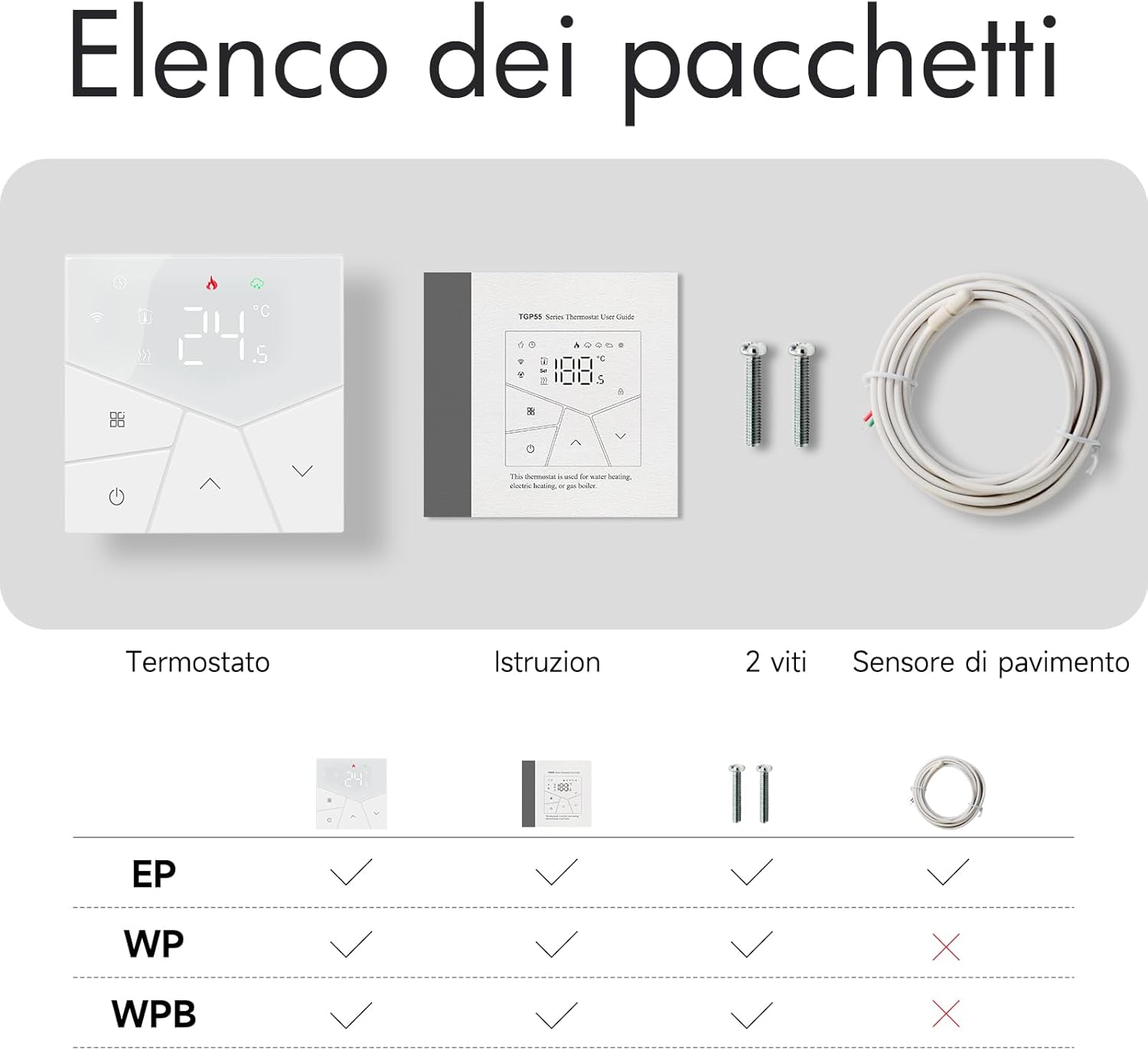
This image illustrates the typical contents of the Beok TGP55W-WIFI-EP product package: the thermostat unit, instruction manual, two mounting screws, and a floor sensor (for EP models).
3. Technical Specifications
| Feature | Specification |
|---|---|
| Model | TGP55W-WIFI-EP |
| Brand | BEOK CONTROLS |
| Color | White |
| Voltage | 95~240V, 50~60Hz |
| Current | 16A |
| Wattage | 3840W |
| Adjustable Temperature Range | 5-45℃ |
| Temperature Step | 0.5℃ |
| Product Dimensions | 8.61 x 8.6 x 3.72 cm |
| Item Weight | 230 grams |
| Material | Plastic |
| Special Features | Smartphone app control, voice control, customizable heating programs, external temperature sensor |
| Controller Type | Amazon Alexa, Google Assistant |

This image provides precise dimensions of the Beok TGP55W-WIFI-EP thermostat in millimeters, including front, side, and rear views, and indicates compatibility with an 86mm mounting box.
4. Installation
Warning: Installation should be performed by a qualified electrician to ensure safety and proper functionality. Disconnect power at the main circuit breaker before installation.
Mounting:
- The thermostat is designed for an 86mm standard mounting box. Please measure your reserved thermostat position before purchase.
- Ensure the mounting location is free from direct sunlight, drafts, or other heat sources that could affect temperature readings.
Wiring Diagrams:
Follow the appropriate wiring diagram for your heating system type.
For Electric Heating Systems:

This diagram illustrates the electrical connections for installing the Beok TGP55W-WIFI-EP thermostat with an electric heating system, showing connections for live (L), neutral (N), load, and the NTC external sensor.
For Water Heating Systems / Boilers:

This diagram shows the wiring for connecting the Beok TGP55W-WIFI-EP thermostat to a water heating system or boiler, detailing connections for actuators or valves.
5. Initial Setup and Wi-Fi Connection
After successful installation and powering on the thermostat, proceed with the initial setup and Wi-Fi connection to enable smart features.
Wi-Fi Pairing Steps:
- Download the App: Scan the QR code provided in the instruction manual or search for "Tuya Smart" or "Smart Life" in your mobile app store to download the application.
- Activate Pairing Mode: With the thermostat powered off, press and hold the down arrow button (⌄) until the Wi-Fi icon starts flashing. This indicates the thermostat is in pairing mode.
- Connect via App: Open the Tuya Smart or Smart Life app on your mobile phone. Ensure your phone's Bluetooth is enabled and your Wi-Fi network is set to 2.4GHz. Follow the in-app instructions to complete the pairing process.

A visual guide detailing the three steps to connect the Beok TGP55W-WIFI-EP thermostat to a 2.4GHz Wi-Fi network using the Smart Life or Tuya Smart application, starting with scanning a QR code.
6. Operation
Understand the thermostat's display and various operating modes.
Display Icons:

A detailed diagram of the Beok TGP55W-WIFI-EP thermostat's digital display, labeling each icon such as Manual mode, Wi-Fi, Eco mode, Heating active, Real-time weather, Button lock, and power controls.
Operating Modes:
- Manual Mode: Allows you to set a desired temperature manually, which the thermostat will maintain until changed.
- Automatic Mode: Follows the programmed weekly schedule.
- Eco Mode: Activates an energy-saving temperature setting, typically 20°C, with a single touch.

This image demonstrates activating the energy-saving mode (Eco Mode) on the Beok TGP55W-WIFI-EP thermostat via its mobile application, indicated by a leaf icon.
Weekly Programming:
The thermostat supports a 5+1+1 weekly programming mode, allowing you to set 6 distinct time periods and temperatures for weekdays, Saturday, and Sunday independently.

An example of the weekly programming interface within the mobile application for the Beok TGP55W-WIFI-EP thermostat, allowing users to set up to 6 temperature periods per day for weekdays, Saturday, and Sunday.
Other Settings:
- Child Lock: Activate child lock mode to prevent unauthorized changes to settings.
- Backlight Adjustment: The backlight brightness can be adjusted for day (6:00-22:00) and night (22:00-6:00) for optimal visibility.
- Factory Reset: Option to restore the thermostat to its default factory settings.

This image demonstrates how the backlight brightness of the Beok TGP55W-WIFI-EP thermostat can be adjusted separately for daytime (6:00-22:00) and nighttime (22:00-6:00) for improved visibility.
7. App and Voice Control
The Beok TGP55W-WIFI-EP thermostat offers convenient control through its dedicated mobile application and voice assistants.
Mobile Application Control:
Use the Tuya Smart or Smart Life app to remotely monitor and adjust your thermostat settings from anywhere. This includes setting temperatures, changing modes, and managing schedules.
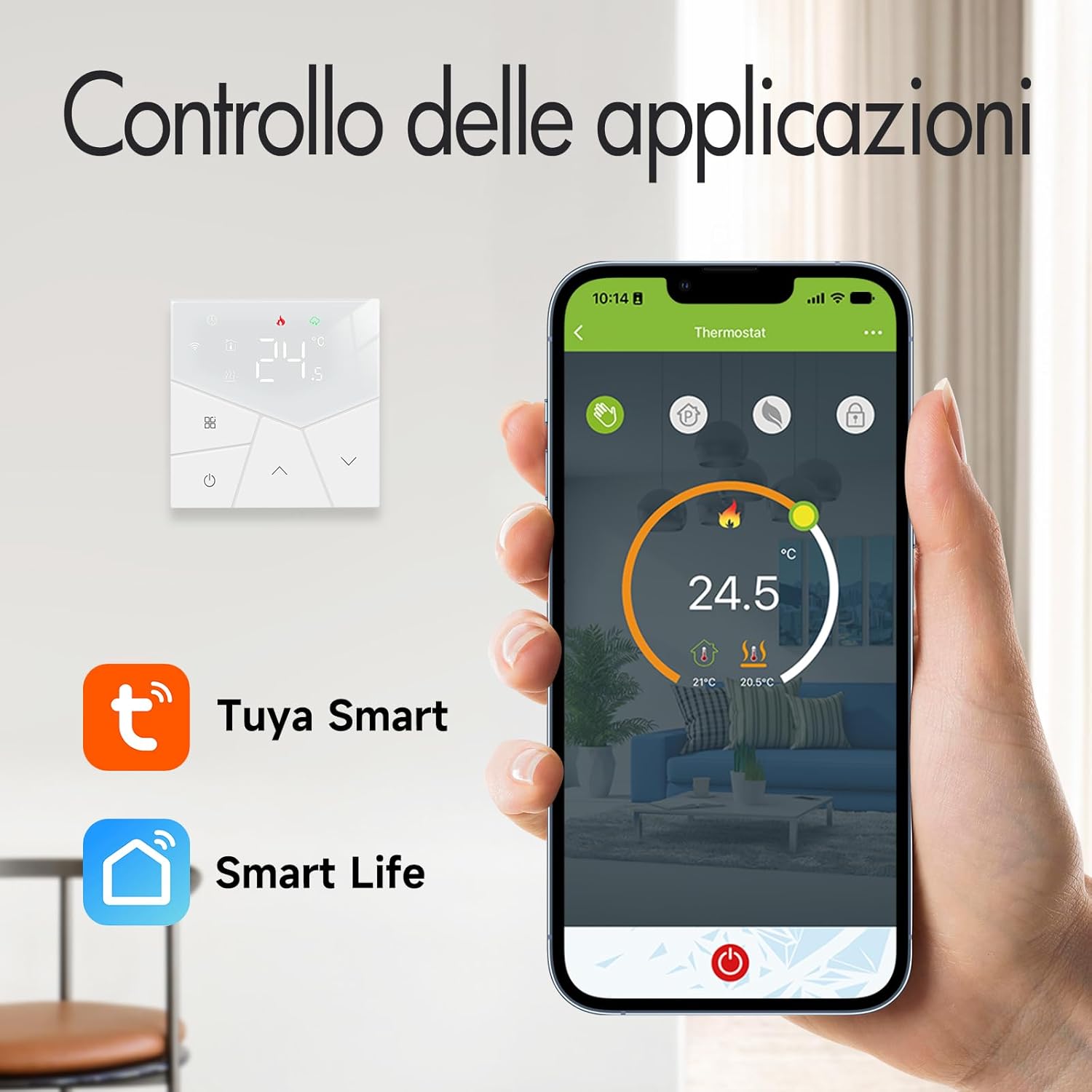
A hand holds a smartphone showing the Tuya Smart or Smart Life application, which provides remote control and monitoring for the Beok TGP55W-WIFI-EP thermostat.
Voice Control:
Integrate your thermostat with Amazon Alexa or Google Assistant for hands-free temperature adjustments using simple voice commands.

This image illustrates the voice control functionality of the Beok TGP55W-WIFI-EP thermostat, showing a user issuing a command to an Alexa device to set the room temperature. The thermostat is compatible with Alexa and Google Assistant.
8. Maintenance
To ensure optimal performance and longevity of your Beok TGP55W-WIFI-EP thermostat, follow these simple maintenance guidelines:
- Cleaning: Gently wipe the thermostat's screen and casing with a soft, dry cloth. Avoid using abrasive cleaners, solvents, or chemical sprays, as these can damage the surface.
- Avoid Obstructions: Ensure that the thermostat is not covered by furniture, curtains, or other objects that could block airflow or interfere with its temperature sensor.
- Regular Checks: Periodically check the wiring connections to ensure they are secure. If you notice any loose connections or damage, consult a qualified electrician.
9. Troubleshooting
If you encounter issues with your Beok TGP55W-WIFI-EP thermostat, refer to the following common problems and solutions:
- Thermostat Not Responding: Check if the device is powered on. If the screen is blank, verify the power supply.
- Wi-Fi Connection Issues:
- Ensure your Wi-Fi network is 2.4GHz. The thermostat does not support 5GHz networks.
- Confirm your mobile phone's Bluetooth is enabled during the initial pairing process.
- Restart your Wi-Fi router and try the pairing process again.
- Ensure the thermostat is within range of your Wi-Fi router.
- Inaccurate Temperature Readings: Ensure the thermostat is not exposed to direct sunlight, drafts, or other heat sources that could skew readings.
- Slow Responsiveness via App: If the thermostat takes several minutes to become accessible or respond to app commands, check your Wi-Fi signal strength and internet connection.
- Incompatibility with Heating System: The thermostat is designed for specific heating systems. For example, it may not be compatible with certain boiler types (e.g., Junkers boilers that use only two wires, while this device uses four). Always verify wiring requirements before purchase and installation.
- Child Lock Active: If buttons are unresponsive, check if the child lock mode is enabled. Refer to the operation section to disable it.
10. After-sales Support
The thermostat is not applicable to a 503 mounting box. Please measure the reserved thermostat position before purchase to ensure compatibility.
If you have any questions or require assistance regarding your Beok TGP55W-WIFI-EP thermostat, please do not hesitate to contact our customer support. We are committed to resolving any issues you may encounter promptly.
For support, please refer to the contact information provided in your product packaging or on the official BEOK CONTROLS website.