
Introduction
Thank you for choosing the TFA Dostmann XENA HOME Radio Thermometer, Model 30.3074.10. This device provides accurate indoor temperature and humidity readings, along with outdoor temperature transmitted wirelessly from an external sensor. It also features a radio-controlled clock with date display and min/max value memory. This manual will guide you through the setup, operation, and maintenance of your new thermometer.
Safety Information
- Keep this instruction manual for future reference.
- Do not expose the device to extreme temperatures, vibrations, or shocks.
- Avoid direct sunlight and moisture.
- Do not immerse the device in water.
- Use only specified batteries. Ensure correct polarity.
- Keep batteries out of reach of children.
- Dispose of depleted batteries and the device according to local regulations.
Package Contents
- TFA Dostmann XENA HOME Main Display Unit (Model 30.3074.10)
- Wireless Outdoor Sensor
- Instruction Manual
Setup
1. Battery Installation
The device requires 4 AA batteries (not included).
- Main Display Unit: Open the battery compartment cover on the back of the main unit. Insert 2 AA batteries, observing the correct polarity (+/-). Close the cover.
- Wireless Outdoor Sensor: Open the battery compartment cover on the back of the sensor. Insert 2 AA batteries, observing the correct polarity (+/-). Close the cover.

Rear view of the TFA Dostmann XENA HOME main display unit, showing the battery compartment and wall-mounting hole.

The external wireless sensor for the TFA Dostmann XENA HOME thermometer, designed for outdoor temperature transmission.
2. Sensor Placement
Place the wireless outdoor sensor in a sheltered location outdoors, away from direct sunlight and rain, to ensure accurate temperature readings. The maximum transmission range is 100 meters in open areas.
3. Initial Synchronization
After inserting batteries, the main unit will automatically search for the outdoor sensor and the radio-controlled time signal. This process may take a few minutes. Ensure both units are within range of each other.
4. Time and Date Setting
The radio-controlled clock will automatically set the time and date. If manual adjustment or time zone correction is needed:
- Press the SET button to enter settings mode.
- Use the +/- buttons to adjust values.
- Press SET again to confirm and move to the next setting (e.g., time zone, 12/24 hour format, date format).
Operating Instructions
1. Display Overview

Front view of the TFA Dostmann XENA HOME main display unit, showing the time, date, indoor temperature, humidity, and outdoor temperature.
The large LCD display shows:
- Top: Radio-controlled time and date.
- Middle (IN): Indoor temperature and humidity, with a comfort level indicator (smiley face).
- Bottom (OUT): Outdoor temperature received from the wireless sensor.
2. Min/Max Values
Press the MAX/+ button once to display the maximum recorded indoor/outdoor temperature and humidity. Press it again to view the minimum recorded values. The display will also show the time and date when these values were recorded. To reset the min/max values, press and hold the MIN/- button while viewing the min/max values. The values automatically reset at 0:00h daily.
3. Adding Additional Sensors
The thermometer can be expanded with up to 3 additional wireless transmitters (models 30.3255.02 or 30.3250.02). To add a new sensor:
- Install batteries in the new sensor.
- On the main unit, press the CHANNEL button to cycle through available channels.
- The main unit will automatically search for and connect to the new sensor on an unoccupied channel.
Maintenance
Cleaning
Clean the device with a soft, damp cloth. Do not use abrasive cleaners or solvents. Ensure no moisture enters the device.
Battery Replacement
When the low battery indicator appears on the display, replace all batteries in the respective unit (main unit or sensor) with new ones. Always replace all batteries at the same time to ensure optimal performance.
Storage
If the device will not be used for an extended period, remove the batteries to prevent leakage and damage.
Troubleshooting
| Problem | Possible Cause | Solution |
|---|---|---|
| No outdoor temperature display. | Sensor out of range, low sensor batteries, interference. | Move sensor closer to the main unit. Replace sensor batteries. Relocate units to avoid interference. Perform a manual search for the sensor. |
| Incorrect time display. | Radio signal interference, time zone incorrect. | Move the main unit to a location with better signal reception. Manually adjust the time zone setting. |
| Display is dim or blank. | Low main unit batteries. | Replace main unit batteries. |
Specifications
- Model: 30.3074.10
- Brand: TFA Dostmann
- Power Source: Battery powered (4 x AA batteries, not included)
- Connectivity Technology: 433 MHz, wireless
- Temperature Accuracy: 0.5 °C
- Temperature Reading Accuracy: +/- 1 °C
- Upper Operating Temperature: 60 °C
- Display Type: LCD
- Material Type: Plastic
- Color: Grey
- Item Dimensions (Depth x Width x Height): 2.7D x 8.2W x 14H cm
- Item Weight: 128 Grams
- Special Features: High precision, Large display, Low battery indicator, High accuracy, Non-contact sensor technology.
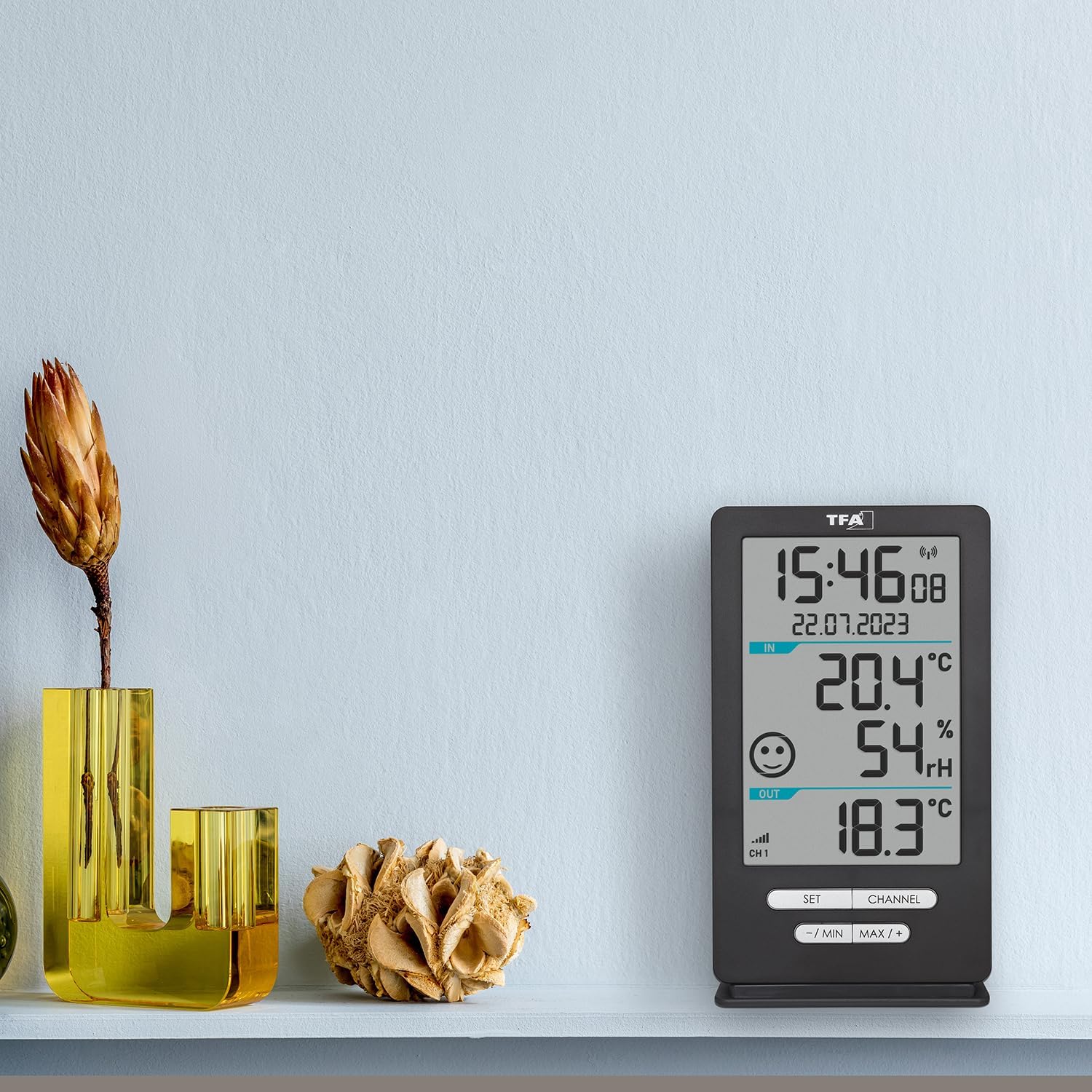
The TFA Dostmann XENA HOME main display unit placed on a shelf in a living space, demonstrating its compact size and clear display.

Side view of the external wireless sensor with approximate dimensions: 18cm height, 9cm width, 7cm depth.
Warranty and Support
This product is manufactured by TFA Dostmann. For support or warranty inquiries, please refer to the contact information provided with your purchase documentation or visit the official TFA Dostmann website. The EU spare parts availability duration for this product is 1 year.


