
1. Product Overview
The Beizuzu Cordless 4-in-1 Immersion Hand Blender is a versatile kitchen appliance designed for various blending, chopping, and mixing tasks. Its cordless design and multiple attachments offer convenience and flexibility in food preparation.

Image 1: The Beizuzu Cordless 4-in-1 Immersion Hand Blender shown with its main unit, immersion blender shaft, whisk, beater, and chopper bowl, along with a beaker and a glass of blended watermelon.
2. Setup
2.1 Unpacking and Initial Charge
Carefully remove all components from the packaging. Before first use, ensure the main unit is fully charged. Use the provided USB cable to connect the blender to a power source. The battery indicator lights will illuminate during charging.
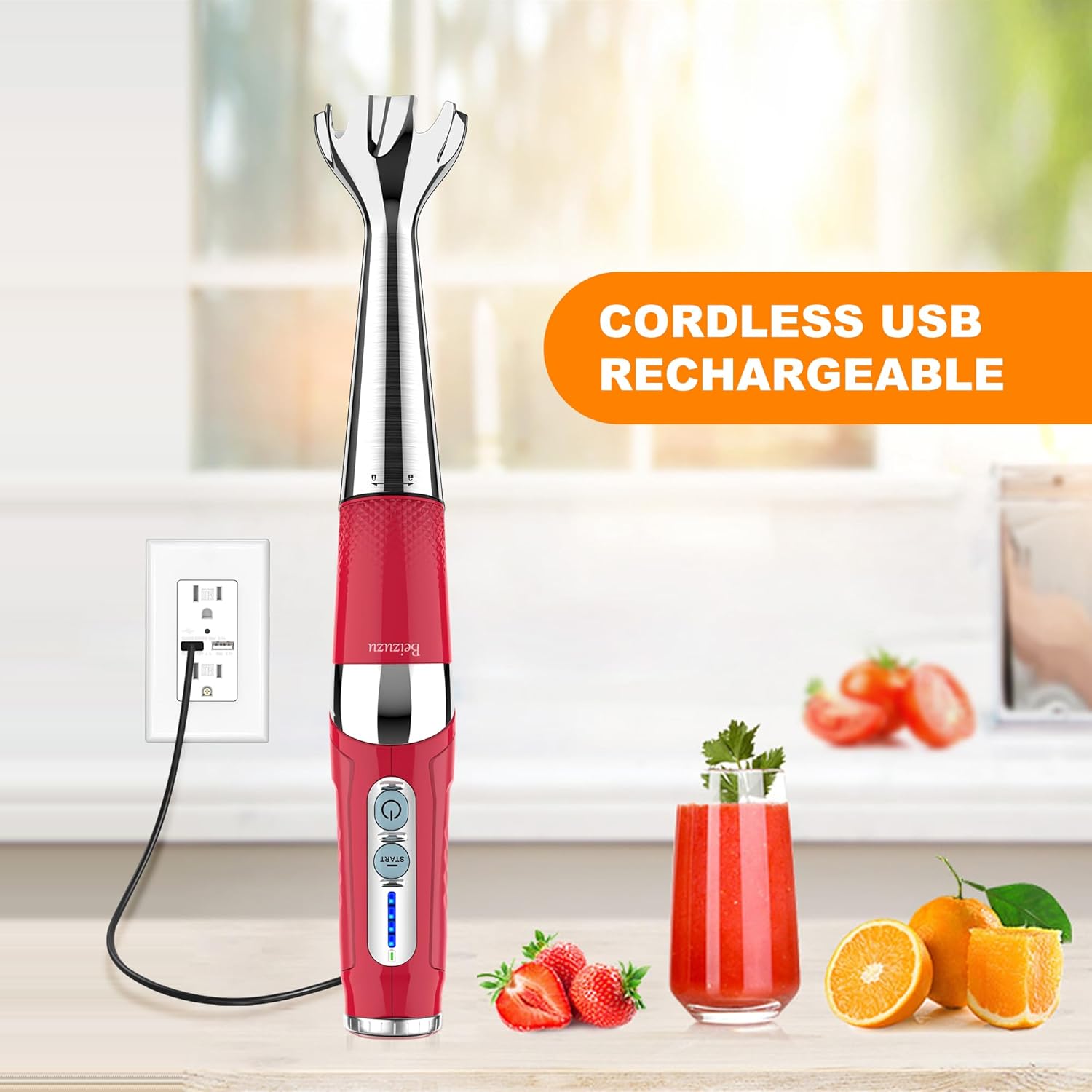
Image 2: The main unit of the cordless immersion blender connected to a USB charging cable, indicating its rechargeable nature.
2.2 Assembling Attachments
To attach an accessory (immersion blender shaft, whisk, beater, or chopper), align the accessory with the connection point on the main unit and twist until it locks securely into place. To detach, twist in the opposite direction and pull apart.
Video 1: A demonstration of attaching the immersion blender shaft to the main unit and its use with various ingredients.
3. Operating Instructions
3.1 Power On/Off and Speed Control
Press and hold the power button for 2 seconds to turn the unit on. The power light will illuminate. Press the 'Start' button to begin operation. The unit features 21 adjustable speed settings, controlled by rotating the dial at the top of the main unit. Adjust the speed according to the food consistency and desired blending outcome.

Image 3: Detail of the main unit highlighting the 21-speed control dial and the ergonomic design for comfortable use.
3.2 Multi-Angle Operation
The main unit's handle can be adjusted to three different angles: 90°, 135°, and 180°. This feature allows for comfortable and efficient use in various containers and for different tasks. Press the button on the back of the unit to change the angle.

Image 4: Visual representation of the blender's handle adjusting to 90, 135, and 180-degree angles for ergonomic use.
3.3 Using the Attachments
- Immersion Blender Shaft: Ideal for blending smoothies, soups, sauces, and purees directly in pots or tall containers.
- Chopper: Use for finely chopping ingredients such as meats, nuts, vegetables, and herbs.
- Whisk: Perfect for whipping eggs, cream, and light batters.
- Beater: Suitable for mixing heavier batters and doughs.

Image 5: An overview of the 4-in-1 functionality, showcasing the whisk, immersion blender with beaker, chopper, and beater attachments.
Video 2: A demonstration of the cordless blender in action, specifically making milkshakes, highlighting its ease of use and powerful blending capabilities.
4. Maintenance
4.1 Cleaning
The detachable design of the Beizuzu Immersion Hand Blender makes cleaning simple. After each use, detach the accessory from the main unit. Wash the stainless steel attachments (immersion blender shaft, whisk, beater, chopper blades) with warm, soapy water or place them in the dishwasher if they are dishwasher-safe (refer to specific attachment instructions). Wipe the main unit with a damp cloth; do not immerse it in water.

Image 6: The detachable immersion blender shaft being separated from the main unit and rinsed under running water, illustrating the ease of cleaning.
4.2 Storage
Ensure all parts are clean and dry before storing. Store the main unit and attachments in a dry place, away from direct sunlight and extreme temperatures. Proper storage helps maintain the longevity and performance of the appliance.
5. Troubleshooting
If you encounter any issues with your Beizuzu Immersion Hand Blender, please refer to the following common troubleshooting steps:
- Unit not turning on: Ensure the unit is fully charged. Press and hold the power button for 2 seconds, then press the 'Start' button.
- Attachments not working: Verify that the attachment is securely locked into the main unit.
- Ineffective blending/mixing: Adjust the speed setting using the top dial. Ensure ingredients are not too large or dense for the selected attachment. For very tough ingredients, use the chopper attachment.
- Battery draining quickly: Ensure the unit is fully charged before use. Avoid continuous operation at maximum speed for extended periods.
If problems persist after following these steps, please contact customer support.
6. Specifications
| Feature | Detail |
|---|---|
| Brand | Beizuzu |
| Model Number | Hand Blender |
| Power Source | DC (Cordless, USB Rechargeable) |
| Voltage | 7.4 Volts |
| Number of Speeds | 21 |
| Special Features | 21-Speeds & Turbo Mode, Cordless, Ergonomic Multi-Angle Operation, USB Rechargeable |
| Capacity (Beaker) | 700 Milliliters |
| Product Dimensions | 11.22"D x 6.1"W x 10.03"H |
| Item Weight | 3.83 pounds |
| Material | Stainless Steel (Container Material) |
| Material Type Free | BPA Free |
7. Warranty and Support
7.1 Warranty Information
Please refer to the product packaging or the official Beizuzu website for detailed warranty information. Keep your purchase receipt as proof of purchase for any warranty claims.
7.2 Customer Support
For technical assistance, troubleshooting, or any product-related inquiries, please visit the official Beizuzu Store on Amazon or contact their customer service directly. You can find the store link here: Beizuzu Store.