
imkavery MP20
imkavery MP3 Player User Manual
Model: MP20
Product Overview
The imkavery MP3 Player is a portable multimedia device designed for music playback, picture viewing, video playback, voice recording, and e-book reading. It features a compact design, a built-in speaker, and comes with a 64GB Micro SD card for ample storage.

Image: Front view of the imkavery MP3 Player in black, alongside a 64GB Micro SD card.

Image: A banner showing the imkavery MP3 Player available in multiple colors, with a person enjoying music.
What's Included:
- 1 x MP3 Player
- 1 x 64GB TF Card (pre-inserted)
- 1 x Earphone
- 1 x Charging Cable
- 1 x User Manual

Image: A flat lay showing the MP3 player, earphones, charging cable, 64GB TF card, and user manual.
Setup
1. Charging the Device
Before first use, fully charge the MP3 player. Connect the provided charging cable to the player and a USB power source (e.g., computer USB port, USB wall adapter). The battery icon on the screen will turn stable green when fully charged, which typically takes 3-4 hours.

Image: The MP3 player connected via USB cable to a laptop, illustrating the charging and file transfer process. A red box indicates "3h-4h Charging".
2. Inserting the Micro SD Card
The MP3 player comes with a 64GB Micro SD card pre-inserted. If you need to replace or re-insert the card, ensure the player is off. Gently push the Micro SD card into the designated slot until it clicks into place. The player supports Micro SD cards up to 128GB.

Image: A close-up view of the MP3 player's side, showing the slot for inserting a Micro SD card.

Image: A graphic illustrating the insertion of a Micro SD card into the MP3 player, with text "Max Support Micro SD 128GB".
3. Transferring Files
To transfer music, pictures, videos, or e-books to the player, connect it to your computer using the provided USB cable. Ensure the Micro SD card is inserted into the player. The player will appear as a removable disk drive on your computer. You can then drag and drop files directly into the player's storage.
Operating Instructions
Button Functions:

Image: A visual guide to the MP3 player's buttons, detailing their short and long press functions.
- M (Menu): Short press to enter the menu. Long press to return to the main interface.
- ◀◀ (Left/Previous): When playing music, short press to select the previous music file. Long press to rewind the music.
- ▶▶ (Confirm/Play or Pause): Short press to confirm selection or play/pause music. Long press to turn off or turn on the player.
- ►► (Right/Next): When playing music, short press to select the next music file. Long press to fast forward the music.
- VOL (Volume/Down/Return): Short press to return to the previous step. Long press to enter the volume adjustment menu, then press ◀◀ or ►► to choose.
Music Playback:
The player supports various audio formats including MP3, WMA, APE, FLAC, WAV, and AAC, providing HIFI lossless sound quality. Navigate to the "Music" icon on the main menu to access your music library. Use the ◀◀ and ►► buttons to browse and the ▶▶ button to play/pause.

Image: The MP3 player screen displaying options for multiple repeat modes, such as All Once, Repeat One, Folder Once, Folder Repeat, All Repeat, Shuffle, and Intro.
FM Radio:
To use the FM radio function, ensure earphones are connected as they act as the antenna. Navigate to the "Radio" icon. You can adjust the frequency range, choose your preferred channels, and save up to 30 stations. Long press the VOL button to adjust the volume.

Image: The MP3 player screen showing the FM radio interface with frequency display and surrounding frequency markers.
Video: A demonstration of how to set up and use the FM radio feature on the imkavery MP3 player, including selecting region, picking stations, saving channels, and adjusting volume.
Other Functions:
The MP3 player supports additional functions accessible from the main menu:
- Pictures: View stored image files.
- Videos: Play video files.
- Voice Recording: Use the built-in microphone to record audio.
- E-Book: Read text files.
- Files: Browse all files stored on the device.
- Games: Access pre-loaded games.
- Settings: Adjust various device settings.
Maintenance
Battery Care:
The MP3 player offers up to 10 hours of music playback with earphones. To maximize battery life:
- Avoid fully discharging the battery frequently.
- Charge the device fully (3-4 hours) when the battery is low.
- Store the device in a cool, dry place when not in use for extended periods.
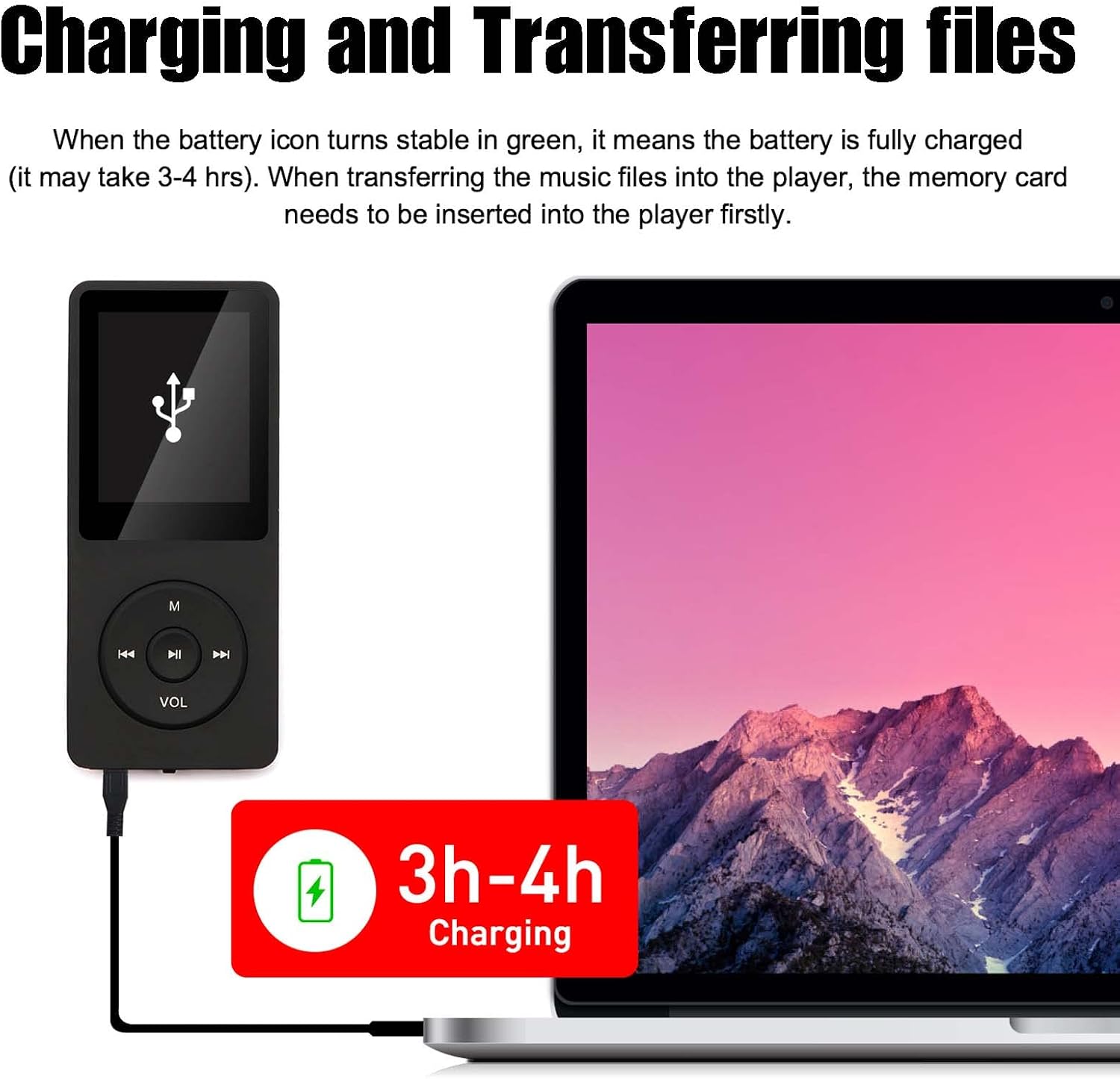
Image: A man running outdoors with the MP3 player, highlighting its long battery life (10 hours) and large memory (5000 songs capacity).
General Care:
- Keep the device dry and away from moisture.
- Avoid exposing the player to extreme temperatures (hot or cold).
- Clean the device with a soft, dry cloth. Do not use harsh chemicals or abrasive materials.
- Protect the screen from scratches.
Troubleshooting
| Problem | Possible Cause | Solution |
|---|---|---|
| Device does not turn on. | Battery is depleted. | Charge the device for 3-4 hours. |
| Unable to transfer files. | Micro SD card not inserted or recognized. Connection issue. | Ensure the Micro SD card is properly inserted. Try a different USB port or cable. Restart the computer and the MP3 player. |
| No sound from earphones. | Earphones not properly connected. Volume too low. Corrupted audio file. | Ensure earphones are fully plugged in. Adjust volume using the VOL button. Try a different audio file or earphones. |
| Glitches or skips during music playback. | Corrupted audio file. Low battery. | Try playing a different audio file. Ensure the device is fully charged. |
| FM Radio not working. | Earphones not connected. Incorrect FM region setting. | Ensure earphones are plugged in (they act as the antenna). Check FM region settings in the menu. |
| Speaker not working or low volume. | Volume too low. Speaker malfunction. | Adjust volume. If issue persists, contact customer support. |
If you encounter any issues not listed here or if the suggested solutions do not resolve the problem, please contact customer support for assistance.
Specifications
| Brand: | imkavery |
| Model Name: | MP20 |
| Product Dimensions: | 0.28 x 1.54 x 3.54 inches |
| Item Weight: | 2.89 ounces |
| Memory Storage Capacity: | 64 GB (Micro SD card included) |
| Max. Supported Memory: | 128 GB Micro SD |
| Connectivity Technology: | USB |
| Screen Size: | 1.8 Inches |
| Battery: | 1 Lithium Polymer battery (included) |
| Supported Audio Formats: | MP3, WMA, APE, FLAC, WAV, AAC |
| Special Features: | Video Playback, Voice Recorder, E-Book, FM Radio, Built-in Speaker |
Warranty and Support
The imkavery MP3 Player comes with a 12-month warranty from the date of purchase.
For any questions, technical support, or warranty claims, please contact our customer service team. We are committed to providing the best after-sales support to help resolve any issues you may encounter.
Contact Information: Please refer to the contact details provided on the product packaging or the seller's information on the platform where you purchased the device (Seller: Dreamhorsetech).
Ask a question about this manual
Ask about setup, troubleshooting, compatibility, parts, safety, or missing instructions. Manuals+ will review the question and use this page’s manual context to help answer it.