
Integra Boost B08A62S-20-1A (RH22)
Integra Boost 2-Way Humidity Control Packs User Manual
Model: B08A62S-20-1A (RH22)
Introduction
The Integra Boost 2-Way Humidity Control packs are designed to precisely regulate the relative humidity (RH) within an enclosed environment. These packs utilize a salt-free, plant-based formula to either release or absorb moisture, maintaining an optimal RH level for various stored items. This manual provides instructions for the proper use, maintenance, and understanding of your Integra Boost humidity control packs.
Setup and First Use
Follow these steps to begin using your Integra Boost humidity control packs:
- Unpack the Boost Pack: Carefully remove one individually wrapped Integra Boost pack from its outer packaging. Each pack comes with a humidity indicator card.
- Identify the Indicator Card: Locate the small indicator card included with each pack. This card features a color-changing dot that signals when the pack needs replacement.
- Placement in Container: Place the Integra Boost pack and its accompanying indicator card directly into an airtight container with the items you wish to preserve. Ensure the container is sealed tightly to allow the pack to effectively regulate humidity.
- Optimal Quantity: An 8-gram Integra Boost pack is designed to regulate humidity for up to 28 grams of product. Adjust the number of packs based on the quantity of items being stored.
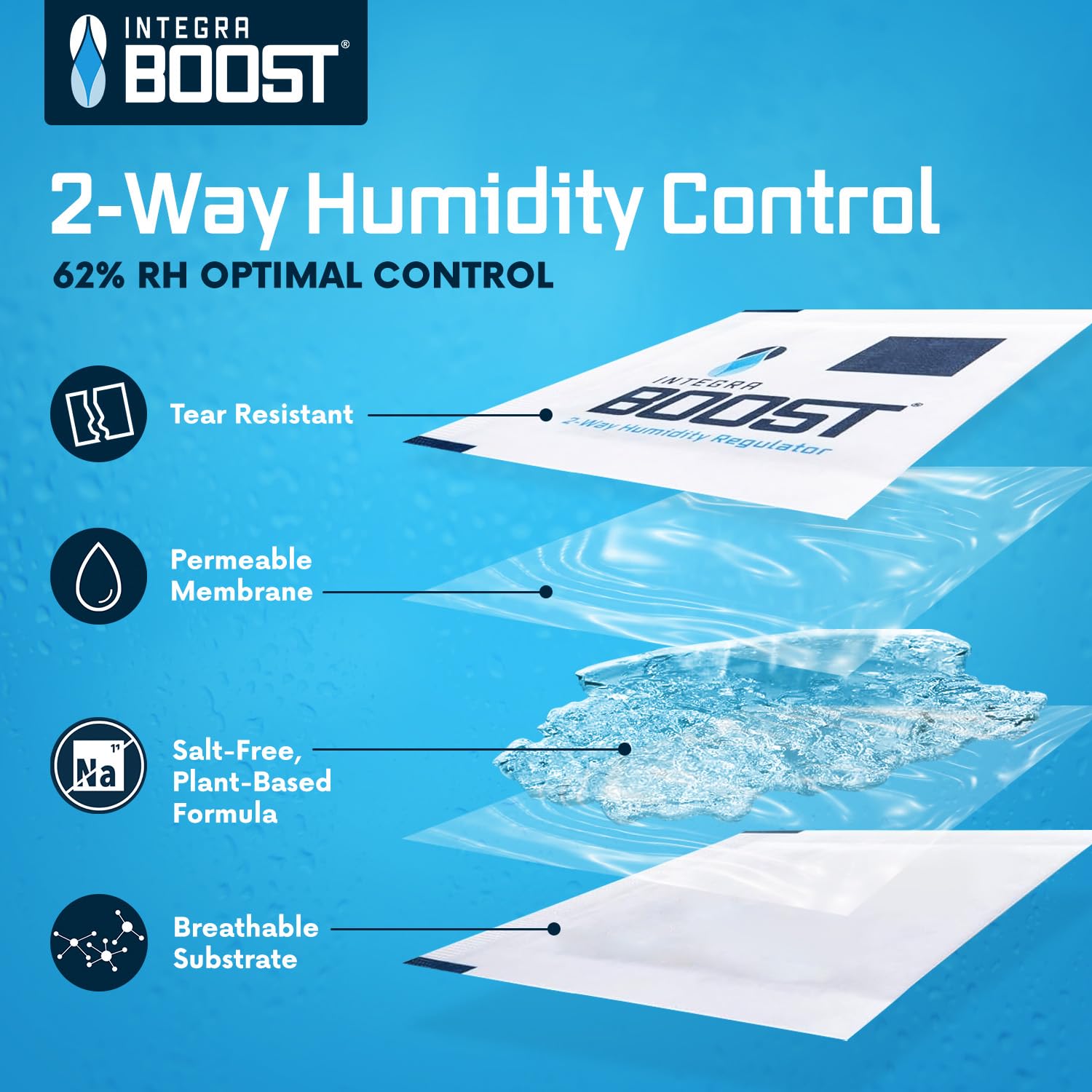
Image: Step-by-step guide on how to use the Integra Boost pack, showing removal from packaging, placing in a container, and sealing.
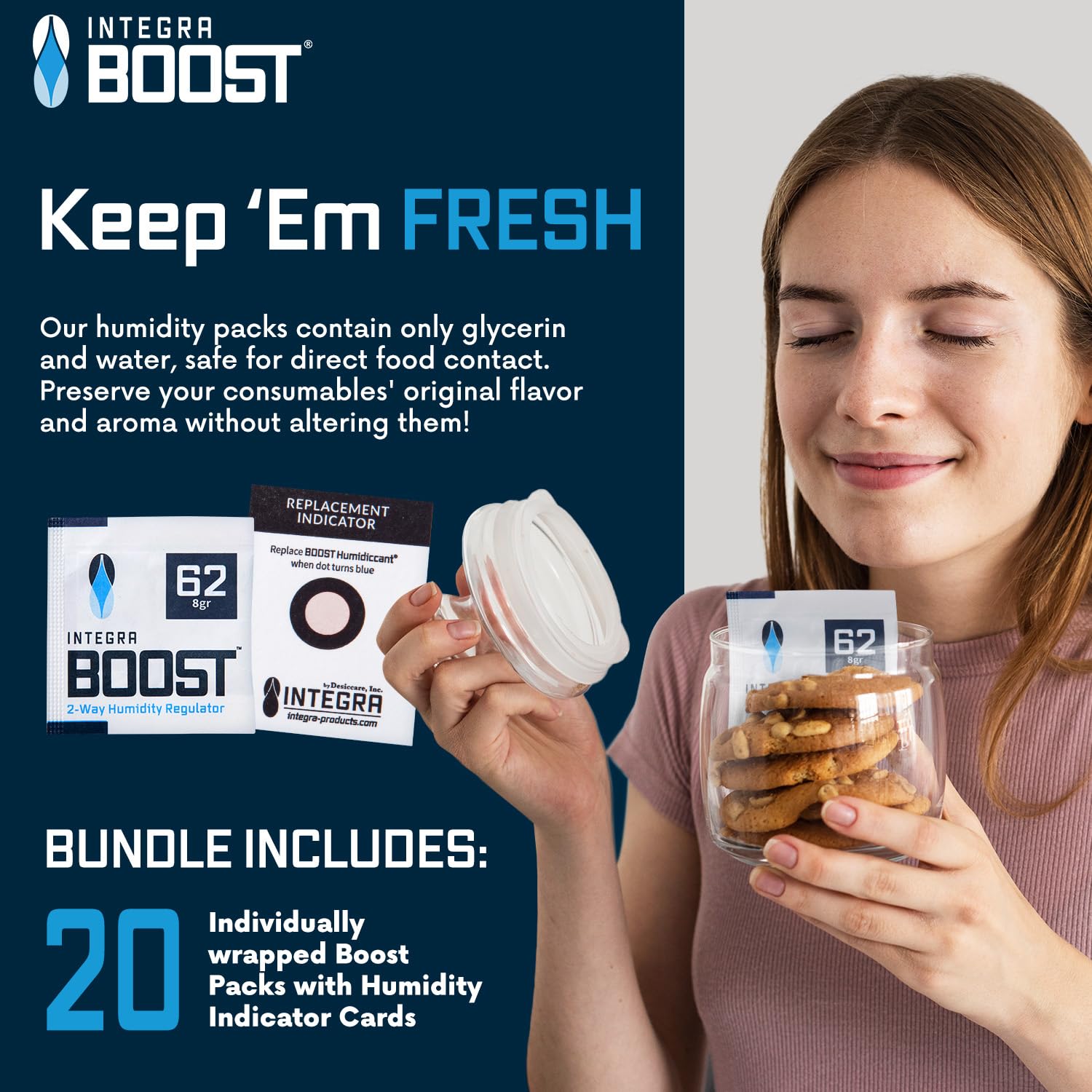
Image: An Integra Boost pack positioned near two jars, illustrating that one pack can regulate humidity for up to 28 grams of product.
Operating Instructions
Integra Boost packs work by maintaining a precise relative humidity level. The 62% RH pack is designed to keep your items at an ideal moisture content, preventing them from becoming too dry or too moist.
- Two-Way Humidity Control: The pack will actively release moisture if the environment is too dry, or absorb moisture if the environment is too humid, ensuring a stable 62% RH.
- Monitoring Humidity: The included humidity indicator card allows you to visually monitor the pack's effectiveness. The dot on the card will change color to indicate when the pack is no longer active.
- Preserving Quality: By maintaining optimal humidity, the packs help preserve the freshness, flavor, and integrity of your stored items, such as herbs, spices, coffee, and other pantry goods.

Image: A diagram illustrating the internal layers of the Integra Boost pack, highlighting its tear-resistant, permeable membrane, salt-free plant-based formula, and breathable substrate for effective 2-way humidity control.

Image: An Integra Boost pack shown with cookies, indicating its dimensions (2.5 inches by 2.75 inches) and its ability to preserve flavors for up to 28 grams of product.
Maintenance and Replacement
The Integra Boost packs are designed for single-use and require replacement once their moisture-regulating capacity is depleted. The humidity indicator card serves as your guide for timely replacement.
- When to Replace: The small dot on the humidity indicator card will change from pink to bright blue when the Integra Boost pack has reached the end of its effective life and needs to be replaced.
- Replacement Process: Simply remove the old, depleted pack and indicator card from your container and replace them with a new, fresh Integra Boost pack and its new indicator card.
- Storage of Unused Packs: Keep unused Integra Boost packs in their original, sealed individual wrappers to maintain their freshness and effectiveness until ready for use.

Image: A close-up view of the Integra Boost replacement indicator card, showing the dot that changes color from pink to blue when the humidity pack needs to be replaced.

Image: A visual comparison of the previous and newly designed replacement indicator cards, both showing the color change from pink to blue to signal pack replacement.
Troubleshooting
If you encounter issues with humidity control, consider the following:
- Inconsistent Humidity: Ensure your storage container is truly airtight. Leaks can prevent the pack from maintaining the desired RH level.
- Pack Not Changing Color: Verify that the pack and indicator card are placed together in the sealed container with the product. If the dot remains pink for an extended period, the environment might already be at the target RH, or the pack might not be actively working due to an unsealed container.
- Items Still Too Dry/Moist: Check the indicator card. If it's blue, the pack needs replacement. If it's still pink, ensure the pack's capacity is sufficient for the amount of product being stored (e.g., use more packs for larger quantities).

Image: A guide explaining how to read the Humidity Indicator Card (HIC), showing color changes corresponding to different RH levels (e.g., >60% RH, ~55% RH, <50% RH).
Specifications
| Feature | Detail |
|---|---|
| Product Name | Integra Boost 2-Way Humidity Control |
| Model Number | B08A62S-20-1A (RH22) |
| Relative Humidity (RH) Level | 62% |
| Pack Weight | 8 grams |
| Quantity | 20 packs per package |
| Dimensions (Individual Pack) | Approximately 2.5 x 2.75 inches |
| Formula | Salt-free, plant-based |
| Included | Humidity Indicator Card with each pack |
| Manufacturer | Integra |
Safety Information
Integra Boost humidity control packs are designed with safety in mind:
- Food-Safe: The packs contain only glycerin and water, making them safe for direct food contact.
- Salt-Free Formula: Our formula is free of salts, ensuring no alteration to the taste or aroma of your stored items.
- Non-Toxic: The materials used are non-toxic and safe for household use.
- Do Not Open: Do not open or puncture the Integra Boost pack. The contents are designed to work within the sealed membrane.
Warranty and Support
Specific warranty details for Integra Boost 2-Way Humidity Control packs are not provided in this manual. For information regarding product warranty, returns, or customer support, please visit the official Integra Boost website or contact their customer service directly. You may also refer to your purchase receipt or the retailer's policy for additional details.
For further assistance or inquiries, please visit: integraboost.com
Ask a question about this manual
Ask about setup, troubleshooting, compatibility, parts, safety, or missing instructions. Manuals+ will review the question and use this page’s manual context to help answer it.