Introduction
Thank you for choosing the Strex Power Bank. This portable charger is designed to provide reliable and fast charging for your electronic devices on the go. With its high capacity and multiple charging ports, it ensures your devices stay powered throughout the day.
Product Overview
The Strex Power Bank features a robust design with multiple output ports and a clear LED display for battery status. It supports fast charging technologies to quickly power up your devices.

Figure 1: Front view of the Strex Power Bank, highlighting the LED display and various USB output ports (OUT 4, OUT 3, OUT 2, IN/OUT 1).
Key Features:
- High Capacity: 27000 mAh battery, capable of charging smartphones multiple times.
- Fast Charging: 22.5W output with Quick Charge 3.0 and Power Delivery (PD) support.
- Multiple Ports: Includes USB-A, USB Quick Charge 3.0, and USB-C (input/output) ports.
- LED Display: Clear digital display showing remaining battery percentage and charging status.
- Advanced Safety: Multi-safety system protecting against overcurrent, short circuit, overheating, and over-discharge.
- Compact Design: Portable size, similar to a smartphone, for easy carrying.

Figure 2: Visual representation of the power bank's core features, including its 27000 mAh capacity, multiple USB ports, and 22.5W Quick Charge technology.
What's in the Box
- Strex Power Bank (27000 mAh)
- USB-C Charging Cable
- User Manual

Figure 3: Illustration of the items included in the product packaging: the Strex Power Bank, a USB-C cable, and the user manual.
Setup
First Use: Charging the Power Bank
- Before initial use, fully charge your Strex Power Bank.
- Connect the provided USB-C cable to the USB-C port (labeled "IN/OUT 1") on the power bank.
- Connect the other end of the USB-C cable to a compatible USB wall charger (not included). For fastest charging, use a Power Delivery (PD) compatible charger.
- The LED display will show the charging progress. A full charge from empty typically takes approximately 5 hours with a suitable charger.
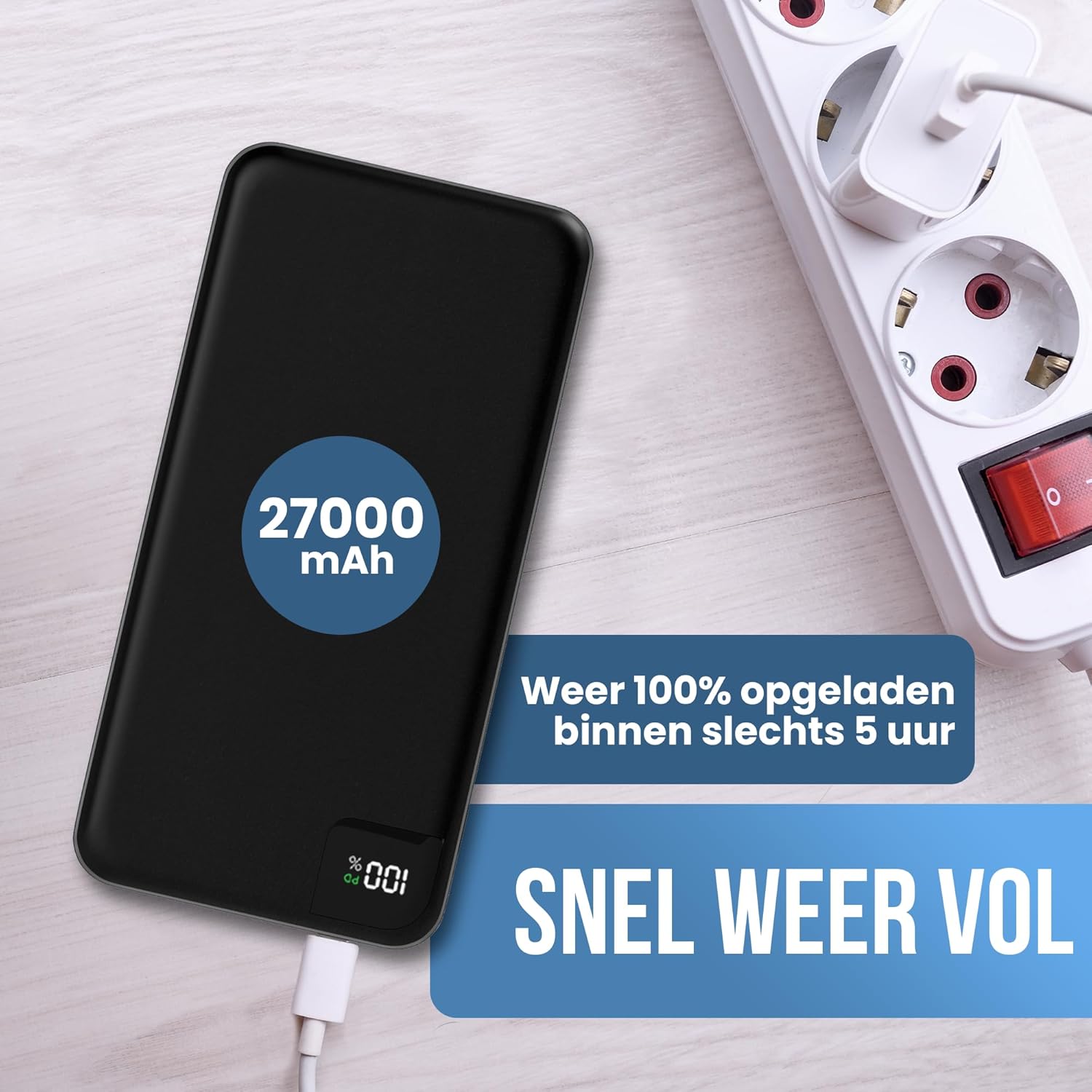
Figure 4: The power bank connected to a power outlet for recharging, illustrating its 27000 mAh capacity and fast recharge time.
Operating Instructions
Charging Your Devices
- Identify the correct charging cable for your device.
- Connect one end of your device's charging cable to your device.
- Connect the other end of the cable to one of the available output ports on the Strex Power Bank (USB-A OUT 2, OUT 3, OUT 4, or USB-C IN/OUT 1).
- The power bank will automatically begin charging your device. The LED display will show the remaining battery percentage of the power bank.
- You can charge up to four devices simultaneously.

Figure 5: The power bank in use, charging multiple devices and highlighting its fast charging feature, capable of reaching 50% charge in 30 minutes for compatible devices.
Checking Battery Level
Press the power button once to activate the LED display and view the current battery percentage of the power bank.

Figure 6: The LED display indicating battery status, alongside icons representing the power bank's built-in safety mechanisms.
Compatibility
The Strex Power Bank is widely compatible with most USB-powered devices, including:
- Smartphones (iPhone, Samsung, Google Pixel, Xiaomi, etc.)
- Tablets (iPad, Android tablets)
- Earbuds and Headphones
- Portable Speakers
- Smartwatches and Fitness Trackers
- Other USB-powered gadgets
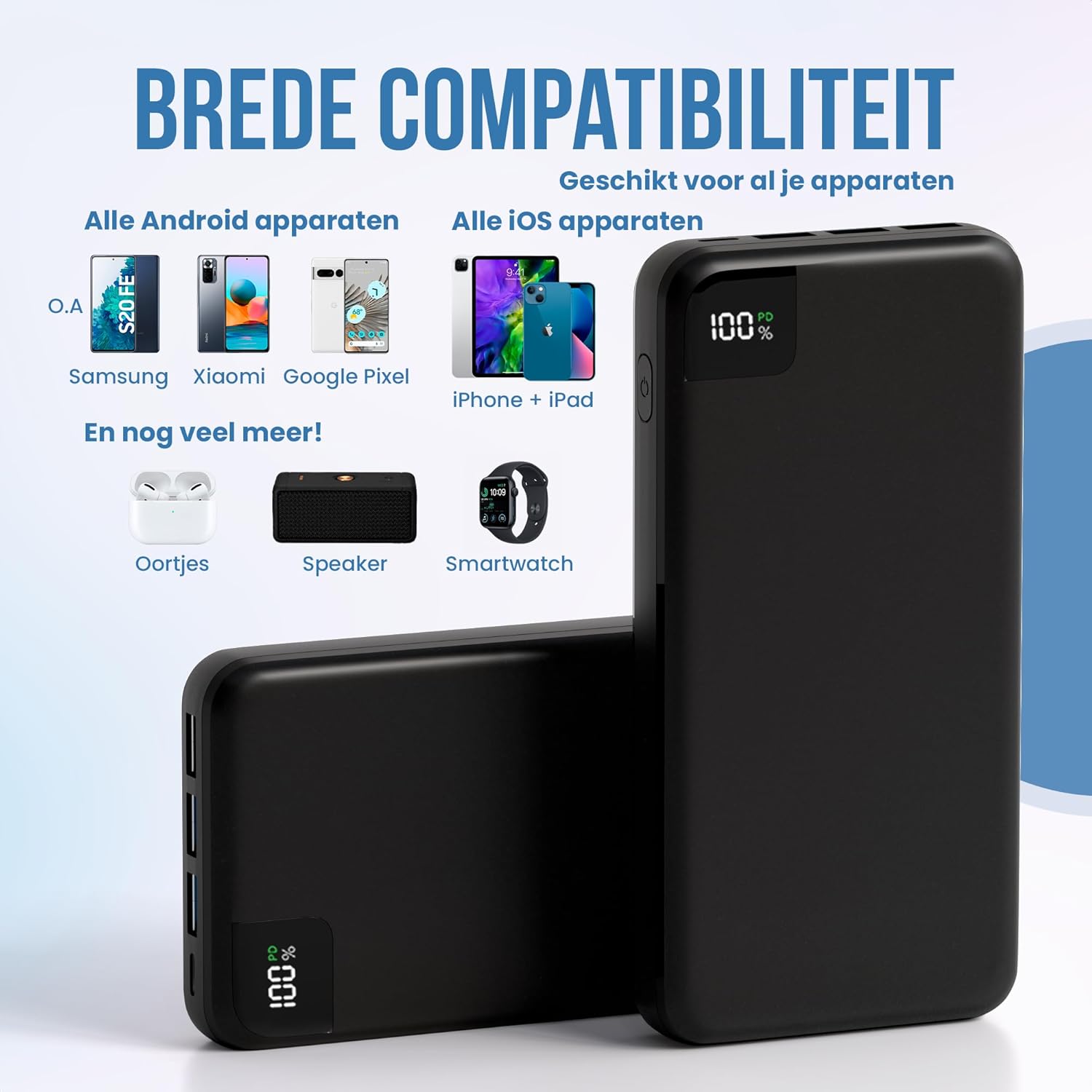
Figure 7: An overview of the power bank's broad compatibility with both Android and iOS devices, as well as other small electronics.
Maintenance
- Keep the power bank away from extreme temperatures (hot or cold) and direct sunlight.
- Avoid dropping or subjecting the power bank to strong impacts.
- Do not expose the power bank to water or excessive moisture.
- Clean the surface with a soft, dry cloth. Do not use harsh chemicals or abrasive materials.
- If storing for a long period, charge the power bank to about 50-70% every 3 months to preserve battery health.
Troubleshooting
| Problem | Possible Cause | Solution |
|---|---|---|
| Power bank not charging device. | Low battery on power bank; faulty cable; device not compatible; loose connection. | Recharge power bank; try a different cable; ensure device is compatible; check connections. |
| Power bank not recharging. | Faulty charging cable/adapter; power bank port damaged. | Try a different USB-C cable and wall adapter; ensure the adapter is powerful enough (e.g., 18W PD). |
| Slow charging. | Cable not supporting fast charge; device not supporting fast charge; multiple devices charging. | Use a fast-charge compatible cable; ensure your device supports fast charging; try charging one device at a time. |
| LED display not working. | Power bank is completely discharged; internal fault. | Try charging the power bank for a few hours; if issue persists, contact support. |
Specifications
- Model Name: Powerbank
- Brand: Strex
- Battery Capacity: 27000 mAh
- Color: Black
- Input (USB-C): 18W Power Delivery (PD)
- Output (USB-C): 22.5W Power Delivery (PD)
- Output (USB-A): Quick Charge 3.0 (22.5W max)
- Voltage: 5 Volts
- Amperage: 3 A
- Dimensions: 16 cm (L) x 7.5 cm (W) x 2.5 cm (H)
- Weight: 370 Grams
- Special Features: Large capacity, Multi-safety system, Compact design, Practical LED status indicator, USB A & USB C input/output.
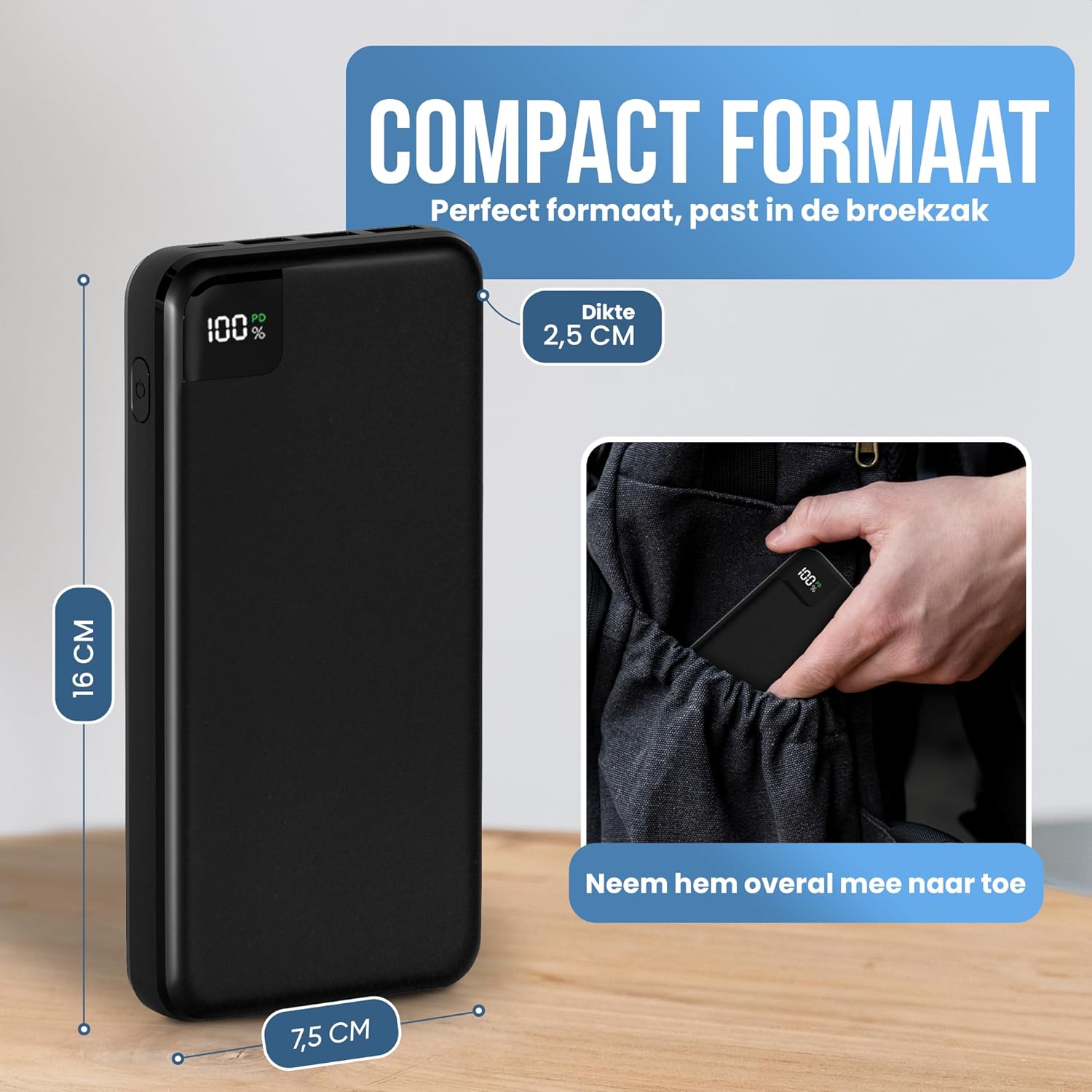
Figure 8: The compact dimensions of the power bank, illustrating how easily it fits into a pocket or bag.
Warranty and Support
This product comes with a standard manufacturer's warranty. Please refer to the packaging or contact your retailer for specific warranty terms and conditions.
For technical support or further inquiries, please visit the official Strex website or contact their customer service department. Contact information is typically provided in the product packaging or on the brand's official website.