
Introduction
This manual provides detailed instructions for the S SUNSBELL Sunrise Alarm Clock with Bluetooth Speaker and Wake-Up Light. Please read this manual carefully before use to ensure proper operation and to maximize your product experience. This device combines a sunrise simulation alarm, a colorful table lamp, Bluetooth speakers, and a white noise sleep assistant, all controllable via app or remote.
Important Safety Information
- Ensure the product is placed on a stable, flat surface.
- Do not expose the device to water or excessive moisture. This product is not water resistant.
- Use only the provided power adapter.
- Keep out of reach of children.
- Do not attempt to disassemble or repair the device yourself. Contact customer support for assistance.
Package Contents
- S SUNSBELL Sunrise Alarm Clock
- Remote Control
- Power Adapter (not explicitly listed but implied for "Corded Electric")
- User Manual (this document)
Product Overview
The S SUNSBELL Sunrise Alarm Clock features a unique Q-shaped design with wood grain finish, integrating multiple functions into one device.

Image: The S SUNSBELL Sunrise Alarm Clock, showcasing its Q-shaped design, integrated display, and accompanying remote control.
Key Features:
- Sunrise Simulation: Gradually brightens to simulate natural sunrise for a gentle wake-up.
- Colorful Lighting: Offers 16 million colors, adjustable brightness (10-100%), and color temperature. Includes monochromatic, colorful, and flowing light modes.
- Bluetooth Speaker: High-fidelity sound quality for music playback.
- White Noise & Sleep Assistant: Features 11 natural sounds, 1 TV noise, and 3 pure music options to aid sleep.
- HD Intelligent Display: Shows time, date, and temperature. Supports 12H/24H time format and °C/°F temperature units.
- Multiple Control Methods: Operable via integrated button, remote control, or a dedicated mobile application.
Setup
1. Power Connection
Connect the provided power adapter to the device and plug it into a wall outlet. The device will power on automatically.

Image: Connecting the device to power and initial interaction with the control button.
2. Initial Time Synchronization
The alarm clock will automatically synchronize the time with your phone when successfully connected via Bluetooth. There is no manual time setting option on the device itself.
3. Remote Control Setup
The remote control requires 2 AAA batteries (not included). Insert the batteries according to the polarity markings. The remote allows control over light switch, alarm clock, monochrome/brightness, changing warm light, scene color light, music, white noise, temperature, and time system.
4. App Installation and Connection
To unlock full features and control, download the dedicated mobile application. Scan the QR code provided on the product packaging or in the quick start guide to download the app. Follow the in-app instructions to connect your device via Bluetooth.
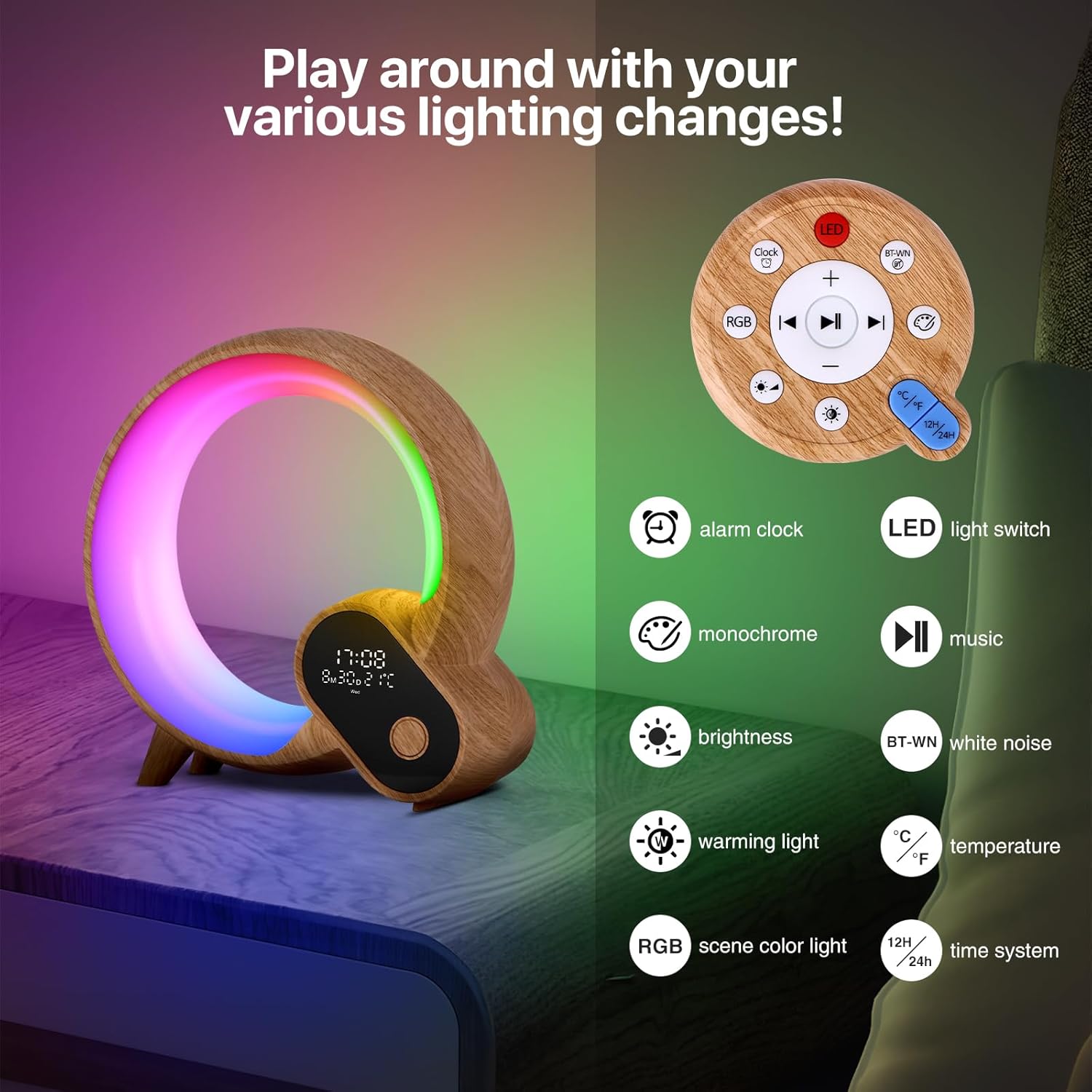
Image: Close-up of the device and its remote control, showing the wood grain texture and design.
Operating Instructions
1. Basic Controls (Device Button)
- Short Press: Controls the light switch (on/off).
- Long Press: Turns the entire machine on/off.
2. Display Information
The integrated display shows the current time, date, and temperature. You can switch between 12H/24H time formats and Celsius (°C)/Fahrenheit (°F) temperature units using the remote or app.
3. Lighting Features
The device offers a wide range of lighting options:
- 16 Million Colors: Choose from a vast spectrum of colors.
- Brightness Adjustment: Adjust light brightness from 10% to 100%.
- Color Temperature Control: Modify the warmth or coolness of white light.
- Dynamic Scenes: The app presets 12 dynamic color scenes.
- Monochromatic, Colorful, Flowing Light: Select various light modes to suit your mood or activity.
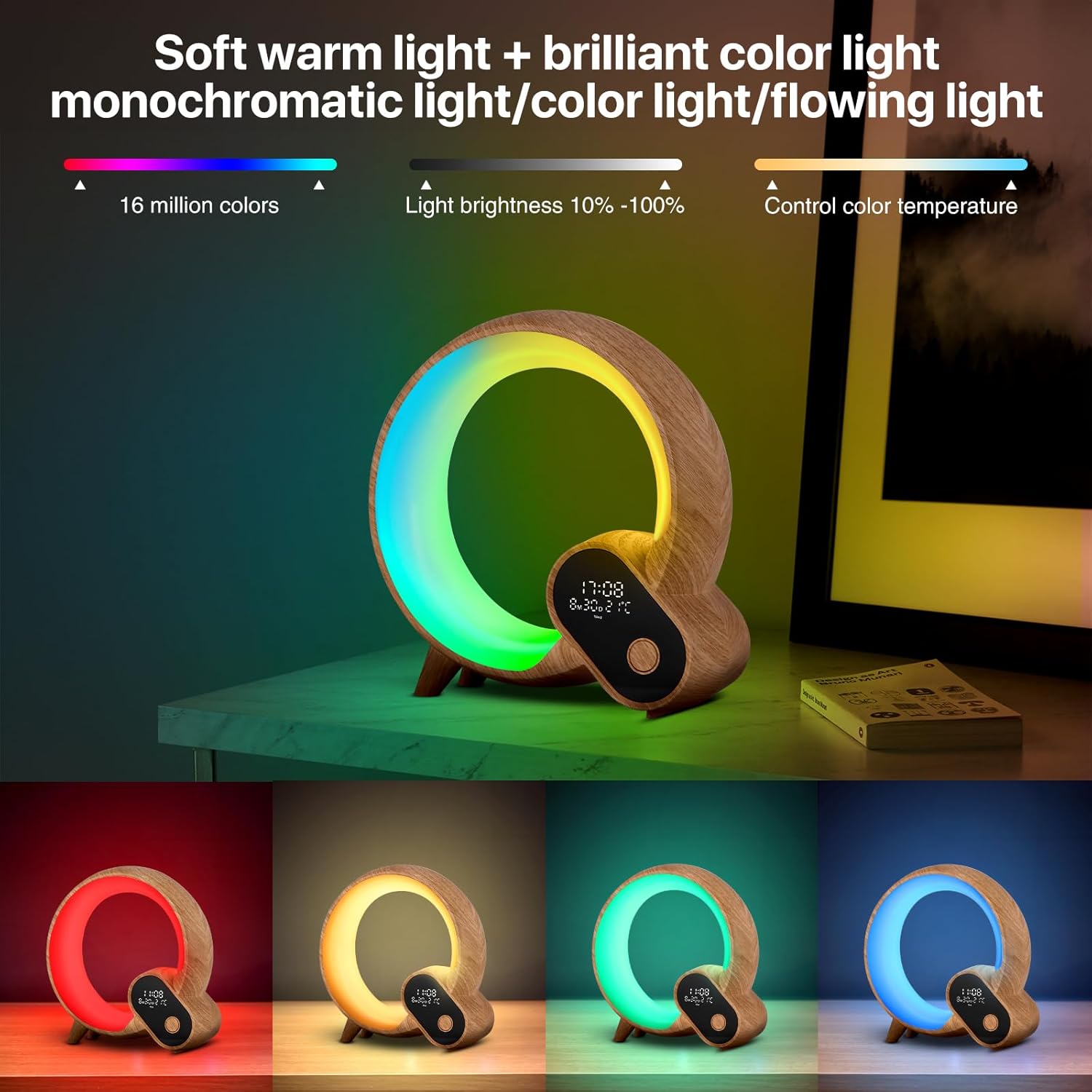
Image: The alarm clock showcasing its ability to display a wide range of colors and light effects.
4. Sunrise Alarm & Sleep Assistant
- Sunrise Simulation: Set a wake-up time, and the light will gradually brighten, simulating a sunrise to help you wake up naturally.
- Alarm Ringtones: Customize your alarm with various ringtones.
- White Noise: Access 11 natural sounds (e.g., birdsong, waterfall, sea wave), 1 TV noise, and 3 pure music tracks to assist with sleep or relaxation.
- Countdown Timer: Set a countdown for various purposes.

Image: The alarm clock with a colorful light, demonstrating the white noise selection feature via the mobile app.
5. Bluetooth Speaker Functionality
Connect your smartphone or other Bluetooth-enabled devices to the alarm clock to play music. The device features advanced audio for high-fidelity sound quality.

Image: The alarm clock used as a Bluetooth speaker, providing ambient lighting and music for social gatherings.
6. Control Methods
- Device Button: For basic power and light on/off.
- Remote Control: Offers control over light switch, alarm clock, monochrome/brightness, warm light, scene color light, music, white noise, temperature, and time system.
- Mobile App: Provides comprehensive control over all settings, including advanced lighting changes, alarm settings, and white noise selection.
Image: The alarm clock and its remote control, illustrating the various functions accessible via the remote.

Image: A visual guide to the display screen, app interface, and remote control functions.
Product Demonstration
Video: This video demonstrates the various lighting modes, color changes, and control options of the S SUNSBELL Sunrise Alarm Clock, including app and remote control functionality. It showcases the device's aesthetic and functional features.
Maintenance
To maintain your S SUNSBELL Sunrise Alarm Clock, follow these guidelines:
- Wipe the device with a soft, dry cloth. Do not use abrasive cleaners or solvents.
- Keep the device free from dust and debris.
- Store in a cool, dry place when not in use for extended periods.
Troubleshooting
| Problem | Possible Cause | Solution |
|---|---|---|
| Clock time is incorrect or cannot be set. | The clock can only be set by synchronizing with the mobile app via Bluetooth. | Ensure your phone is connected to the device via Bluetooth and the app is open. The time will synchronize automatically. |
| Display numbers are too bright at night. | The brightness of the clock display numbers is not dimmable. | If the brightness is disruptive, you may turn off the main light or the entire device using the power button. |
| Light does not slowly brighten for wake-up. | The sunrise simulation feature might not be configured correctly in the app. | Verify the alarm settings in the mobile app, ensuring the "wake-up light" or "sunrise simulation" option is enabled and configured with a gradual brightening period. |
| Cannot change light color/brightness or white noise sound from the device. | Most advanced controls require the remote control or the mobile app. | Use the provided remote control or the dedicated mobile app for full control over light settings and white noise selection. The device's physical button primarily controls power and light on/off. |
| Bluetooth connection issues. | Device is out of range, Bluetooth is off, or interference. | Ensure the device and your phone are within Bluetooth range. Turn Bluetooth off and on again on your phone. Restart both devices if necessary. |
Specifications
| Feature | Detail |
|---|---|
| Model Number | White Noise Bluetooth Wake Up Light |
| Brand | S SUNSBELL |
| Item Weight | 1.55 Pounds |
| Lamp Type | Night Light |
| Switch Type | Remote |
| Special Feature | Rechargeable (Note: Product is Corded Electric, "Rechargeable" might refer to an internal battery for clock backup or a feature not fully detailed) |
| Power Source | Corded Electric |
| Controller Type | Remote Control |
| Connectivity Technology | Bluetooth |
| Is Waterproof | False (Not Water Resistant) |
| Mounting Type | Tabletop |
| Wattage | 10 watts |
| Voltage | 5 Volts |
| Indoor/Outdoor Usage | Indoor |
Warranty and Support
S SUNSBELL offers a 90-day return and exchange policy for this product. If you encounter any problems during the purchase or use of your Sunrise Alarm Clock, please contact customer support for assistance. Our products are certified with CE, FCC, and RoHS standards.
Image: Information regarding product support, return policy, and certifications.