
CHIGUANG Y3 Pro (TCQ-01)
CHIGUANG Hidden Camera Detector User Manual
Model: Y3 Pro (TCQ-01)
Introduction
The CHIGUANG Y3 Pro Hidden Camera Detector is a versatile anti-spy device designed to protect your privacy by accurately detecting various hidden surveillance equipment. This includes pinhole cameras, wireless cameras, eavesdropping devices, GPS trackers, and other spy devices utilizing RF signals or magnetic fields. Its advanced AI sensor chip provides adjustable sensitivity for precise detection in various environments.
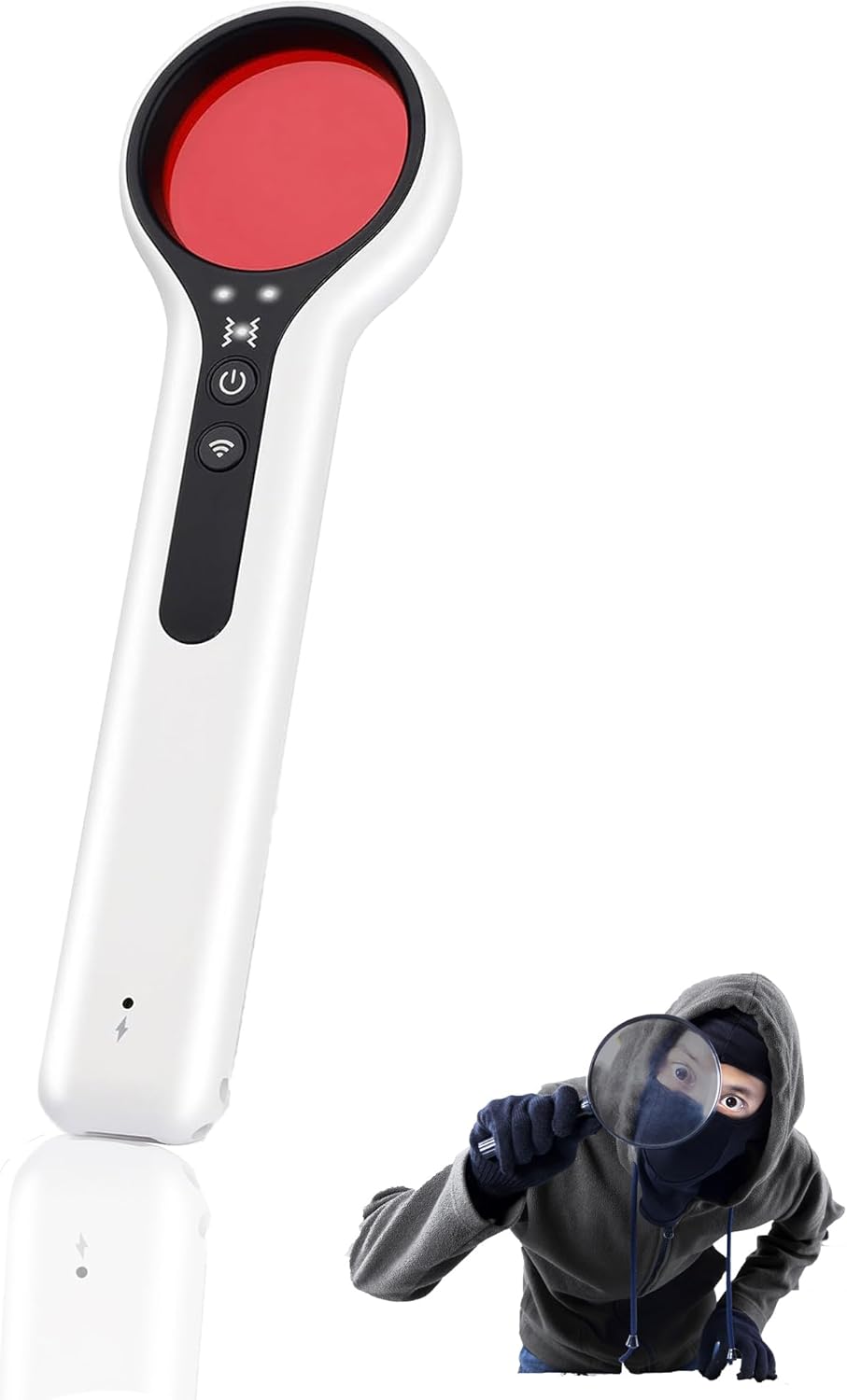
Product Features
- Multi-functional Detection: Capable of detecting hidden cameras (wired/wireless), eavesdropping devices, GPS trackers, and devices emitting RF signals (Wi-Fi, 1.2G, 2.4G, 5.8G, GSM, CDMA, DECT).
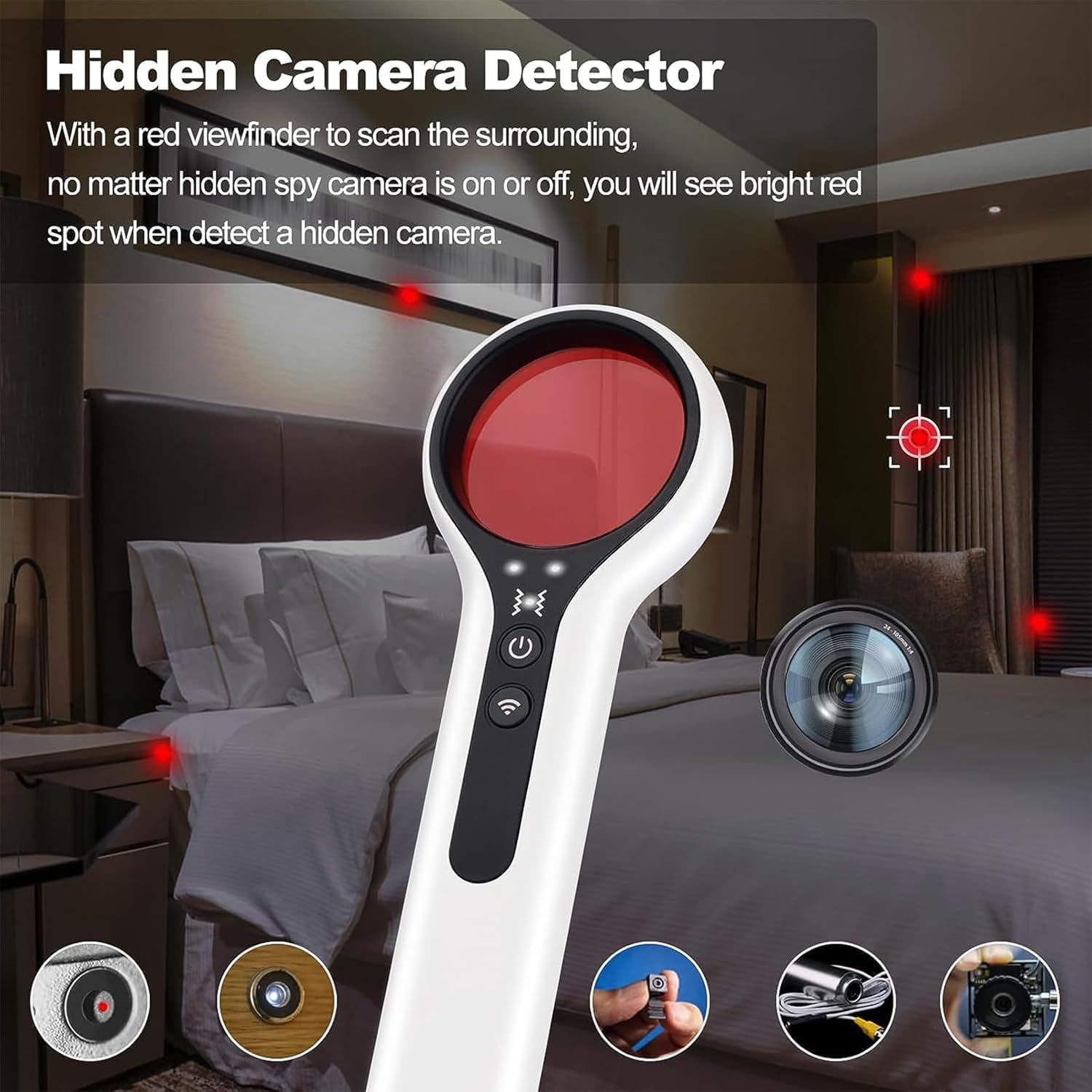
- Infrared Scanning Technology: Utilizes infrared light to identify hidden pinhole cameras, making them appear as bright red spots through the detector's viewfinder.
- RF Signal Detection: Detects radio frequency signals from wireless devices, with adjustable sensitivity to pinpoint sources.
- Magnetic Field Detection: Identifies spy devices that are attached using magnets, such as many GPS trackers.
- Adjustable Sensitivity: Features three levels of sensitivity for camera detection and four levels for RF detection, allowing for precise scanning in different environments.
- Portable Design: Compact and lightweight, resembling a pen, for easy carrying and discreet use in various locations.
- Rechargeable Battery: Built-in battery with Type-C fast charging, offering approximately 16 hours of continuous use and 60 hours of standby time.

Package Contents
- CHIGUANG Y3 Pro Hidden Camera Detector
- USB Type-C Charging Cable
- User Manual (this document)
Setup and Charging
- Initial Charge: Before first use, fully charge the detector using the provided USB Type-C cable. Connect the cable to the detector's charging port and a standard USB power adapter (not included). The charging indicator light will show charging status and turn off when fully charged.
- Power On/Off: Press and hold the power button (usually marked with a power symbol) for a few seconds to turn the device on or off.
Operating Instructions
1. Hidden Camera Detection (Infrared Scan)
This mode is used to detect pinhole cameras and other hidden cameras that may emit infrared light or reflect the detector's infrared beam.
- Activate Camera Detection: Press the dedicated camera detection button (often marked with a camera icon or similar). The infrared LEDs on the detector will illuminate.
- Scan the Area: Look through the red viewfinder on the detector. Slowly scan the area you wish to inspect, paying close attention to common hiding spots such as smoke detectors, air vents, power outlets, picture frames, and small gaps.
- Identify Cameras: If a hidden camera is present, its lens will reflect the infrared light, appearing as a bright red spot through the viewfinder.
- Adjust Sensitivity: The device features 3 levels of adjustable sensitivity for camera detection. Adjust as needed to refine detection based on ambient light and distance.
2. RF Signal Detection (Wireless Devices)
This mode detects wireless signals emitted by eavesdropping devices, wireless cameras, and other transmitting bugs.
- Activate RF Detection: Press the RF detection button (often marked with a Wi-Fi or signal icon). The signal strength indicator lights will activate.
- Scan the Environment: Slowly move the detector around the area. The signal strength indicators will light up, and the device may emit an audible alert, with increasing intensity as you get closer to a signal source.
- Pinpoint the Source: Reduce the sensitivity (4 levels available) as you approach a strong signal to narrow down the exact location of the transmitting device.
- Common Frequencies: The detector is designed to identify signals from Wi-Fi, 1.2G, 2.4G, 5.8G, GSM, CDMA, and DECT devices.

3. Magnetic Field Detection (GPS Trackers, Magnetic Bugs)
This mode helps locate devices attached with magnets, commonly used for GPS trackers on vehicles or hidden bugs.
- Activate Magnetic Detection: Press the magnetic detection button (if available, or follow instructions for combined mode).
- Scan Surfaces: Move the detector close to surfaces where magnetic devices might be hidden, such as under vehicles, furniture, or inside bags. The device will alert you when a magnetic field is detected.
4. Vibration Alarm Mode
The device can be set to an alarm mode that triggers a red light and sound alert upon detecting vibration, useful for anti-theft or anti-tampering purposes.
- Activate Alarm Mode: Press and hold the two main function buttons (e.g., power and RF detection) simultaneously for approximately 2 seconds to enter alarm mode.
- Placement: Place the detector on an object or in a location you wish to monitor for movement or tampering.
- Alarm Trigger: If vibration is detected, the device will activate a red light and sound alarm.

Typical Use Cases
- Hotels/Rental Properties: Scan for hidden cameras in bedrooms, bathrooms, and common areas.
- Dressing Rooms/Public Restrooms: Check for pinhole cameras.
- Vehicles: Detect hidden GPS trackers or eavesdropping devices.
- Conference Rooms/Offices: Identify hidden microphones or recording devices.


Maintenance
- Cleaning: Use a soft, dry cloth to clean the exterior of the detector. Do not use liquid cleaners or abrasive materials.
- Storage: Store the device in a cool, dry place away from direct sunlight and extreme temperatures.
- Battery Care: To prolong battery life, avoid fully discharging the battery frequently. Charge the device regularly, even if not in use for extended periods.
Troubleshooting
| Problem | Possible Cause | Solution |
|---|---|---|
| Device does not power on. | Low battery; device malfunction. | Charge the device fully. If problem persists, contact support. |
| Cannot detect hidden cameras. | Incorrect scanning technique; camera not emitting IR or too well hidden; sensitivity too low. | Ensure you are scanning slowly and thoroughly. Adjust camera detection sensitivity. Ensure the area is dimly lit for better IR reflection visibility. |
| RF detection gives false positives or is too sensitive. | High ambient RF noise (Wi-Fi routers, cell phones); sensitivity too high. | Reduce RF detection sensitivity. Move away from known wireless devices. |
| Magnetic detection not working. | Device not close enough to magnetic source; magnetic field too weak. | Ensure the detector is in direct contact or very close proximity to the suspected area. |
Specifications
| Feature | Detail |
|---|---|
| Model | Y3 Pro (TCQ-01) |
| Brand | CHIGUANG |
| Detection Modes | Infrared Camera Detection, RF Signal Detection, Magnetic Field Detection, Vibration Alarm |
| RF Detection Frequencies | Wi-Fi, 1.2G, 2.4G, 5.8G, GSM, CDMA, DECT |
| Camera Detection Sensitivity | 3 Levels Adjustable |
| RF Detection Sensitivity | 4 Levels Adjustable |
| Power Source | Built-in Rechargeable Lithium Ion Battery |
| Charging Port | USB Type-C |
| Battery Life (Continuous Use) | Approx. 16 hours |
| Standby Time | Approx. 60 hours |
| Dimensions (L x W x H) | 13.5 x 3.8 x 1.3 cm (5.3 x 1.5 x 0.5 inches) |
| Weight | 20 g (0.7 oz) |
| Included Components | Detector, USB Type-C Cable |
Warranty and Support
For warranty information and technical support, please refer to the product packaging or contact CHIGUANG customer service directly. Keep your purchase receipt for warranty claims.
Manufacturer: CHIGUANG
Date First Available: August 10, 2023
Ask a question about this manual
Ask about setup, troubleshooting, compatibility, parts, safety, or missing instructions. Manuals+ will review the question and use this page’s manual context to help answer it.