
ONE LIFE M1
ONE LIFE Wireless Earbuds M1 User Manual
Model: M1
Introduction
Thank you for choosing the ONE LIFE Wireless Earbuds M1. These earbuds are designed to provide a high-fidelity audio experience with extended battery life and versatile features. This manual will guide you through the setup, operation, maintenance, and troubleshooting of your new earbuds.

Image: The ONE LIFE Wireless Earbuds M1, showcasing both earbuds within their open charging case, displaying the digital battery level indicator.
Package Contents
- ONE LIFE Wireless Earbuds (Left and Right)
- Charging Case
- USB-C Charging Cable
- Multiple Sizes of Ear Tips (S, M, L)
- User Manual
Setup
1. Initial Charging
Before first use, fully charge the earbuds and the charging case. Connect the provided USB-C cable to the charging case and a power source. The LED digital display on the case will show the charging progress.
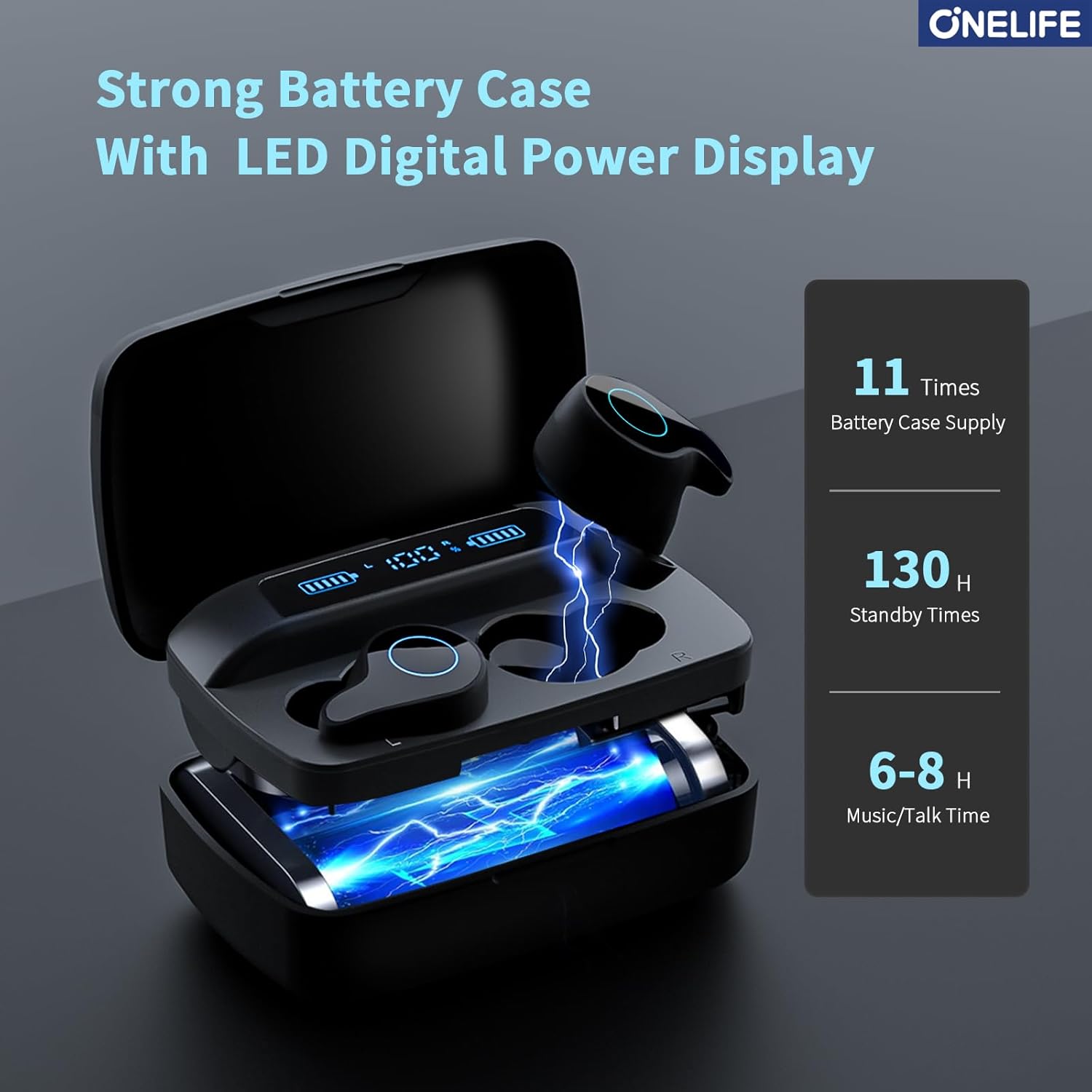
Image: The charging case with its lid open, displaying the LED digital power display for both earbuds and the case itself, indicating charging status.
2. Pairing with Your Device (Bluetooth 5.3)
- Ensure the earbuds are fully charged.
- Open the charging case. The earbuds will automatically power on and enter pairing mode.
- On your device (smartphone, tablet, computer), go to Bluetooth settings.
- Search for "M1" in the list of available devices and select it to connect.
- Once connected, a voice prompt will confirm successful pairing.
Note: The earbuds will automatically reconnect to the last paired device when taken out of the case, if Bluetooth is enabled on the device.

Image: Illustration of the one-step Bluetooth 5.3 pairing process, showing the earbuds in their case next to a smartphone displaying Bluetooth settings.
Operating Instructions
Touch Controls
The M1 earbuds feature intuitive touch controls on each earbud. The following table outlines the functions:

Image: A visual guide to the smart touch controls on the earbuds, detailing various tap and long-press functions for music and calls.
| Action | Function |
|---|---|
| Long Tap 5s R/L | Power On/Off |
| Long Tap 2s R/L | Reject Call |
| One Tap R/L | Play/Pause Music, Answer/End Call |
| Long Tap R | Next Track |
| Long Tap L | Previous Track |
| Quick Triple Tap R/L | Activate Voice Assistant |
| Double Tap R | Volume Up |
| Double Tap L | Volume Down |
Charging Case as Power Bank
The 1800mAh charging case can also serve as an emergency power bank for your mobile phone or other electronic devices. Simply connect your device to the USB-A output port on the charging case using an appropriate cable.
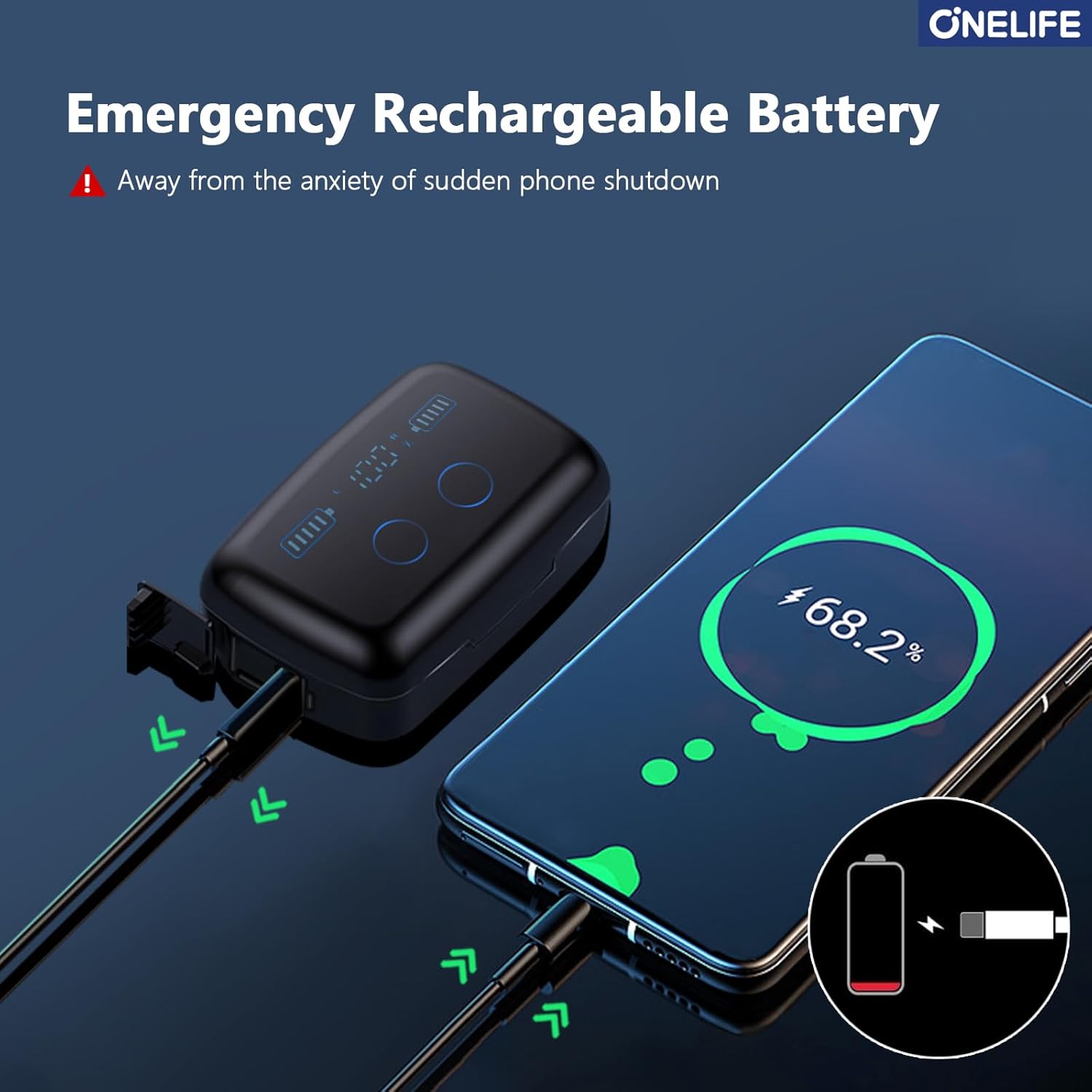
Image: The charging case connected via a USB-A cable to a smartphone, illustrating its emergency power bank functionality.
Maintenance
- Cleaning: Regularly clean the earbuds and charging case with a soft, dry, lint-free cloth. For stubborn dirt, lightly dampen the cloth with water or a small amount of isopropyl alcohol. Ensure the charging contacts on both the earbuds and case are clean and free of debris.
- Ear Tips: Remove the ear tips and clean them separately with mild soap and water. Allow them to dry completely before reattaching.
- Storage: When not in use, store the earbuds in their charging case to protect them and ensure they remain charged. Store in a cool, dry place away from extreme temperatures.
- Water Resistance (IPX7): The earbuds are IPX7 waterproof, meaning they can withstand submersion in up to 1 meter of water for 30 minutes. However, the charging case is not waterproof. Avoid exposing the charging case to water. Always ensure earbuds are dry before placing them back in the charging case to prevent damage.

Image: An illustration showing the earbuds partially submerged in water, highlighting their IPX7 waterproof capability for use during sports or in rainy conditions.
Troubleshooting
If you encounter issues with your ONE LIFE M1 Earbuds, please refer to the following common solutions:
| Problem | Solution |
|---|---|
| Only One Earbud has Sound | Delete the pairing record for "M1" from your phone's Bluetooth settings, then turn off your phone's Bluetooth. Re-enable Bluetooth and re-pair the earbuds. |
| Poor Sound Quality | The grilles or ear tips may be dirty. Clean them thoroughly. Ensure the ear tips are properly seated and form a good seal in your ear. |
| Can't be Charged | The charging contact points of the earbuds or case may be dirty. Clean them with a cotton swab lightly dampened with alcohol. Ensure the charging cable is securely connected. |
| Earbuds Easy to Drop | The ear tips may not fit well enough. Try other included ear tip sizes (S, M, L) to find the best fit for your ears. Ensure the earbuds are inserted correctly. |
| Digital Display Won't Light Up | Ensure you are using the included charging cable and a compatible power adapter. The charging case battery might be completely depleted; allow some time for it to respond. |

Image: A visual troubleshooting guide illustrating solutions for common problems like single earbud sound, poor quality, charging issues, fit, and display problems.
Specifications
- Model: M1
- Connectivity: Bluetooth 5.3
- Speaker Size: 10mm
- Earbud Battery: 50 mAh (each)
- Charging Case Battery: 1800 mAh
- Playtime per Charge: 6-8 hours
- Total Playtime with Case: Up to 88 hours
- Water Resistance: IPX7 (Earbuds only)
- Frequency Range: 20 Hz - 20,000 Hz
- Weight (Single Earbud): 6g
- Compatible Devices: iOS/Android devices and most Bluetooth-enabled devices

Image: An exploded view diagram of an earbud, highlighting the internal components and the V5.3 powerful chip, indicating stable and fast connections.
Warranty and Support
ONE LIFE provides a 365-day worry-free guarantee for this product. If you experience any quality problems, please contact our customer service for exchange or a full refund.
For further assistance, technical support, or warranty claims, please contact ONE LIFE customer service through the platform where you purchased the product or refer to the contact information provided on the product packaging.

Image: Customer service representatives, symbolizing available support for product inquiries and assistance.
Ask a question about this manual
Ask about setup, troubleshooting, compatibility, parts, safety, or missing instructions. Manuals+ will review the question and use this page’s manual context to help answer it.