
1. Introduction
Thank you for choosing the Parrot Uncle F8259 13-inch flush mount caged ceiling fan. This manual provides detailed instructions for the safe installation, operation, and maintenance of your new ceiling fan. Please read this manual thoroughly before installation and retain it for future reference. This fan is designed for indoor use in small spaces such as bedrooms and bathrooms, offering both air circulation and lighting.
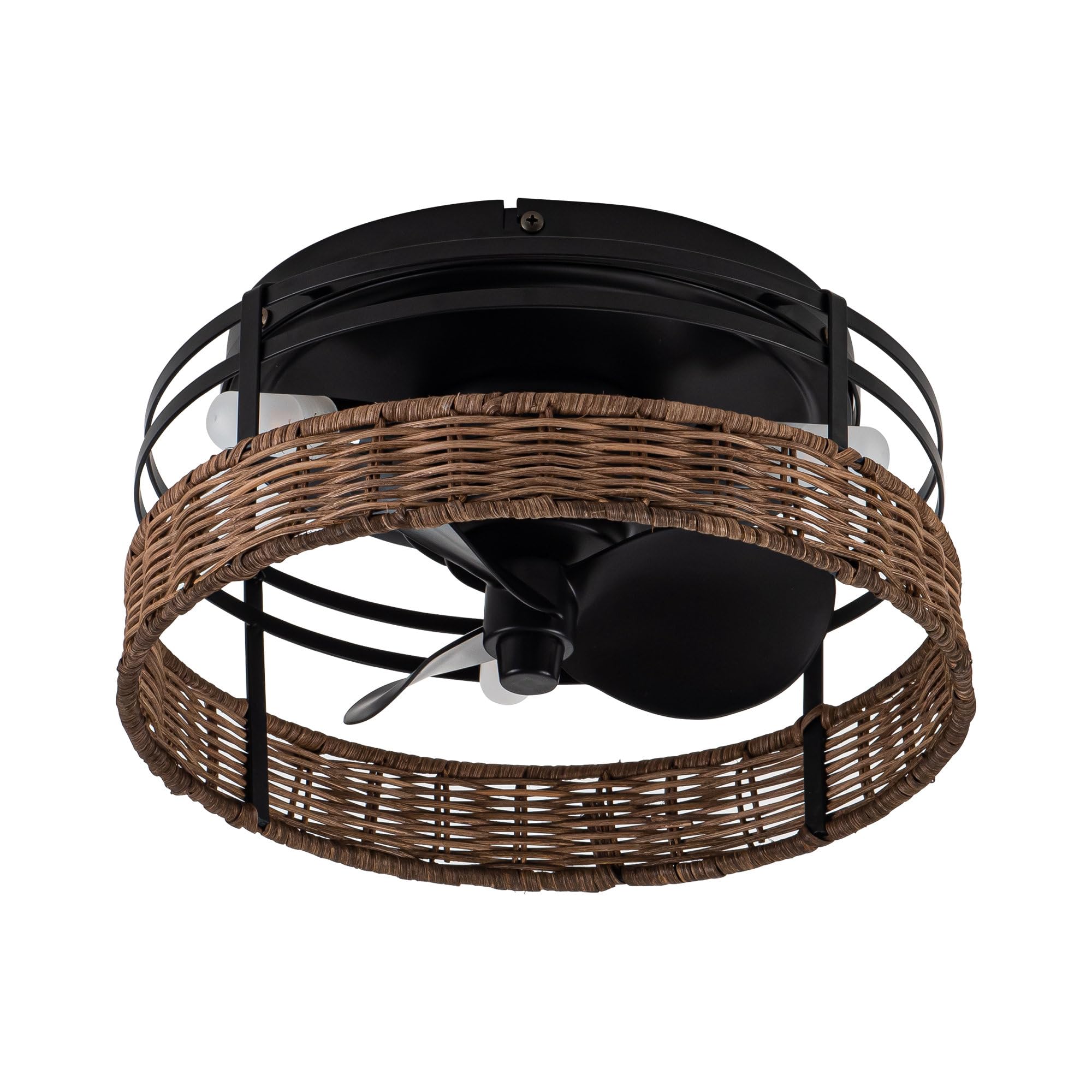
Image 1.1: The Parrot Uncle F8259 ceiling fan with lights, showcasing its rustic design in a home setting.
2. Safety Information
- Read all instructions: Before beginning installation, read all instructions and safety information.
- Electrical Safety: All electrical wiring must be performed by a qualified electrician or a person with electrical experience. Ensure the power is turned off at the circuit breaker before installation or servicing.
- Mounting: The mounting structure must be capable of supporting the weight of the fan (approximately 5.07 lbs).
- Blade Clearance: Ensure there is adequate clearance from the fan blades to any obstructions.
- Bulb Type: Use only G9 bulbs as specified. Do not exceed the maximum wattage.
- Indoor Use Only: This fan is designed for indoor use and is not water resistant. Do not install in outdoor or damp locations.
- Remote Control: Keep the remote control away from children. Batteries are required for the remote (not included).
3. Package Contents
Verify that all components are present before beginning installation. If any parts are missing or damaged, contact customer service.
- Ceiling Fan Unit (Motor, Blades, Caged Housing)
- Mounting Bracket
- Remote Control
- G9 Light Bulbs (3 included)
- Hardware Pack (screws, wire nuts, etc.)
- Instruction Manual
4. Specifications
| Feature | Specification |
|---|---|
| Model Number | F8259 |
| Overall Size | 12.5" Diameter x 6.3" Height |
| Canopy Diameter | 9.5" |
| Weight | 5.07 lbs |
| Blades | 3 ABS Blades |
| Motor Max Speed | 1100 RPM |
| Air Flow Capacity | 800 Cubic Feet Per Minute (CFM) |
| Light Source | 3 x G9 Bulbs (Max 2 Watts each, 1500 Lumens total) |
| Voltage | 120 Volts |
| Control Method | Remote Control (RF) |
| Special Features | Remote Controlled, Reversible Motor |
| Installation Type | Flush Mount |
| Material | Iron, Acrylonitrile Butadiene Styrene (ABS) |
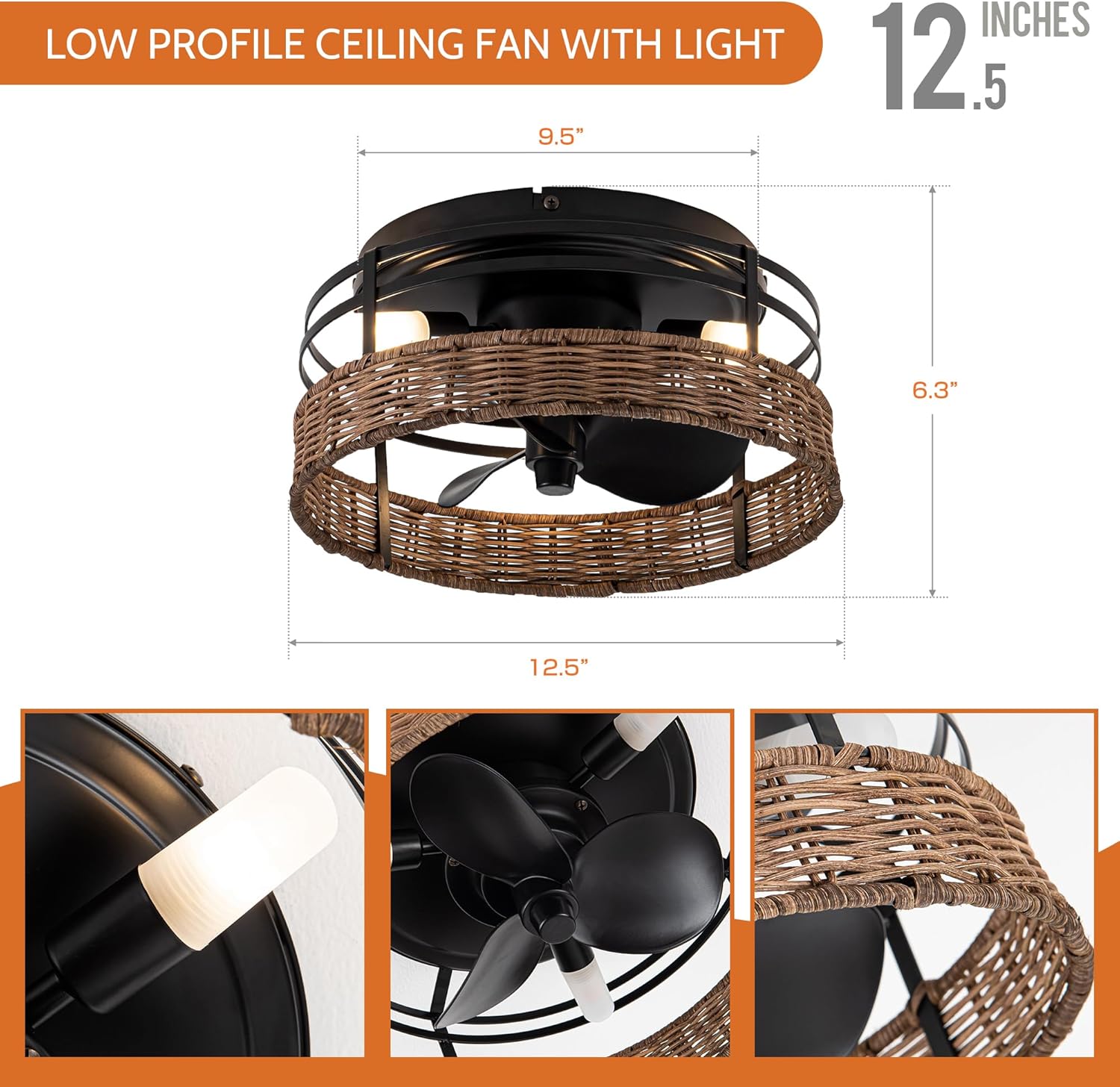
Image 4.1: Product dimensions, including 12.5 inches diameter and 6.3 inches height.
5. Installation
Before You Begin: Ensure power is disconnected at the circuit breaker. Consult a qualified electrician if you are unsure about wiring.
- Prepare the Mounting Location: Ensure the electrical box is securely mounted to the building structure and can support the fan's weight.
- Attach Mounting Bracket: Secure the mounting bracket to the electrical box using the provided screws.
- Wiring Connections: Connect the fan's electrical wires to the household wiring according to local electrical codes. Typically, this involves connecting live, neutral, and ground wires. Use wire nuts to secure connections.
- Mount the Fan: Carefully lift the fan unit and attach it to the mounting bracket. Ensure all screws are tightened securely.
- Install Light Bulbs: Insert the three G9 bulbs into their sockets.
- Final Check: Double-check all connections and ensure the fan is securely mounted before restoring power.


6. Operating Instructions
Your Parrot Uncle F8259 ceiling fan is operated using the included remote control. Ensure batteries are installed in the remote (2 x AAA batteries, not included).
6.1 Remote Control Functions

Image 6.1: Remote control layout and functions.
- Fan Speed (1-3): Press buttons '1', '2', or '3' to select low, medium, or high fan speed.
- Fan Stop: Press the 'STOP' button to turn off the fan.
- Forward / Reverse: Press this button to change the fan's rotation direction (clockwise or counter-clockwise).
- Light On/Off: Press the light bulb icon button to turn the light on or off.
- All On/Off: Press the power button to turn both the fan and light on or off simultaneously.
6.2 Reversible Motor Function
The fan features a reversible motor for year-round comfort. Use the 'Forward / Reverse' button on the remote to switch modes.
- Summer Mode (Counter-clockwise rotation): The fan blades rotate counter-clockwise, pushing air downwards to create a cooling breeze.
- Winter Mode (Clockwise rotation): The fan blades rotate clockwise, drawing air upwards to circulate warm air trapped near the ceiling, helping to distribute heat more evenly.

Image 6.2: Airflow patterns for reversible motor function in summer and winter.
7. Maintenance
Regular maintenance ensures optimal performance and extends the life of your ceiling fan.
- Cleaning: Periodically clean the fan with a soft, damp cloth. Do not use abrasive cleaners or solvents, as these can damage the finish. Ensure power is off before cleaning.
- Bulb Replacement: To replace G9 bulbs, ensure the power is off and the bulbs have cooled. Carefully remove the old bulb and insert a new G9 bulb of the same type and wattage (Max 2W).
- Tighten Fasteners: Periodically check all screws and fasteners on the fan and mounting hardware to ensure they are secure.
8. Troubleshooting
If you experience issues with your fan, refer to the following common problems and solutions:
| Problem | Possible Cause | Solution |
|---|---|---|
| Fan does not start | No power to the fan; Loose wire connections; Remote control battery dead. | Check circuit breaker; Verify all wire connections are secure; Replace remote control batteries. |
| Light does not work | Bulb is faulty; Loose wire connection; Remote control battery dead. | Replace G9 bulb; Check light fixture wiring; Replace remote control batteries. |
| Remote control not working | Batteries are dead or incorrectly inserted; Remote not paired (if applicable). | Replace batteries (2 x AAA); Ensure batteries are inserted correctly; Refer to remote pairing instructions (if provided separately). |
| Excessive wobbling | Loose mounting screws; Fan not securely attached to mounting bracket. | Ensure all mounting screws are tight; Verify fan is properly seated on the mounting bracket. |
9. Warranty and Support
This Parrot Uncle ceiling fan comes with a limited warranty. For specific warranty details, claims, or technical support, please contact Parrot Uncle customer service directly. Keep your purchase receipt as proof of purchase.
Contact Information: Please refer to the contact information provided with your purchase or visit the official Parrot Uncle website for support.