
1. Introduction
This manual provides essential instructions for setting up, operating, and maintaining your Spovan AtlasX-3 Smart Watch. Please read this manual thoroughly to ensure proper use and to maximize the device's capabilities. The Spovan AtlasX-3 is designed to enhance your daily life with features such as an AMOLED display, Bluetooth call functionality, NFC, and comprehensive activity tracking.

Image 1.1: Spovan AtlasX-3 Smart Watch. This image shows the watch from an angled perspective, highlighting its square display and the two-tone orange and black strap. The screen displays various icons for weather, steps, heart rate, and time.
2. Setup
2.1 Charging the Device
Before first use, fully charge your Spovan AtlasX-3 Smart Watch. Connect the magnetic charging cable to the charging points on the back of the watch and plug the USB end into a compatible power adapter (not included) or a computer's USB port. The watch display will indicate charging status.
2.2 Pairing with Your Smartphone
- Download the official Spovan companion application from your smartphone's app store (iOS or Android).
- Ensure Bluetooth is enabled on your smartphone.
- Open the Spovan application and follow the on-screen instructions to create an account or log in.
- Select 'Add Device' or 'Pair New Device' within the app.
- The app will search for available devices. Select 'Spovan AtlasX-3' from the list.
- Confirm the pairing request on both your watch and smartphone.
Once paired, the watch will synchronize data with your phone, including time, date, and notifications.
3. Operating Instructions
3.1 Basic Navigation
- Touchscreen: Swipe left/right, up/down to navigate through menus and widgets. Tap to select.
- Side Button/Crown: Press to return to the home screen or wake the display. Rotate the crown (if applicable) to scroll through lists or adjust settings.
3.2 Bluetooth Call Functionality
The Spovan AtlasX-3 supports Bluetooth 5.2 for seamless call answering directly from your wrist. Ensure your watch is paired with your smartphone and the call function is enabled in the companion app.

Image 3.1: Bluetooth Call Feature. This image illustrates an incoming call notification on the watch screen, showing the caller's name and options to answer or decline the call.
3.3 Smart Voice Assistant
Manage your phone and perform tasks using the integrated smart voice assistant. Activate the assistant by a designated gesture or button press (refer to app settings for configuration). You can make calls, set alarms, or request music playback through voice commands.

Image 3.2: Smart Voice Assistant. The image shows the watch on a wrist, with the screen displaying the voice assistant interface, prompting the user to tap to activate.
3.4 NFC Functionality
The Spovan AtlasX-3 includes NFC capabilities. For specific uses such as access control or payments, configure the NFC settings within the companion application according to the service provider's instructions.
3.5 Activity Tracking
The watch continuously monitors various activities including steps, heart rate, and sleep patterns. View your daily progress on the watch or access detailed historical data through the companion app.
3.6 Emergency Button
The watch features an emergency button for quick access to predefined emergency contacts or services. Configure this feature in the companion app, including emergency contacts and messages.
3.7 Additional Features
- Password Protection: Set a password for enhanced security of your device.
- Always-On Display (AOD): Keep essential information visible on the screen without needing to wake the watch.
- Games: Access pre-installed games for entertainment.
- Breathing Exercise: Guided breathing exercises to help manage stress.

Image 3.3: Functional Richness. This composite image displays four key functionalities: an SOS emergency call screen, an NFC access control interface, a retro-style game, and a visual representation of a breathing exercise.
4. Features Overview
4.1 AMOLED Display
The Spovan AtlasX-3 features a 2.0-inch Super AMOLED HD display with a resolution of 410*502 pixels, offering vibrant colors and deep blacks. The display provides a clear and immersive visual experience.
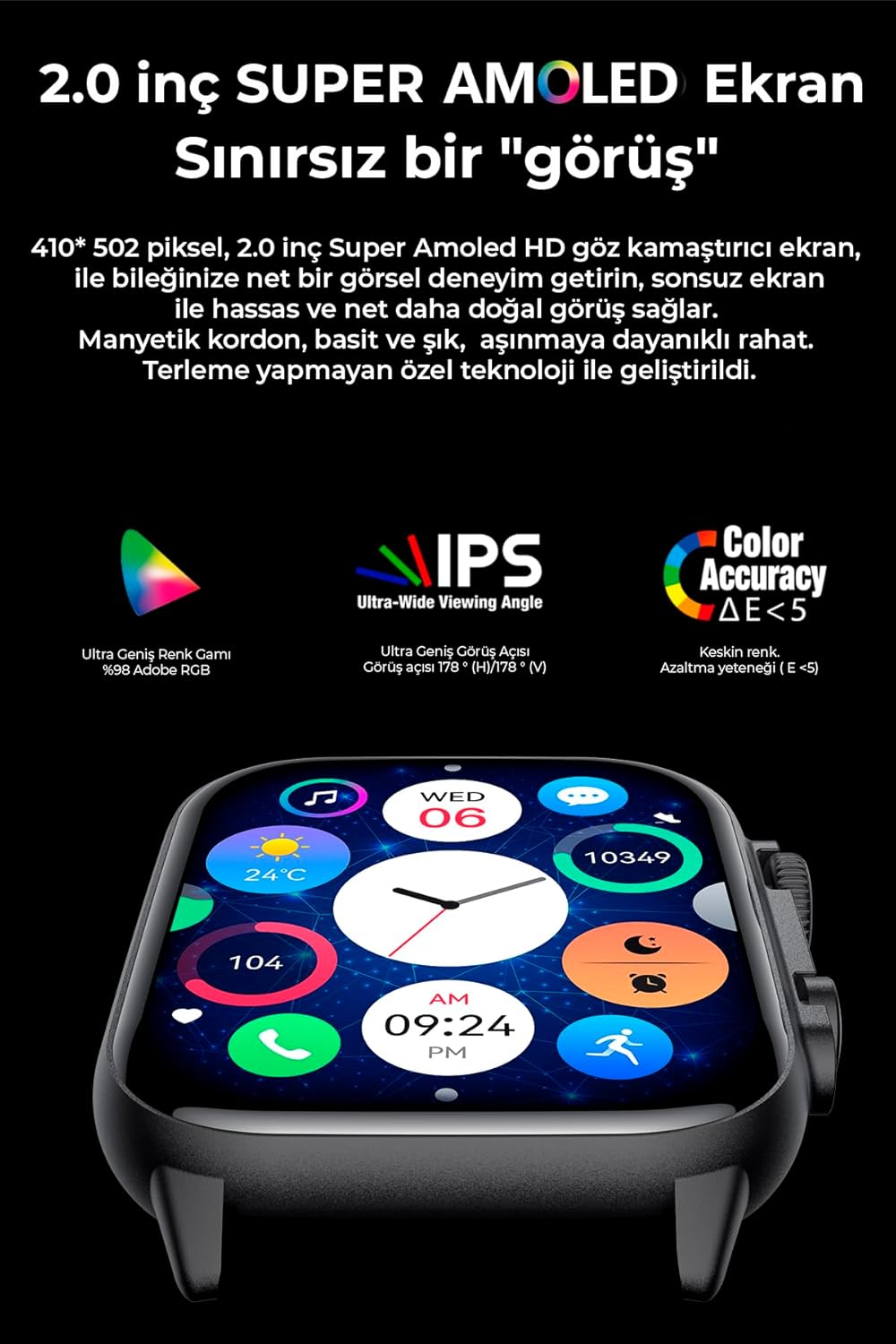
Image 4.1: AMOLED Display. This image focuses on the watch's screen, showcasing its high resolution and color accuracy, along with icons for various functions like music, weather, and activity tracking.
4.2 IP68 Water Resistance
The device is rated IP68 for dust and water resistance, meaning it can withstand immersion in water up to 1.5 meters for 30 minutes. It is suitable for daily use, including hand washing and light rain, but not recommended for swimming or diving.

Image 4.2: IP68 Water Resistance. The image shows the watch being splashed with water, emphasizing its durability against water and dust.
5. Maintenance
5.1 Cleaning
Regularly clean your watch and strap with a soft, dry cloth. If necessary, use a slightly damp cloth and then dry thoroughly. Avoid using harsh chemicals or abrasive materials.
5.2 Water Resistance Guidelines
While the watch is IP68 rated, avoid exposing it to hot water, steam, or high-pressure water jets. After exposure to water, ensure the watch is completely dry before charging to prevent corrosion.
5.3 Battery Care
To prolong battery life, avoid extreme temperatures. Charge the watch regularly and avoid letting the battery completely drain for extended periods.
6. Troubleshooting
- Watch not turning on: Ensure the watch is fully charged. If it still doesn't turn on, try a hard reset (refer to the app for instructions or contact support).
- Cannot pair with smartphone: Make sure Bluetooth is enabled on your phone and the watch. Restart both devices and try pairing again. Ensure the companion app is up to date.
- Inaccurate activity data: Ensure the watch is worn snugly on your wrist. Check app settings for correct personal information (height, weight).
- Notifications not appearing: Verify notification permissions are granted to the companion app on your smartphone. Check notification settings within the app.
- Display issues: If the screen is unresponsive or flickering, try restarting the watch. If the issue persists, contact customer support.
7. Specifications
| Feature | Specification |
|---|---|
| Brand | Spovan |
| Model Name | AtlasX-3 |
| Display Type | AMOLED |
| Display Size | 2.0 inches |
| Resolution | 410*502 pixels |
| Connectivity | Bluetooth 5.2, NFC |
| Water Resistance | IP68 |
| Key Features | Emergency Button, Activity Tracker, Password Protection, Voice Call, Always-On Display, Smart Voice Assistant, Games, Breathing Exercise |
| Material Type | Glass |
| Shape | Rectangular |
8. Warranty and Support
For warranty information and customer support, please refer to the documentation included with your purchase or visit the official Spovan website. Keep your proof of purchase for warranty claims. If you encounter any issues not covered in this manual, please contact Spovan customer service for assistance.