
1. Introduction
This manual provides essential information for the safe and effective installation, operation, and maintenance of the Jadeshay ZGQ5-100/4P Dual Power Automatic Transfer Switch (ATS). This device is designed to automatically switch between a main power supply and a backup power supply, ensuring continuous power availability for critical loads.
The ATS is primarily used in scenarios where an uninterrupted power supply is crucial, such as in commercial buildings, hospitals, and residential complexes, by seamlessly transferring the load to a generator or alternative power source when the primary utility power fails.

2. Safety Information
WARNING: Electrical shock hazard. Installation and maintenance should only be performed by qualified personnel. Always disconnect power before working on the device.
- Ensure all local and national electrical codes are followed during installation.
- Verify that the voltage and current ratings of the ATS match the requirements of your electrical system.
- Do not use this product with inverter, UPS, photovoltaic, or solar power generation systems. It is designed for mains/generator power supply only.
- Proper grounding is essential for safe operation.
- Wear appropriate personal protective equipment (PPE) when handling electrical components.
3. Product Overview
The Jadeshay ZGQ5-100/4P is a 4-pole automatic transfer switch designed for reliable power transfer. It features a robust construction with flame-retardant plastic materials for insulation and high-temperature resistance.
Key Features:
- Automatic Transfer: Seamlessly switches to backup power upon main power failure and reverts to main power when restored.
- High Conductivity: Utilizes silver contacts to enhance conductivity and product longevity.
- Signal Output: Built-in conventional standby power-on signal output port for external indicator lights.
- Durable Construction: Made from flame-retardant plastic for safety and durability.

4. Specifications
The following table details the technical specifications of the ZGQ5-100/4P Automatic Transfer Switch:
| Parameter | Value |
|---|---|
| Item Type | Dual Power Automatic Transfer Switch |
| Model | ZGQ5-100/4P |
| Material | Plastic |
| Working Frequency | 50-60Hz |
| Rated Current | 100A |
| Rated Voltage | AC110-230V |
| Working Voltage | AC400V |
| Control Voltage | AC220V |
| Operation Mode | Automatic and Manual |
| ATS Level | CB level |
| Conversion Time | ≤0.05 (S) |
| Number of Poles | 4P |
| Product Dimensions | 5.91 x 3.94 x 3.15 inches |
| Weight | 1.73 Pounds |
| Standards Compliant | GB/T14048.11 |

5. Installation
Proper installation is critical for the safe and reliable operation of the ATS. Follow these steps carefully:
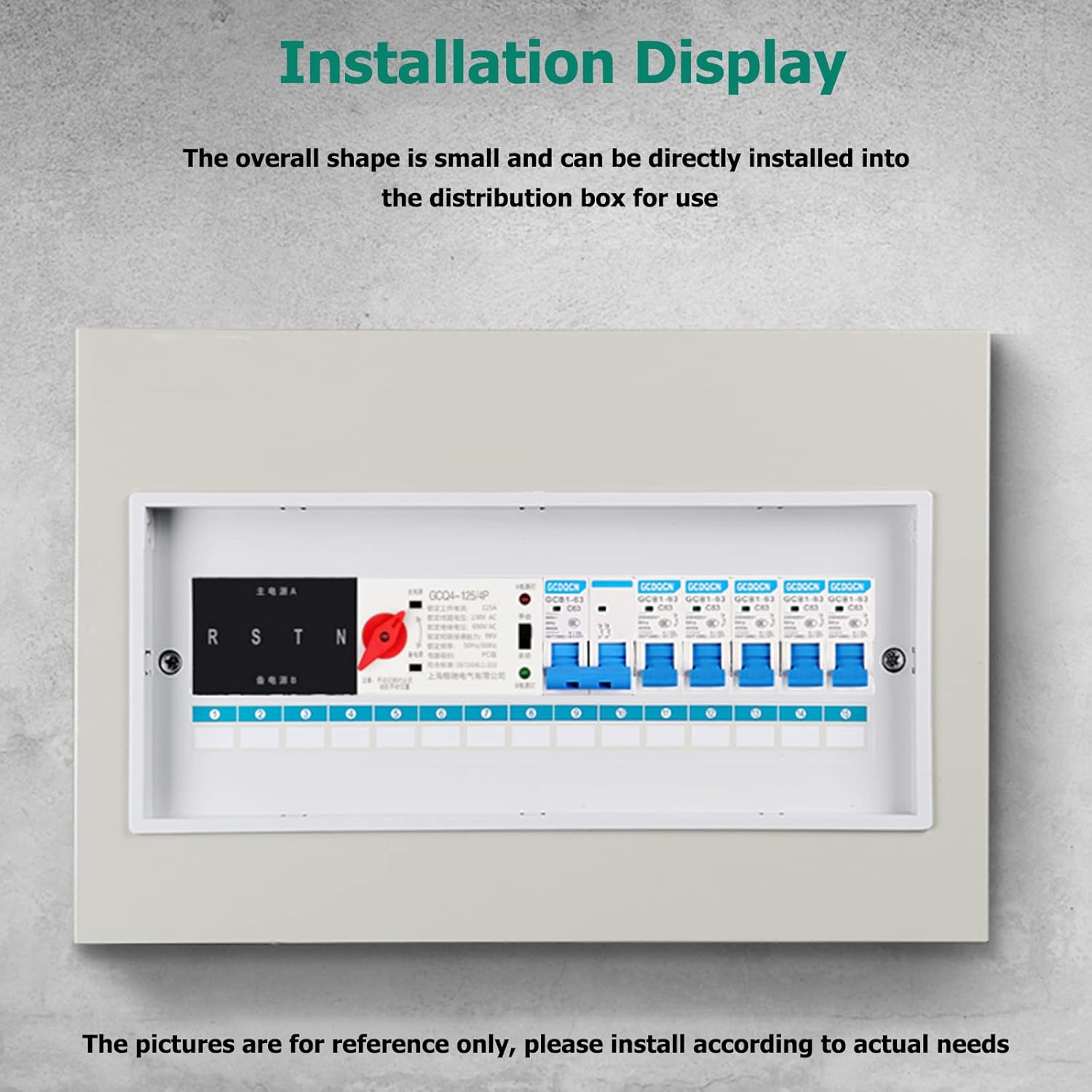
- Mounting: Place the automatic transfer switch on a suitable debugging platform or directly install it into the distribution box. The compact design allows for easy integration.
- Wiring Connections: Connect the corresponding power lines according to the correct phase sequence. The phase line and the neutral line must be connected accurately; incorrect connections are not permitted.
- Neutral Wire Connection (for 3-pole switches): When debugging a three-pole switch, ensure the common and spare neutral wires are connected to their respective neutral terminals (NN and RN).
- Din-Rail Installation: The device supports Din-rail mounting for secure and organized installation within electrical panels.
- Wiring Diagram Reference: Refer to the detailed wiring diagram below for precise connection points for common incoming lines, control lines, spare incoming lines, and load output.


6. Operation
The ATS can operate in both automatic and manual modes. For automatic operation, ensure the switch is set to the 'Auto' position.
- Automatic Mode (Self-Turning and Self-Resetting): Set the dual power supply automatic transfer switch to work in the self-turning and self-resetting mode. If both power supplies (common and backup) are normal, the switch should default to the common power supply position, and the common power supply will be closed.
- Power Failure Detection: If any phase loss occurs on the common power supply (NA, NB, NC, NN), the dual power supply should automatically convert to the backup power supply.
- Power Restoration: If the common power supply returns to normal, the switch should automatically convert back to the common power supply.
- Undervoltage Detection: If the voltage of any phase of the common power supply drops to the predetermined undervoltage value, the dual power supply should automatically switch to the standby power supply. When the normal power supply returns to normal, the switch will revert to the normal power supply.
- Manual Operation: In case of emergency or for testing purposes, the switch can be manually operated using the selector on the device. Always ensure safety precautions are followed during manual operation.
7. Maintenance
Regular maintenance helps ensure the longevity and reliable operation of your ATS. Always disconnect power before performing any maintenance.
- Visual Inspection: Periodically inspect the ATS for any signs of physical damage, loose connections, or overheating.
- Terminal Tightness: Check and tighten all terminal connections annually to prevent arcing and ensure good electrical contact.
- Cleaning: Keep the device free from dust and debris. Use a dry, non-conductive cloth for cleaning. Do not use liquids or solvents.
- Functionality Test: Conduct periodic tests of the automatic transfer function to ensure it operates correctly under simulated power failure conditions.
8. Troubleshooting
If you encounter issues with your ATS, consider the following common troubleshooting steps:
- No Automatic Transfer:
- Verify that both the main and backup power sources are functioning correctly.
- Check all control wiring for proper connections and continuity.
- Ensure the ATS is set to 'Auto' mode.
- Indicator Lights Not Functioning:
- Check the control voltage supply to the ATS.
- Inspect the signal output connections for external indicators.
- Overheating:
- Ensure proper ventilation around the ATS.
- Check for loose connections at terminals, which can cause resistance and heat.
- Verify that the load current does not exceed the rated current of the ATS.
If problems persist after performing these checks, contact a qualified electrician or technical support.
9. Important Considerations
- This product is specifically designed for mains/generator power supply systems. It is not suitable for use with inverter, UPS, photovoltaic, or solar power generation systems. Using it with incompatible systems may lead to malfunction or damage.
- Always ensure the environment where the ATS is installed meets the specified operating conditions (temperature, humidity, etc.).
10. Package Contents
Upon opening the package, verify that all items are present:
- 1 x Dual Power Automatic Transfer Switch (ZGQ5-100/4P)
- 1 x User Manual (this document)
11. Warranty and Support
For warranty information and technical support, please refer to the documentation provided at the point of purchase or contact Jadeshay customer service through their official channels. Keep your purchase receipt for warranty claims.


