Introduction
The NEBO Big Larry 2 is a versatile and durable work light designed for various tasks, offering both a powerful flashlight and a wide-area COB task lamp. Its magnetic base and compact design make it an essential tool for professionals and DIY enthusiasts alike. This manual provides detailed instructions for the proper use, care, and maintenance of your Big Larry 2.

Figure 1: NEBO Big Larry 2 Work Light, showcasing its sleek design and integrated COB light panel.
Product Features
- Dual Lighting: Features a 200-lumen LED flashlight and a 500-lumen COB (Chip-on-Board) work light.
- Multiple Light Modes: Includes High (flashlight), COB Work Light, COB Red Task Light, and Red Hazard Flasher.
- Dimmable: All light modes are fully dimmable.
- Magnetic Base: Powerful magnetic base for hands-free operation.
- Durable Construction: Anodized aircraft-grade aluminum body, water and impact-resistant.
- Pocket Clip: Integrated pocket clip for secure carrying and a hanging hole for versatile mounting.
- Power Memory Recall: Remembers the last used light mode.
- Direct-to-Red Functionality: Allows direct access to red light mode to preserve night vision.
- Battery Powered: Operates on 3 AA alkaline batteries (included).

Figure 2: Internal components and features of the Big Larry 2, highlighting the COB worklight, flashlight, and pocket clip.
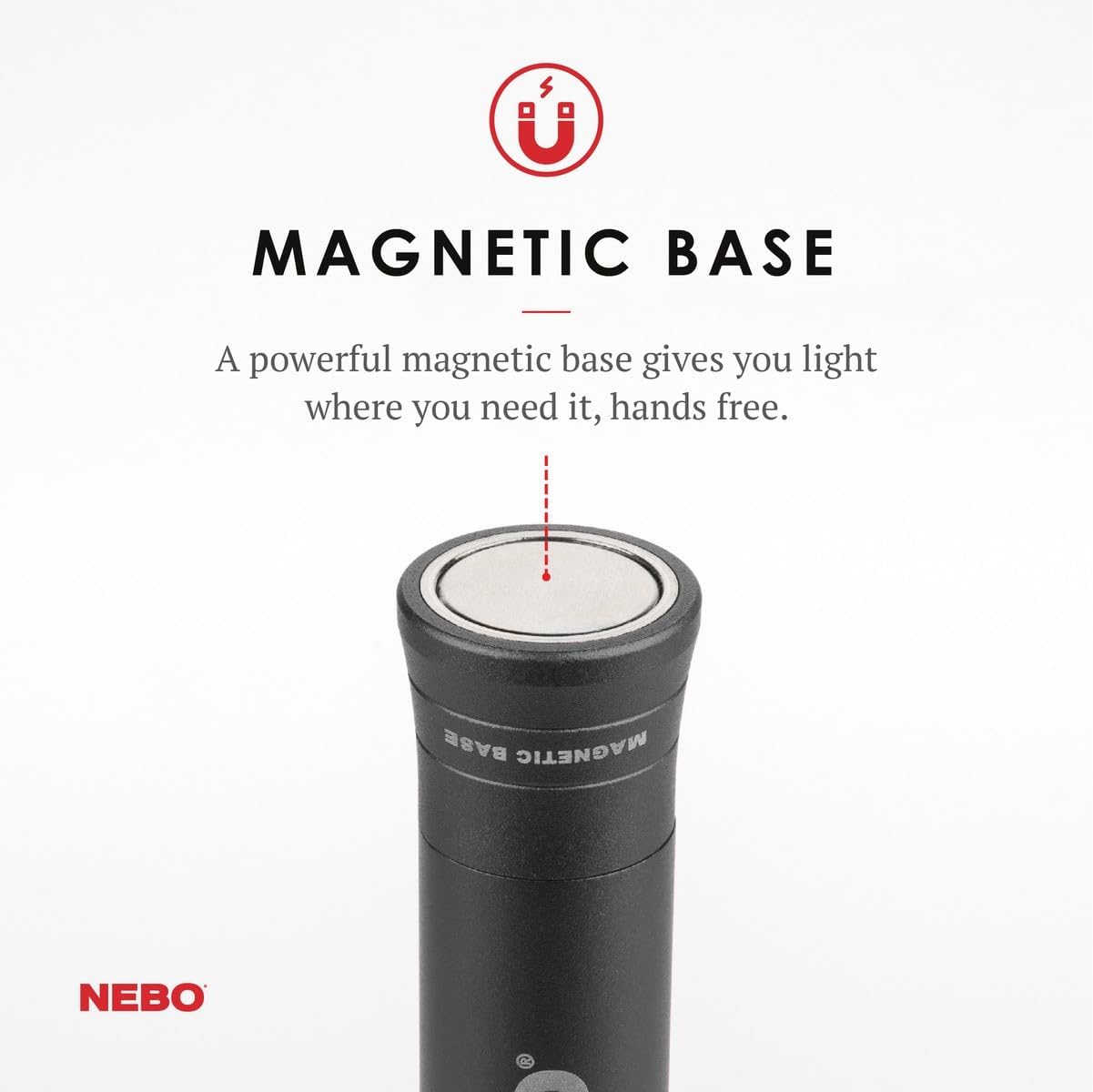
Figure 3: Visual representation of the four distinct light modes: Dimmable Flashlight, COB Worklight, Red Light, and Red Hazard Flasher.
Setup
1. Battery Installation
- Unscrew the tail cap of the Big Larry 2 by turning it counter-clockwise.
- Insert three (3) AA alkaline batteries into the battery compartment, ensuring correct polarity (+/-) as indicated inside the compartment.
- Screw the tail cap back on clockwise until it is securely tightened.
Note: The Big Larry 2 comes with 3 AA alkaline batteries pre-installed. Remove the protective tab if present before first use.
Operating Instructions
Power Button and Mode Selection
The power button is located on the side of the flashlight, near the COB light panel. Press the button to cycle through the light modes:
- 1st Press: Flashlight (200 lumens)
- 2nd Press: COB Work Light (500 lumens)
- 3rd Press: COB Red Task Light (40 lumens)
- 4th Press: Red Hazard Flasher
- 5th Press: Off
The Big Larry 2 features Power Memory Recall, meaning it will turn on in the last mode used if powered off for more than 8 seconds.
Dimming Function
To dim any active light mode (Flashlight, COB Work Light, or COB Red Task Light):
- With the desired mode active, press and hold the power button.
- The light will gradually dim or brighten. Release the button when the desired brightness level is reached.
Direct-to-Red
To activate the Red Task Light directly from the OFF position (to preserve night vision):
- From OFF, press and hold the power button for 2 seconds. The Red Task Light will activate.
Magnetic Base and Pocket Clip
The powerful magnetic base allows you to attach the Big Larry 2 to any ferrous metal surface for hands-free illumination. The integrated pocket clip can be used to secure the light to clothing, belts, or other gear, and also functions as a hanging point.

Figure 4: Close-up of the strong magnetic base, enabling hands-free use on metal surfaces.

Figure 5: The versatile pocket clip and hanging hole for secure attachment and portability.
Maintenance
- Cleaning: Wipe the flashlight with a clean, damp cloth. Do not use abrasive cleaners or solvents.
- Battery Replacement: Replace all three AA batteries simultaneously when the light output diminishes. Always use fresh, high-quality alkaline batteries.
- Storage: If storing the Big Larry 2 for an extended period (more than 30 days), remove the batteries to prevent leakage and potential damage to the device. Store in a cool, dry place.
- Durability: The Big Larry 2 is water and impact-resistant, but it is not designed for submersion in water. Avoid dropping it from significant heights.

Figure 6: The anodized aircraft-grade aluminum body, designed for durability and corrosion resistance.
Troubleshooting
| Problem | Possible Cause | Solution |
|---|---|---|
| Light does not turn on. |
|
|
| Light is dim or flickers. |
|
|
| Cannot cycle through modes. |
|
|
Specifications
| Feature | Detail |
|---|---|
| Model Number | NEB-WLT-0001 |
| Light Source | LED (Flashlight), COB (Work Light) |
| Brightness (Flashlight) | 200 Lumens |
| Brightness (COB Work Light) | 500 Lumens |
| Brightness (COB Red Task Light) | 40 Lumens |
| Power Source | 3 x AA Alkaline Batteries |
| Material | Alloy Steel, Aluminum |
| Dimensions (L x W x D) | 7.75" x 0.98" x 1.25" |
| Weight | 0.45 lbs (7.2 ounces) |
| Water Resistance | Water Resistant |
Warranty Information
The NEBO Big Larry 2 Work Light comes with a limited warranty. For specific details regarding warranty coverage, terms, and conditions, please refer to the warranty card included with your product or visit the official NEBO website. Keep your proof of purchase for warranty claims.
Customer Support
If you have any questions, require technical assistance, or need to report an issue with your NEBO Big Larry 2, please contact NEBO customer support. You can find contact information on the official NEBO website: nebo.acgbrands.com.
Important Safety Information
- Do not look directly into the LED light when it is on, as it can cause temporary vision impairment.
- Keep out of reach of children.
- Do not mix old and new batteries, or different types of batteries.
- Dispose of batteries according to local regulations.
- Do not attempt to disassemble or modify the flashlight, as this will void the warranty and could cause damage or injury.