
Introduction
This manual provides comprehensive instructions for the setup, operation, and maintenance of your Taylor Digital Body Composition Bathroom Scale, Model 5306614. This scale is designed to measure body weight, and estimate body fat, body water, and muscle mass percentages. It includes features for up to 6 user recognition and offers both normal and athlete modes.
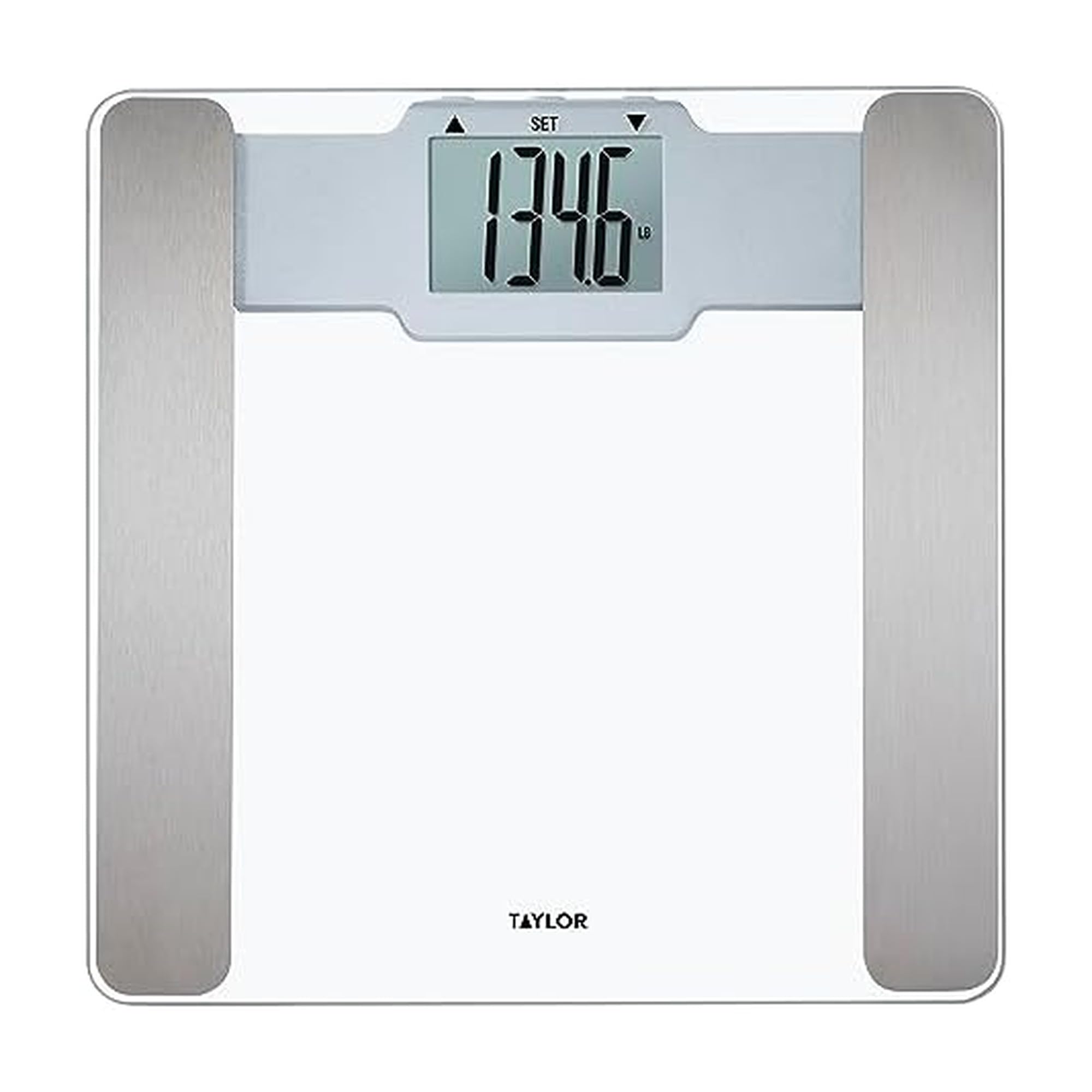
Image: The Taylor Digital Body Composition Bathroom Scale, featuring a clear tempered glass platform and a digital readout.
What's in the Box
- Taylor Digital Body Composition Bathroom Scale
- 2 AAA Batteries
Setup
1. Battery Installation
Locate the battery compartment on the underside of the scale. Insert the two AAA batteries, ensuring correct polarity (+/-). Close the battery compartment securely.
2. Scale Placement
Place the scale on a hard, flat surface. Uneven or soft surfaces, such as carpet, can affect accuracy. Ensure the scale is stable before use.
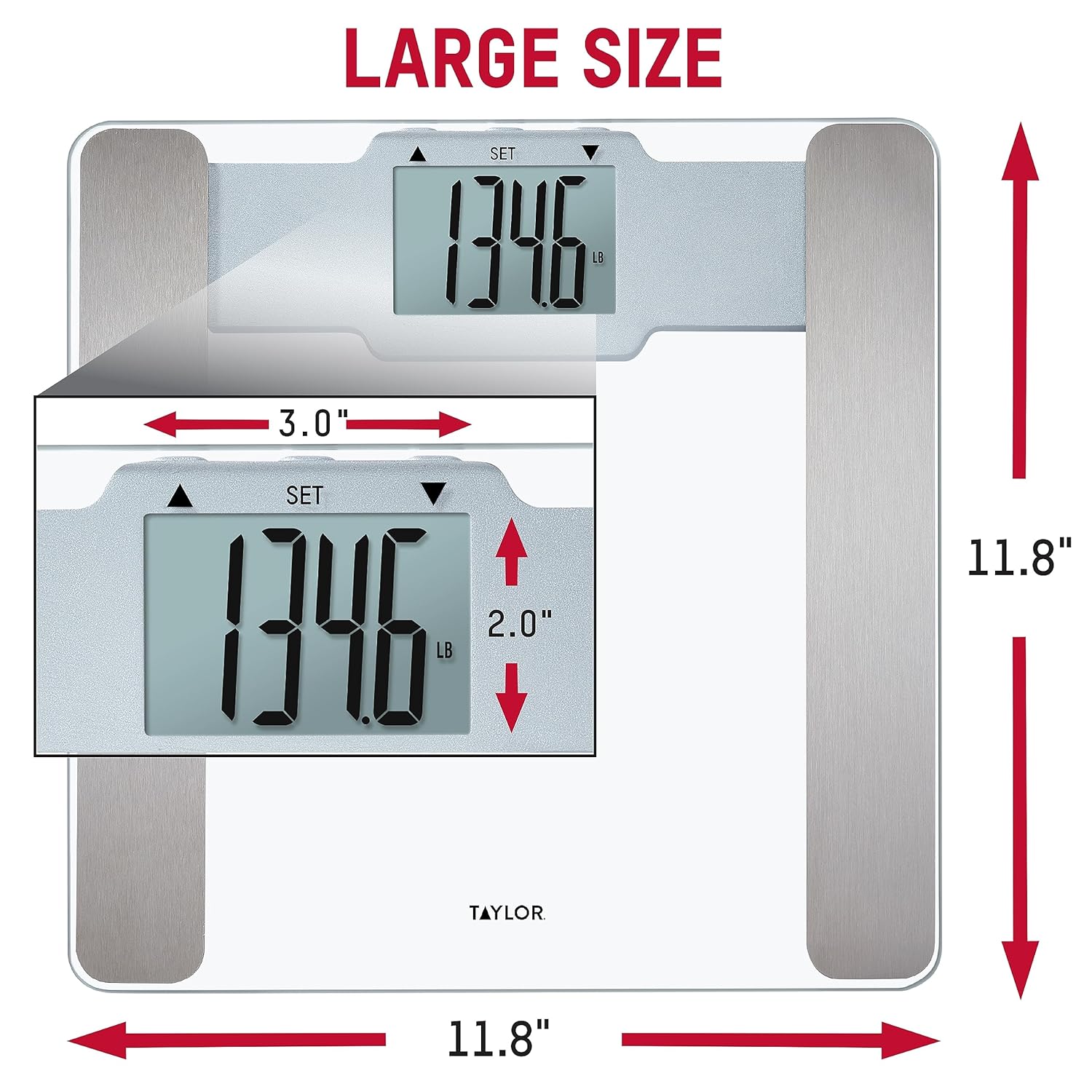
Image: The scale positioned on a hard floor, demonstrating proper placement for accurate readings.
3. Initial Calibration
To calibrate the scale for first use or after moving it, gently step on the scale until numbers appear on the display, then step off. The display will show "0.0" or similar, indicating it is ready for use.
Operating Instructions
Basic Weight Measurement
- Ensure the scale is on a hard, flat surface.
- Gently step onto the scale with bare feet. Stand still and centered on the platform.
- The display will show your weight. The scale features "Step-On Technology" for instant readings.
- The scale will automatically turn off after a few seconds of inactivity.

Image: Demonstration of stepping onto the scale for an instant weight reading.
Unit Conversion
If available, a switch on the underside of the scale allows you to toggle between pounds (lb) and kilograms (kg).
Display Readability
The scale features a large, clear LCD display for easy reading from various angles.

Image: The bright LCD display of the scale, showing a clear weight measurement.
User Recognition & Athlete Mode
This scale can store profiles for up to 6 users and offers both normal and athlete modes for body composition analysis.

Image: Overview of the scale's features, including body composition metrics and user recognition.
Setting Up User Profiles
- Refer to the specific instructions in your scale's included manual for detailed steps on setting up individual user profiles. This typically involves entering age, height, and selecting an activity level.
- The scale will recognize the user based on their weight and stored profile data.
Athlete Mode
Athlete mode is designed for individuals who engage in intense physical activity regularly. This mode adjusts the body composition calculation algorithm to provide more accurate results for athletes. Consult your scale's specific instructions for how to activate and use athlete mode within your user profile.
Body Composition Measurement
The scale uses Bioelectrical Impedance Analysis (BIA) technology to estimate body fat, body water, and muscle mass percentages. For accurate readings:
- Step onto the scale with bare feet, ensuring your feet make contact with the metal sensors on the platform.
- Stand still until the measurements are displayed.
- Readings may vary based on hydration levels, recent activity, and time of day. For consistent tracking, measure at the same time each day under similar conditions.

Image: Explanation of BIA technology for body composition measurement.
Maintenance
Cleaning
Clean the scale with a damp cloth and mild detergent. Do not use abrasive cleaners or immerse the scale in water. The tempered glass platform is durable and easy to clean.
Battery Replacement
If the display becomes dim or shows a low battery indicator, replace the AAA batteries. Ensure the scale is off before replacing batteries.
Troubleshooting
| Problem | Solution |
|---|---|
| Inaccurate Weight Readings | Ensure the scale is on a hard, flat, and level surface. Avoid carpets or uneven flooring. Recalibrate by stepping on and off the scale. |
| "Err 1" or Error Message | This error often indicates an overload or an unstable reading. Step off the scale, wait a few seconds, and try again. If the issue persists, replace the batteries. |
| No Body Composition Readings | Ensure you are standing with bare feet on the metal sensors. Verify that your user profile is correctly set up with age, height, and mode (normal/athlete). Dry or calloused feet may affect sensor contact. |
| Display is Dim or Blank | Replace the batteries. Check battery polarity. |
Specifications
- Brand: Taylor
- Model: 5306614
- Color: Glass
- Platform Material: Tempered Glass
- Weight Capacity: 400 Pounds (180 kg)
- Readout Accuracy: 0.2 Pounds (0.1 kg)
- Display Type: LCD
- Special Features: Body Fat, Body Water, Muscle Mass, 6 User Recognition, Athlete Mode, Step-On Technology
- Power Source: 2 AAA Batteries (Included)
- Dimensions: 11.8" L x 11.8" W x 0.92" H
- UPC: 077784044643

Image: Dimensions of the scale, indicating its 11.8" x 11.8" platform size.
Warranty and Support
This Taylor Digital Body Composition Bathroom Scale comes with a 5-year limited warranty. For warranty information or technical support, please contact the manufacturer directly. You may also find additional support resources on the manufacturer's official website.
