
VASAGLE LSD176N01
VASAGLE Electric Height-Adjustable Desk User Manual
Model: LSD176N01
1. Introduction
Thank you for choosing the VASAGLE Electric Height-Adjustable Desk. This manual provides essential information for the safe and efficient assembly, operation, and maintenance of your new desk. Please read it thoroughly before use and keep it for future reference.
This desk is designed to offer a versatile and ergonomic workspace, allowing seamless transitions between sitting and standing positions to promote a healthier work environment. Its robust construction and intelligent features ensure stability, quiet operation, and convenience.
2. Safety Warnings
Important Safety Information:
- Do not place the desk directly against a wall during lifting and lowering operations to avoid scratches.
- Keep all electrical components away from liquids.
- If the desk is raised or lowered for 2 minutes continuously, the overheating protection will automatically activate. You must wait 18 minutes before you can use the height adjustment function again.
- Ensure no obstacles are in the path of the desk's movement to prevent damage or injury.
- Do not allow children to operate the desk without adult supervision.
- Do not sit or stand on the desk.
- Maximum load capacity is 80 kg. Do not exceed this limit.
3. What's in the Box
Please verify that all components are present and undamaged before beginning assembly.
- 1 x Electric Desk
- 1 x Adapter
- 1 x Controller
- 1 x Fabric Organizer
- 1 x Double Hook

Image: Overview of the VASAGLE Electric Height-Adjustable Desk, showing the desk, control panel, fabric organizer, and optional wheels/feet.
4. Setup and Assembly
The desk comes with clear instructions and labeled parts for easy assembly. Follow the provided assembly guide carefully. Ensure all screws are tightened securely before use.
4.1 Dimensions and Load Capacity
The desk dimensions are 70 x 160 x (72-120) cm. It has a robust construction with double support rods and steel legs, capable of supporting up to 80 kg.

Image: Diagram showing the dimensions of the desk (160 cm length, 70 cm width, 72-120 cm height) and highlighting the double support rods for stability.
4.2 Feet Options
You can choose between universal wheels for mobility or adjustable feet for stationary stability. Both options are included.
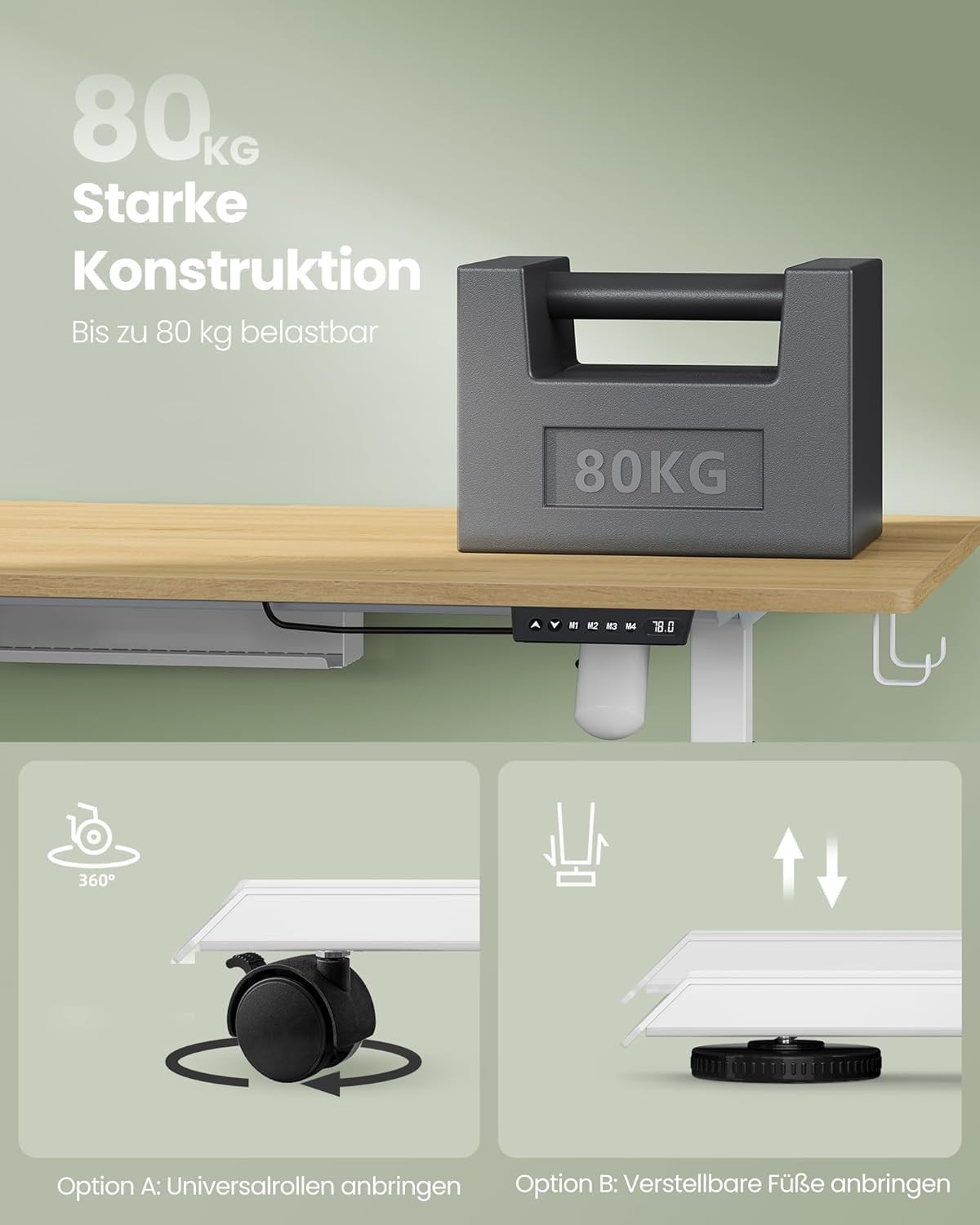
Image: Illustration showing two options for desk feet: Option A with universal wheels for easy movement, and Option B with adjustable feet for fixed placement.
5. Operating Instructions
5.1 Height Adjustment
The desk features an electric height adjustment mechanism. Use the up and down buttons on the controller to adjust the desk height between 72 cm and 120 cm.
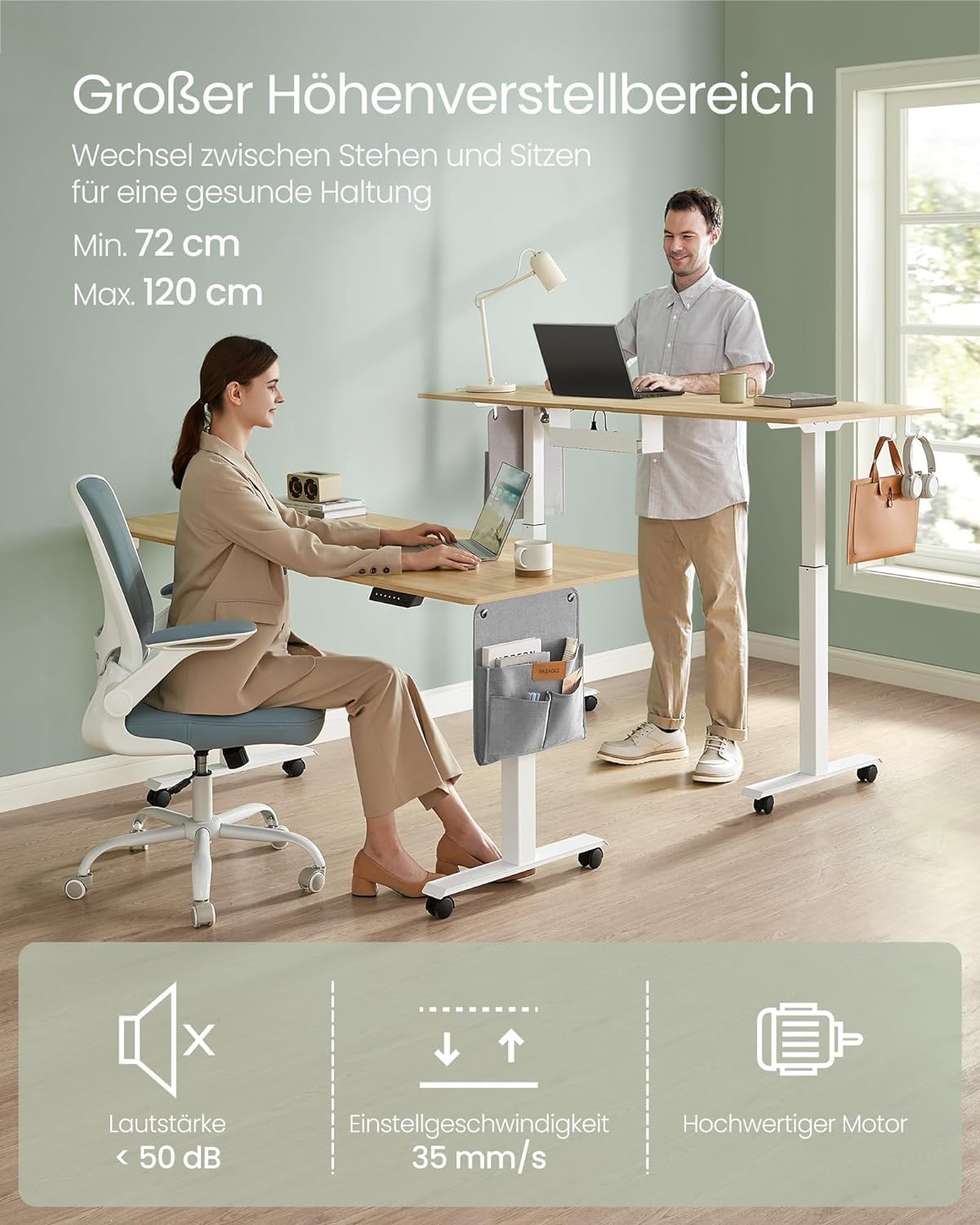
Image: A man standing and a woman sitting at the height-adjustable desk, demonstrating the range of height adjustment from minimum 72 cm to maximum 120 cm.
5.2 Memory Function
The controller allows you to save up to 4 preferred height settings. Press the 'M' button followed by a number (M1, M2, M3, M4) to store the current height. To recall a saved height, simply press the corresponding number button.
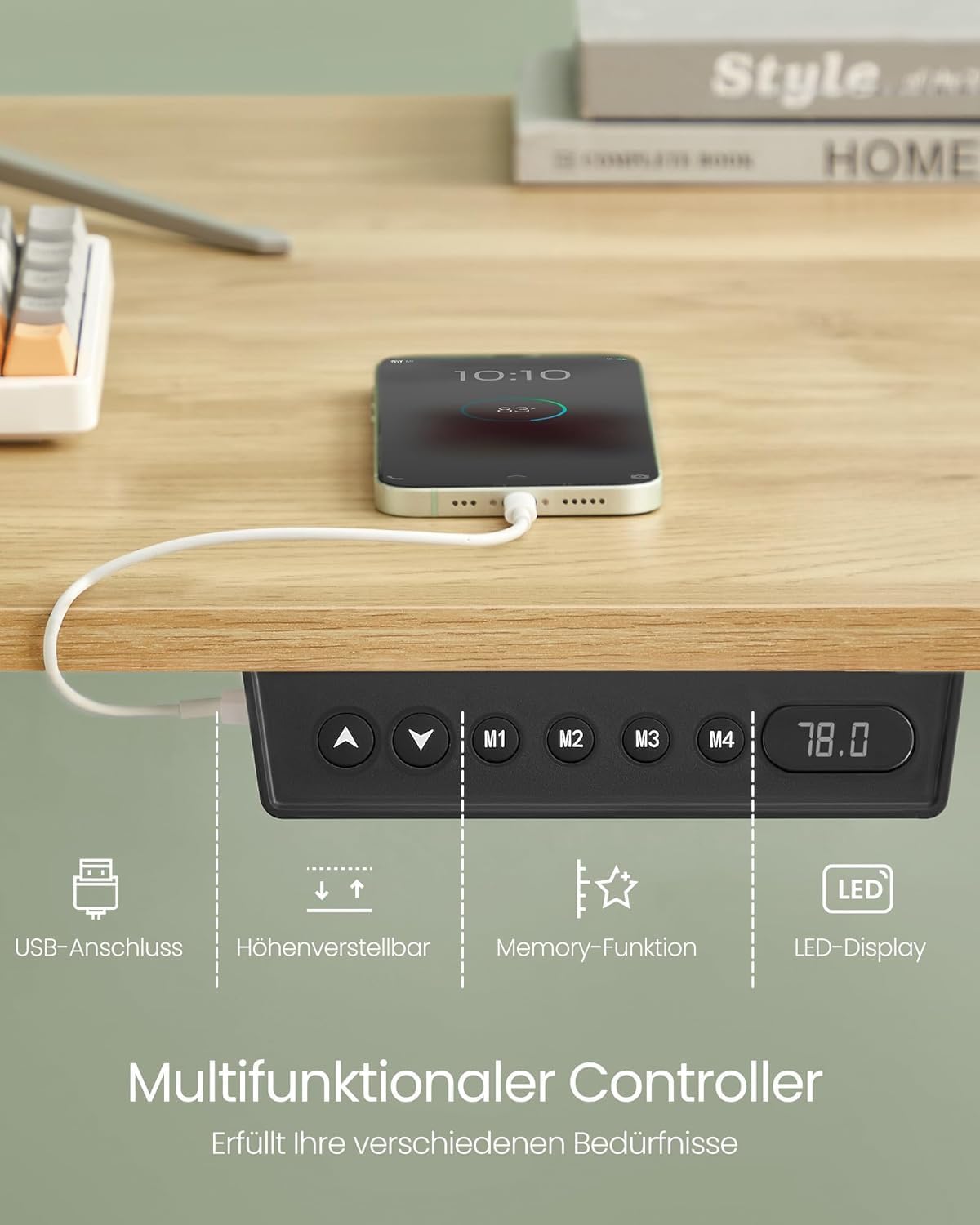
Image: A close-up view of the desk's multifunctional controller, showing the up/down arrows, M1-M4 memory buttons, LED display, and an integrated USB port for charging devices.
5.3 USB Charging Port
An integrated USB port is available on the controller for convenient charging of your mobile devices.
5.4 Anti-Collision Feature
For safety, the height adjustment mechanism will stop and retract slightly if it encounters a hard obstacle during movement. This prevents damage to the desk or surrounding objects.
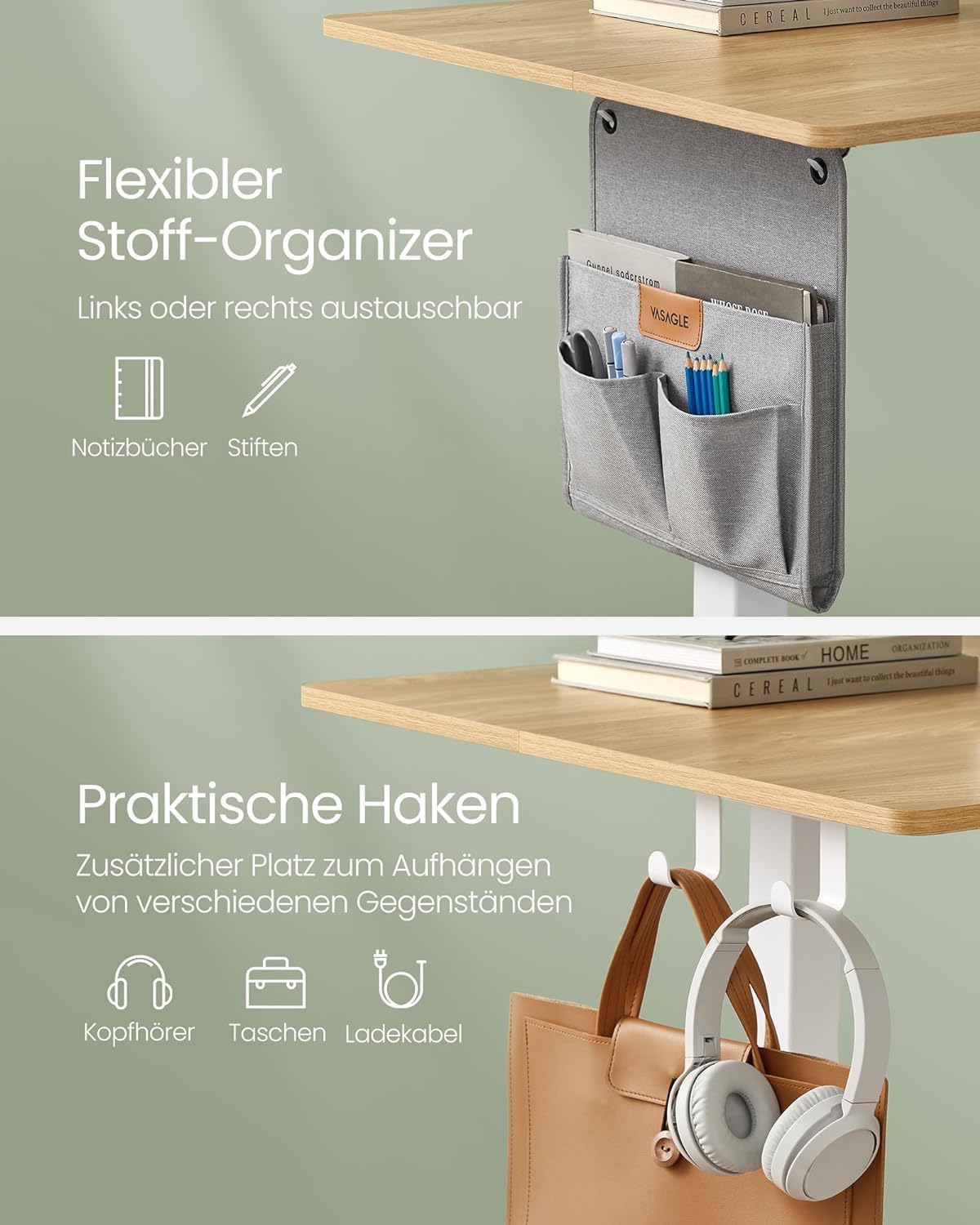
Image: A diagram demonstrating the anti-collision protection feature, showing the desk stopping and retracting when it encounters an obstacle. A warning sign indicates that this function is triggered only by hard obstacles.
5.5 Quiet Operation
The high-quality motor ensures quiet height adjustment, with a noise level below 50 dB.
Video: This video demonstrates the quiet operation and smooth height adjustment of the VASAGLE Electric Height-Adjustable Desk, highlighting its robust construction and integrated features like the USB charging port and side organizer.
6. Maintenance
- Regularly check all screws and connections to ensure they remain tight.
- Clean the desk surface with a soft, damp cloth. Avoid abrasive cleaners or harsh chemicals.
- Keep the motor and electrical components free from dust and debris.
- Do not overload the desk beyond its specified weight capacity of 80 kg.
7. Troubleshooting
| Problem | Possible Cause | Solution |
|---|---|---|
| Desk does not move. | Power cable disconnected; Overheating protection activated. | Check power connection. Wait 18 minutes if overheating protection is active. |
| Desk moves erratically or stops. | Obstruction detected (anti-collision); Overload. | Remove any obstructions. Reduce weight on the desk. |
| Memory function not working. | Incorrect saving procedure. | Ensure you press 'M' then the number button to save. |
If you encounter issues not listed here or if the problem persists, please contact customer support.
8. Specifications
| Feature | Detail |
|---|---|
| Brand | VASAGLE |
| Model Number | LSD176N01 |
| Product Dimensions | 70 x 160 x (72-120) cm |
| Weight | 35 Kilograms |
| Color | Natural Oak |
| Material | Particleboard, Steel, Oxford Fabric |
| Height Adjustment Range | 72 cm - 120 cm |
| Load Capacity | Up to 80 kg |
| Noise Level | < 50 dB |
| Special Features | Multifunctional Controller, Memory Function (4 heights), USB Charging Port, Anti-Collision Protection, Fabric Organizer, Double Hook |
9. Warranty and Support
This product comes with a standard manufacturer's warranty. For detailed warranty information, please refer to the documentation included with your purchase or visit the official VASAGLE website.
For technical support, troubleshooting assistance, or replacement parts, please contact VASAGLE customer service. Have your model number (LSD176N01) and purchase date ready when contacting support.
You can also visit the VASAGLE Store on Amazon for more product information and support resources.
Related documentsLSD176N01


Ask a question about this manual
Ask about setup, troubleshooting, compatibility, parts, safety, or missing instructions. Manuals+ will review the question and use this page’s manual context to help answer it.