
RESUXI 730
RESUXI Professional Hair Clippers, Trimmer & Shaver Set
Model: 730 | Brand: RESUXI
Introduction
Thank you for choosing the RESUXI Professional 3-in-1 Men's Grooming Set. This versatile kit combines a powerful hair clipper, a precise T-blade trimmer, and an efficient electric shaver, designed to meet all your hair cutting and grooming needs. With high-performance motors and long-lasting batteries, this set provides a professional-grade experience for home use or travel.

Image: The complete RESUXI Professional 3-in-1 Hair Grooming Set, featuring the hair clipper, T-blade trimmer, and electric shaver, along with various accessories.
Package Contents
Please verify that all items listed below are included in your package:
- 1 x Cordless Hair Clipper
- 1 x T-Blade Hair Trimmer
- 1 x Electric Hair Shaver
- 1 x Barber Apron
- 1 x USB Charging Cord (for clipper)
- 1 x USB Charging Cord (for trimmer)
- 1 x USB Charging Cord (for shaver)
- 1 x Cleaning Brush
- 1 x Oil Bottle
- 8 x Premium Clipper Guard Combs (various sizes)
- 4 x Trimmer Guard Combs (various sizes)

Image: A detailed view of all items included in the RESUXI grooming kit, neatly arranged, showing the three main devices, charging cables, cleaning tools, and various guide combs.
Important Safety Information
To ensure safe operation and prevent injury or damage, please read and adhere to the following safety guidelines:
- Always unplug the device before cleaning or performing any maintenance.
- Keep blades clean and oiled regularly to ensure optimal performance and longevity.
- Do not use near water or immerse any part of the device in water.
- Supervise children when using the kit to prevent accidents.
- Use only the provided charging cords.
- Do not disassemble the device. Contact customer support for repairs.
Setup
1. Initial Charging
Before first use, fully charge each device. The ultra-clear LED display will show the remaining charge. A full charge takes approximately 2.5 hours for the clipper, 2.0 hours for the trimmer, and 1.5 hours for the shaver.

Image: The hair clipper displaying '100' on its LCD screen, indicating a full charge, with details on battery capacity and charging time.
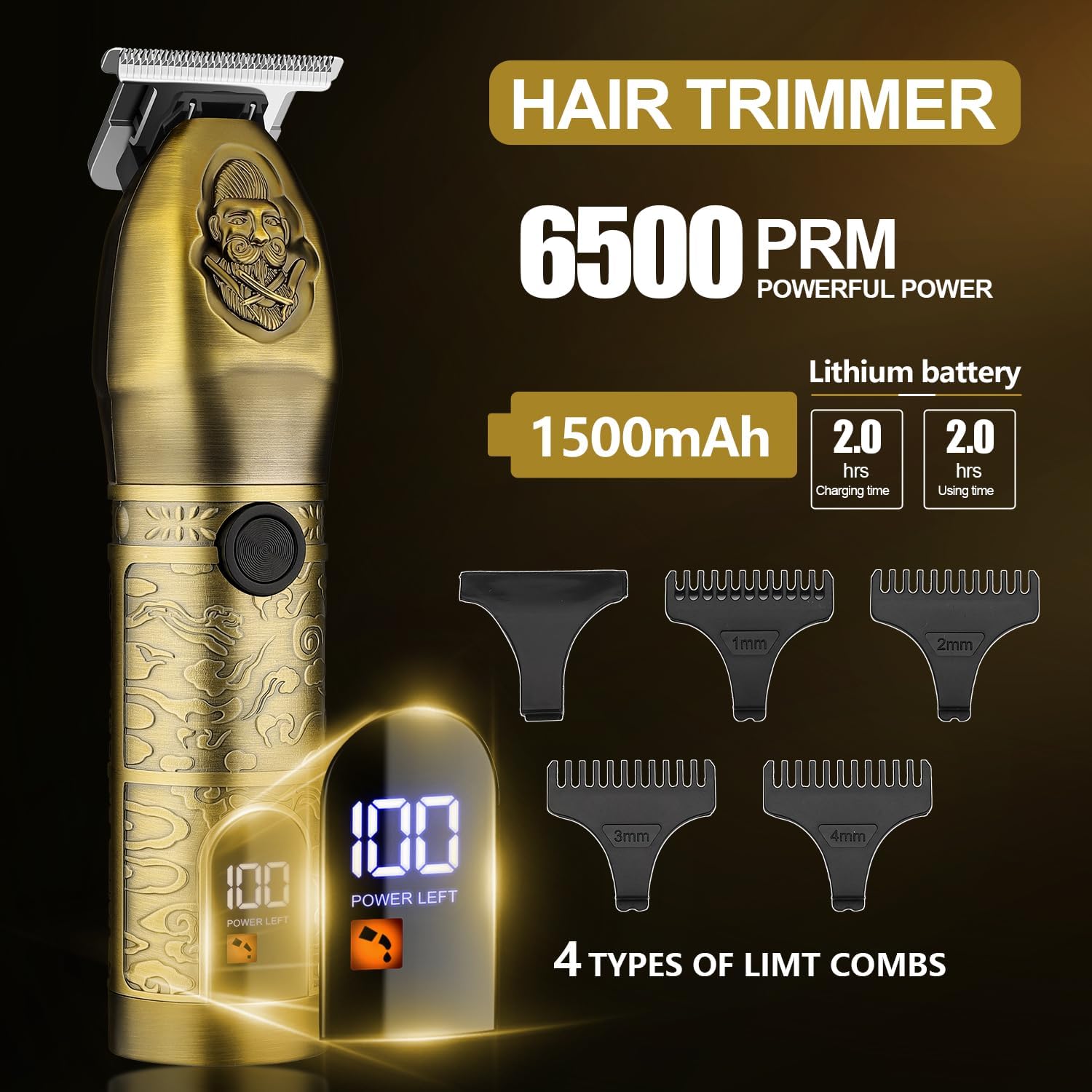
Image: The T-blade hair trimmer displaying '100' on its LCD screen, indicating a full charge, with details on battery capacity and charging time.
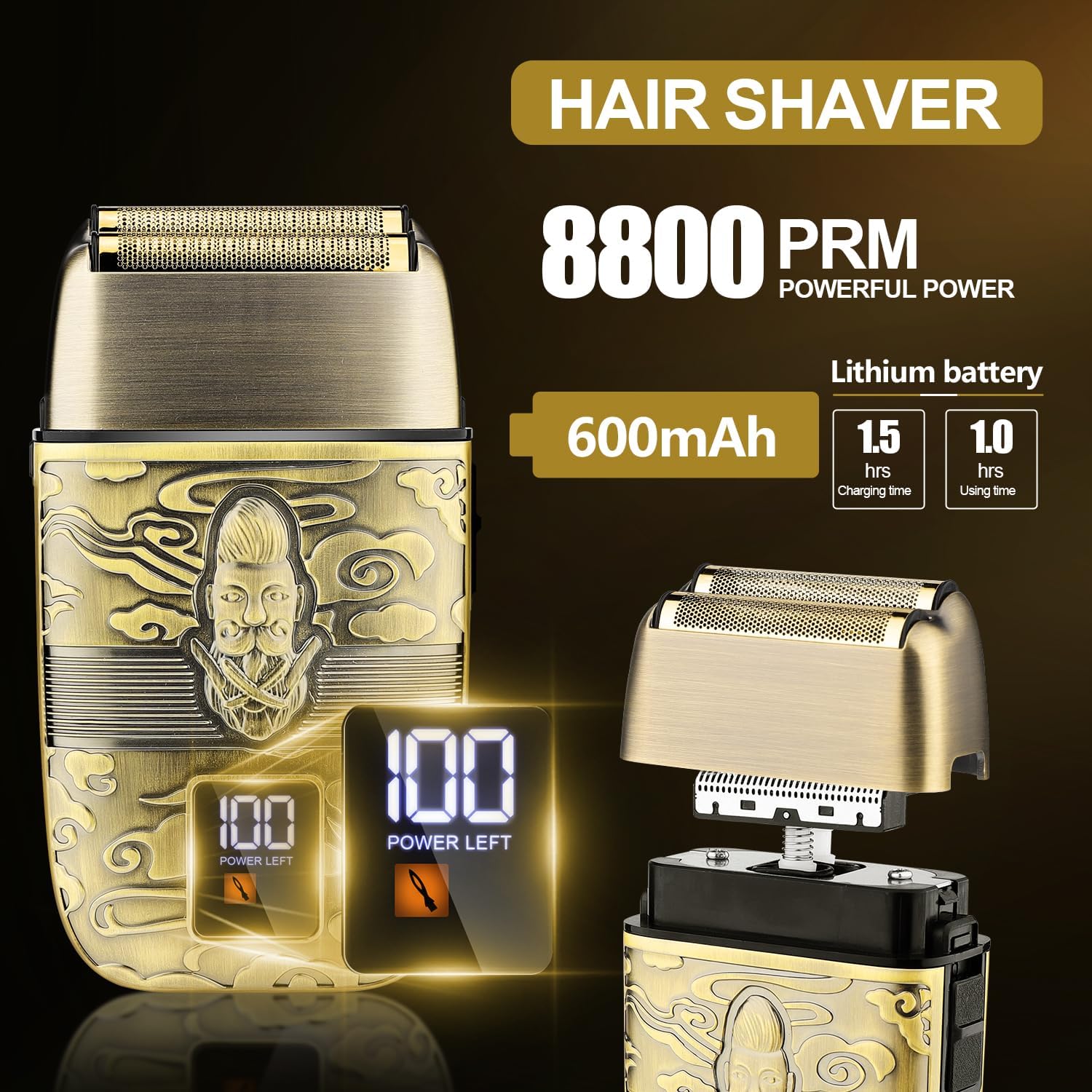
Image: The electric shaver displaying '100' on its LCD screen, indicating a full charge, with details on battery capacity and charging time.
2. Initial Oiling
Before the very first use, apply a few drops of the included oil to the blades of the hair clipper and T-blade trimmer. Turn the device on for a few seconds to allow the oil to distribute evenly. This ensures smooth operation and extends blade life.
Operating Instructions
This 3-in-1 grooming set offers versatile functionality for various hair cutting and shaving needs.

Image: Visual representation of the 3-in-1 functionality, showing the hair clipper for general hair cutting, the T-blade trimmer for sideburns and detailing, and the electric shaver for hair ends and smooth finishes.
1. Using the Hair Clipper
The hair clipper is designed for efficient cutting of all hair types and lengths. It features a 5-gear adjustable blade (0.5mm to 3.5mm) for precise length control.
- Attach a Guide Comb: Select the desired length from the 8 included premium guard combs and securely attach it to the clipper head.
- Adjust Blade Length: Use the fine adjustment lever on the side of the clipper to set the blade to your preferred cutting length (0.5mm, 1.2mm, 2.0mm, 2.8mm, 3.5mm).
- Start Clipping: Turn on the clipper and move it against the direction of hair growth for an even cut.

Image: Close-up of the hair clipper demonstrating its 5-speed fixed blade fine adjustment lever, showing settings from 0.5mm to 3.5mm.
2. Using the T-Blade Trimmer
The T-blade trimmer is ideal for precise trimming, grooming, detailing sideburns, necklines, and beard lines. It comes with 4 trimmer guard combs for various styles.
- Select Comb (Optional): For longer trim lengths, attach one of the 4 trimmer guard combs (1mm, 2mm, 3mm, 4mm). For zero-gap trimming, use without a comb.
- Precise Trimming: Turn on the trimmer and carefully outline or trim areas requiring precision, such as beard edges or necklines.
3. Using the Electric Shaver
The electric shaver is designed for a close, smooth shave, working effectively on dense, short, and thick hair.
- Prepare Area: For best results, use the shaver on clean, dry skin. For longer hair, it is recommended to cut short with the clipper or trimmer first.
- Shave Smoothly: Turn on the shaver and gently glide it across the skin in short, circular, or linear motions, ensuring the ultra-thin blade mesh makes contact for a close shave.
Maintenance
1. Cleaning
Regular cleaning ensures optimal performance and hygiene.
- After Each Use: Turn off and unplug the device. Use the included cleaning brush to remove hair clippings from the blades and cutting head.
- Deep Cleaning: Periodically, remove the blade assembly (refer to user manual for specific instructions for each device) and thoroughly clean all hair and debris.
2. Oiling Blades
To maintain blade sharpness and smooth operation, oil the blades regularly.
- Apply 1-2 drops of the included oil to the top of the blades after every few uses or when the device feels sluggish.
- Turn on the device for a few seconds to distribute the oil.
3. Storage
Store the grooming set in a cool, dry place, away from direct sunlight and moisture. Keep all components, especially the guide combs and charging cords, organized to prevent damage.
Troubleshooting
If you encounter any issues, please refer to the table below for common problems and solutions:
| Problem | Possible Cause | Solution |
|---|---|---|
| Device not turning on | Low battery; Device not charged | Charge the device fully using the provided USB cord. |
| Blades pulling hair | Blades are dull or not oiled; Hair buildup | Clean and oil the blades. If problem persists, blades may need replacement. |
| Reduced cutting performance | Hair buildup in blades; Insufficient oiling | Clean the blades thoroughly and apply oil. |
| Device making unusual noise | Lack of lubrication; Internal issue | Apply oil to blades. If noise continues, discontinue use and contact support. |
| LCD display not working | Device malfunction | Ensure device is charged. If issue persists, contact customer support. |
Specifications
| Feature | Detail |
|---|---|
| Brand | RESUXI |
| Model Name | RESUXI |
| Item Model Number | 730 |
| Battery Type | Lithium-Ion |
| Clipper Battery Capacity | 1800mAh |
| Trimmer Battery Capacity | 1500mAh |
| Shaver Battery Capacity | 600mAh |
| Clipper Charging Time | 2.5 Hours |
| Trimmer Charging Time | 2.0 Hours |
| Shaver Charging Time | 1.5 Hours |
| Clipper Cordless Use Time | 150 minutes |
| Trimmer Cordless Use Time | 120 minutes |
| Shaver Cordless Use Time | 60 minutes |
| Clipper Motor Speed | 6500 RPM |
| Trimmer Motor Speed | 6500 RPM |
| Shaver Motor Speed | 8800 RPM |
| Blade Material | Carbon Steel |
| Clipper Adjustment Lever | 0.5mm - 3.5mm |
| Included Components | Hair Clipper, Hair Trimmer, Hair Shaver, Barber Apron, USB Cords, Cleaning Brush, Oil Bottle, Guide Combs |
| Manufacturer | RESUXI |
| Country of Origin | China |
Warranty and Support
Your RESUXI Professional Hair Clippers, Trimmer & Shaver Set is covered by a manufacturer's warranty. For detailed warranty information, product support, or to inquire about replacement parts, please contact RESUXI customer service through the retailer where you purchased the product or visit the official RESUXI website.
Always refer to the official RESUXI website or contact customer support for the most up-to-date information regarding product care, troubleshooting, and warranty claims.