
ANJIELO SMART AHD7+94206
ANJIELO SMART Video Doorbell Intercom System User Manual
Model: AHD7+94206
1. Introduction
Thank you for choosing the ANJIELO SMART Video Doorbell Intercom System. This system provides enhanced home security and convenience, allowing you to see, speak with, and hear visitors from your indoor monitor or smartphone, even when you are away. It features a 1080P camera, advanced motion detection, night vision, and seamless integration with the Tuya app for remote control and monitoring.
This manual will guide you through the installation, operation, and maintenance of your new video doorbell system to ensure optimal performance and longevity.
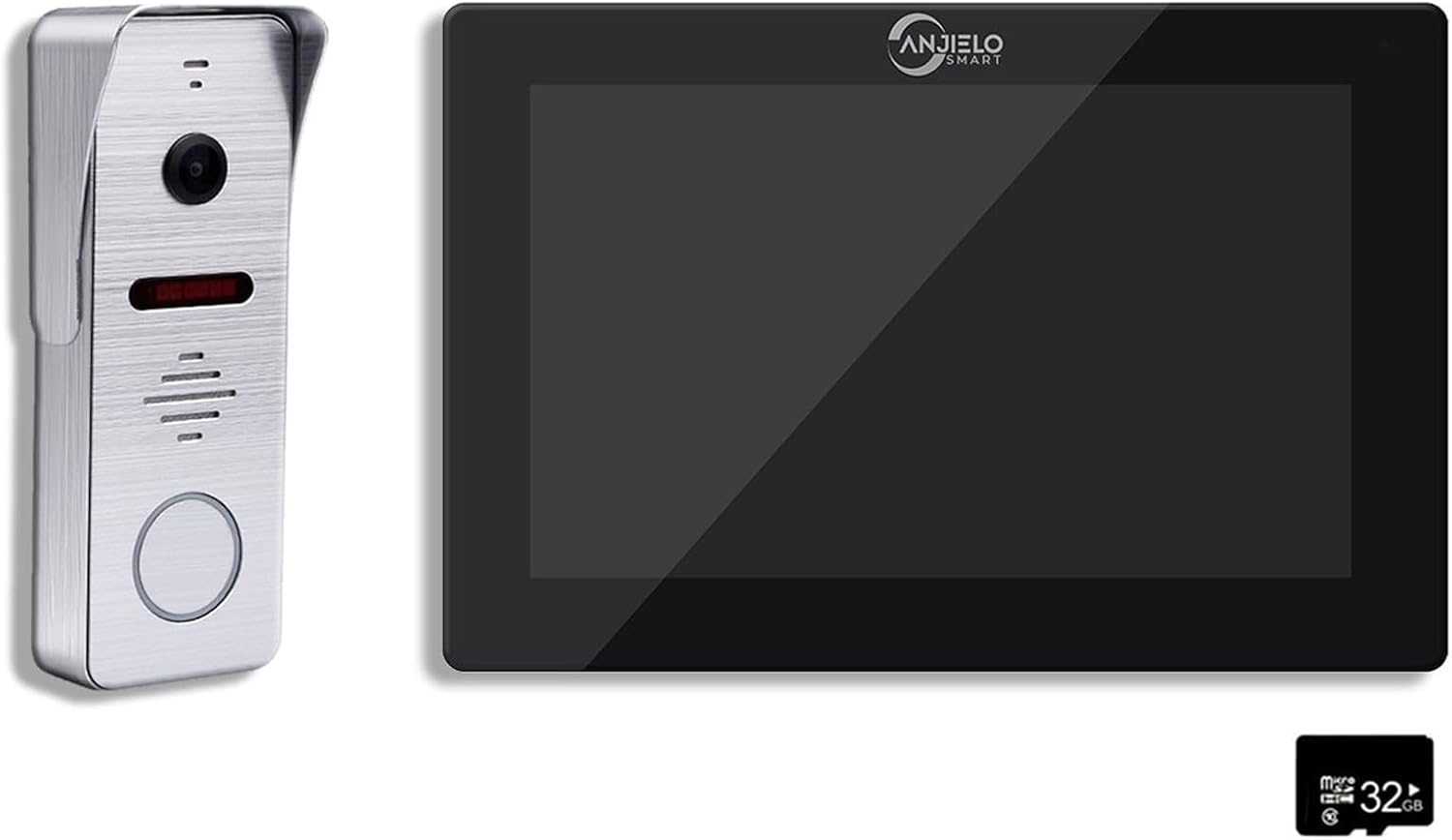
Figure 1: ANJIELO SMART Video Doorbell Intercom System components.
2. Product Components
Your ANJIELO SMART Video Doorbell Intercom System package includes the following main components:
- Indoor Monitor: A 7-inch TFT-LCD touch screen display for viewing visitors, communicating, and managing system settings.
- Outdoor Doorbell Unit: Equipped with a 1080P camera, microphone, speaker, and doorbell button for outdoor installation.
- Power Adapter: For the indoor monitor.
- Mounting Hardware: Screws and brackets for installation.
- 32GB Micro SD Card: Pre-installed or included for local video storage.
3. Setup and Installation
3.1 Indoor Monitor Installation
The indoor monitor is designed for surface mounting. Ensure you select a suitable location near a power outlet and where the 4-wire connection to the outdoor doorbell can be easily routed.
- Mount the bracket securely to the wall using the provided screws.
- Connect the 4-wire cable from the outdoor doorbell unit to the designated terminals on the back of the indoor monitor.
- Connect the power adapter to the indoor monitor and plug it into a standard AC 100-240V 50/60Hz outlet. The monitor operates at DC 12V, 2A.
- Carefully attach the monitor to the mounted bracket.
3.2 Outdoor Doorbell Unit Installation
The outdoor doorbell unit supports both surface and flush mounting. Choose a location at an appropriate height (typically 1.2-1.5 meters from the ground) that provides a clear view of visitors.
- For surface mount, attach the rain cover/mounting bracket to the wall. For flush mount, prepare the wall opening as per the template.
- Route the 4-wire cable from the indoor monitor to the outdoor unit.
- Connect the 4-wire cable to the terminals on the outdoor doorbell unit.
- Secure the outdoor doorbell unit to its mounting bracket or flush mount box.
- Ensure the unit is protected from direct heavy rain, although it has an IP66 waterproof rating.
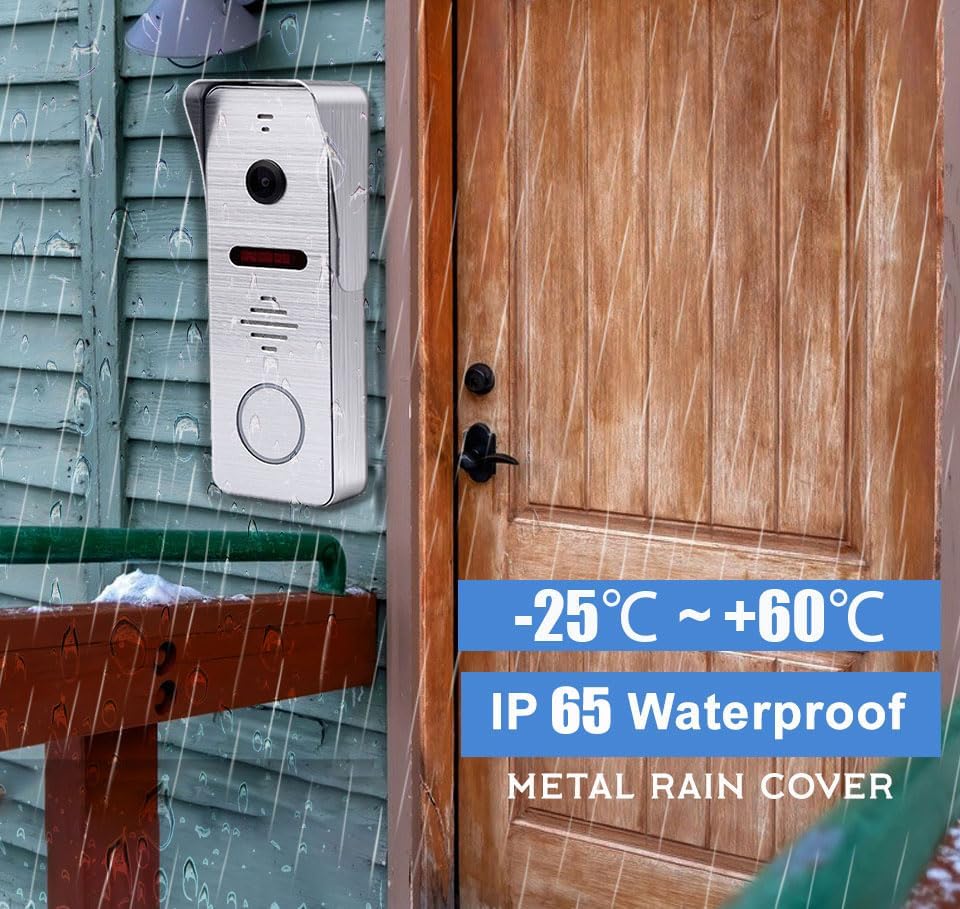
Figure 2: Outdoor Doorbell Unit with IP66 Waterproof Rating.
3.3 Wi-Fi and App Connection
The indoor monitor supports Wi-Fi connectivity for integration with the Tuya app, allowing remote access and control.
- Download the Tuya Smart app from your smartphone's app store (IOS/Android).
- Register or log in to your Tuya account.
- On the indoor monitor, navigate to the Wi-Fi settings and connect to your home Wi-Fi network.
- Follow the instructions in the Tuya app to add your video doorbell system. This typically involves scanning a QR code displayed on the monitor or entering device details manually.
4. Operating Instructions
4.1 Real-Time Video Call and Two-Way Communication
When a visitor presses the doorbell button, the indoor monitor will ring, and the Tuya app on your smartphone will receive an immediate call notification. You can then see, hear, and speak with the visitor.
- From Monitor: Tap the answer icon on the monitor screen to initiate two-way communication.
- From App: Accept the call notification on your smartphone to engage in a real-time video call.
- If you are unable to answer, the system can automatically record the call for later review.

Figure 3: Real-time communication with visitors via the app.
4.2 PIR Motion Detection and Alarm
The system features PIR motion detection combined with radar detection to accurately identify human presence near your home. When motion is detected, the system will record video and send an alert to your monitor and smartphone app.
- Motion detection recordings are saved to the included 32GB Micro SD card.
- Review motion events directly on the indoor monitor or through the Tuya app.

Figure 4: Motion detection alerts on the smartphone app.
4.3 Monitor Modes
The indoor monitor offers three operational modes to suit your needs:
- Residence Mode: Standard operation with full alerts and ringing.
- Non-residence Mode: When you are away, the doorbell camera will automatically record visitor calls and notify you via the app without ringing the indoor monitor.
- Silence Mode: The doorbell and monitor will not produce sound, providing a quiet environment while still allowing app notifications.
4.4 Night Vision and Wide Viewing Angle
The outdoor doorbell camera provides 1080P HD image quality and is equipped with 8 enhanced infrared lights for clear night vision. The 160° ultra-wide-angle lens (140° horizontal, 100° vertical) ensures comprehensive coverage of your entryway.

Figure 5: Day and Night Vision comparison.
4.5 Remote Functions and Call Forwarding
Through the Tuya app, you can remotely monitor your entryway, engage in two-way communication, and even unlock compatible smart locks (if integrated). The system also supports call forwarding to another indoor monitor if multiple units are installed.

Figure 6: Remote phone unlock feature.

Figure 7: Call forwarding functionality.
5. Maintenance
To ensure the longevity and optimal performance of your ANJIELO SMART Video Doorbell Intercom System, follow these maintenance guidelines:
- Cleaning: Gently wipe the indoor monitor screen and outdoor doorbell lens with a soft, dry, lint-free cloth. Avoid using harsh chemicals or abrasive cleaners.
- Outdoor Unit Protection: While the outdoor unit is IP66 waterproof, regularly check for any debris or obstructions around the camera lens and microphone/speaker areas.
- Software Updates: Periodically check for firmware updates through the Tuya app to ensure your system has the latest features and security enhancements.
- SD Card Management: The 32GB Micro SD card provides ample storage. If you experience storage issues, you may need to review and delete old recordings or configure recording settings to optimize space.
6. Troubleshooting
If you encounter any issues with your video doorbell system, please refer to the following common troubleshooting steps:
- No Power to Monitor: Ensure the power adapter is securely plugged into both the monitor and the wall outlet. Check if the outlet is functional.
- No Video/Audio from Doorbell: Verify that the 4-wire connection between the outdoor unit and the indoor monitor is secure and correctly wired.
- Poor Wi-Fi Connection: Ensure the indoor monitor is within range of your Wi-Fi router. Try restarting your router. If issues persist, consider relocating the monitor or using a Wi-Fi extender.
- Motion Detection Not Working: Check the motion detection settings in the monitor's menu and the Tuya app. Ensure the sensitivity is set appropriately and there are no physical obstructions blocking the sensor.
- App Connectivity Issues: Ensure your smartphone has a stable internet connection. Log out and log back into the Tuya app. If necessary, try re-pairing the device with the app.
- No Sound from Speaker/Microphone: Check volume settings on the monitor and app. Ensure there are no obstructions on the speaker or microphone grilles on both units.
7. Specifications
Indoor Monitor
- Screen: 7 inch TFT-LCD touch screen
- Resolution: 1024 x 680 pixels
- Rings: 7-chord melody rings
- Adjustable: Volume, Color
- Connection: 4-wires, WIFI Tuya solution
- Panel Material: Acrylic/ABS cover
- Installation: Surface mounting
- Input Voltage: AC 100-240V 50/60Hz
- Working Voltage: DC 12V, 2A
- Size: 7.8 × 5.1 × 0.8 inch / 198 x 130 x 21 mm
Outdoor Doorbell
- Horizontal Resolution: 2MP 1080P
- Definition: 800TVL/AHD720P/960P/1080P
- Image Sensor: CCD/Colorful CMOS sensor
- Sensor Size: 1/3 inch
- Visual Angle: 160 degrees (140° horizontal, 100° vertical)
- Night Vision: IR Cut, B/W Night Vision (8 enhanced infrared lights)
- Panel Material: Metal
- Installation: Surface/Flush mount
- Connection: Simple 4-wire connection
- Size: 5.7 x 3.6 x 1.5 inch / 135 x 47 x 33 mm
- Operation Temperature: -40~50℃
- IP Rating: IP66 Waterproof
General System Specifications
- Connectivity Technology: Wired (between units), Wi-Fi (monitor to network)
- Storage: 32GB Micro SD card included
- Compatible Devices: Smartphone (IOS/Android)
- Control Method: Touch (monitor), App (smartphone)
- Material: Aluminum, Metal (outdoor unit)
8. Warranty and Support
Warranty information for this product was not provided in the available data. For specific warranty details, please refer to the product packaging or contact the manufacturer directly.
For technical support, troubleshooting assistance, or further inquiries, please visit the official ANJIELO SMART store on Amazon or contact their customer service through the platform where you purchased the product.
ANJIELO SMART Store: https://www.amazon.com/stores/ANJIELOSMART/page/BC5859F8-AE5A-49FA-ADDE-25BCB75DECF6
Ask a question about this manual
Ask about setup, troubleshooting, compatibility, parts, safety, or missing instructions. Manuals+ will review the question and use this page’s manual context to help answer it.