Introduction
This manual provides detailed instructions for the setup, operation, and maintenance of your Carpuride W609 Portable Carplay Wireless Car Stereo. Please read this manual thoroughly before using the device to ensure optimal performance and safety.
Product Overview
The Carpuride W609 is a portable 6.86-inch IPS touch screen car stereo receiver designed to enhance your in-car entertainment and navigation experience. It supports wireless Apple CarPlay and Android Auto, mirror link functionality, Bluetooth, voice control, AUX, FM transmission, and GPS.
Key Features
- 6.86-inch 2.5D HD IPS Touch Screen with Light Sensing
- Wireless Apple CarPlay and Android Auto
- Bluetooth 5.0 for seamless connectivity
- Voice Control (Siri, Google Assistant)
- Android/iOS Mirror Link (Wireless/Wired)
- 3 Audio Output Modes: Local Speaker, AUX OUT, FM Transmission
- Built-in 16-Band EQ
- Supports 12-24V voltage (compatible with most vehicles)
Package Contents
The standard package includes:

Image: Carpuride W609 Packing List. This image displays the main unit, self-adhesive bracket, suction mount bracket, car charger, 3.5mm audio cable, suction cup gasket, and user manual.
- Carpuride W609 Main Unit
- Self-adhesive Bracket
- Suction Mount Bracket
- Car Charger (12-24V compatible)
- 3.5mm Audio Cable
- Suction Cup Gasket
- User Manual
Setup
Mounting the Device
Choose a suitable location on your dashboard or windshield that does not obstruct your view or interfere with driving.
- Suction Mount: Attach the suction cup to a clean, smooth surface. Press firmly and engage the lever to secure. Adjust the angle as needed.
- Self-adhesive Mount: Clean the desired surface thoroughly. Peel off the protective film from the adhesive base and press firmly onto the surface. Allow sufficient time for the adhesive to bond before attaching the main unit.

Image: Carpuride W609 main unit with both suction and adhesive mounting options.
Power Connection
Connect the provided car charger to the device's Type-C 5V 2.5A port and plug the other end into your vehicle's cigarette lighter socket. The device is compatible with 12-24V vehicle power systems.
Video: This video demonstrates the initial setup of the Carpuride W609, including plugging it into the car's power outlet and showing the main interface.
Operating Instructions
Wireless CarPlay / Android Auto Connection
The Carpuride W609 supports wireless connection to Apple CarPlay and Android Auto.
- On the device screen, select the "i-Play" (for CarPlay) or "A-Auto" (for Android Auto) icon.
- Follow the on-screen instructions to connect your smartphone via Bluetooth.
- Once connected via Bluetooth, the device will automatically establish the wireless CarPlay or Android Auto connection.
Video: This video provides a comprehensive guide on connecting the Carpuride W609 to a smartphone for wireless CarPlay functionality, demonstrating the seamless auto-connection feature.

Image: Displays the Carpuride W609 screen showing the Apple CarPlay and Android Auto interfaces, highlighting wireless and wired connection options.
Mirror Link Functionality
The device supports screen mirroring from your smartphone.
- iOS (Airplay): Supports wireless and wired connection for iPhone 6 or above.
- Android (Autolink): Supports wired connection only for Android 11 or above and 5GHz Wi-Fi Android phones.
Video: This video demonstrates the mirror link feature of the Carpuride W609, showing how content from a smartphone can be displayed on the device's screen.
Audio Output Modes
The Carpuride W609 offers multiple audio output options:
- Local Speaker: The device has a built-in 8Ω2W speaker for direct audio output.
- AUX OUT: Connect the device to your car's AUX IN port using the provided 3.5mm audio cable for audio playback through your car's speakers.
- FM Transmission: Transmit audio wirelessly to your car's FM radio. Select an unused FM frequency on the device and tune your car's radio to the same frequency.

Image: Illustrates the built-in 16-band EQ for sound customization and the concept of audio output through the car's speakers.
Voice Control
Utilize voice commands for navigation, calls, music playback, and more through Siri (for CarPlay) or Google Assistant (for Android Auto).
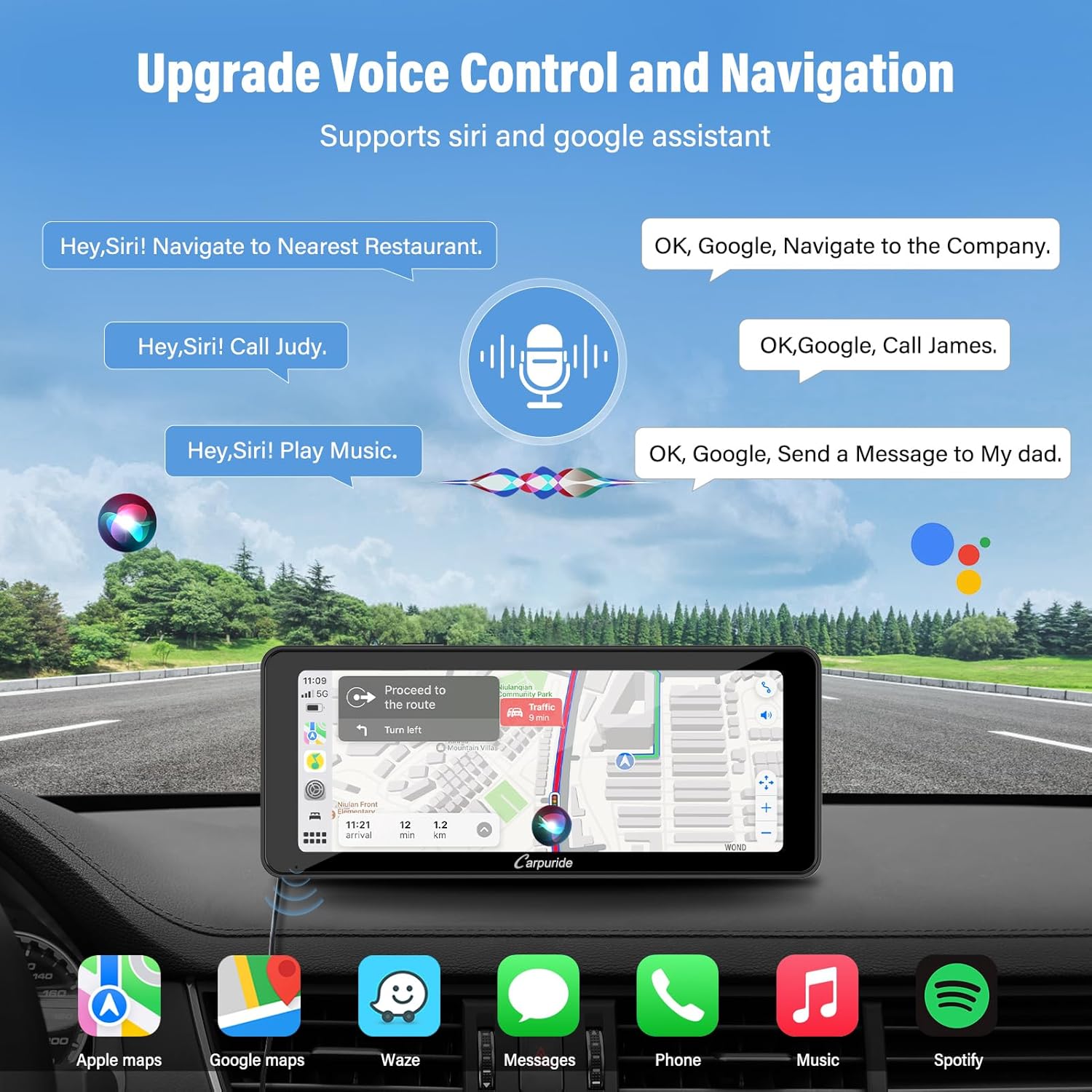
Image: Shows examples of voice commands for navigation, calls, and music, demonstrating the voice control feature.
Light Sensing Feature
The device features a light sensor that automatically adjusts screen brightness based on ambient light conditions, improving visibility and reducing eye strain.

Image: Demonstrates how the intelligent light sensor adjusts screen brightness for optimal viewing in various lighting conditions (day, night, tunnel).
HD IPS Touch Screen
The 6.86-inch 1280x480 resolution IPS touch screen provides a responsive, clear, and smooth user experience.

Image: Highlights the HD IPS screen with 1024x600 HD resolution, 2.5D curved glass, and IPS technology for quick response and stability.
Maintenance
Cleaning the Device
To maintain the clarity and responsiveness of the touch screen, gently wipe it with a soft, lint-free cloth. For stubborn smudges, slightly dampen the cloth with water or a screen-safe cleaner. Avoid using abrasive materials or harsh chemicals.
General Care
- Avoid exposing the device to extreme temperatures, direct sunlight for prolonged periods, or excessive moisture.
- Ensure all cables are securely connected to prevent accidental disconnections.
- Do not attempt to disassemble or repair the device yourself, as this will void the warranty.
Troubleshooting
If you encounter issues with your Carpuride W609, please refer to the following common solutions. If the problem persists, contact customer support.
Common Issues and Solutions
| Problem | Possible Cause | Solution |
|---|---|---|
| Device does not power on. | Loose power connection, vehicle's cigarette lighter not providing power. | Check if the car charger is securely plugged into both the device and the vehicle's socket. Test the cigarette lighter with another device. |
| Wireless CarPlay/Android Auto fails to connect. | Bluetooth not enabled on phone, incorrect pairing, Wi-Fi interference. | Ensure Bluetooth is on and paired correctly. Restart both the device and your phone. Check for Wi-Fi interference. |
| No audio output. | Incorrect audio output mode selected, volume too low. | Verify the selected audio output mode (Local Speaker, AUX, FM). Increase volume on both the device and your car stereo. Ensure FM frequency matches if using FM transmission. |
| Screen mirroring not working. | Incorrect Wi-Fi connection, unsupported app. | Ensure your phone is connected to the device's Wi-Fi. Note that some apps (e.g., Netflix, Hulu, Pandora) are incompatible with mirror link due to copyright restrictions. |
Specifications
| Feature | Detail |
|---|---|
| Product Dimensions | 1 x 5.5 x 3.1 inches (1"D x 5.5"W x 3.1"H) |
| Item Weight | 1.58 pounds |
| Model Number | W609 |
| Brand | Carpuride |
| Connectivity Technology | Bluetooth, USB 5V2.1A, Wireless, AUX 3.5mm, AV in 3.5mm, Type-C 5V 2.5A, Wi-Fi |
| Controller Type | Android |
| Special Feature | Touchscreen, Light Sensing |
| Compatible Devices | Smartphone, Speaker |
| Audio Output Mode | Stereo |
| Color | Black |
| Output Power | 2 Watts (Local Speaker) |
Warranty and Support
Carpuride is committed to providing high-quality products and excellent customer service.
Customer Service Guarantee
If you encounter any issues after purchasing your Carpuride W609, please do not hesitate to contact our customer service team. We guarantee a satisfactory solution within 24 hours.
For support, please visit the official Carpuride store or contact us through the platform where you purchased the product.