

1. Introduction
This manual provides essential instructions for setting up, operating, maintaining, and troubleshooting your Meentek TVIP 705 Streaming Media Player. The TVIP 705 is designed to deliver high-quality streaming content with its Amlogic S905W2 quad-core processor and 4K HDR support. Please read this manual thoroughly before using the device to ensure optimal performance and longevity.

Image 1.1: Meentek TVIP 705 device, remote control, and product packaging.
2. What's in the Box
Carefully unpack your Meentek TVIP 705 and verify that all items listed below are present:
- TVIP 705 Streaming Media Player
- Remote Control
- AV Cable
- Receiver (likely IR receiver for remote)
- Power Adapter
- HDMI Cable
- Batteries for Remote Control
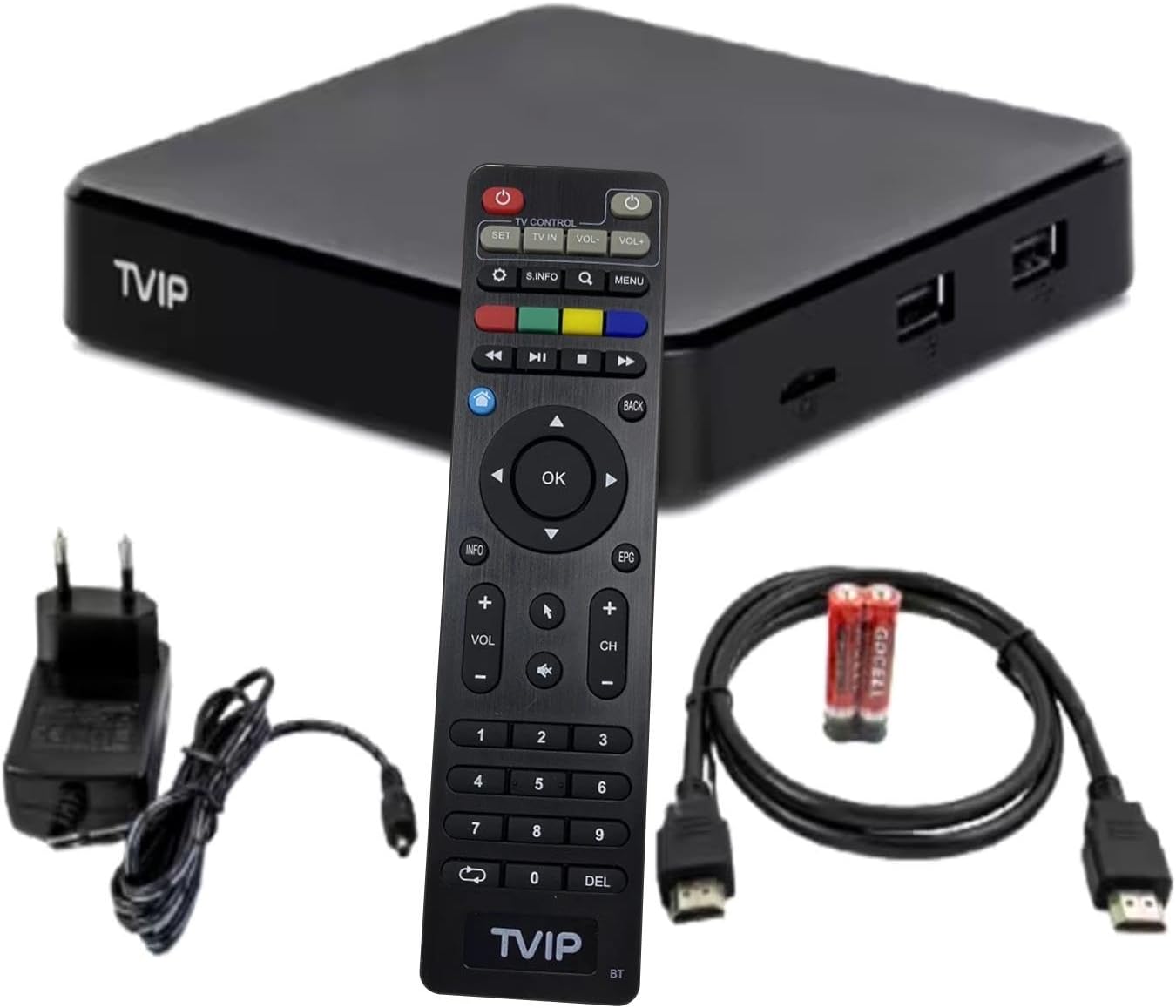
Image 2.1: All components included with the Meentek TVIP 705 streaming media player.
3. Setup
3.1 Connecting the Device
- Connect to TV: Use the provided HDMI cable to connect the HDMI port on the TVIP 705 to an available HDMI input on your television. Alternatively, use the AV cable for older televisions.
- Connect to Power: Plug the power adapter into the DC IN port on the TVIP 705, then plug the adapter into a wall outlet. The device should power on automatically or can be turned on using the remote.
- Optional: Ethernet Connection: For a stable internet connection, connect an Ethernet cable from your router to the Ethernet port on the TVIP 705.
- Insert MicroSD Card: If desired, insert a MicroSD card into the designated slot for additional storage.
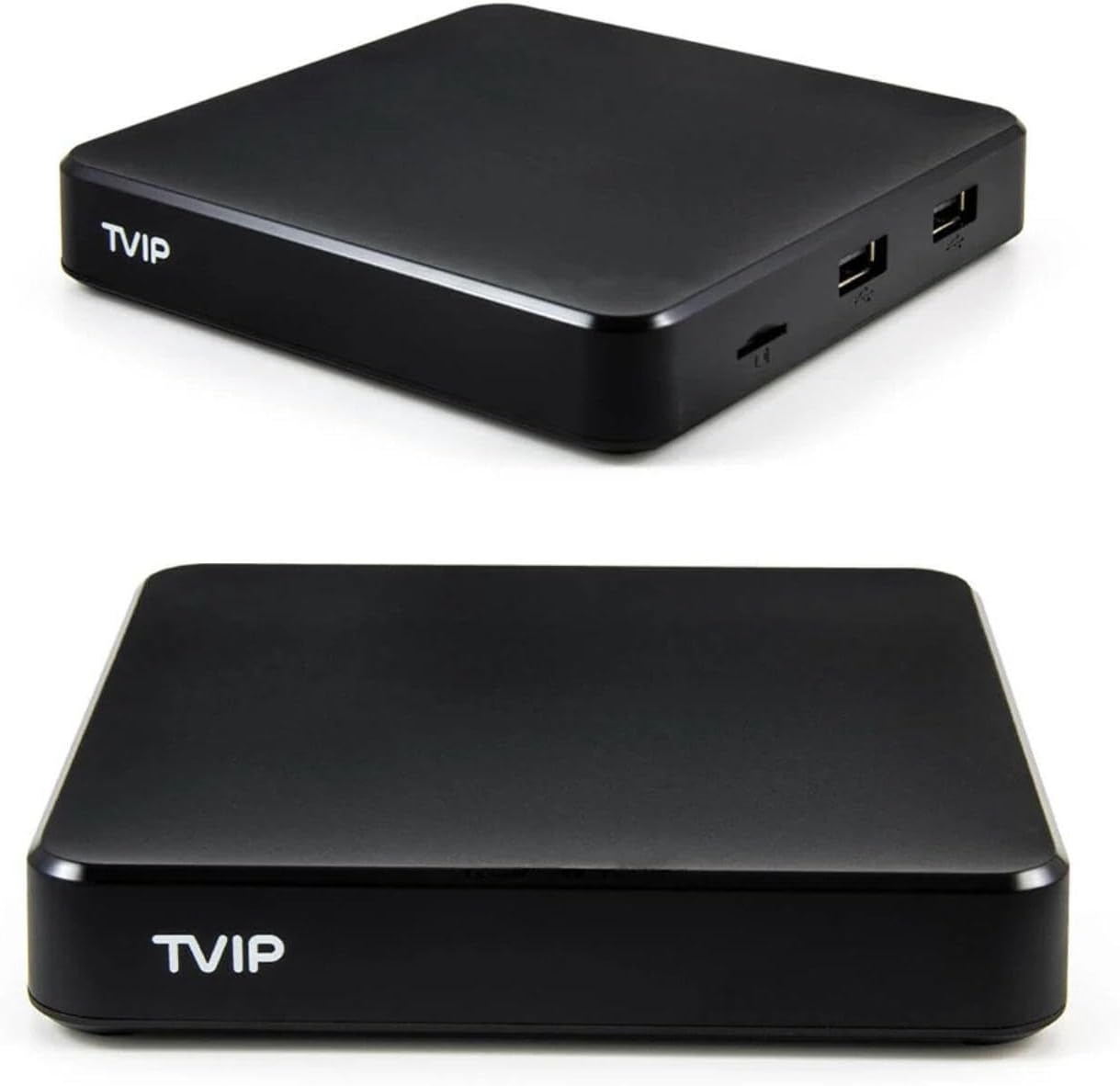
Image 3.1: Rear and side ports of the TVIP 705 for connections.
3.2 Remote Control Setup
Insert the provided batteries into the remote control. The TVIP 705 remote control supports Bluetooth connectivity. If the remote does not respond immediately, it may need to be paired:
- Ensure the TVIP 705 is powered on.
- Navigate to the device's settings menu (if possible with basic remote functions or a temporary USB mouse).
- Look for Bluetooth or Remote & Accessories settings.
- Follow on-screen instructions to pair the remote. This usually involves holding down specific buttons on the remote until an indicator light flashes.
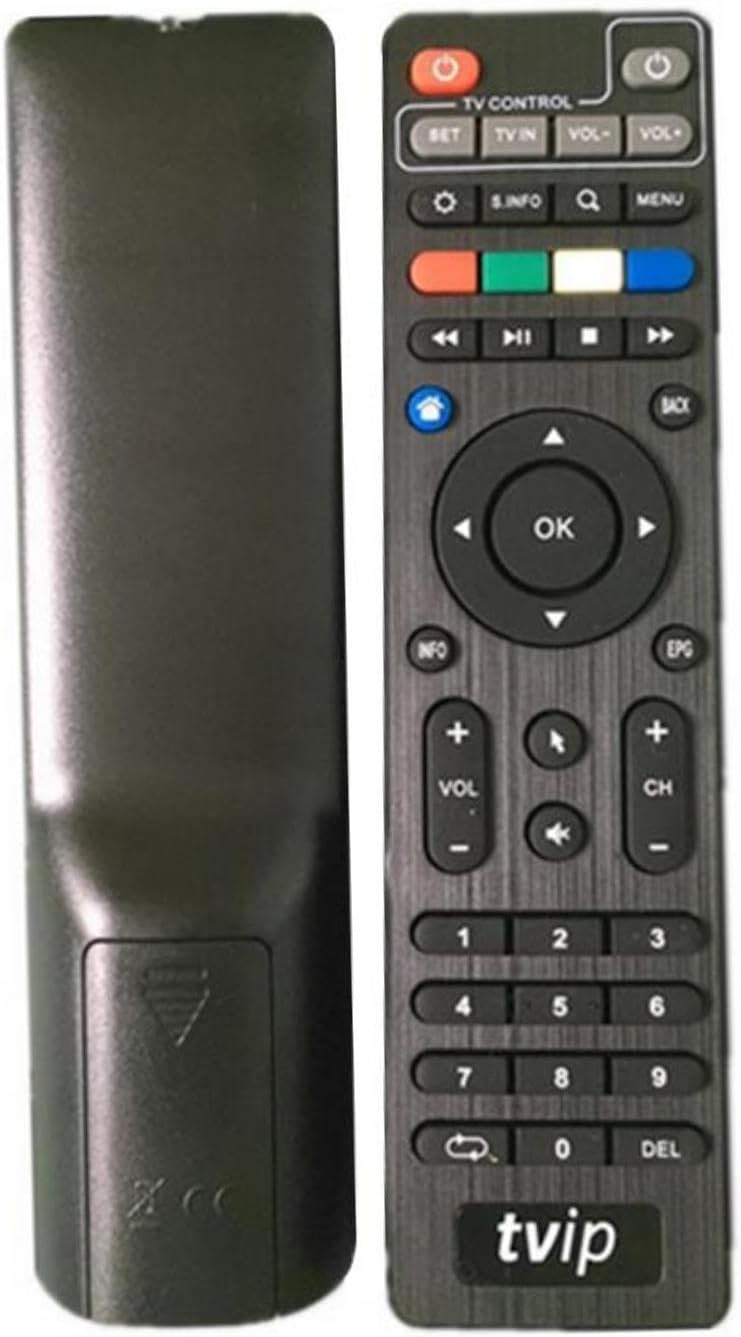
Image 3.2: Front and back of the TVIP 705 remote control.
3.3 Network Configuration
After initial power-on, the device will guide you through the setup wizard. Follow these steps to connect to your network:
- Wi-Fi: Select your Wi-Fi network from the list of available networks. Enter the password if prompted. The TVIP 705 supports Wi-Fi 802.11 (b/g/n/ac) on both 2.4 GHz and 5 GHz bands.
- Ethernet: If an Ethernet cable is connected, the device should automatically detect and connect to the wired network.
4. Operating Instructions
4.1 Basic Navigation
Use the directional pad and 'OK' button on the remote control to navigate through the user interface. The 'Back' button returns to the previous screen, and the 'Home' button typically takes you to the main menu.
4.2 Accessing Applications
The TVIP 705 comes with pre-installed applications and allows for installation of others. For example, Netflix is a supported internet service. Navigate to the 'Apps' section on the home screen to launch your desired streaming services or other applications.
4.3 USB Recording (DVR)
The TVIP 705 supports USB recording, allowing you to record content to an external USB storage device. To use this feature:
- Connect a USB storage device (e.g., USB flash drive or external hard drive) to one of the USB ports on the TVIP 705.
- Access the DVR or recording function within your streaming application or the device's system menu.
- Follow the on-screen prompts to schedule or initiate a recording.
5. Maintenance
To ensure the longevity and optimal performance of your TVIP 705, follow these maintenance guidelines:
- Cleaning: Use a soft, dry cloth to clean the device. Do not use liquid cleaners or abrasive materials.
- Ventilation: Ensure the device is placed in a well-ventilated area to prevent overheating. Do not block ventilation openings.
- Power Off: When not in use for extended periods, it is recommended to power off the device and unplug it from the power outlet.
- Software Updates: Periodically check for and install software updates to ensure you have the latest features and security enhancements.
6. Troubleshooting
If you encounter issues with your TVIP 705, refer to the following common problems and solutions:
| Problem | Possible Solution |
|---|---|
| No power/Device not turning on | Ensure the power adapter is securely connected to the device and a working power outlet. Try a different outlet. |
| No picture on TV | Verify the HDMI or AV cable is securely connected to both the TVIP 705 and your TV. Ensure your TV is set to the correct input source. |
| Remote control not responding | Check if the batteries are correctly inserted and have sufficient charge. Re-pair the Bluetooth remote control as described in Section 3.2. |
| Flickering screen | Check HDMI cable connections. Try a different HDMI cable or port. Ensure your TV's resolution settings are compatible with the device's output. |
| No internet connection | For Wi-Fi, ensure the correct password is entered and the device is within range of your router. For Ethernet, check the cable connection and router status. Restart your router and the TVIP 705. |
7. Specifications
The Meentek TVIP 705 Streaming Media Player features the following technical specifications:
- Processor: Amlogic S905W2 quad-core 1.8 GHz
- RAM: 1 GB
- Flash Memory: 8 GB
- Resolution: 3840x2160 (4K HDR)
- Connectivity:
- HDMI
- AV
- Ethernet
- 2x USB ports
- MicroSD Card slot
- External IR port
- Wi-Fi 802.11 (b/g/n/ac) 2.4/5 GHz
- Bluetooth
- Special Features: USB Recording (DVR)
- Supported Internet Services: Netflix
- Dimensions: Approximately 4 x 4 x 1 inches
- Weight: Approximately 15.5 ounces
- Color: Black
8. Warranty Information
The Meentek TVIP 705 Streaming Media Player is covered by a manufacturer's warranty. Please refer to the warranty card included with your product or contact the seller for specific details regarding warranty terms and conditions, including duration and coverage.
9. Support
For further assistance, technical support, or inquiries not covered in this manual, please contact your retailer or the Meentek customer support channels. Refer to the product packaging or the seller's information for contact details.