
Introduction
Thank you for choosing the Vida IT G306-LPD 10000mAh Power Bank. This portable charger is designed to provide reliable power for your mobile devices and heated clothing, featuring integrated charging cables and fast-charging capabilities. Please read this manual carefully to ensure proper use and maintenance of your device.
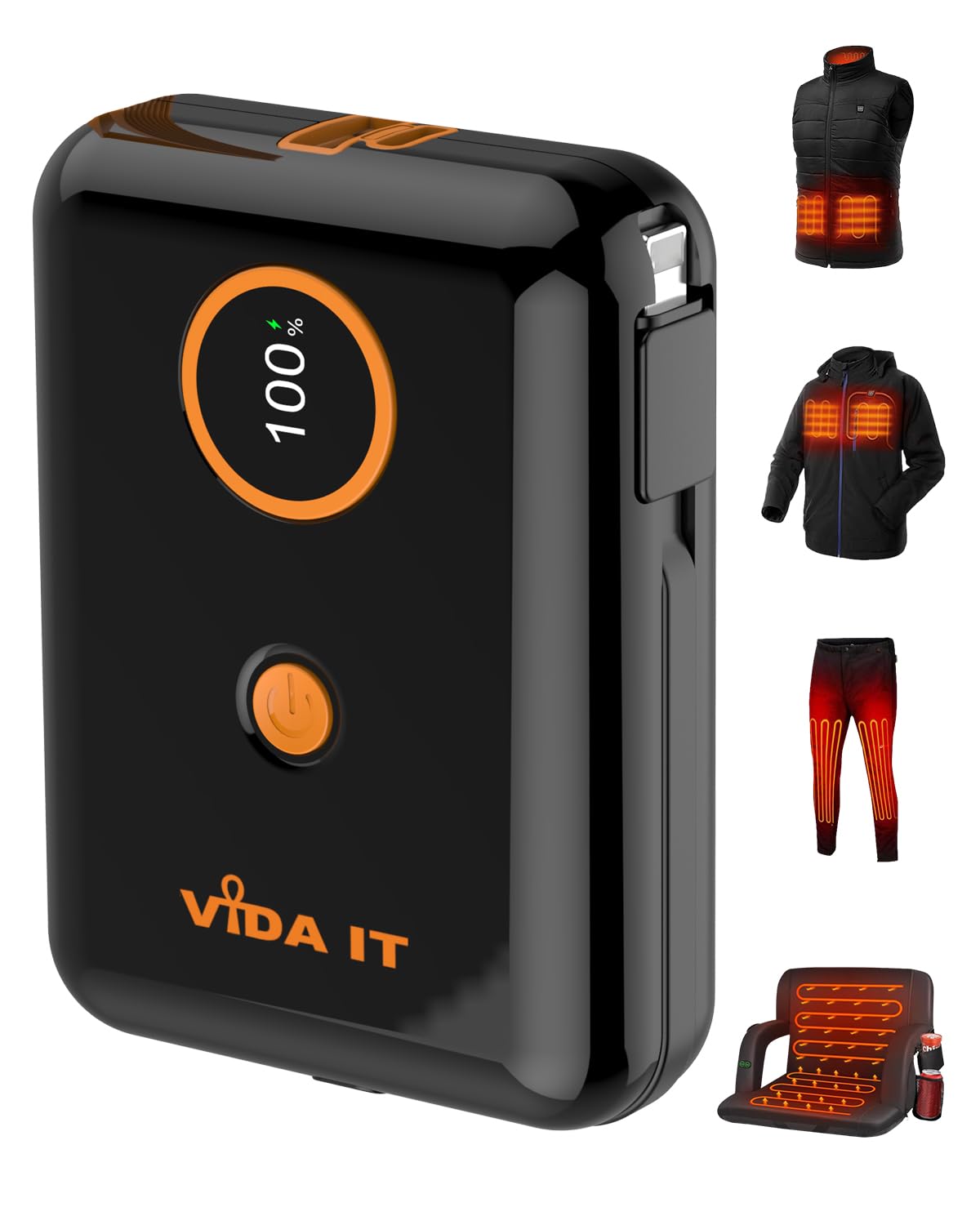
Image: The Vida IT G306-LPD Power Bank shown powering various heated clothing items.
Product Features
- 10000mAh Capacity: Provides ample power for multiple device charges.
- Built-In Charging Cables: Integrated cables compatible with iPhone and Android devices (USB Type-C and Lightning).
- Fast Charging: Equipped with Power Delivery (PD) and Quick Charge (QC) technologies for rapid charging.
- LED Digital Display: Shows battery percentage from 0-100%.
- Compact and Lightweight Design: Easily fits into pockets or bags for portability.
- Versatile Use: Ideal for charging mobile phones, tablets, and 5V 2A heated clothing (vests, jackets, gloves, seats).
What's in the Box
- 1 x Vida IT G306-LPD 10000mAh Power Bank
- 1 x USB Charging Cable (for recharging the power bank)
- 1 x User Manual
Setup
- Initial Charge: Before first use, fully charge the power bank. Connect the provided USB charging cable to the power bank's USB-C input port and a suitable USB power adapter (not included). The LED display will show the charging progress and indicate 100% when fully charged.
- Understanding the LED Display: The bright LED display shows the remaining battery percentage (0-100%). Press the power button once to activate the display.
- Power On/Off: The power bank typically turns on automatically when a device is connected. To manually check the battery level or turn it on, press the power button.

Image: Detailed view of the power bank's components and LED display.
Operating Instructions
Charging Mobile Devices
- Using Built-In Cables:
- For iPhone: Pull out the integrated Lightning cable and connect it to your iPhone.
- For Android/USB-C devices: Pull out the integrated USB-C cable and connect it to your device.
- Using External Ports:
- Connect your device's charging cable to the USB-A output port or the USB-C output/input port on the power bank.
- The power bank will automatically begin charging your device. The LED display will show the remaining power.

Image: The power bank highlighting its built-in charging cables and ports.
Charging Heated Clothing
The Vida IT G306-LPD is suitable for 5V 2A heated clothing. Connect your heated clothing's USB cable to one of the power bank's USB output ports (USB-A or USB-C). Ensure your heated clothing is compatible with a 5V 2A power source.

Image: The power bank charging multiple devices simultaneously.
Maintenance
- Recharging the Power Bank: Recharge the power bank regularly, especially if it has not been used for an extended period, to maintain battery health.
- Storage: Store the power bank in a cool, dry place away from direct sunlight, extreme temperatures, and humidity.
- Cleaning: Use a soft, dry cloth to clean the exterior of the power bank. Do not use liquid cleaners or abrasive materials.
- Safety Precautions:
- Do not disassemble, crush, puncture, or short-circuit the power bank.
- Keep away from fire, water, and corrosive substances.
- Avoid dropping the device. If it is damaged, discontinue use.
- Keep out of reach of children.
Troubleshooting
- Power Bank Not Charging:
- Ensure the charging cable is securely connected to both the power bank's USB-C input and the power adapter.
- Try a different USB power adapter or cable.
- Device Not Charging from Power Bank:
- Check if the power bank has sufficient charge (refer to the LED display).
- Ensure the device's charging cable or the built-in cable is properly connected to both the power bank and the device.
- Try a different port or cable.
- Some devices may require you to press the power bank's button to initiate charging.
- Slow Charging:
- Ensure your device and cable support fast charging (PD/QC).
- Charging multiple devices simultaneously may reduce individual charging speeds.
Specifications
| Model Number | G306-LPD |
| Battery Capacity | 10000mAh (Lithium Polymer) |
| Power Output | PD/QC 20W, SCP 22.5W |
| Power Input | USB-C 18W |
| Output Ports | USB-A, USB-C, Built-in Lightning Cable, Built-in USB-C Cable |
| Dimensions | 8.5 x 6.4 x 2.5 cm (3.34 x 2.51 x 0.98 inches) |
| Weight | 185g (6.6 ounces) |
| Special Features | Built-in Cables, Digital Display, Pocket Size, USB-C Fast Charging, Compatible with 5V 2A Heated Clothing |
Warranty and Support
The Vida IT G306-LPD Power Bank comes with a 1-Year Warranty from the date of purchase. This warranty covers manufacturing defects and ensures the product functions as intended under normal use.
For warranty claims, technical support, or any questions regarding your product, please contact Vida IT customer service through the retailer where you purchased the item or visit the official Vida IT website for contact information.
Please retain your proof of purchase for warranty validation.
