
1. Introduction
This manual provides essential information for the proper installation, operation, and maintenance of your lilila-ree 12VHPWR 2x 8-Pin to 16-Pin Type 5 Power Cable. This cable is designed to connect compatible Cooler Master V SFX Series Power Supply Units (PSUs) directly to the latest PCIe 5.0 graphics cards, eliminating the need for a 12+4pin adapter.
2. Product Overview
The lilila-ree 12VHPWR cable is engineered for reliable power delivery to high-performance graphics cards. It features a direct modular design for a clean and efficient connection.
- Cable Type: 12VHPWR PCI-e Direct Modular Cable
- Connectors: Dual 8-Pin PCIe (for PSU) to 12VHPWR Mini 12+4 Pin (16-Pin) (for GPU)
- Cable Length: Standard 60cm (approximately 24 inches)
- Cable Style: Premium all-black flexible ribbon wire for easy cable management
- Construction: Features extended connectors rated for 160°C and high-current single-seam 4-String terminals.
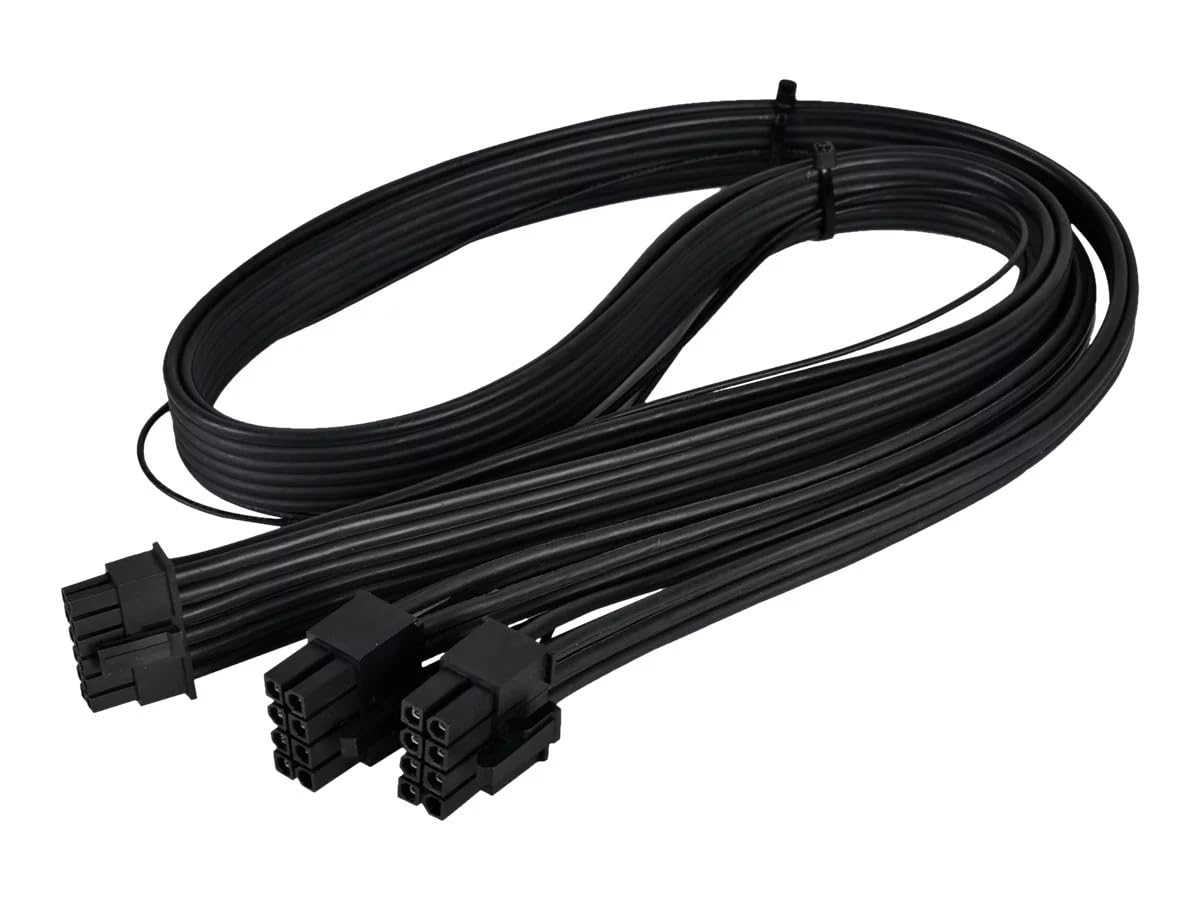
Image 1: Overview of the lilila-ree 12VHPWR 2x 8-Pin to 16-Pin Type 5 Power Cable, showing the dual 8-pin connectors on one end and the 16-pin 12VHPWR connector on the other.
3. Compatibility
This cable is specifically designed for use with certain power supply units and graphics cards. Verify compatibility before installation.
3.1 Compatible Power Supply Units (PSUs)
This cable is compatible only with the following Cooler Master V SFX Series PSUs:
- Cooler Master V850 SFX Gold
- Cooler Master V750 SFX Gold
- Cooler Master V650 SFX Gold
- Cooler Master V550 SFX Gold
3.2 Compatible Graphics Processing Units (GPUs)
This cable is suitable for any PCIe 5.0 GPUs equipped with a 12VHPWR 16-Pin port, including but not limited to:
- NVIDIA GeForce RTX 4080
- NVIDIA GeForce RTX 4090
- NVIDIA GeForce RTX 3090 Ti
WARNING: This cable is designed for specific Cooler Master V SFX Series PSUs. Using this cable with incompatible brand PSUs or other types of power supplies may result in severe damage to your PSU, graphics card, or other system components. Ensure your power supply is listed above before connecting this cable. If you are uncertain about compatibility, please contact the manufacturer for assistance.
4. Setup Instructions
Follow these steps to properly install the 12VHPWR power cable:
- Power Off System: Ensure your computer system is completely powered off and disconnected from the main power outlet.
- Access Components: Open your computer case to access the Power Supply Unit (PSU) and the Graphics Processing Unit (GPU).
- Connect to PSU: Locate the dual 8-pin PCIe power outputs on your compatible Cooler Master V SFX Series PSU. Insert the two 8-pin connectors of the 12VHPWR cable firmly into these ports. Ensure they click into place securely.
- Connect to GPU: Locate the 12VHPWR 16-pin power input on your PCIe 5.0 graphics card. Carefully align the 16-pin connector of the cable with the port and push it in firmly until it is fully seated. Avoid bending the cable excessively near the connector.
- Cable Management: Route the cable neatly within your computer case to ensure proper airflow and prevent interference with other components.
- Close Case & Power On: Close your computer case, reconnect the power cable, and power on your system.
IMPORTANT: Always ensure all connectors are fully seated to prevent poor contact, which can lead to overheating or system instability.
5. Operating Guidelines
Once installed, the 12VHPWR cable operates automatically to deliver power to your graphics card. No specific user interaction is required during normal operation.
- Power Delivery: This cable is rated for up to 600 watts of power delivery to the graphics card.
- System Stability: Ensure your PSU has sufficient wattage to power both your graphics card and other system components.
6. Maintenance
The 12VHPWR cable requires minimal maintenance. Adhere to the following guidelines to ensure longevity and optimal performance:
- Regular Inspection: Periodically inspect the cable and its connectors for any signs of wear, damage, or discoloration.
- Cleaning: If necessary, gently clean the cable with a soft, dry cloth. Do not use liquid cleaners or solvents.
- Avoid Stress: Do not excessively bend, twist, or pull on the cable, especially near the connectors, as this can damage the internal wiring or pins.
- Temperature: Ensure adequate airflow within your PC case to prevent excessive heat buildup around the cable and connectors.
7. Troubleshooting
If you encounter issues after installing the 12VHPWR cable, consider the following troubleshooting steps:
- No Power to GPU:
- Verify that both the 8-pin connectors on the PSU side and the 16-pin connector on the GPU side are fully and securely seated.
- Ensure your PSU is powered on and functioning correctly.
- Confirm that your PSU is compatible with this cable (refer to Section 3.1).
- System Instability/Crashes:
- Check that your PSU has sufficient wattage for your entire system, especially the graphics card.
- Ensure the cable is not damaged or kinked.
- Update your graphics card drivers to the latest version.
- Visual Artifacts/Display Issues:
- This is typically a GPU or driver issue, but ensure the cable is securely connected.
If problems persist after performing these steps, consult your graphics card or PSU manufacturer's support resources, or contact lilila-ree customer support.
8. Specifications
| Feature | Specification |
|---|---|
| Brand | lilila-ree |
| Model Name | 12VHPWR for Cooler Master |
| Connector Type (PSU) | Dual 8-Pin PCIe |
| Connector Type (GPU) | 12VHPWR Mini 12+4 Pin (16 Pin) |
| Cable Type | Power Supply (ATX, EPS, PCIe) |
| Cable Length | 60 cm (24 Inches) |
| Color | Black |
| Maximum Wattage | 600 Watts |
| Maximum Voltage | 12 Volts (DC) |
| Item Weight | 0.11 Kilograms (3.84 ounces) |
| Special Feature | High Speed |
9. Warranty and Support
For warranty information or technical support regarding your lilila-ree 12VHPWR 2x 8-Pin to 16-Pin Type 5 Power Cable, please contact the manufacturer directly through their official support channels. Ensure you have your product model and purchase details available when seeking assistance.