
Introduction
This manual provides detailed instructions for the installation, operation, and maintenance of your Dalouguan DLG-FSD36 Geometric Ceiling Fan. Please read this manual thoroughly before installation and use to ensure safe and efficient operation.
The Dalouguan DLG-FSD36 is a 24-inch low-profile ceiling fan featuring a geometric, flower-shaped design with integrated LED lighting. It includes a remote control for adjusting fan speeds, light colors, and brightness, and offers a reversible motor for year-round comfort.
Important Safety Information
- Electrical Safety: Always disconnect power at the circuit breaker before installation or servicing. Ensure all wiring connections comply with local electrical codes. If you are unsure about wiring, consult a qualified electrician.
- Mounting: The ceiling fan must be securely mounted to a ceiling joist or a suitable support structure capable of holding the fan's weight.
- Blade Clearance: Ensure there is adequate clearance between the fan blades and any obstructions (walls, furniture) to prevent injury or damage.
- Remote Control: Keep the remote control out of reach of children. Do not mix old and new batteries.
- Cleaning: Always turn off the fan and light before cleaning. Use a soft, damp cloth; avoid harsh chemicals.
Package Contents
Verify that all components are present before beginning installation. If any parts are missing or damaged, contact customer support.
- Ceiling Fan Unit (with integrated LED light)
- Remote Control (requires 2 AAA batteries, included)
- Mounting Hardware Kit
- Instruction Manual
Setup and Installation
Most functional parts of this ceiling fan are pre-assembled for easier installation. Please refer to the included English instructions and accessories package for detailed steps. Ensure power is disconnected at the circuit breaker before starting.

Image: Detailed view of the fan's components, including the metal canopy, soft light acrylic lampshade, fan blade, and built-in LED light source. These components are largely pre-assembled.
Dimensions
The fan measures 24 inches in diameter and 5 inches in height, making it suitable for low-profile flush mount installations.
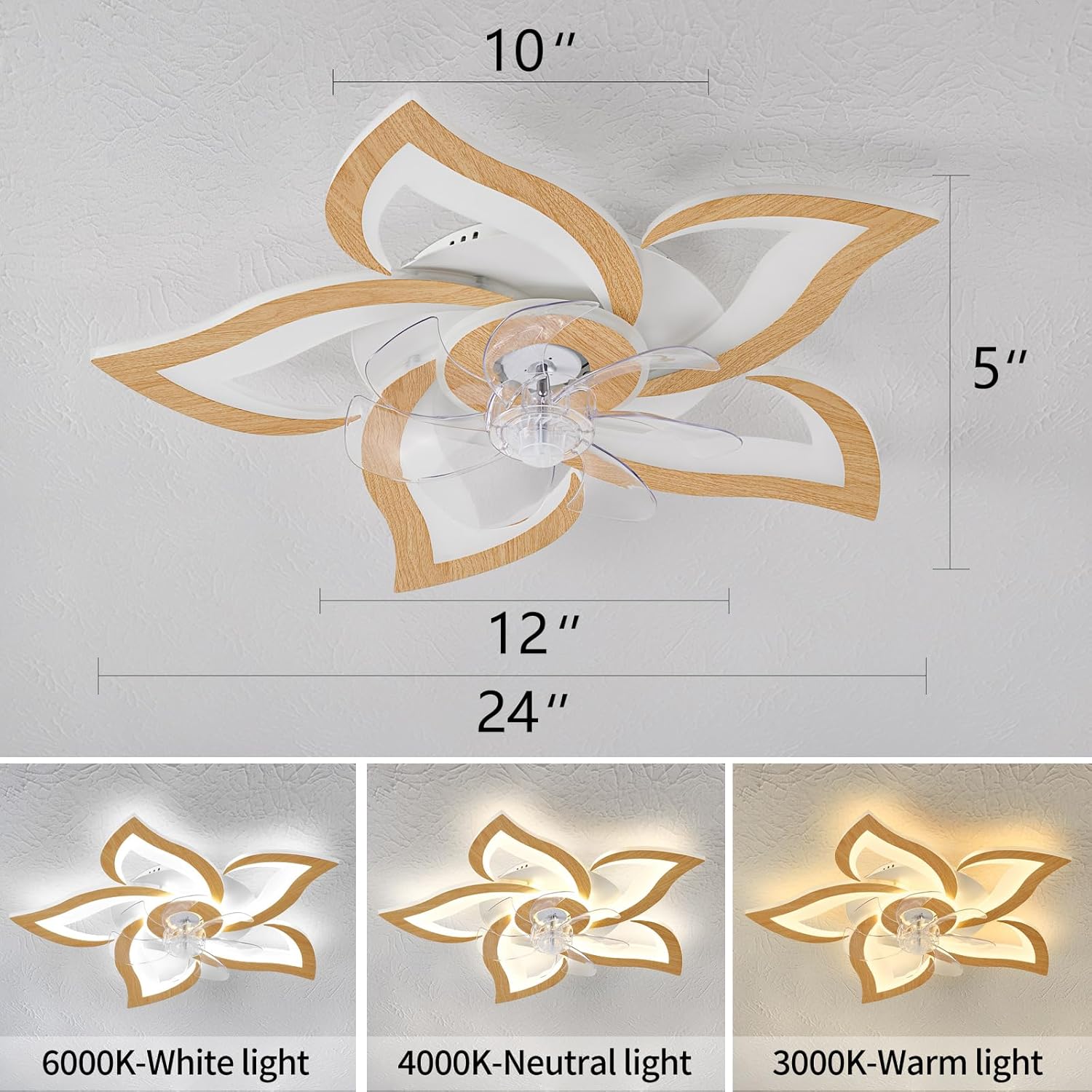
Image: Diagram illustrating the fan's dimensions: 24 inches in diameter and 5 inches in height.
Operating Instructions
Your Dalouguan ceiling fan is operated using the included remote control. Ensure the remote has 2 AAA batteries installed (included).
Remote Control Functions

Image: The remote control for the ceiling fan, showing buttons for various functions including fan speed (1-6), light switch, color temperature adjustment, brightness adjustment, timing (1H/2H), and fan direction (positive/negative).
- Power On/Off: Use the main power button to turn the fan and light on or off.
- Fan Speed: Select from 6 wind speeds (1-6) to adjust airflow. 1-2 are low speeds, 5-6 are high speeds.
- Light Control:
- Light Switch: Turn the light on or off independently.
- Color Temperature: Cycle through 3 light colors: 6000K (White light), 4000K (Neutral light), and 3000K (Warm light).
- Brightness: Adjust the light intensity (dimmable function).
- Timing Function: Set the fan to automatically turn off after 1 or 2 hours.
- Reversible Motor: Switch between positive and negative rotation for summer cooling or winter air circulation.
Light Memory Function
The fan's light has a memory function. When the light is turned on again via the remote control, it will resume the last set color temperature and brightness settings.

Image: Visual representation of the light memory function, demonstrating how the light retains its last brightness and color temperature setting when reactivated.
Reversible Motor for Year-Round Use
The fan features a reversible motor, allowing you to change the direction of the fan blades. In summer, the fan rotates counter-clockwise to create a cooling downdraft. In winter, it rotates clockwise to circulate warm air trapped near the ceiling, improving heat distribution.
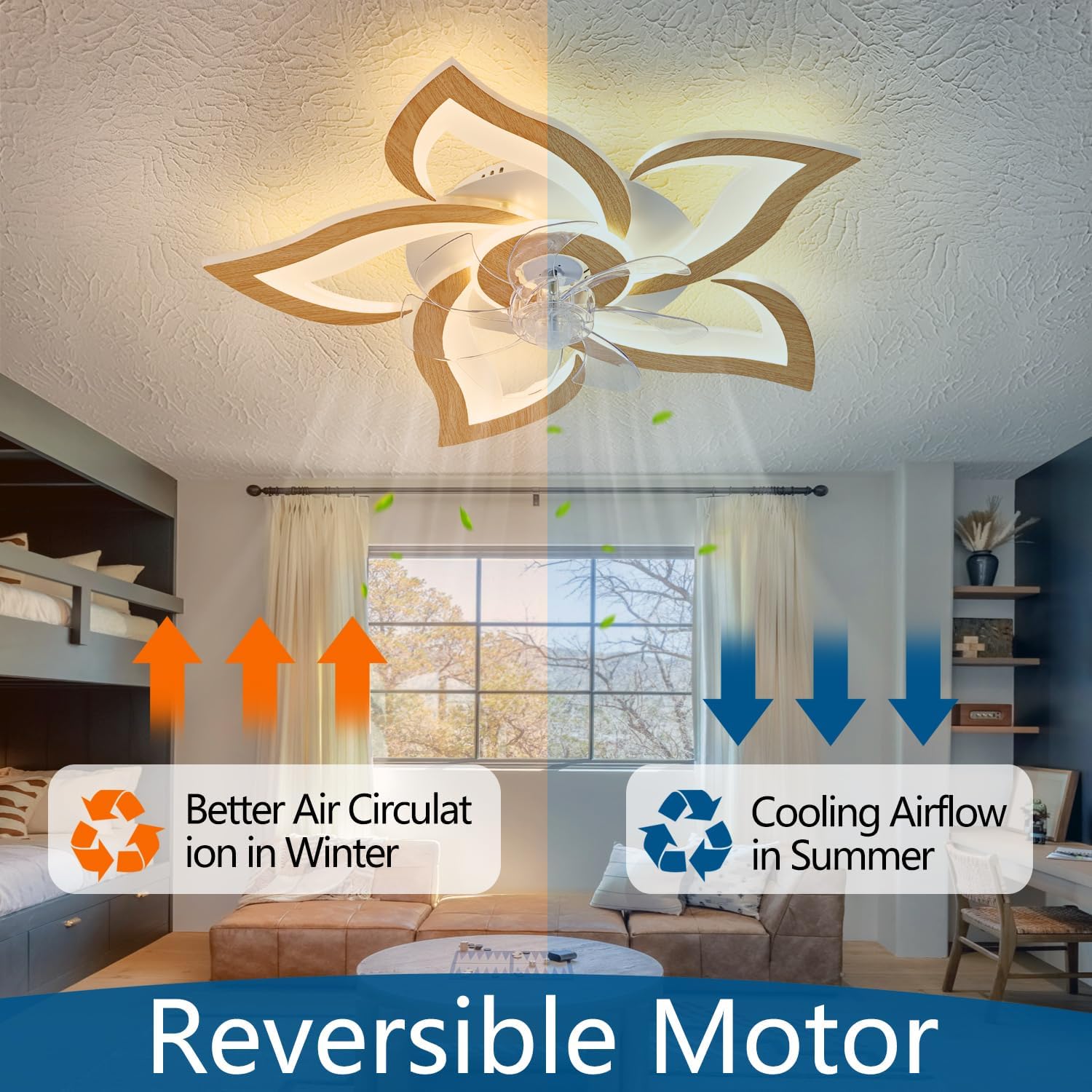
Image: An illustration demonstrating the reversible motor feature, showing how the fan provides cooling airflow in summer and improves air circulation in winter by changing blade direction.
Quiet Operation
The fan is designed for ultra-quiet operation, with noise levels below 30dB, ensuring a peaceful environment, especially suitable for bedrooms.

Image: A graphic highlighting the fan's ultra-quiet operation, indicating noise levels below 30dB, ideal for maintaining a quiet atmosphere.
Maintenance
Regular maintenance helps ensure the longevity and optimal performance of your ceiling fan.
- Cleaning: Turn off the power before cleaning. Use a soft, lint-free cloth to wipe down the fan blades and light fixture. The semi-open design allows for easy cleaning of the fan blades. Avoid using abrasive cleaners or solvents that could damage the finish or acrylic lampshade.
- Tightening Fasteners: Periodically check all screws and fasteners on the fan and mounting hardware to ensure they are secure.
- Light Source: The LED light source is built-in and designed for long life. It does not require bulb replacement.
Troubleshooting
If you encounter issues with your fan, refer to the following common problems and solutions:
| Problem | Possible Cause | Solution |
|---|---|---|
| Fan does not start | No power supply; Loose wiring; Remote control battery low. | Check circuit breaker; Ensure all connections are secure; Replace remote control batteries. |
| Light does not turn on | No power supply; Loose wiring; Remote control battery low. | Check circuit breaker; Ensure all connections are secure; Replace remote control batteries. |
| Remote control not working | Batteries are dead or incorrectly inserted; Remote not paired. | Replace batteries (2 AAA); Refer to remote pairing instructions in the full manual (if applicable, usually a "pair code" button). |
| Fan wobbles | Loose mounting screws; Unbalanced blades. | Ensure mounting bracket and fan assembly are securely tightened. |
If the problem persists after attempting these solutions, please contact Dalouguan customer support.
Specifications
| Feature | Detail |
|---|---|
| Brand | Dalouguan |
| Model Name | DLG-FSD36 |
| Color | 24"-Light wood grain color |
| Electric Fan Design | Ceiling Fan |
| Power Source | Corded Electric |
| Style | Minimalist |
| Product Dimensions | 24"D x 24"W x 5"H |
| Room Type | Bedroom, Kitchen, Living Room |
| Special Features | Color Changing, Dimmable, Remote Control, Reversible Motor, Timing Function |
| Recommended Uses | Air Circulation |
| Wattage | 50 watts |
| Finish Type | Painted |
| Number of Blades | 7 |
| Voltage | 110 Volts |
| Switch Type | Push Button (on remote) |
| Included Components | Remote |
| Indoor/Outdoor Usage | Indoor |
| Control Method | Remote |
| Efficiency | Highly Efficient |
| Number of Power Levels | 6 (Fan Speeds) |
| Motor Type | Brushless |
| Installation Type | Flush mount |
| Item Weight | 6.3 pounds |
| Batteries Required | Yes (2 AAA, included for remote) |
| Shape | Flower |
Warranty Information
This Dalouguan ceiling fan comes with a 1-year warranty from the date of purchase. This warranty covers manufacturing defects and material flaws under normal use. Please retain your proof of purchase for warranty claims. The warranty does not cover damage caused by improper installation, misuse, accidents, or unauthorized modifications.
Customer Support
For technical assistance, troubleshooting beyond this manual, or warranty inquiries, please contact Dalouguan customer support. You can find more information and contact details on the official Dalouguan store page: Dalouguan Store.